

Articles in this series:
- How to add Shortcut Dimensions on the page (Shortcut Dimension 3 ~ 8)
- How to add Dimensions to the page (Other than Global and Shortcut dimensions)
- How to add Dimensions FactBox on the pages
- Default Dimension Priorities (Avoiding conflicts)
- More control over settings for Default Dimensions (Allowed Values Filter)
- Assign the default dimensions to multiple items/customers/vendors/other accounts at the same time (View or edit dimensions for a group of records)
- How to Change Global Dimensions after Go-Live
- Use shortcut dimensions in G/L entries for financial reporting
- Dimension corrections (for G/L Entries)
- Set up default dimensions for specific accounts/tables (Account Type Default Dimensions)
- How to set dimension via standard API and Can we do it via Power Automate?
- Set default dimensions on locations
- Set default dimensions on locations, inventory documents, and journals
- How to import Dimension Combinations
- How to get Dimension Name, Code Caption, and Filter Caption via AL
- Improved user experience to keep posting setup and dimension issues from going wrong
How to add Shortcut Dimensions on the page (Shortcut Dimension 3 ~ 8)
How to add Dimensions to the page (Other than Global and Shortcut dimensions)
How to add Dimensions to the page (Other than Global and Shortcut dimensions)
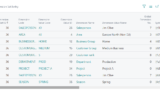
How to add Dimensions FactBox on the pages
How to add Dimensions FactBox on the pages
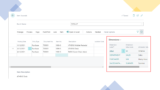
Default Dimension Priorities (Avoiding conflicts)
Default Dimension Priorities (Avoiding conflicts)
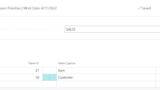
More control over settings for Default Dimensions (Allowed Values Filter)
More control over settings for Default Dimensions (Allowed Values Filter)
Assign the default dimensions to multiple items/customers/vendors/other accounts at the same time (View or edit dimensions for a group of records)

How to Change Global Dimensions after Go-Live
How to Change Global Dimensions after Go-Live
Use shortcut dimensions in G/L entries for financial reporting
Use shortcut dimensions in G/L entries for financial reporting
Dimension corrections (for G/L Entries)
Dimension corrections (for G/L Entries)
Set up default dimensions for specific accounts/tables (Account Type Default Dimensions)
Set up default dimensions for specific accounts/tables (Account Type Default Dimensions)
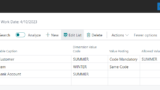
How to set dimension via standard API and Can we do it via Power Automate?
How to set dimension via standard API and Can we do it via Power Automate?

Set default dimensions on locations
Set default dimensions on locations
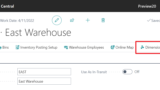
Set default dimensions on locations, inventory documents, and journals
Set default dimensions on locations, inventory documents, and journals
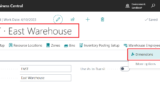
How to import Dimension Combinations
How to import Dimension Combinations
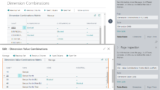
How to get Dimension Name, Code Caption, and Filter Caption via AL
How to get Dimension Name, Code Caption, and Filter Caption via AL
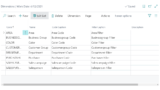
Improved user experience to keep posting setup and dimension issues from going wrong
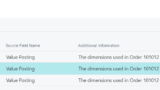
Improved user experience to keep posting setup and dimension issues from going wrong


コメント