
Hi, Readers.
Dynamics 365 Business Central 2026 wave 1 (BC28) is generally available. More details: General Available: Dynamics 365 Business Central 2026 release wave 1 (BC28)
I will continue to test and share some new features that I hope will be helpful. In this post, I would like to talk about Experience improved usability in manufacturing.
Experience improved usability in manufacturing:
You get more done when processes are easy. We improved the usability in several areas within manufacturing by matching the notification behavior to your daily work. These changes help you record production output more accurately for serial-tracked items, and keep capacity and overhead postings aligned with production locations so that WIP accounts stay balanced and are easier to reconcile. You also get some help to decide how much guidance you want around BOM and routing certification.
https://learn.microsoft.com/en-us/dynamics365/release-plan/2026wave1/smb/dynamics365-business-central/experience-improved-usability-manufacturing?wt.mc_id=DX-MVP-5004336
With this wave, Microsoft has addressed several friction points in manufacturing processes.
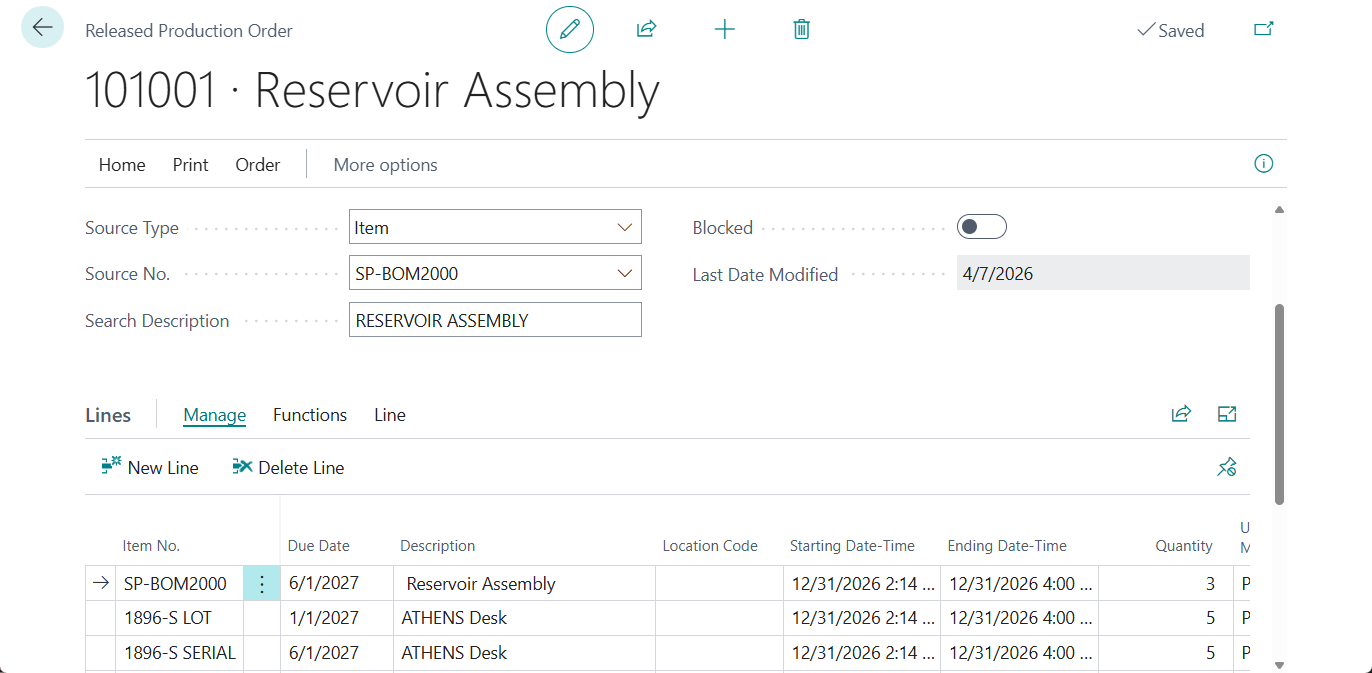
Use the Explode Routing action and items with serial numbers
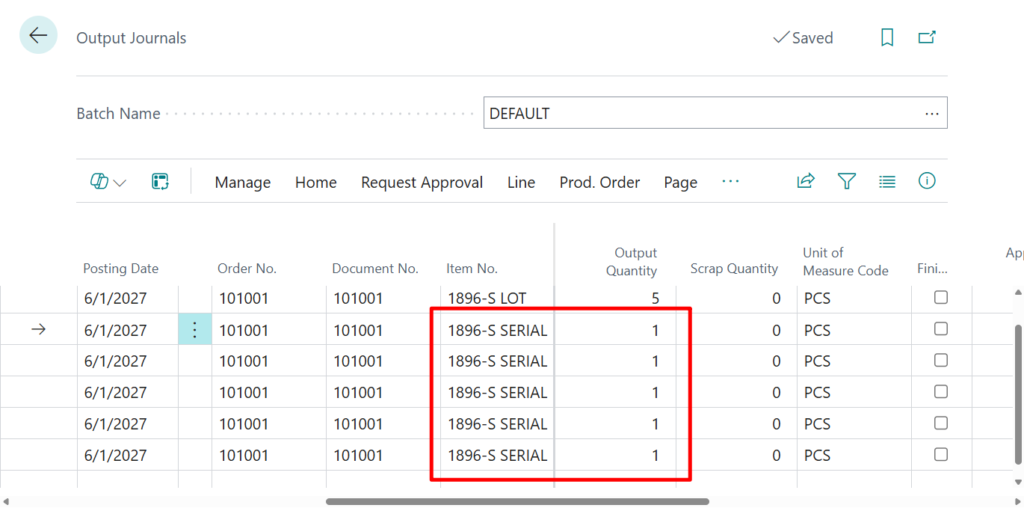
When you report production output for items with serial number tracking, you often need one journal line per serial number. Previously, when you turned on Item Tracking on Lines in the Output Journal and chose Explode Routing, the last operation for a serial-tracked item could still show the full order quantity on the line. With this improvement, Business Central respects item tracking setting when exploding routing lines in output journals:


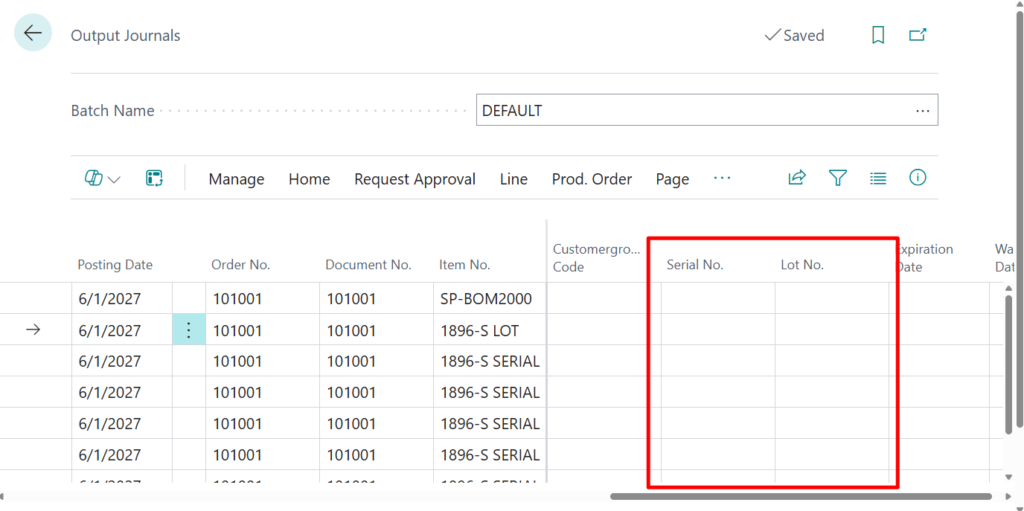
- For serial-tracked items, Business Central splits the last routing operation into multiple lines with quantity 1 per serial number, and the journal line is ready for you to enter assigned serial number.
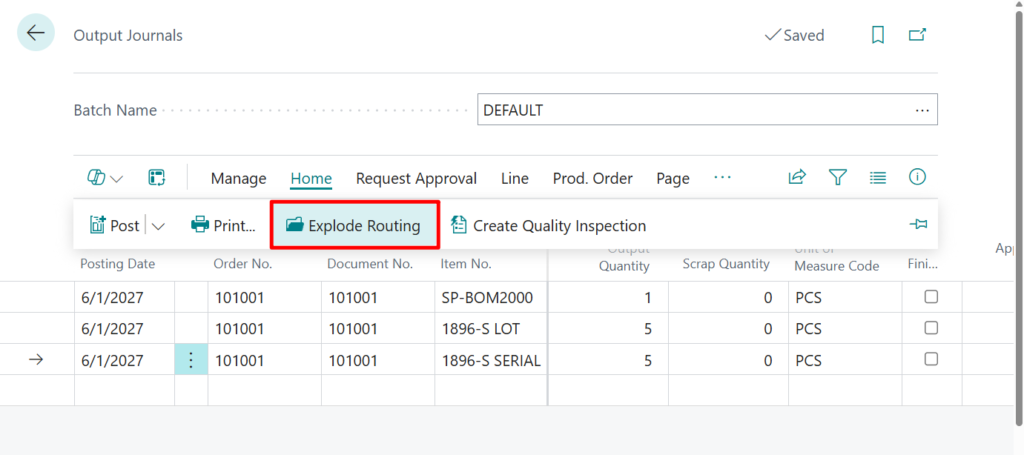
- For lot-tracked items, the behavior is unchanged. The operation remains on a single line with the full quantity.

Respect location code when posting capacity and overhead
In many manufacturing environments, you post production consumption and output by location, with separate WIP accounts per site. Until now, capacity and overhead postings were always evaluated against the Inventory Posting Setup for a blank location code, because the related entries didn’t have a location value. This could cause:
- All capacity and overhead costs to be posted to a single WIP account.
- Imbalances when material consumption and output were posted to location-specific WIP accounts, but capacity and overhead went to the blank-location WIP account.
- An error that forced you to maintain an Inventory Posting Setup line for blank location when you added overhead to routings and posted the production journal.
With this improvement, Business Central uses the production location when posting capacity and overhead.
The following list describes what Microsoft changed.
- Value entries that are linked to capacity ledger entries now have a Location Code value that comes from the related production order line or item journal line.
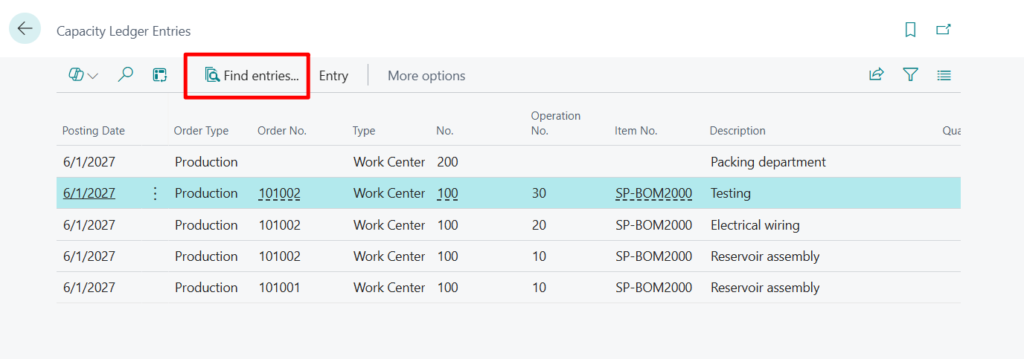
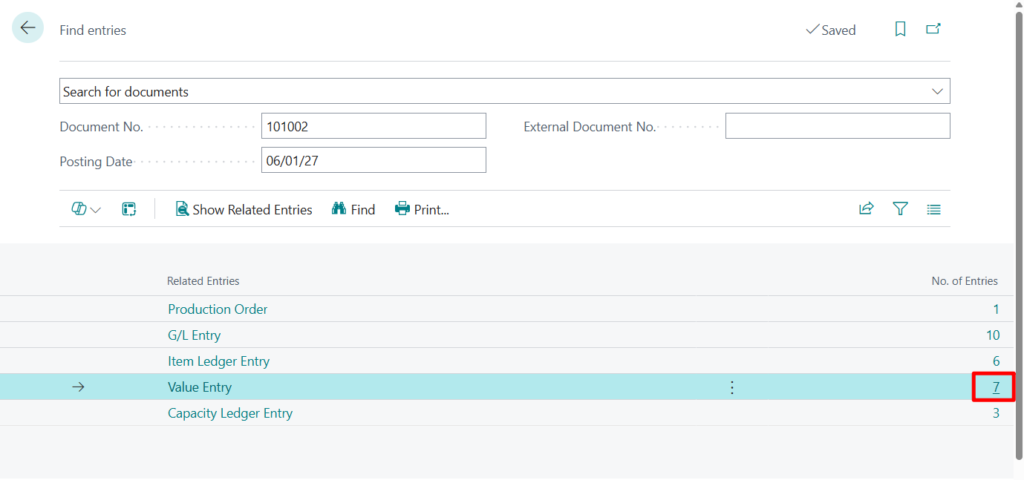

- When you post capacity or overhead, Business Central uses the Inventory Posting Setup for that specific location, not the blank location.

- You are no longer forced to keep an Inventory Posting Setup line for a blank location just to post overhead.

Control warnings for non-certified production BOMs and routings
When you design or maintain production BOMs and routings, you might work with non-certified structures for extended periods. A confirmation message that reminds you that a BOM or routing isn’t certified is useful, but it can also become noise if it displays many times per day. Previously, when you tried to close a non-certified production BOM or version, Business Central showed a message such as:
- The Production BOM has not been certified. Are you sure you want to exit?
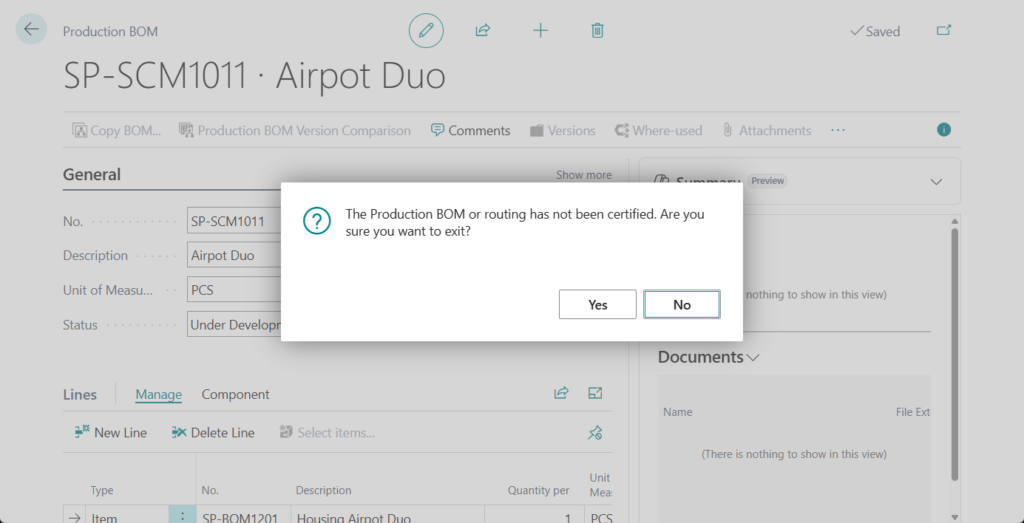
There was no way to turn this specific warning on or off per person. Now, Microsoft has added a new My Notifications setting so you can control whether to display warnings for non-certified production BOMs and routings. To configure the notification:
- Choose the Settings icon and select My Settings.

- Choose Change when I receive notifications (My Notifications).
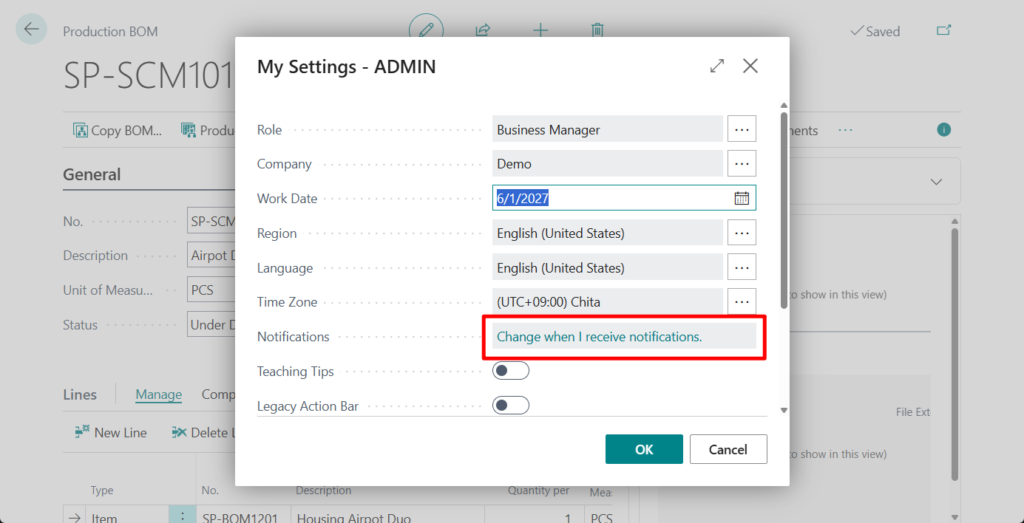
- Search for “Warn about non-certified production BOMs and routings”.

- Turn on the notification if you want to be reminded, or off if you mainly work with non-certified data and don’t want the extra confirmation.

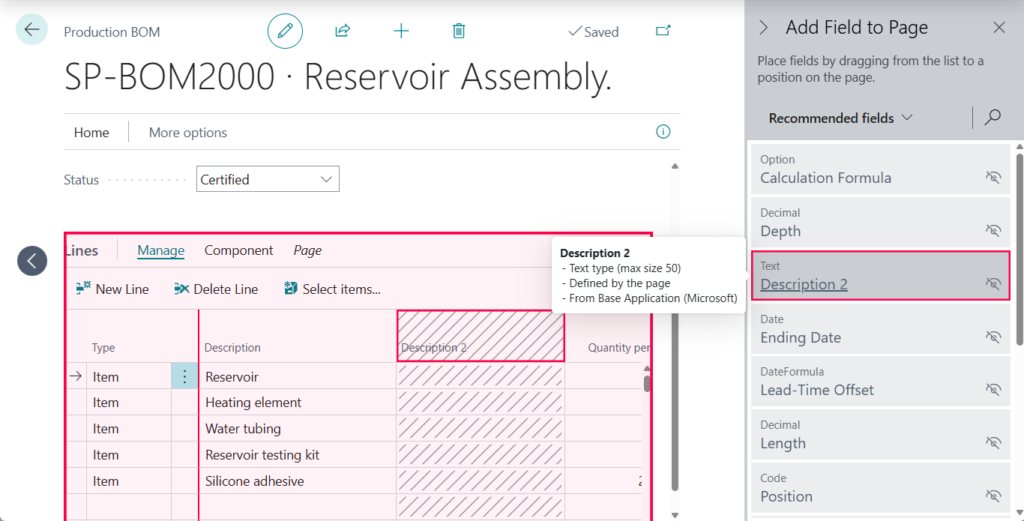
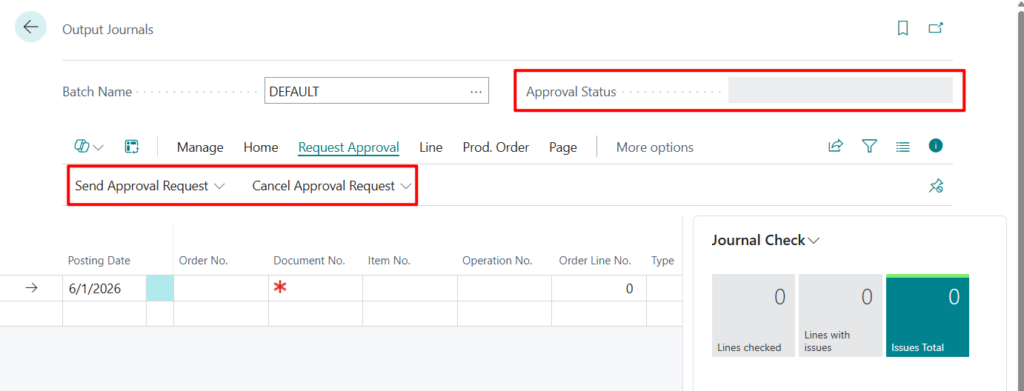
Two other updates include the manufacturing module.
Great, give it a try!!!😁
PS: What’s new in supply chain management (overview)
END
Hope this will help.
Thanks for reading.
ZHU


コメント