
Hi, Readers.
Today, I’d like to briefly share an issue I was asked about recently: Why can’t users other than Super users see customized features? This question has also come up many times on the Business Central forum.
First of all, in AL, you make a page or report searchable from Tell me by setting the UsageCategory property in code.
UsageCategory property: Sets the department column for a searched page, report, or query in the web client. If the UsageCategory is set to None, or if you don’t specify UsageCategory, the page, report, or query doesn’t show up when you search in Dynamics 365 Business Central.

However, within the same environment, you’ll find that only Super users can access these new pages, reports, etc. Why?
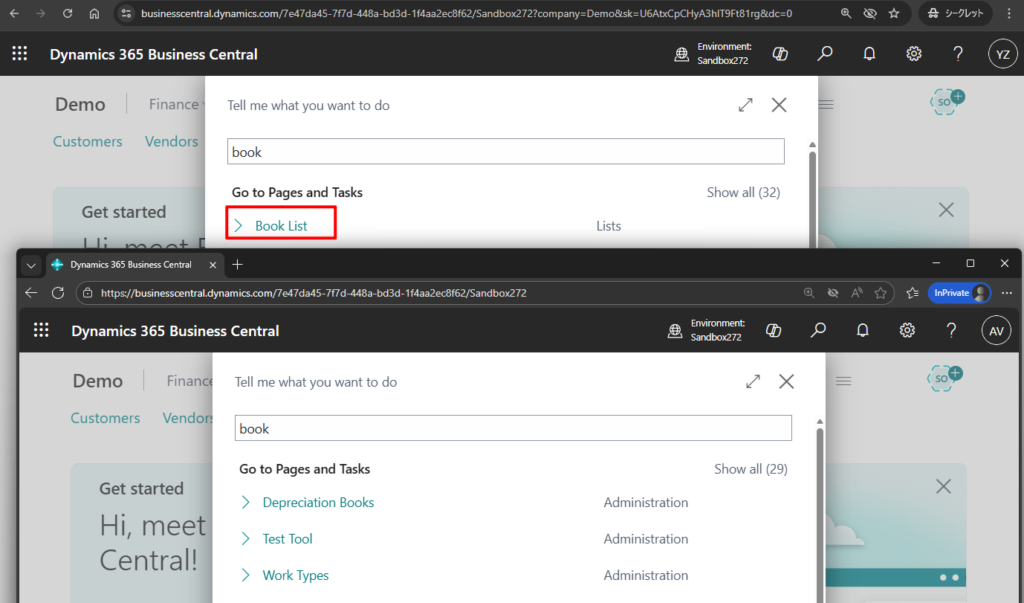
At this point, the developer may assume that there is an issue with the code and start investigating further, but that is not actually the case. In addition, developers typically work with Super user permissions, which makes this issue difficult to notice—especially for less experienced developers.
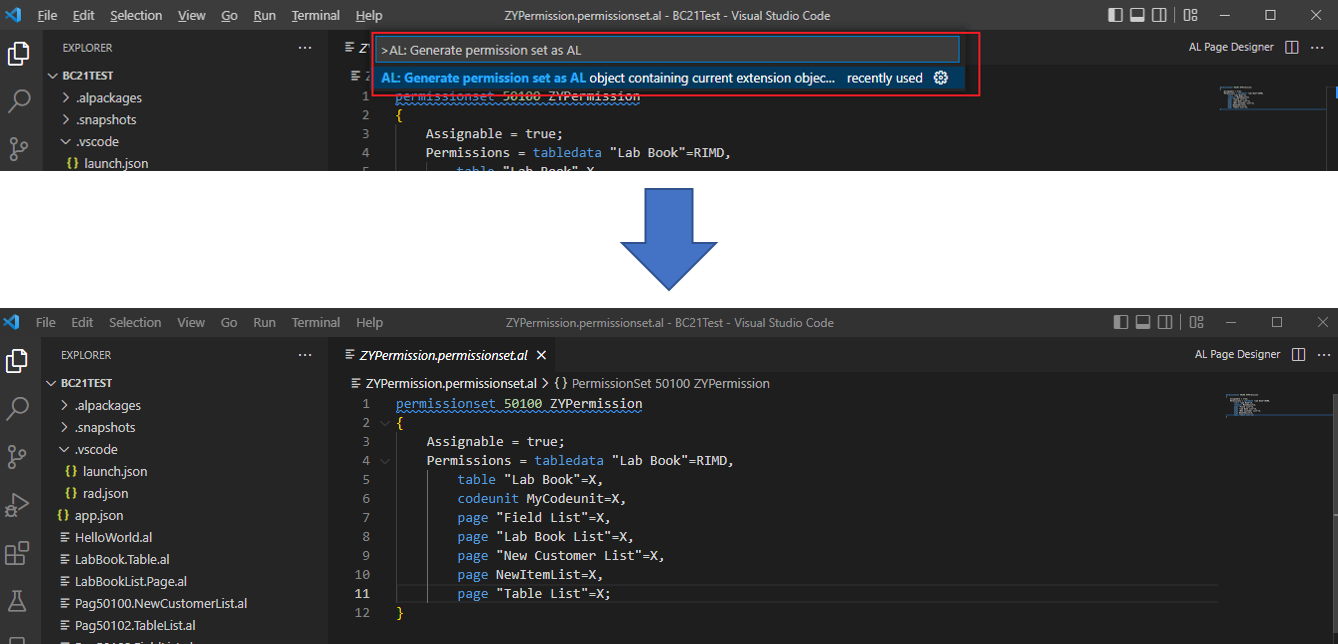
Please make sure that the permission file has been generated.


Please note that this file will not update automatically. If you add new objects, please update this file using the same command. More details: Business Central 2022 wave 2 (BC21): New command to generate or update AL permission set

The generated permission set can be found in Permission Sets, which you can assign to users.
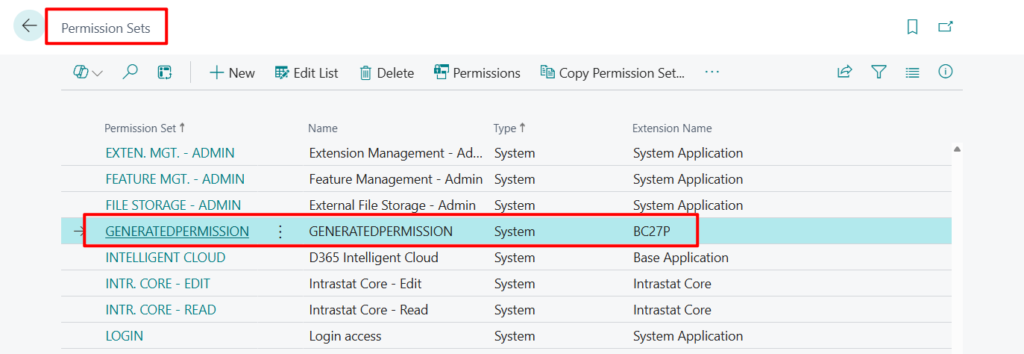
This point is also mentioned in the MS Learn section below.
Adding data for extensions
If you don’t include a permission set with your extension, only users with the SUPER permission set will be able to use the extension.

However, this issue will not occur in a production environment. When uploading an extension to a production environment, if the extension does not include the required permissions set, an error will be displayed and the PTE cannot be installed.
Package validation failed due to the following error(s): Book.Table.al (1,13) – Error PTE0004: Table 50140 ‘ZY Book’ is missing a matching permission set. – Job Id : 4c3ccd01-6b3f-4ba8-af1b-49b275b7318e
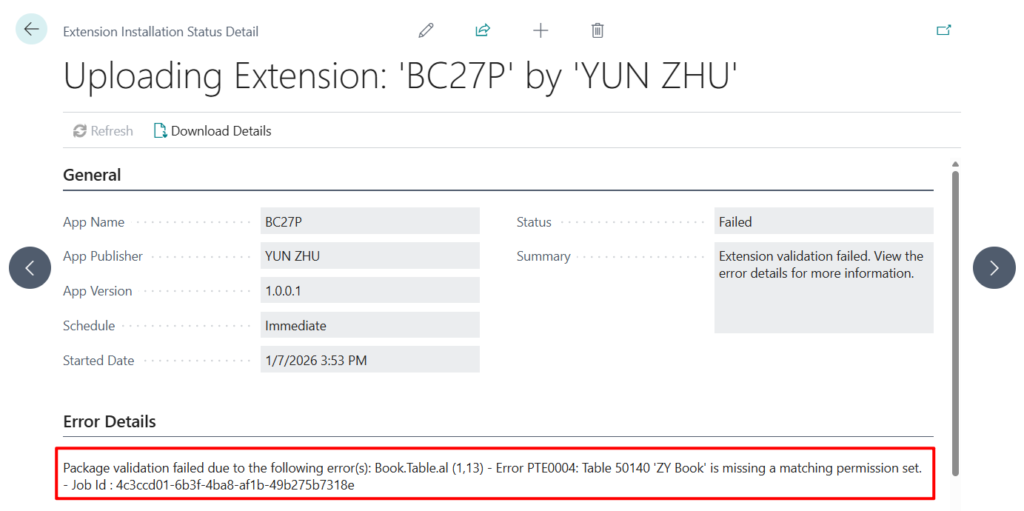
If you have Code Analysis enabled, PerTenantExtensionCop anlyzer will also check this.

Therefore, to ensure that users can find your page through Tell Me, there are three key factors to consider: the UsageCategory property, the ApplicationArea property, and whether a permission set has been generated.
PS: How to make your custom features available only with the Premium license (ApplicationArea Property)
END
Hope this will help.
Thanks for reading.
ZHU
コメント