

Articles in this series:
- Snapshot Debugging (Debugging in Cloud Production)
- How to set a condition on a breakpoint in debugging (Conditional breakpoints)
- Publish without debugging (Ctrl+F5) and Debug without publishing (Ctrl+Shift+F5)
- Get IntelliSense for adding variables in Visual Studio Code AL debugger console
- Open Visual Studio Code (Debugging) from web client to investigate or troubleshoot extensions
- Attach AL debugger to active session or next session (Specific user)
- How to debug in phone/tablet client session
- View SQL locks during AL debugging (Locks in Database Statistics)
- Exclude Try functions when debugging errors (“breakOnError”: “ExcludeTry”)
- Exclude temporary records when debugging record writes (“breakOnRecordWrite”:”ExcludeTemporary”)
- How to set your custom Method (procedure) and Variable non-debuggable (NonDebuggable Attribute)
- View the actual error message in the debugger
- Debugging Upgrade and Install code in Visual Studio Code
- How to connect to Dynamics 365 Business Central On-Premises in VS Code (Use the On-Premises version for customization)
Snapshot Debugging (Debugging in Cloud Production)
Snapshot Debugging (Debugging in Cloud Production)
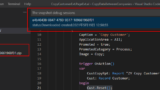
How to set a condition on a breakpoint in debugging (Conditional breakpoints)
How to set a condition on a breakpoint in debugging (Conditional breakpoints)

Publish without debugging (Ctrl+F5) and Debug without publishing (Ctrl+Shift+F5)
Publish without debugging (Ctrl+F5) and Debug without publishing (Ctrl+Shift+F5)

Get IntelliSense for adding variables in Visual Studio Code AL debugger console
Get IntelliSense for adding variables in Visual Studio Code AL debugger console
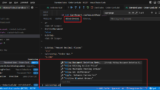
Open Visual Studio Code (Debugging) from web client to investigate or troubleshoot extensions
Open Visual Studio Code (Debugging) from web client to investigate or troubleshoot extensions
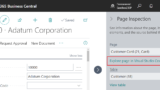
Attach AL debugger to active session or next session (Specific user)
Attach AL debugger to active session or next session (Specific user)
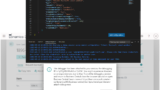
How to debug in phone/tablet client session
How to debug in phone/tablet client session
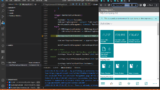
View SQL locks during AL debugging (Locks in Database Statistics)
View SQL locks during AL debugging (Locks in Database Statistics)
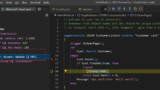
Exclude Try functions when debugging errors (“breakOnError”: “ExcludeTry”)
Exclude Try functions when debugging errors (“breakOnError”: “ExcludeTry”)
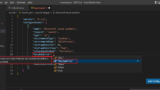
Exclude temporary records when debugging record writes (“breakOnRecordWrite”:”ExcludeTemporary”)
Exclude temporary records when debugging record writes (“breakOnRecordWrite”:”ExcludeTemporary”)
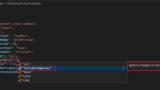
How to set your custom Method (procedure) and Variable non-debuggable (NonDebuggable Attribute)
How to set your custom Method (procedure) and Variable non-debuggable (NonDebuggable Attribute)
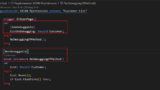
View the actual error message in the debugger
View the actual error message in the debugger
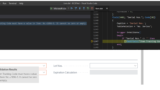
Debugging Upgrade and Install code in Visual Studio Code
Debugging Upgrade and Install code in Visual Studio Code

コメント