

Hi, Readers.
The public preview for Dynamics 365 Business Central 2026 release wave 1 (BC28) is available. Learn more: Link.
I will continue to test and share some new features that I hope will be helpful. In this post, I would like to talk about Define item attributes for item variants.
Define item attributes for item variants:
You can assign attribute values that reflect the specific variant at the item variant level. Item variants inherit attributes from the item, and you can adjust or remove those inherited values when the variant requires different information.
https://learn.microsoft.com/en-us/dynamics365/business-central/dev-itpro/whatsnew/preview-feature-details?wt.mc_id=DX-MVP-5004336#define-item-attributes-for-item-variants
In Business Central, item variants are a great way to keep your list of products under control in Business Central. For example, you have a large number of items that are almost identical and vary only in color. You can define each variant as a separate item. But you can also choose to set up one item and specify the various colors as variants of the item.
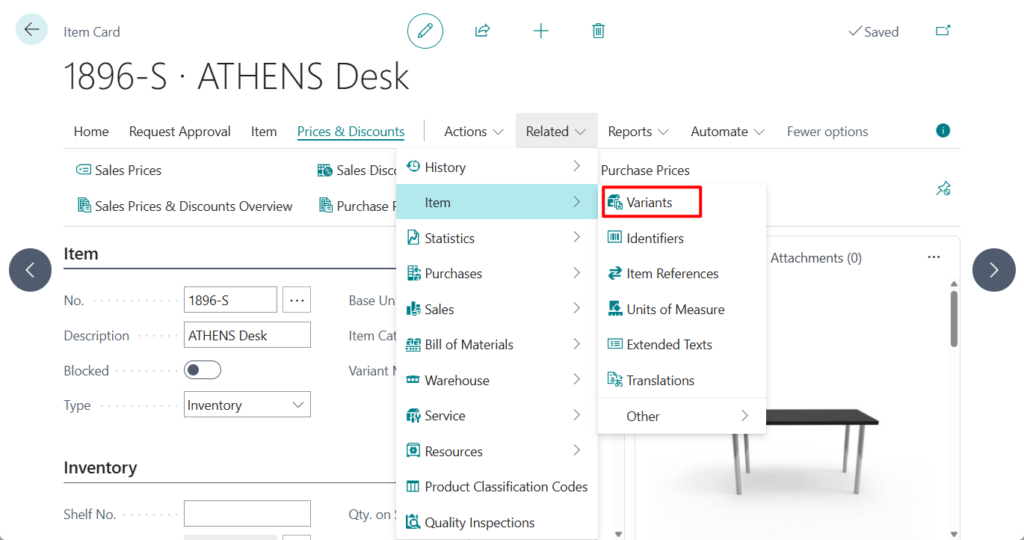

When customers inquire about an item, either in correspondence or in an integrated web shop, they may ask or search according to characteristics, such as height and model year. To provide this customer service, you can assign item attribute values of different types to your items, which can then be used when searching for items. More details: Work with Item Attributes.
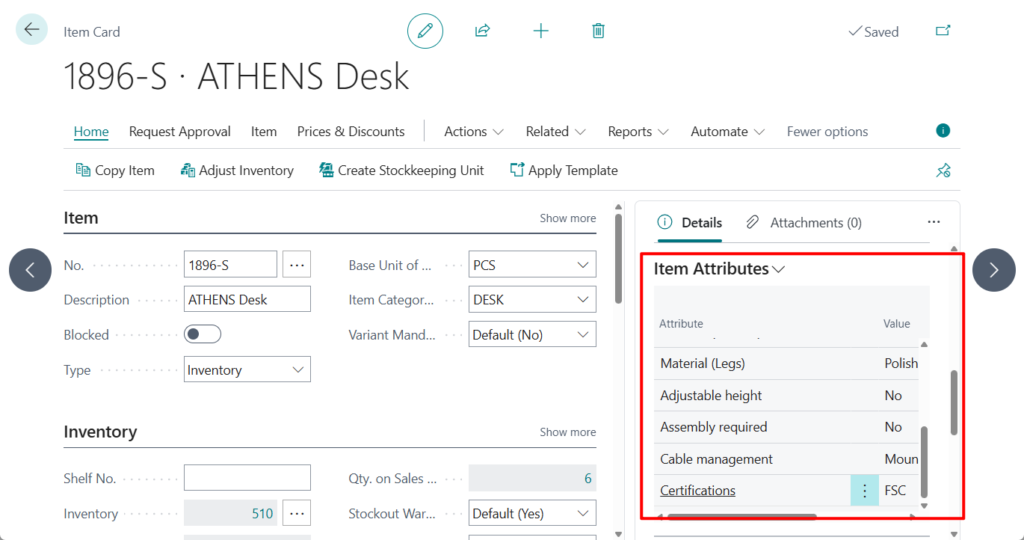
After creating item attributes and assigning to items , we can find them in the Factbox of the Item Card and Item List.
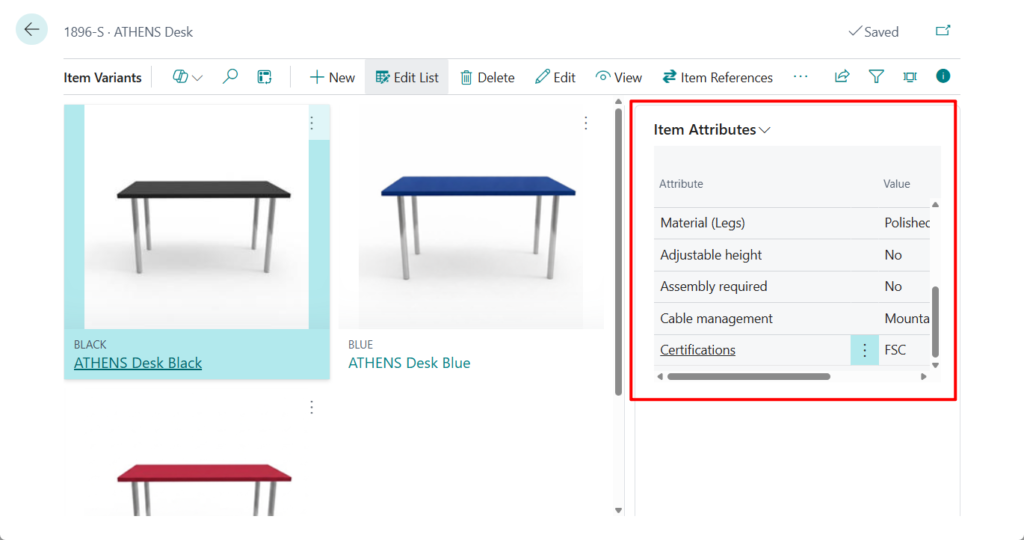
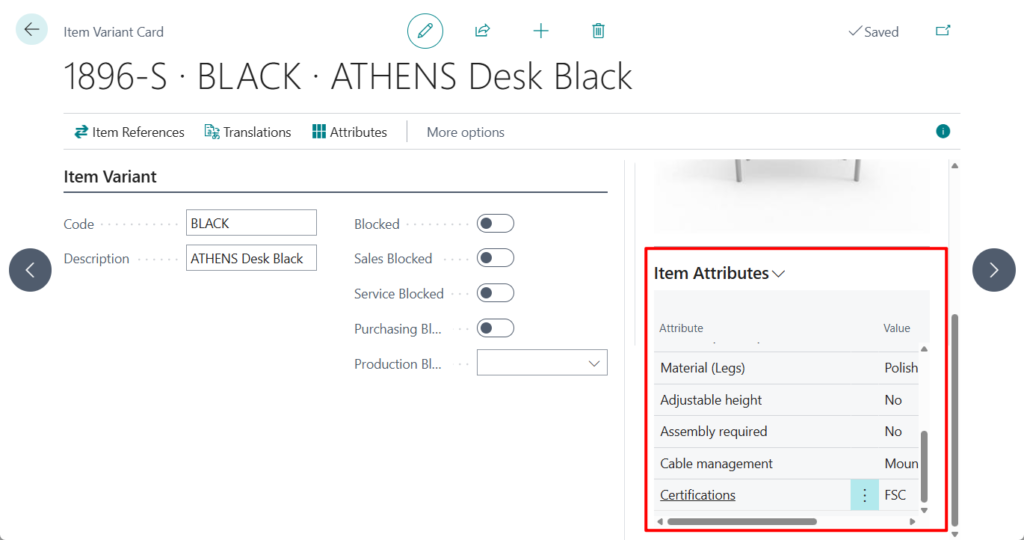
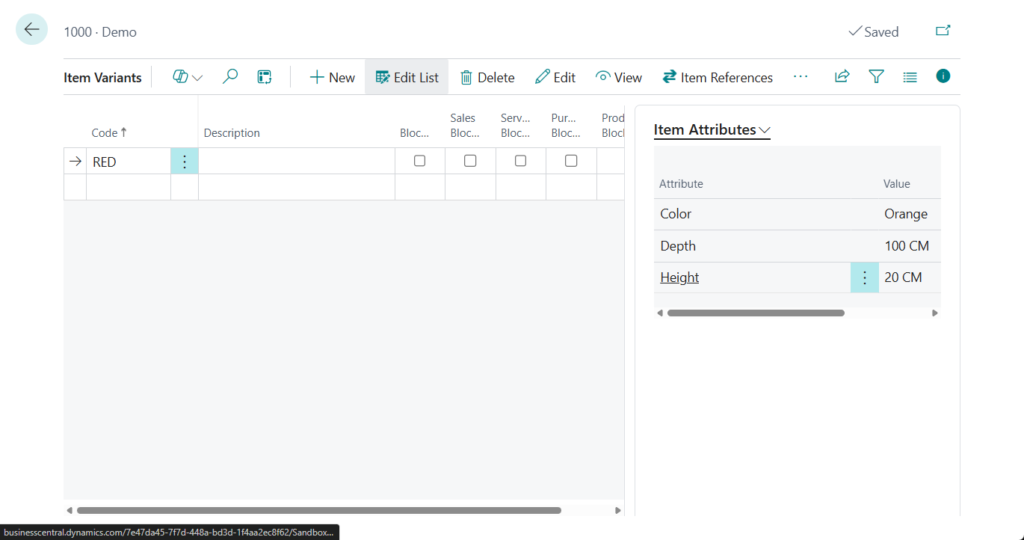
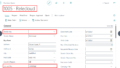
With this wave (BC28), you can assign attribute values that reflect the specific variant at the item variant level. You can open the Item Variant Attribute Values page from the Item Variants List or the Item Variant Card pages to review or edit variant-specific attributes.
Item Variants:
Item Variant Card:
In BC27 and previous versions:

When you add a new variant of an item, the attributes defined for the item transfer to the variant. So if no attributes are defined for an item, the corresponding item variants will also remain empty.
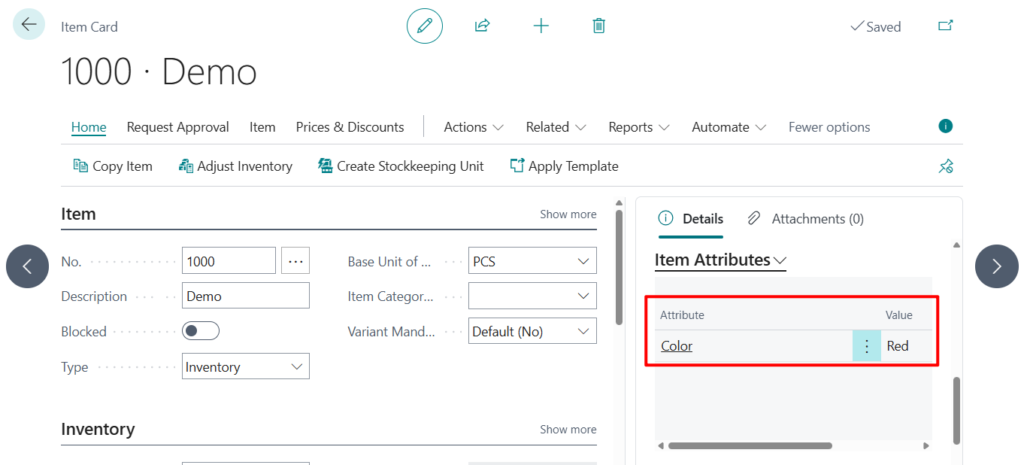
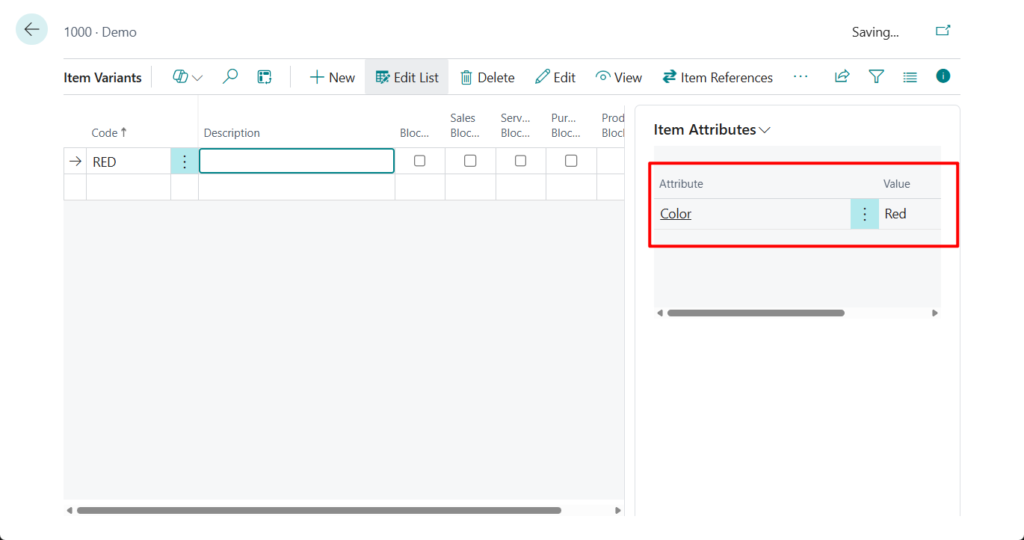
You can then update or delete the inherited values to ensure the variant shows the correct details.
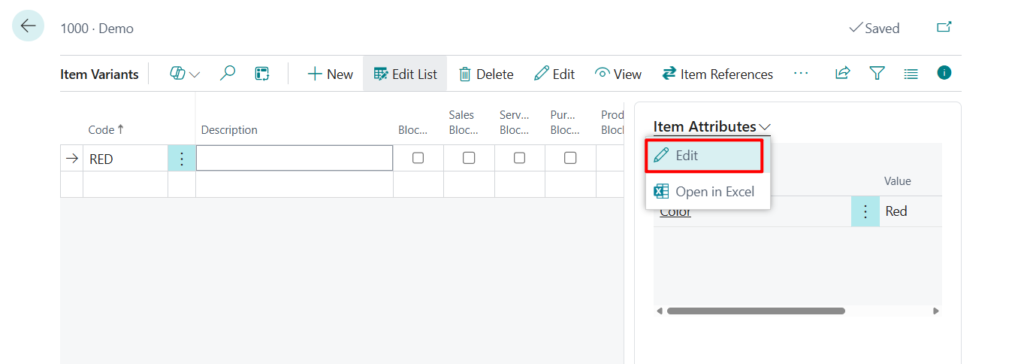
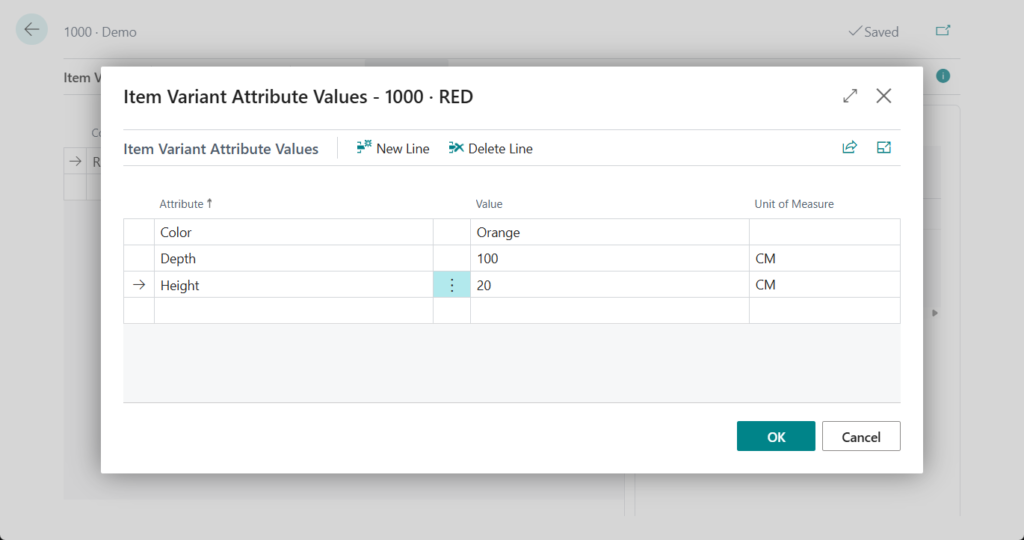
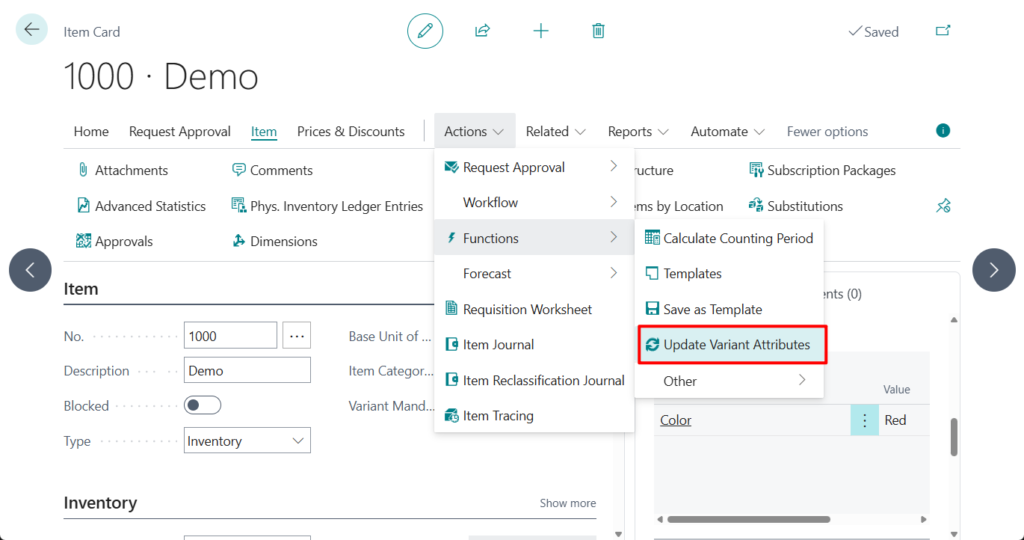
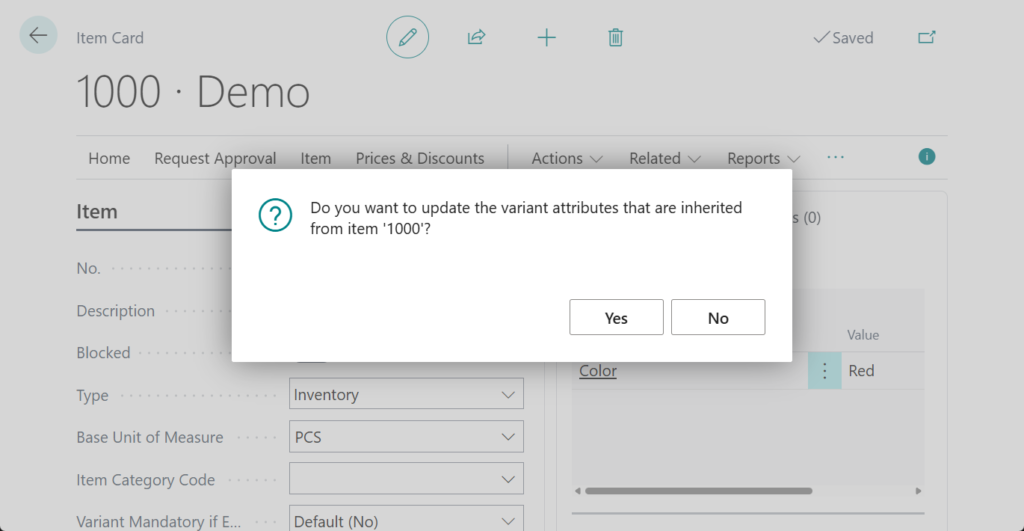
There is also also new the Update Variant Attributes action available from the Item Card that lets you to force sync attributes from the item to its variants.
Great, give it a try!!!😁
3. Business Central 2025 wave 1 (BC26): Block items or variants from production output
END
Hope this will help.
Thanks for reading.
ZHU
コメント