

Hi, Readers.
Business Central 2026 release wave 1 (BC28) Public Preview is scheduled to be released on March 2, 2026. More details: Link
The day before, let’s briefly summarize the features that Microsoft has announced will be deprecated in Business Central 2026 release wave 1 (BC28). More details: Changes in 2026 release wave 1
The following features will be removed in 2026 release wave 1 (version 28.0).
Excel reports on the Business Manager and Accountant Role Centers
| Moved, Removed, or Replaced? | Why? |
|---|---|
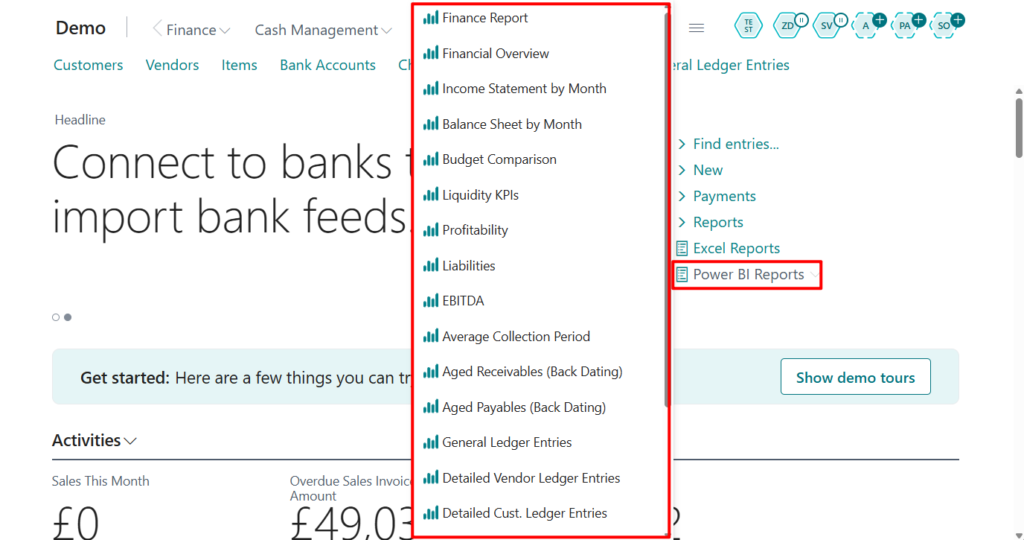
| Replaced | The following Excel reports are removed on the Business Manager and Accountant Role Centers.Balance Sheet ・Income Statement ・Statement of Cash Flow ・Statement of Retained Earnings ・Sales Taxes Collected ・Customer Statements ・Aged Accounts Payable ・Aged Accounts Receivable Although these reports are useful to some organizations, changing them requires technical skills in AL and VBA (Visual Basic for Applications) programming. We’ve enhanced analytics capabilities in finance in each release wave over the last years. For example, we’ve added data analysis capabilities on ledger tables, reports with Excel layouts that allow you to change the layout as you see fit, and Power BI reports for finance. Learn more about the replacement features at aka.ms/bcFinanceAnalytics. |
These reports were partly released during Business Central 2024 wave 1 (BC24). More details: Use new Excel layouts for 35 selected reports (New standard Excel layout reports)
In BC27, these reports have been moved to the Excel Reports -> Legacy tab.
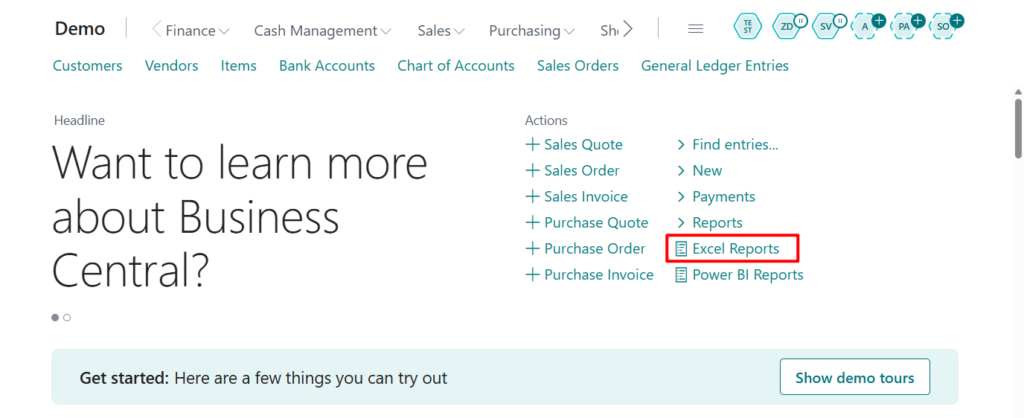
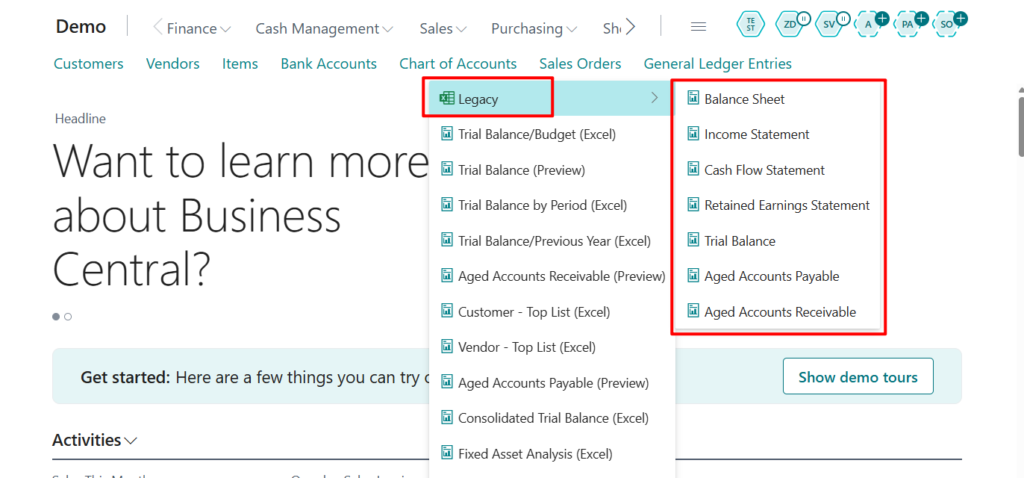
Please note that if you are still using these reports, please test the new version of the report as soon as possible.
Excel Reports:
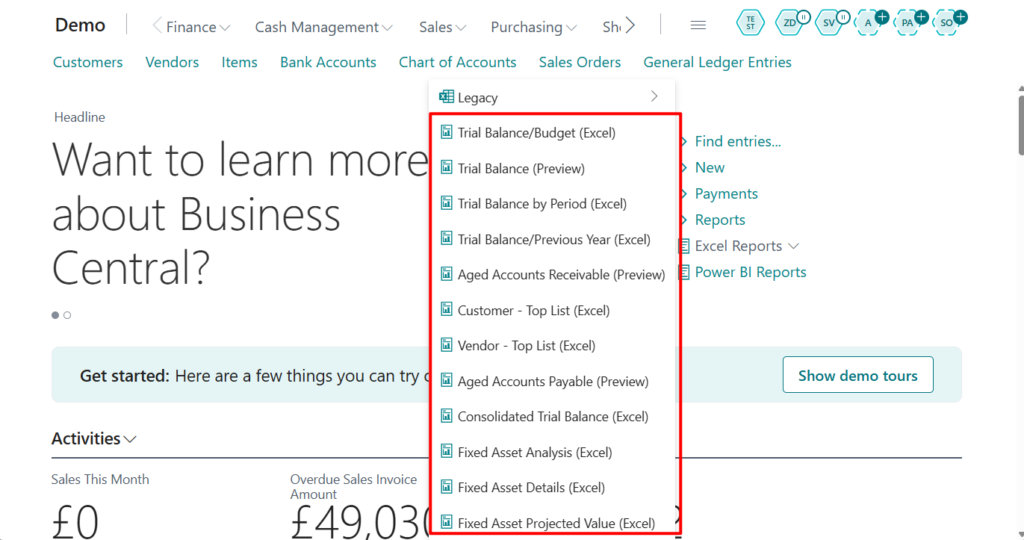
Power BI Reports:
PS:
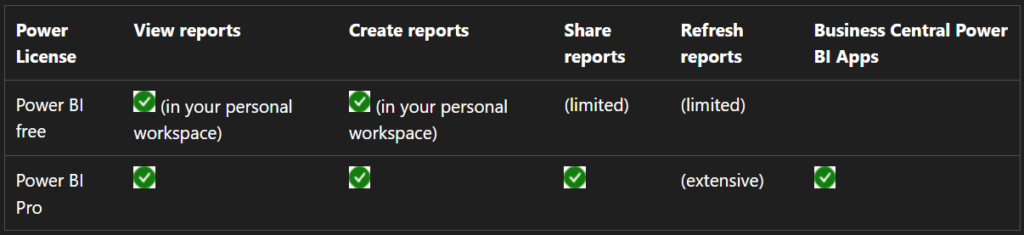
1. Use embedded Power BI reports out of the box (In-client Power BI reports)
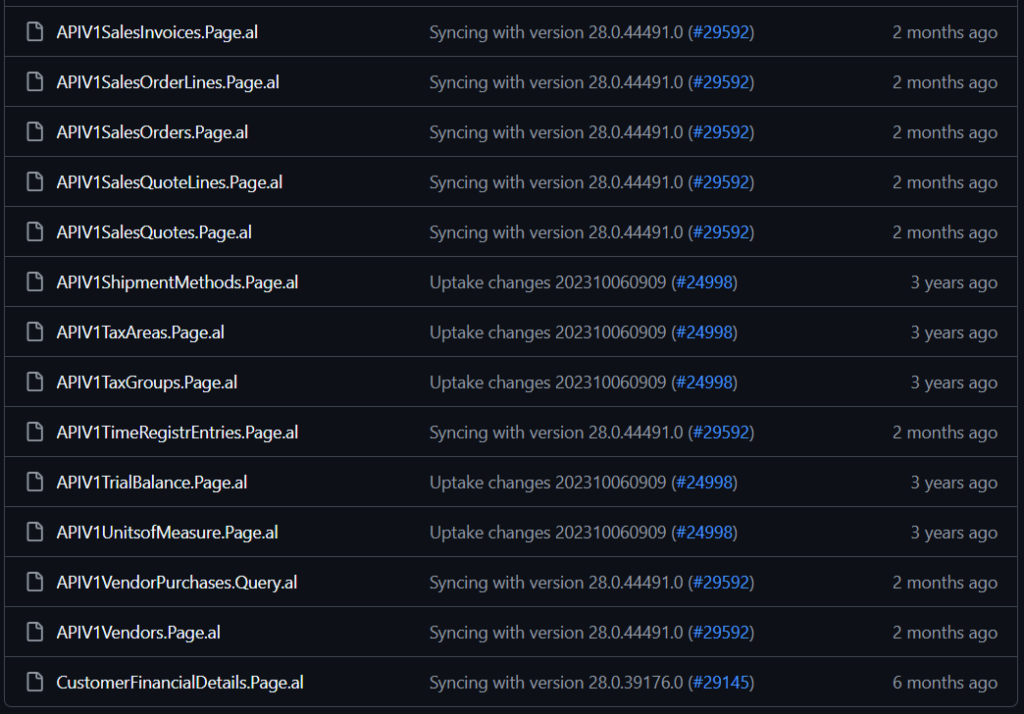
API (v1.0) for Business Central (removal)
| Moved, Removed, or Replaced? | Why? |
|---|---|
| Replaced | With Business Central, you can create Connect apps. Connect apps establish a point-to-point connection between Business Central and non-Micrososft solutions or services using the standard REST API to interchange data. In 2020 release wave 2, we introduced an improved API where all complex properties are replaced with first-level properties or navigation properties. This change significantly improves API performance because the complex fields were previously calculated at runtime. In API v2.0, all multipart keys and non-GUID keys are replaced with unique GUID keys. Entities can be retrieved using the SystemId, which is immutable, platform-enforced, and indexed. This change improves auditing and API reading performance. The API v2.0 contains all the functionality from API v1.0, so migration should be possible. If this isn’t the case, reach out to us via https://github.com/microsoft/ALAppExtensions. To learn about the replacement feature, go to Transitioning from API v1.0 to API v2.0. |
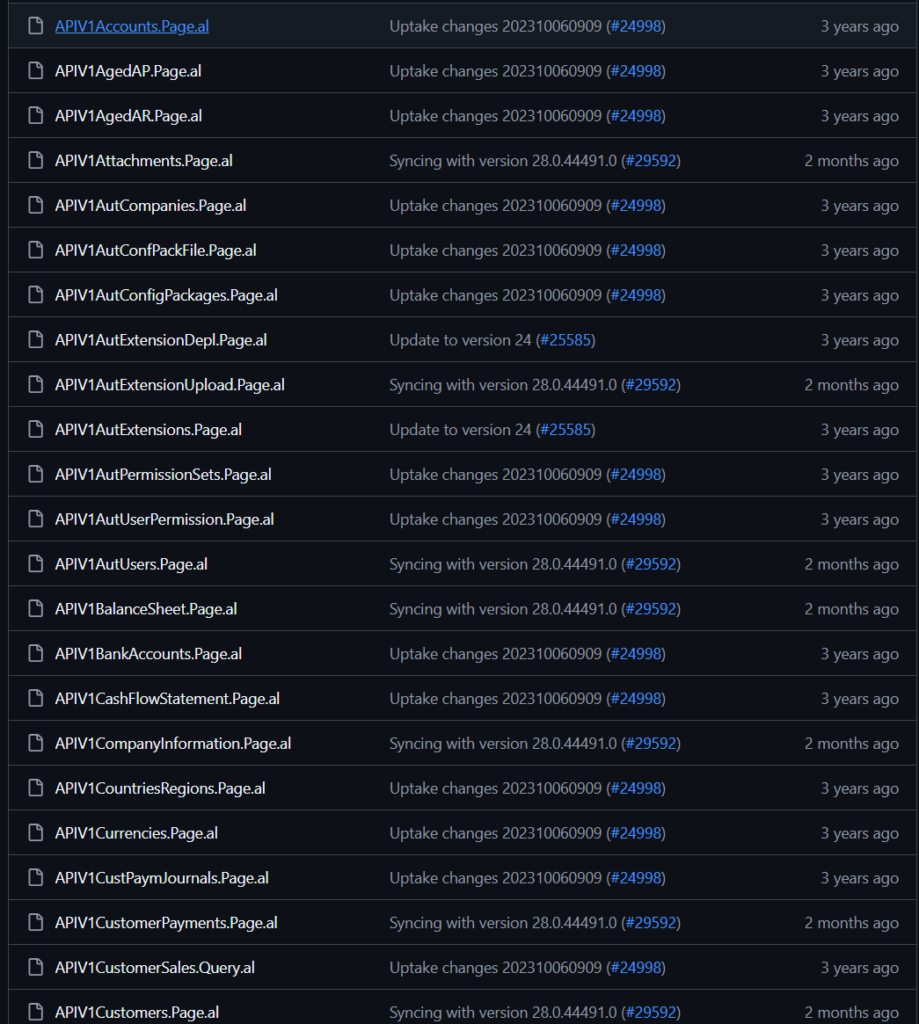
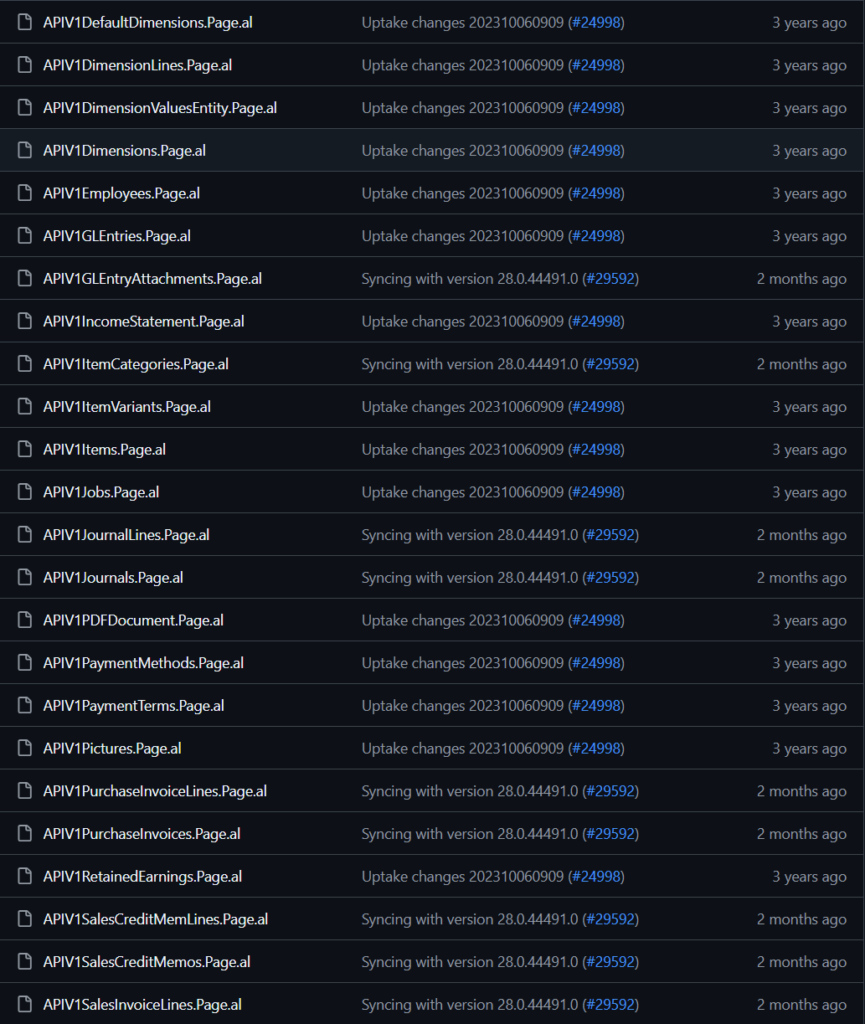
Welcome to the API (v1.0) for Business Central
APIV1 -> Pages:

PS: Endpoints for the APIs (V1.0, V2.0, Beta, custom, automation……)
So in this post, I simply sorted out the following commonly used APIs:
| APIs | Endpoint |
| API (v1.0) | https://{businesscentralPrefix}/v2.0/{Tenant id}/{Environment id}/api/v1.0/companies({id})/ |
| API (v2.0) | https://{businesscentralPrefix}/v2.0/{Tenant id}/{Environment id}/api/v2.0/companies({id})/ |
| API (Beta) | https://{businesscentralPrefix}/v2.0/{Tenant id}/{Environment id}/api/{APIPublisher}/{APIGroup}/beta/companies({id})/ |
| custom APIs | https://{businesscentralPrefix}/v2.0/{Tenant id}/{Environment id}/api/{APIPublisher}/{APIGroup}/v2.0/companies({id})/{EntitySetName} |
| automation APIs | https://{businesscentralPrefix}/v2.0/{Tenant id}/{Environment id}/api/microsoft/automation/v2.0/companies({id}) |
| OData Web Services | https://{businesscentralPrefix}/v2.0/{Tenant id}/{Environment id}/ODataV4/companies({name})/{Service Name} |
Legacy Power BI apps on Marketplace (removal)
| Moved, Removed, or Replaced? | Why? |
|---|---|
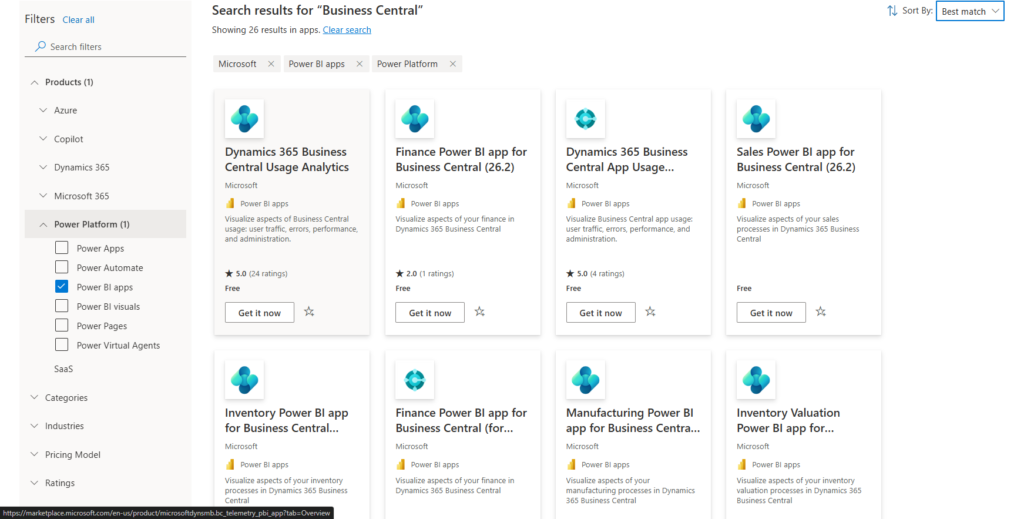
| Replaced | While useful to show the Power BI embed capabilities in Business Central, the following Power BI apps on Marketplace are replaced: ・Dynamics 365 Business Central – CRM ・Dynamics 365 Business Central – Finance ・Dynamics 365 Business Central – Sales The apps are replaced by seven Power BI apps for finance, sales, purchasing, inventory, projects, and manufacturing. The new Power BI apps were released in version 25.1. Learn more about the replacement features at aka.ms/bcFinanceAnalytics. |
More details:
Business Central 2024 wave 2 (BC25.1): Use embedded Power BI reports out of the box (In-client Power BI reports)
All Power BI Apps in Marketplace: Link
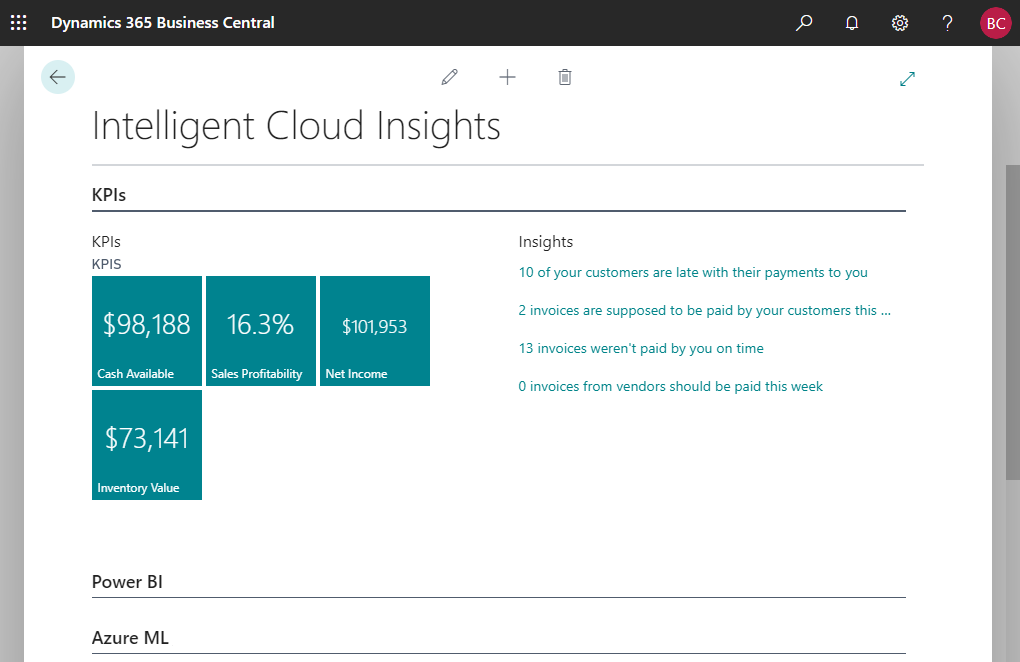
Intelligent Cloud Insights (removal)
| Moved, Removed, or Replaced? | Why? |
|---|---|
| Replaced | The Intelligent Cloud Insights feature showed KPIs and insights. It’s now replaced by seven Power BI apps for finance, sales, purchasing, inventory, projects, and manufacturing. The new Power BI apps were released in version 25.1. Learn more about the replacement features at aka.ms/bcFinanceAnalytics. |
Intelligent insights and cloud migration (on-premises only):
Legacy reports (Removal)
| Moved, Removed, or Replaced? | Why? |
|---|---|
| Replaced | While useful to some organizations, many legacy reports in Business Central are hard to change for end users and requires technical skills in AL and RDLC programming. Therefore, the following reports in the application have now been deprecated and will completely removed from Business Central in 2026 release wave 1: Finance reports Aged Accounts Receivables (Legacy) Aged Accounts Payable (legacy) Trial Balance (legacy) Trial Balance/Budget (legacy) Fixed Assets reports Fixed Asset Analysis (legacy) Fixed Asset Details (legacy) Fixed Asset Projected Value (legacy) Manufacturing reports Work Center List (legacy) Machine Center List (legacy) Rolled-up Cost Shares (legacy) Single-Level Cost Shares (legacy) Detailed Calculation (legacy) Item BOM Compare list (legacy) Work Center Load (legacy) Machine Center Load (legacy) Work Center Load (legacy) Machine Center Load (legacy) Prod. Order – Calculation (legacy) Sales reports Customer – Top 10 List (legacy) Purchasing reports Vendor – List (legacy) Vendor – Summary Aging (legacy) We’ve enhanced analytics capabilities in the application in each release wave over the last three years. For example, we’ve added data analysis capabilities on list pages and queries, reports with Excel layouts that allow you to change the layout as you see fit, and Power BI reports for most functional areas in the application. Learn more about replacement features in aka.ms/bcAnalytics. |
Similar to the first point, Microsoft has deprecated some standard reports. If your customers are still using them, or if you have added customizations, please confirm this before upgrading.
PS:
1. Features becoming mandatory next release wave (28.0)
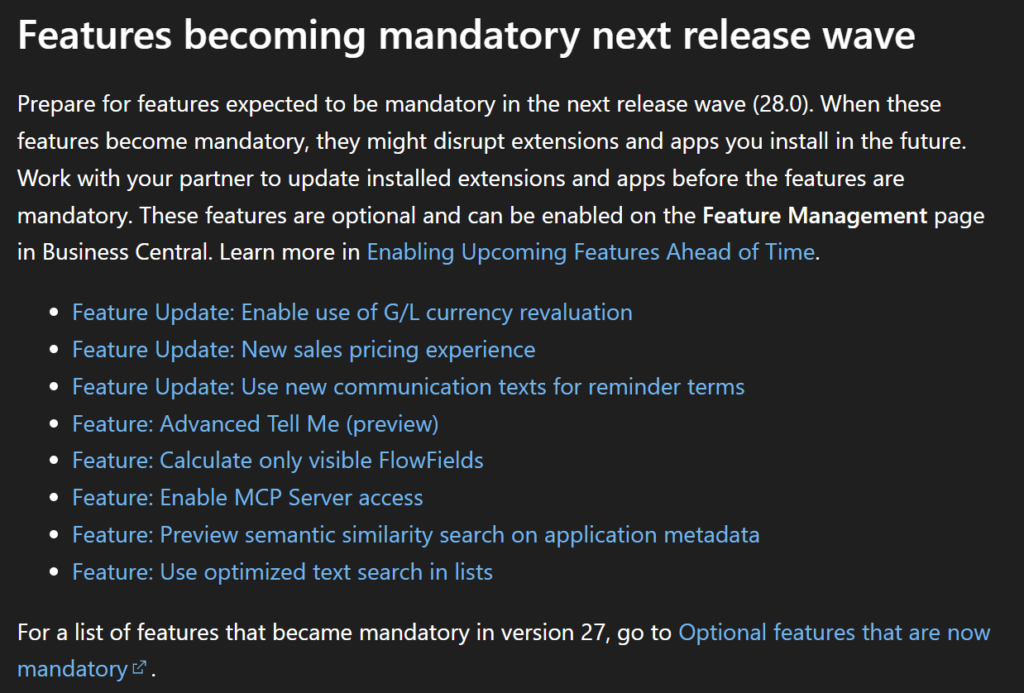
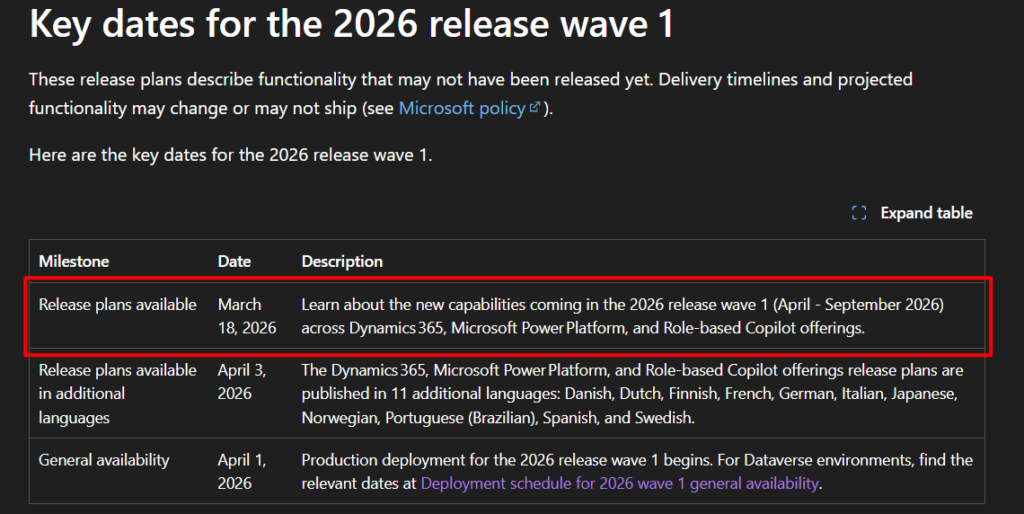
2. As for this Release Plan, it is expected to be released on March 18, 2026. More details: Key dates for the 2026 release wave 1
END
Hope this will help.
Thanks for reading.
ZHU

コメント