

Hi, Readers.
Today I would like to share another mini tip about Business Central, how to quickly strip not supported chars in File Name via AL.
As you might know, when saving files in Windows or other systems, there are some characters that cannot be contained in file names. For example,
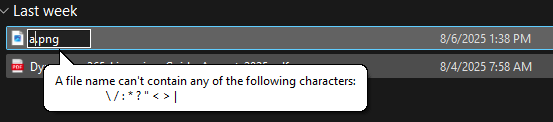
However, there is no such restriction when entering data in BC.
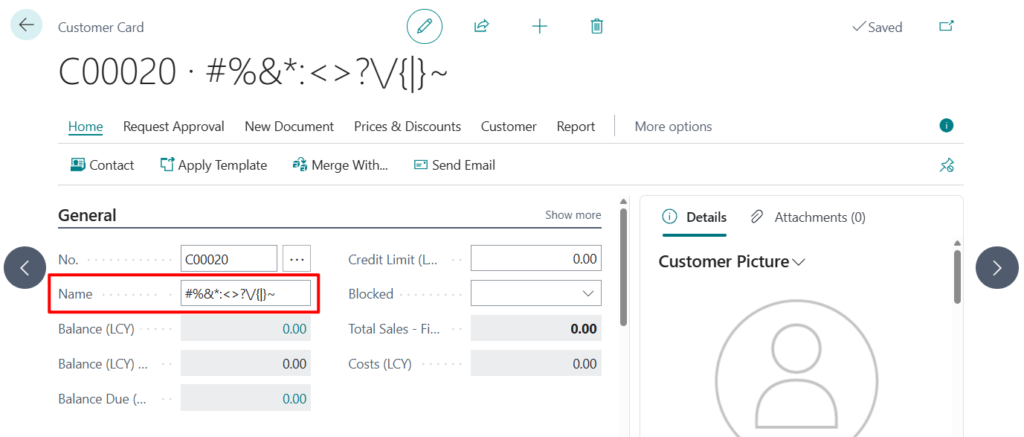
So you need to pay attention to this when exporting files in BC or processing files with external systems. Of course, developers can define a method to handle this. But is there a standard method to strip unsupported chars directly in the code? Yes.
codeunit 419 “File Management” -> procedure StripNotsupportChrInFileName
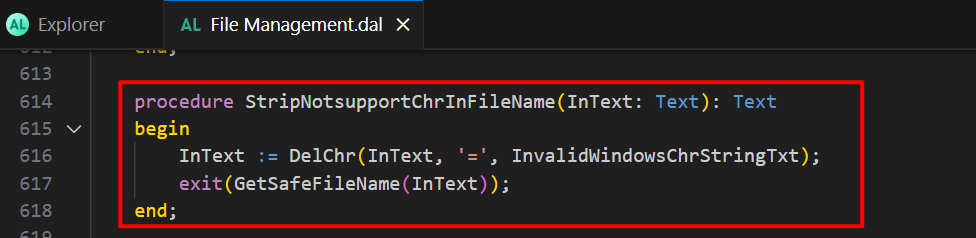
InvalidWindowsChrStringTxt: “#%&*:<>?\/{|}~

Let’s do a simple test.
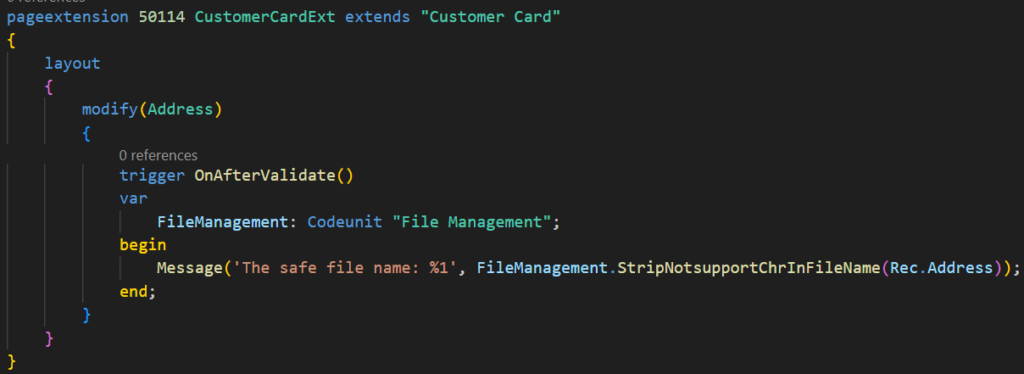
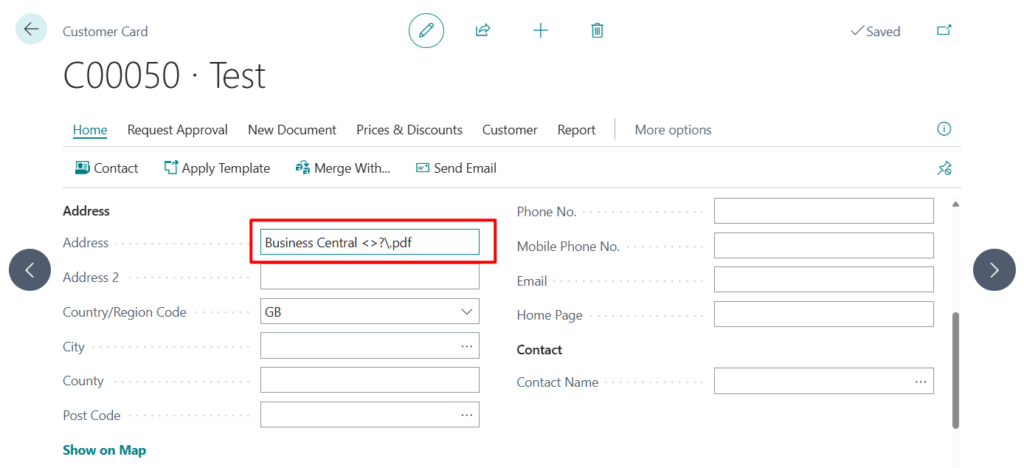
Great.
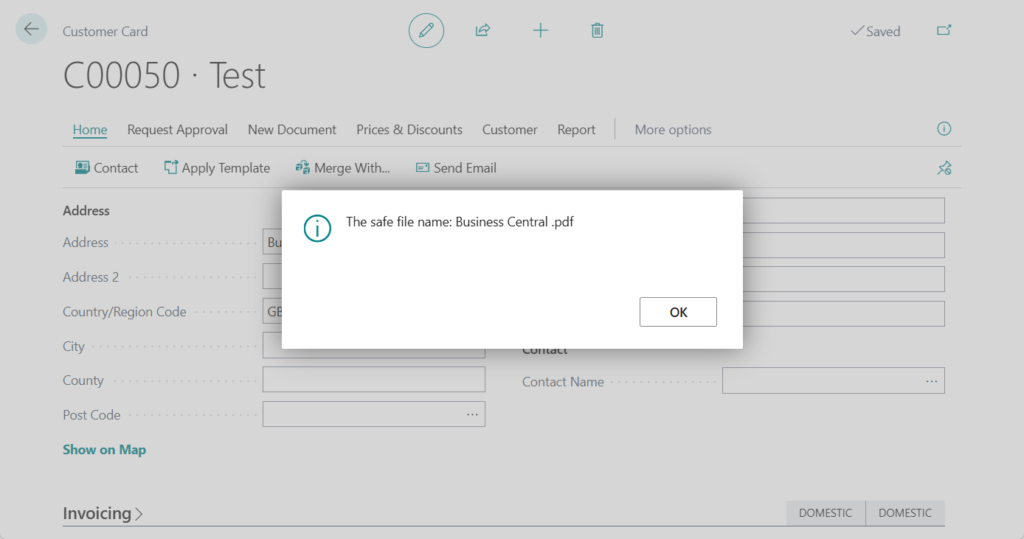
Test code:
pageextension 50114 CustomerCardExt extends "Customer Card"
{
    layout
    {
        modify(Address)
        {
            trigger OnAfterValidate()
            var
                FileManagement: Codeunit "File Management";
            begin
                Message('The safe file name: %1', FileManagement.StripNotsupportChrInFileName(Rec.Address));
            end;
        }
    }
}
PS: There is another method you can refer to: codeunit 9458 “File Account Browser Mgt.” -> procedure StripNotSupportedCharsInFileName
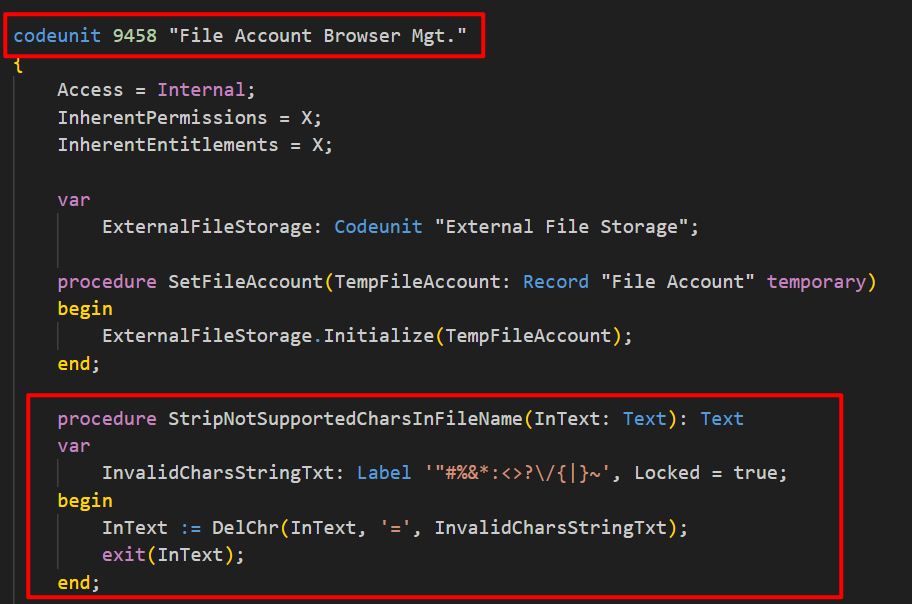
Very simple, give it a try!!!😁
PS:
1. How to prohibit users from entering illegal characters such as emoji, Hiragana, kanji, etc.
3. Check whether the given character is a digit or not
4. How to validate E-Mail field and Phone field format via AL (Validation rules)
END
Hope this will help.
Thanks for reading.
ZHU
コメント