

Hi, Readers.
The public preview for Dynamics 365 Business Central 2026 release wave 1 (BC28) is available. Learn more: Link.
I will continue to test and share some new features that I hope will be helpful. In this post, I would like to talk about Send by Email & Standard Document Attachment Factbox for Posted Sales Shipments and Return Receipts.
Send posted sales shipments and return receipts by email:
We’re introducing the ability so send posted sales shipments and posted return receipts by email, which compliments the Print option and aligns the experience of handling these documents with that of posted sales invoices and credit memos.
https://learn.microsoft.com/en-us/dynamics365/business-central/dev-itpro/whatsnew/preview-feature-details?wt.mc_id=DX-MVP-5004336#send-posted-sales-shipments-and-return-receipts-by-email
In Business Central, you can easily share information and documents, such as sales and purchase orders and invoices, by email directly from Business Central, without having to open an email app. For example, on the Posted Sales Invoices (143, List) page:
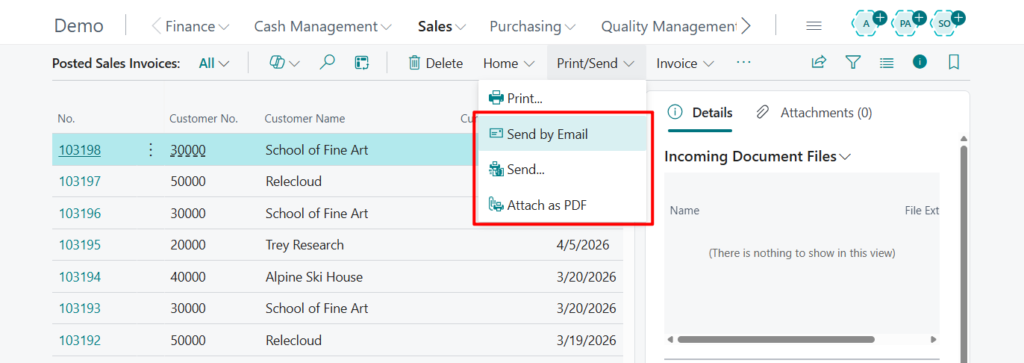
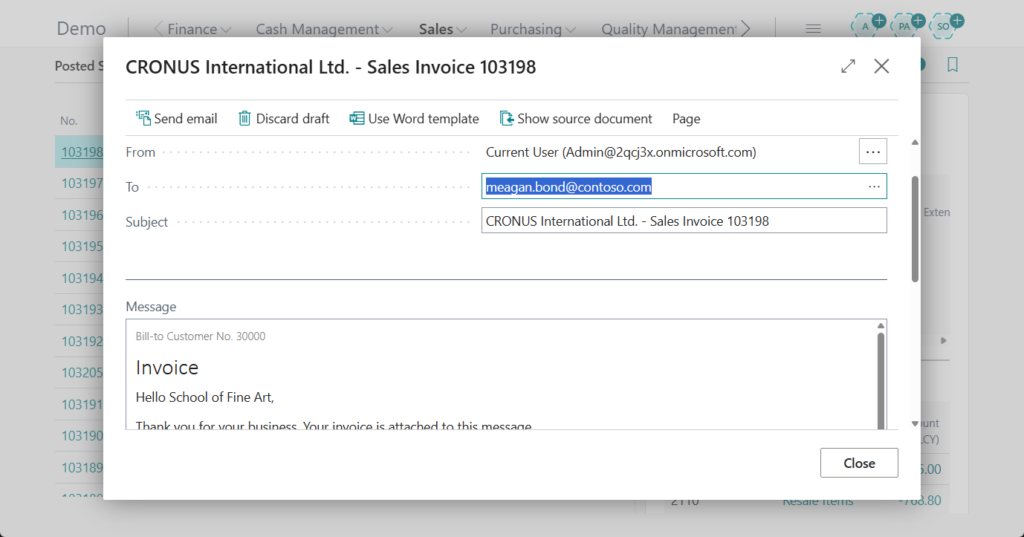
This is a very convenient feature, we’ve discussed related features before.
- Use attachments from document lines while sending emails
- Use default attachments in email sent from Dynamics 365 Business Central
- How to change default subject of the email when sending mail in Dynamics 365 Business Central – Customization
- Automatically add default attachments in email sent (Email Editor) – Customization
- Adding a Factbox to display the sent email (Link between mails and source entities)
- “Contact by Email” (Send Email) and “Sent Emails” on a Contact, Customer, and Vendor
Starting with this wave (BC28), Microsoft has further enhanced this feature by extending its availability to the Posted Sales Shipments and Posted Return Receipts pages.
Posted Sales Shipments: This enhancement gives you several options
- Send by Email: Send the posted document by email to the customer.
- Send: Use the standard sending options that are available for other posted documents.
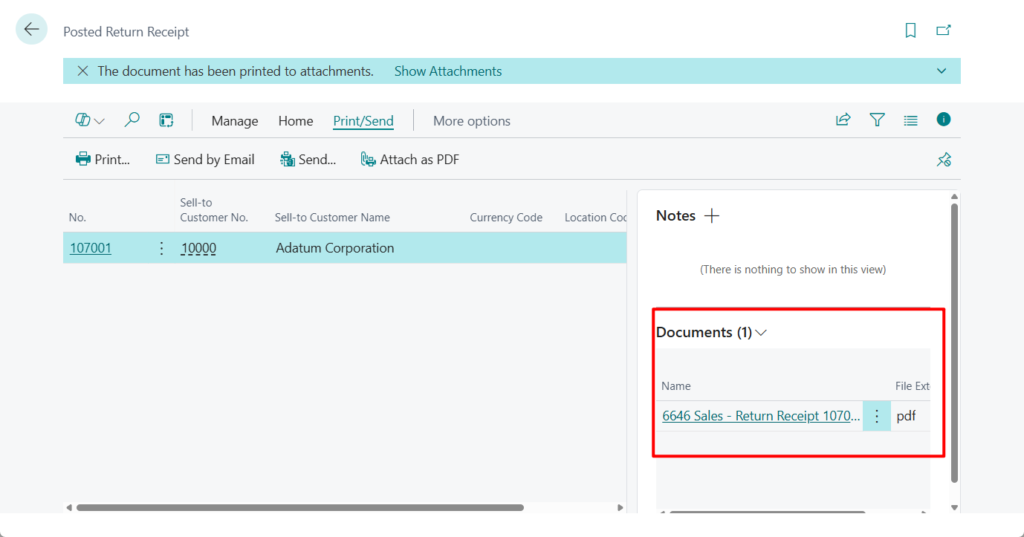
- Attach as PDF: Generate and add the generated document in PDF format to the Attachment part.
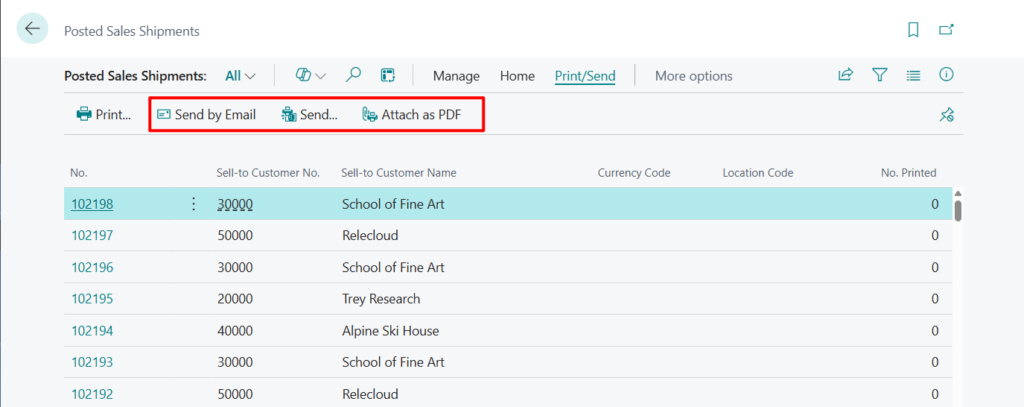
Posted Return Receipts:
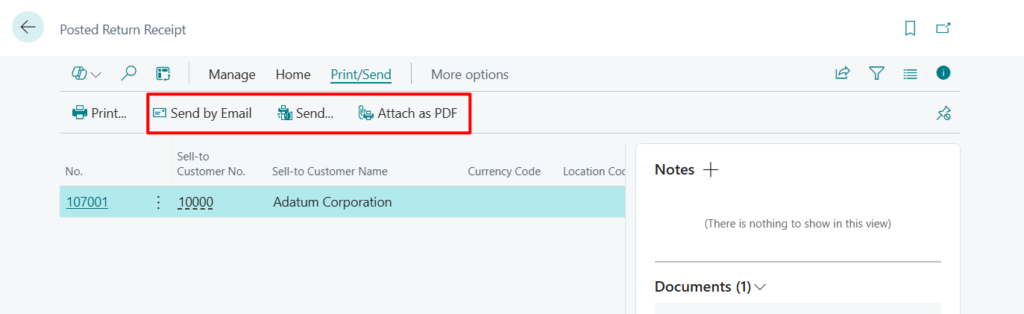
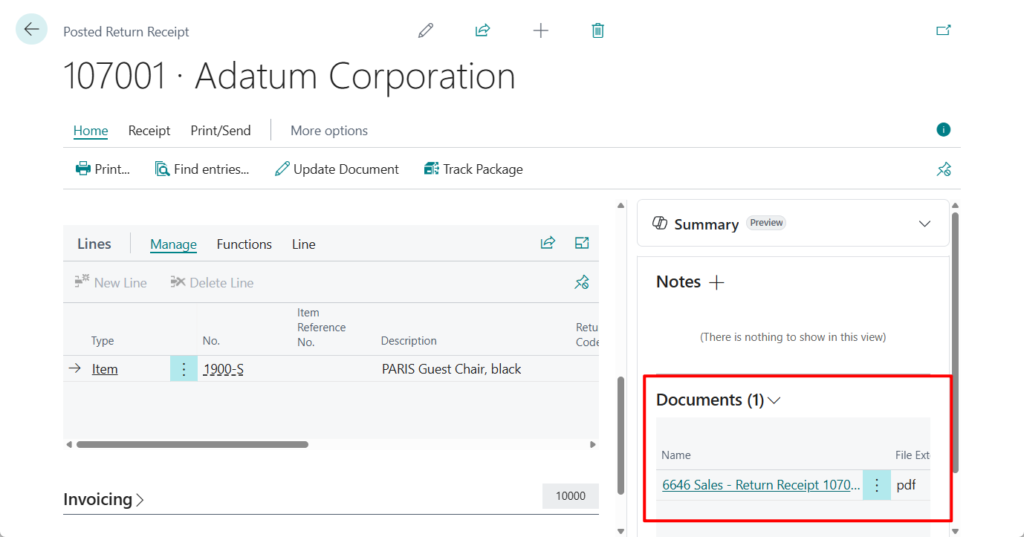
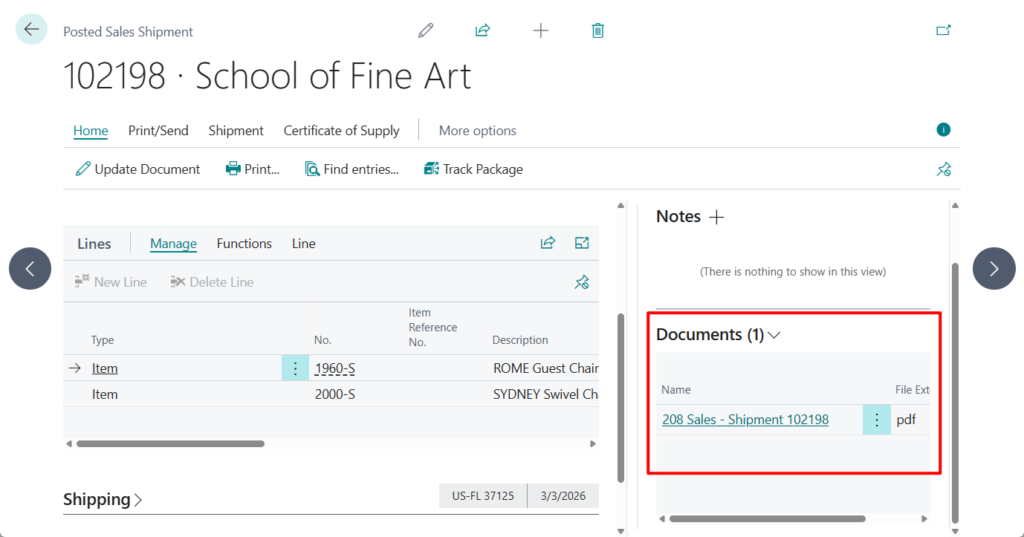
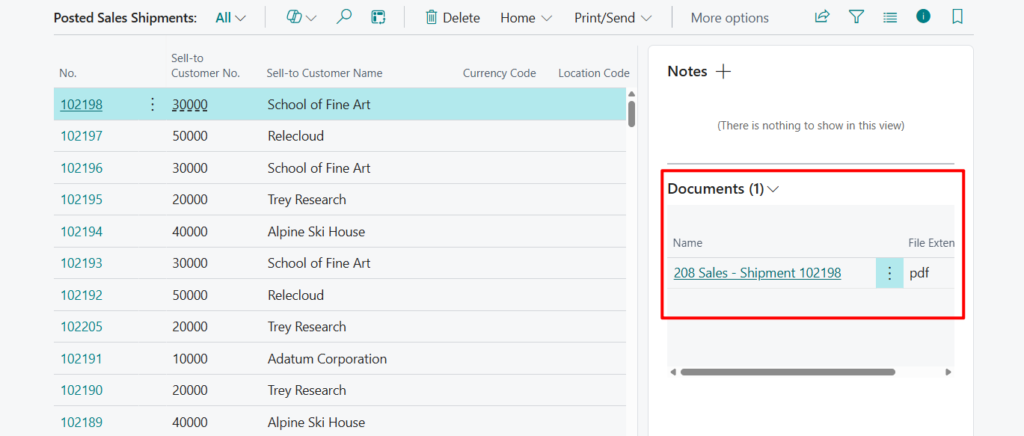
And Microsoft has also added standard Document Attachment Factbox to these pages.
The Attachment part allows you to store and manage printed document versions for future reference, and is now also available on the following pages:
- Posted Return Receipt (page 6660)
- Posted Return Receipts (page 6662)
- Posted Sales Shipment (page 130)
- Posted Sales Shipments (page 142)
PS: In BC27 and previous versions
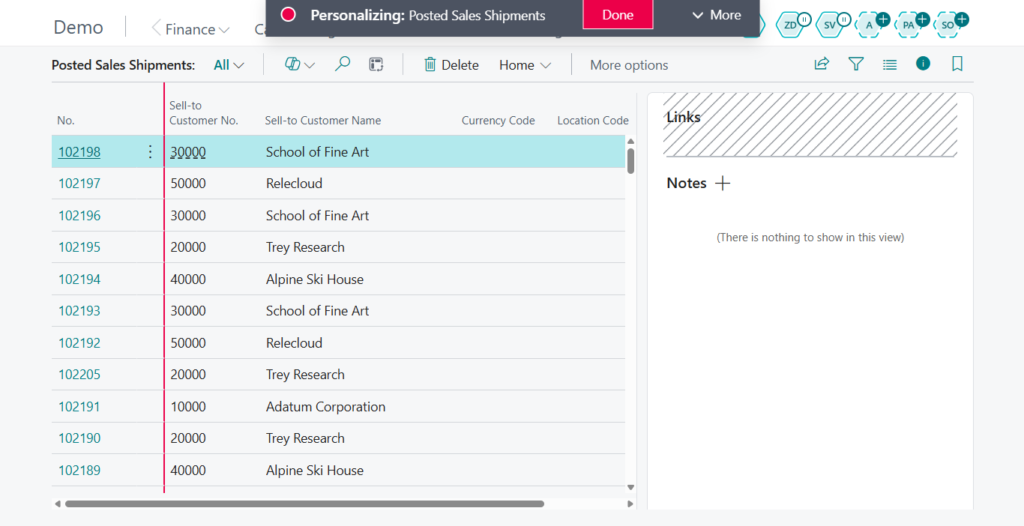
Great. Give it a try!!!😁
END
Hope this will help.
Thanks for reading.
ZHU
コメント