
Hi, Readers.
The public preview for Dynamics 365 Business Central 2026 release wave 1 (BC28) is available. Learn more: Link.
I will continue to test and share some new features that I hope will be helpful. In this post, I would like to talk about Show avatars for record creators and modifiers in lists.
Show avatars for record creators and modifiers in lists:
This feature introduces visual avatars in Business Central list pages to indicate which user or agent created or last modified a record. The capability enhances traceability and supports collaborative work by making identity information immediately visible without opening the record.
https://learn.microsoft.com/en-us/dynamics365/business-central/dev-itpro/whatsnew/preview-feature-details?wt.mc_id=DX-MVP-5004336#show-avatars-for-record-creators-and-modifiers-in-lists
The SystemCreatedBy/SystemModifiedBy fields are system fields. System fields are fields that are automatically included in every table object by the platform. For example,
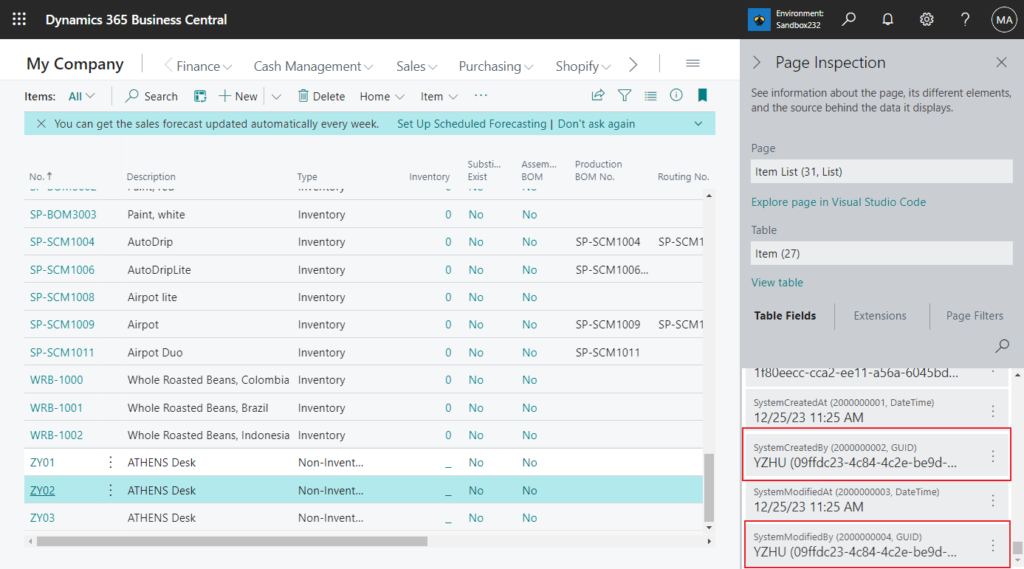
Dynamics 365 Business Central includes the following system fields:
- SystemId
- Data audit fields
- Timestamp
Data audit fields: Every table in Business Central includes the following four system fields, which can be used for auditing records:Expand table
| Field name (in AL) | Column name (in database) | Data type | Field number | Description |
|---|---|---|---|---|
| SystemCreatedAt | $systemCreatedAt | DateTime | 2000000001 | Specifies the data and time that the record was created. |
| SystemCreatedBy | $systemCreatedBy | GUID | 2000000002 | Specifies security ID (SID) of the user that created the record. |
| SystemModifiedAt | $systemModifiedAt | DateTime | 2000000003 | Specifies the data and time that the record was last modified. |
| SystemModifiedBy | $systemModifiedBy | GUID | 2000000004 | Specifies the SID of the user that last modified the record |
If we simply add it to the page, this will only show the GUID (User Security Id).
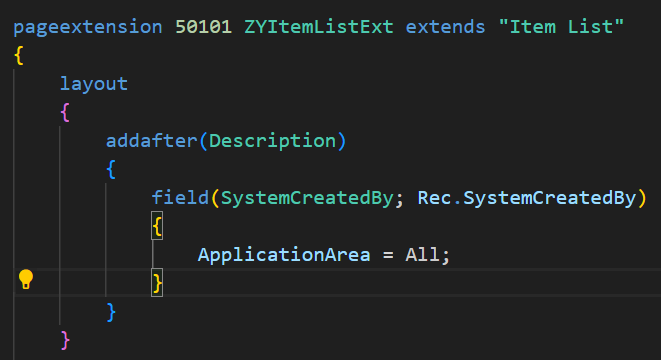
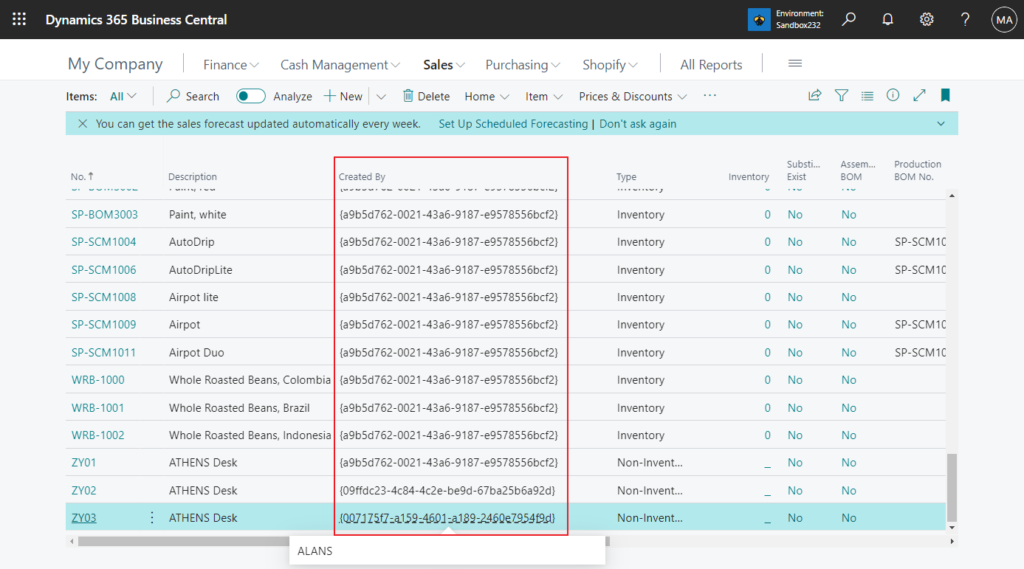
We previously discussed how to display User Name from SystemCreatedBy/SystemModifiedBy field on the page (Translate a user security ID GUID to the corresponding user name).

However, this requires customization on each individual page, which would be quite time-consuming and labor-intensive. With this wave (BC28), Microsoft has brought us an update. Let’s see more details.
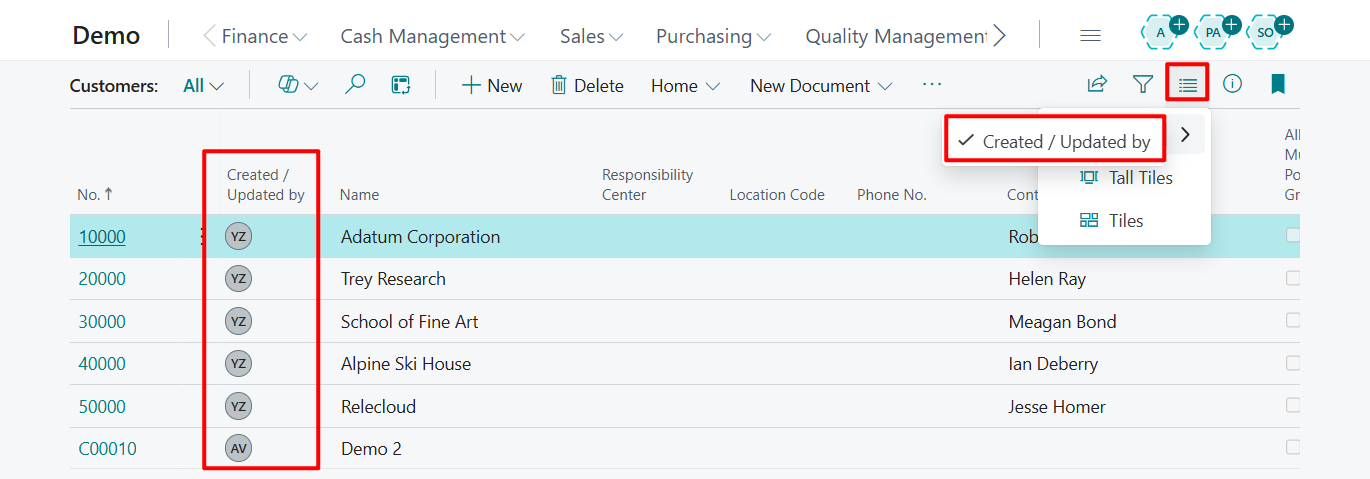
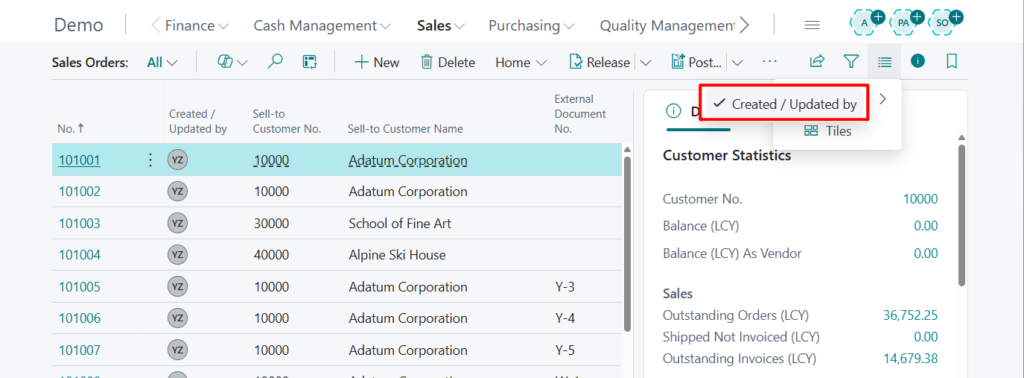
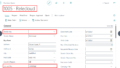
In View layout options, there’s a new arrow after the List type.
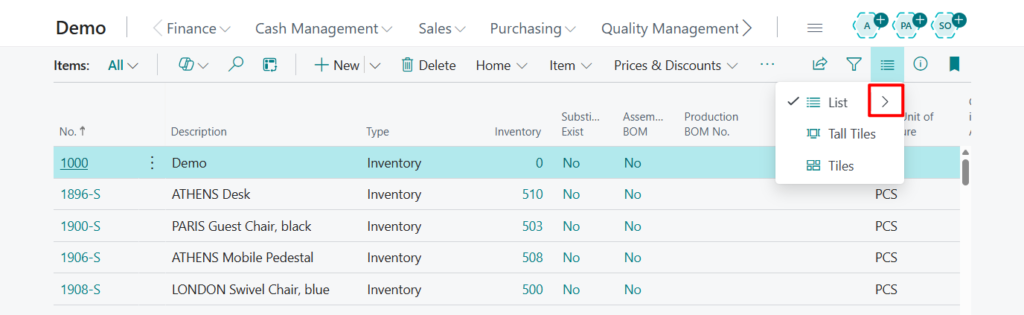
After clicking, you can see new Created / Updated by action.

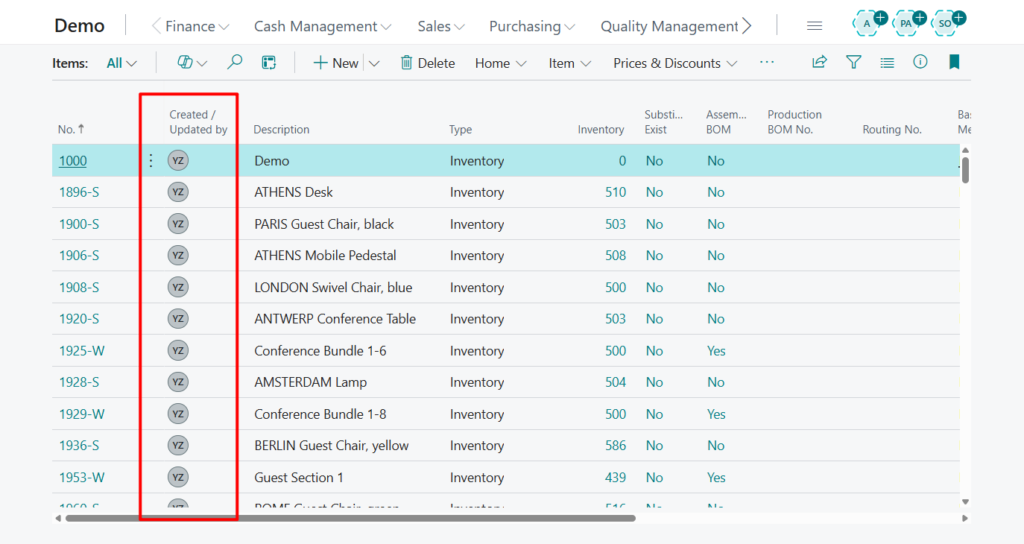
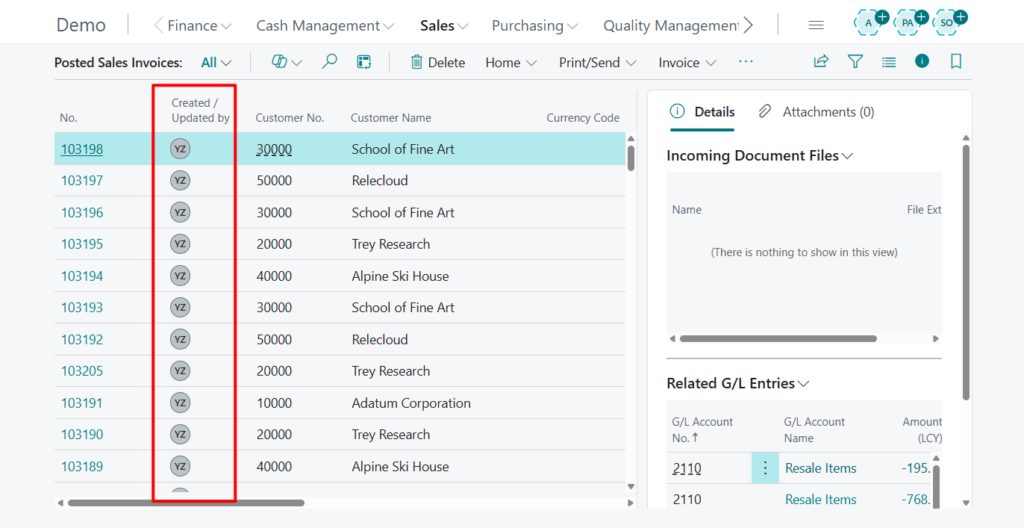
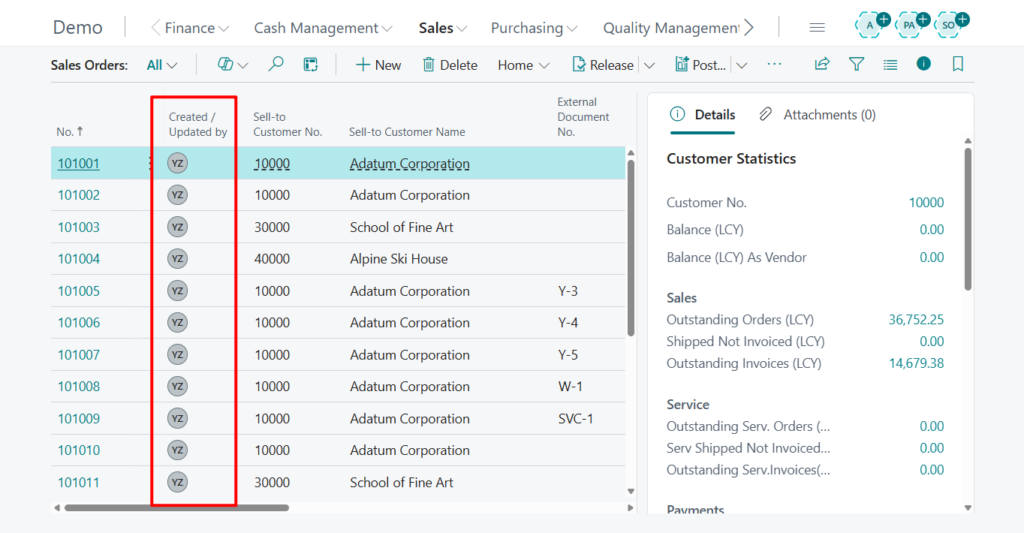
Avatars will then be displayed on the page.
The avatars reflect either a named Business Central user, a system user or an AI agent, following the existing identity model.
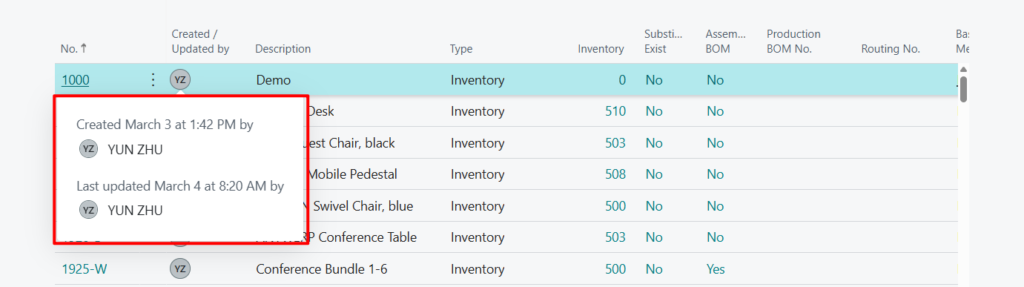
Users can hover over the avatar to see a tooltip with the full display name and record update timestamp (if available).
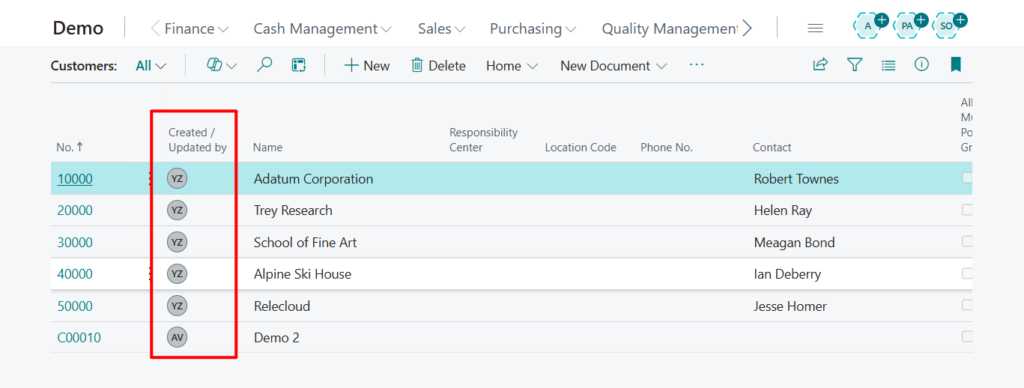
Let’s take a look at the other list pages.
Customer List (22, List):
Posted Sales Invoices (143, List):
Sales Order List (9305, List):
Once displayed, you can hide the field again by clicking the ‘Created / Updated by’ action once more.
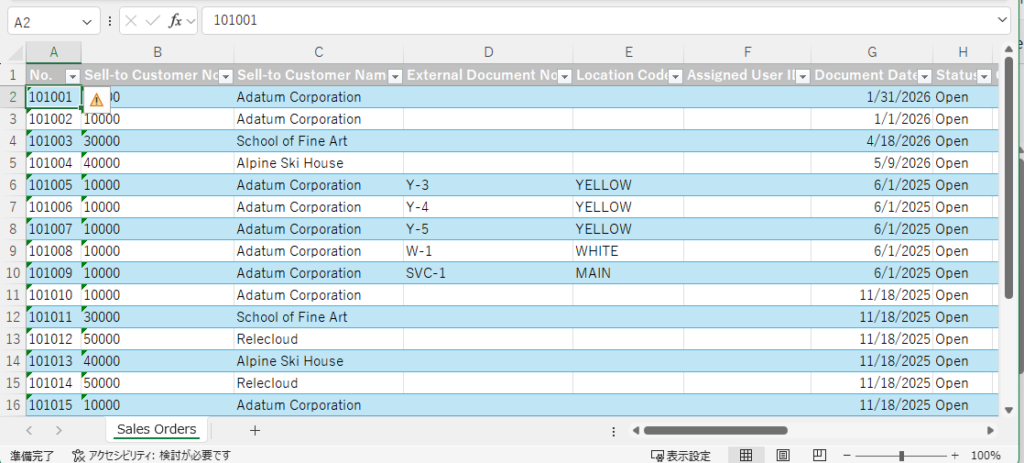
Please note that this field will not be included when using the ‘Open in Excel’ feature.

This improvement benefits roles that frequently work with shared data—including accountants, order processors, warehouse staff, service teams, and administrators—by reducing time spent verifying ownership or responsibility for items, documents, or configuration entries. It also helps organizations adopting AI‑generated records understand when an automated agent has contributed.
The feature surfaces existing Created By and Modified By fields more intuitively while respecting Business Central’s data privacy and permissions model.
https://learn.microsoft.com/en-us/dynamics365/business-central/dev-itpro/whatsnew/preview-feature-details?wt.mc_id=DX-MVP-5004336#show-avatars-for-record-creators-and-modifiers-in-lists
Small update, but it makes life easier. Give it a try!!!😁
END
Hope this will help.
Thanks for reading.
ZHU
コメント