
Articles in this series:
- Report extensibility (ReportExtension Object)
- How to add Media or MediaSet data type (Pictures) to a report
- Adding comments to Factbox/Report (Displaying Comments in a FactBox/Report)
- How to add Notes (System Parts) from FactBox to a report
- Set a PDF password for the report (Password protect the document using a user and admin passwords) – No control add-in and APIs
- Can we change the default sorting/line ordering of standard reports
- How to hide all comment lines in Standard Sales – Order Conf. (1305) report (Do not print comment lines) – Customization
- How to print all type of lines in standard Pro Forma Invoice report – Customization
- Can we change default options/filters on the request page of Report???
- How to add “actions (buttons)” on Request Page of Report/XMLport
- How to disable Print or Preview from a report
- New report method Report.TargetFormat (Limit the file format/type of report output)
- Set the default filename for the downloaded reports (Custom Filename For Report Export) – OnGetFilename event
- How to directly export Report from page (Custom Filename For Report Export)
- How to substitute a report for another report via AL
- Define regional settings per report using a region property
- How to add a user signature when sending mail from BC (E-mail Signature)
- Why are custom columns/fields added via Report Extension not found in standard layouts exported from Report Layouts page?
Report extensibility (ReportExtension Object)
Report extensibility (ReportExtension Object)
How to add Media or MediaSet data type (Pictures) to a report
How to add Media or MediaSet data type (Pictures) to a report
Adding comments to Factbox/Report (Displaying Comments in a FactBox/Report)
Adding comments to Factbox/Report (Displaying Comments in a FactBox/Report)
How to add Notes (System Parts) from FactBox to a report
How to add Notes (System Parts) from FactBox to a report
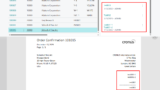
Set a PDF password for the report (Password protect the document using a user and admin passwords) – No control add-in and APIs
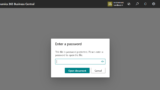
Can we change the default sorting/line ordering of standard reports
Can we change the default sorting/line ordering of standard reports

How to hide all comment lines in Standard Sales – Order Conf. (1305) report (Do not print comment lines) – Customization

How to print all type of lines in standard Pro Forma Invoice report – Customization
How to print all type of lines in standard Pro Forma Invoice report – Customization
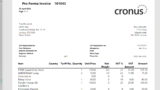
Can we change default options/filters on the request page of Report???
Can we change default options/filters on the request page of Report???
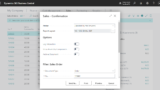
How to add “actions (buttons)” on Request Page of Report/XMLport
How to add “actions (buttons)” on Request Page of Report/XMLport
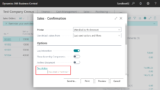
How to disable Print or Preview from a report
How to disable Print or Preview from a report
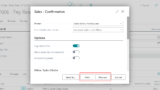
New report method Report.TargetFormat (Limit the file format/type of report output)
New report method Report.TargetFormat (Limit the file format/type of report output)

Set the default filename for the downloaded reports (Custom Filename For Report Export) – OnGetFilename event

How to directly export Report from page (Custom Filename For Report Export)
How to directly export Report from page (Custom Filename For Report Export)
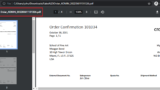
How to substitute a report for another report via AL
How to substitute a report for another report via AL
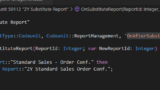
Define regional settings per report using a region property
Define regional settings per report using a region property
How to add a user signature when sending mail from BC (E-mail Signature)
How to add a user signature when sending mail from BC (E-mail Signature)


コメント