

Hi, Readers.
The public preview for Dynamics 365 Business Central 2025 release wave 2 (BC27) is available. Learn more: Link.
I will continue to test and share some new features that I hope will be helpful. In this post, I would like to talk about Find pages and reports with advanced Tell Me search.
Find pages and reports with advanced Tell Me search:
Business value:
When you’re searching for reports or pages but can’t find what you need, it’s frustrating and slows down your work. This AI-powered feature helps you quickly locate any page or report, even when you don’t remember the exact name. You’ll spend less time searching and more time getting work done.
https://learn.microsoft.com/en-us/dynamics365/release-plan/2025wave2/smb/dynamics365-business-central/find-pages-reports-advanced-tell-me-search?wt.mc_id=DX-MVP-5004336
The Business Central client includes the Tell me feature that lets users find objects by entering search terms.
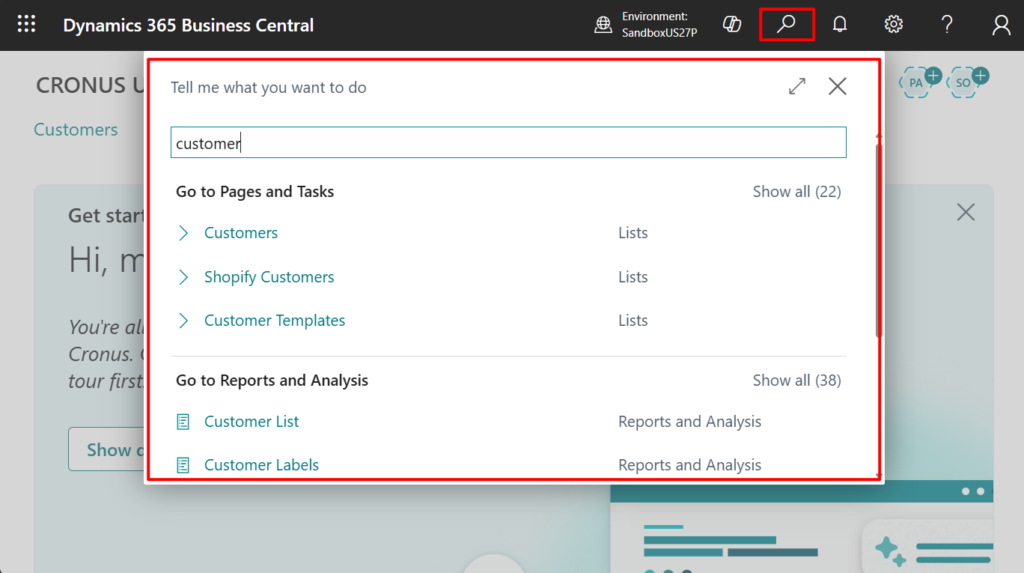
With this wave (BC27), this feature adds an advanced search option in Tell Me that finds results based on semantic meaning, not just exact text matches. It considers various page properties and additional search terms to provide an ordered list of relevant results.
In the current Public Preview environment, this feature needs to be manually enabled in Feature Management.
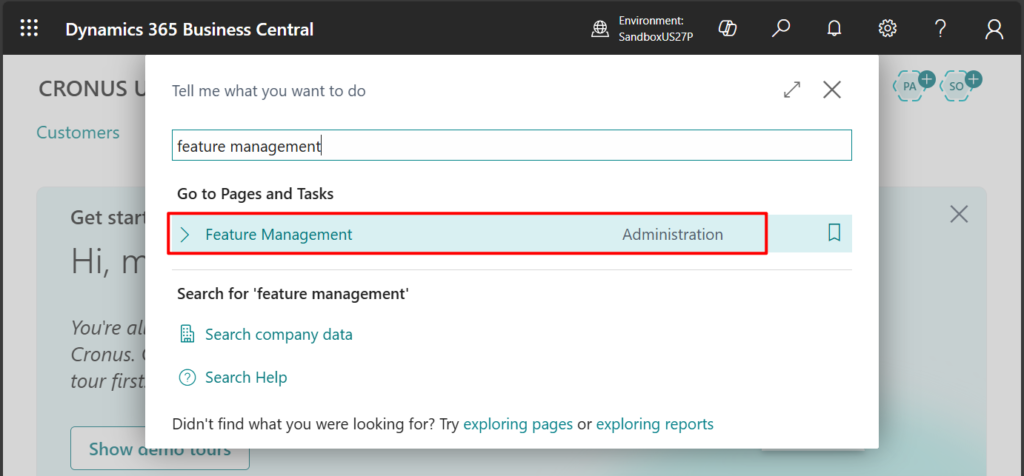
Feature: Advanced Tell Me (preview):
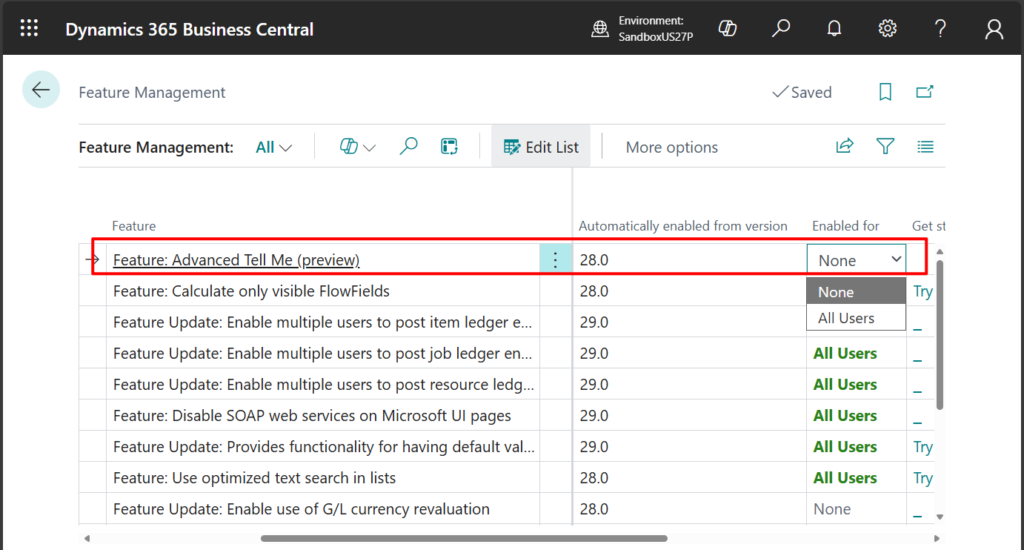
You must sign out and then sign in again to make the changes take effect.

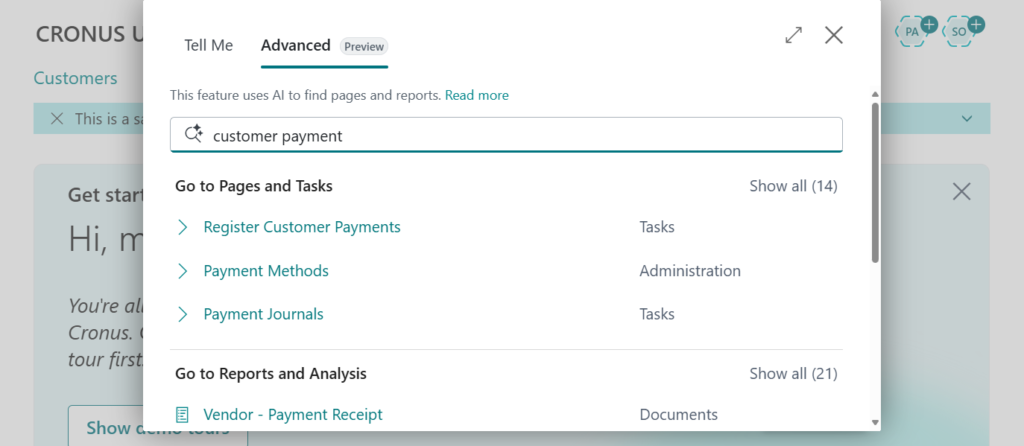
After enabling, you can see a new tab, Advanced, on the right side of Tell Me.
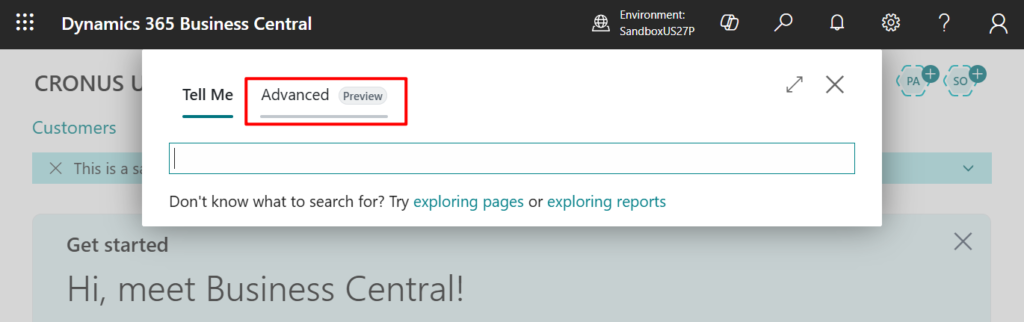
Tell Me opens to the Advanced tab. The search terms entered in the Find box are automatically copied to Tell Me, where the search results are shown. From here, you can enter other search terms to try again. (Note that unlike the standard Tell Me, it will not automatically display the results and you need to press the Enter key)
This feature is available only for Business Central online.
Great, give it a try!!!😁
2. How to make a query searchable (Add Query to Tell me)
3. AppSource search results will be removed from Tell me search (ALT+Q)
4. Get to data search from anywhere (Search data in Tell Me)
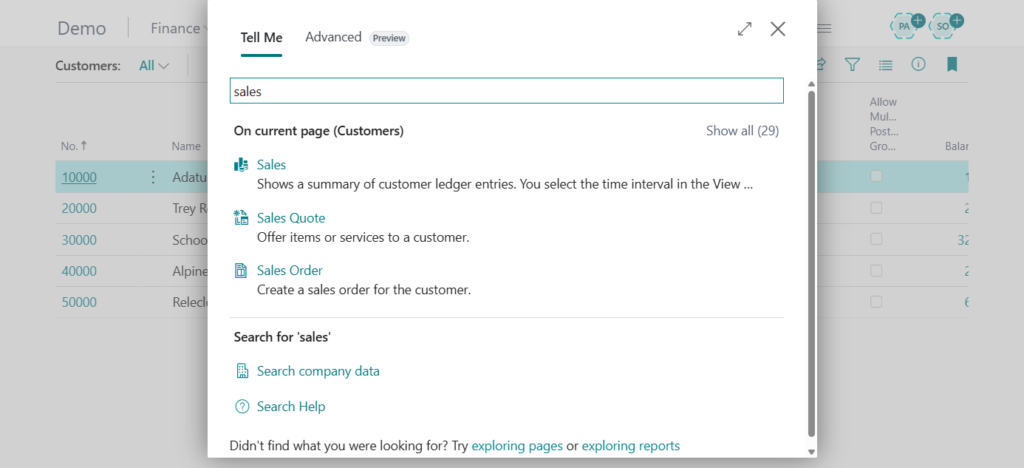
Note: It seems that due to the influence of this feature, there are some problems in Tell Me in the current public preview version. In the environment where I created the region JP, Tell Me does not work properly and can only search for actions on the page.
Version: W1 27.0 (Platform 27.0.38856.0 + Application 27.0.38460.38809)

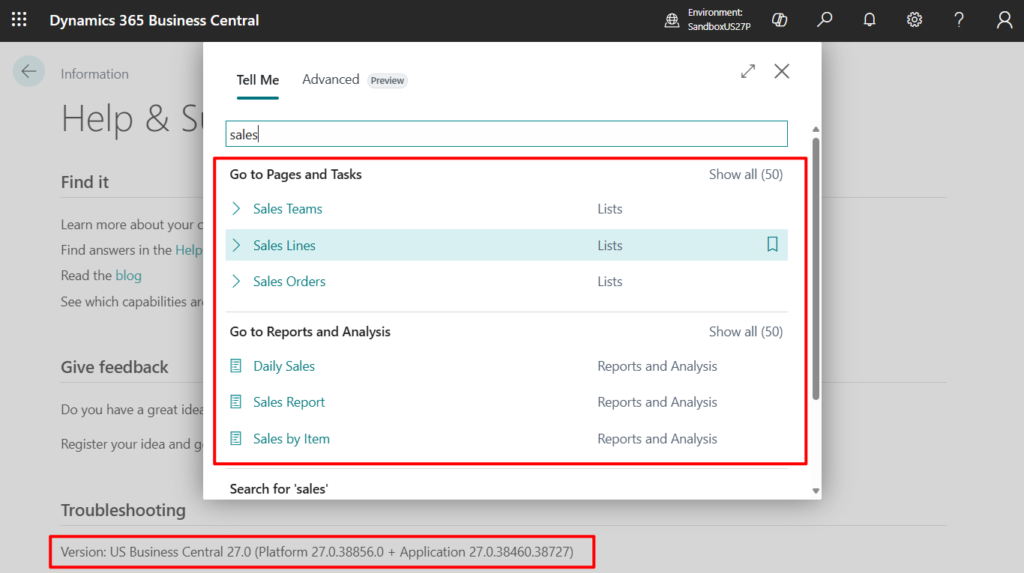
But it works fine in my newly created environment with Region US.
Version: US Business Central 27.0 (Platform 27.0.38856.0 + Application 27.0.38460.38727)
I just saw some similar feedback in the BC Yammer Group: It looks like language packs also affect Tell Me.
Link:
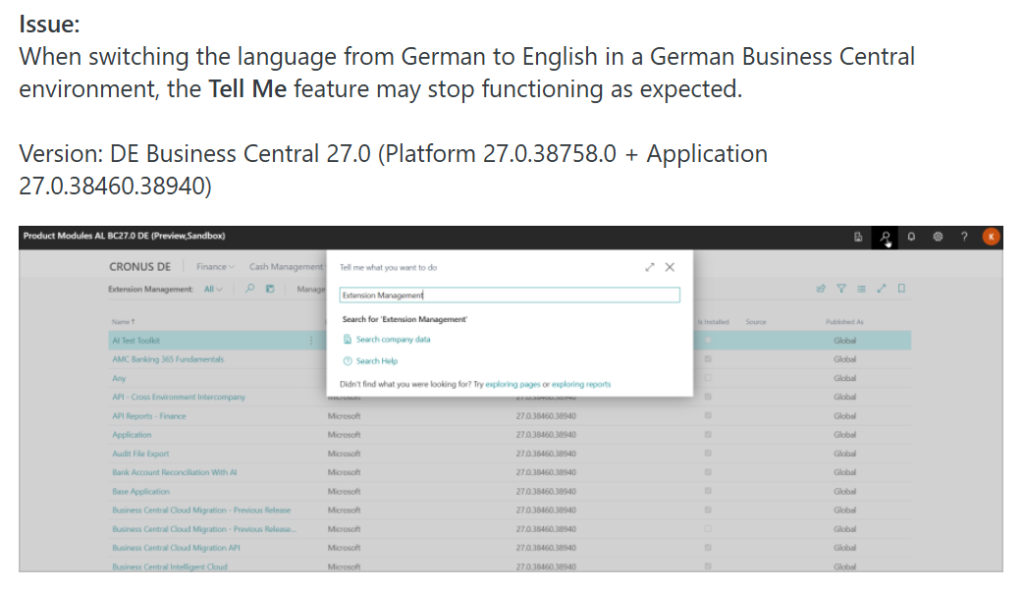
Link:
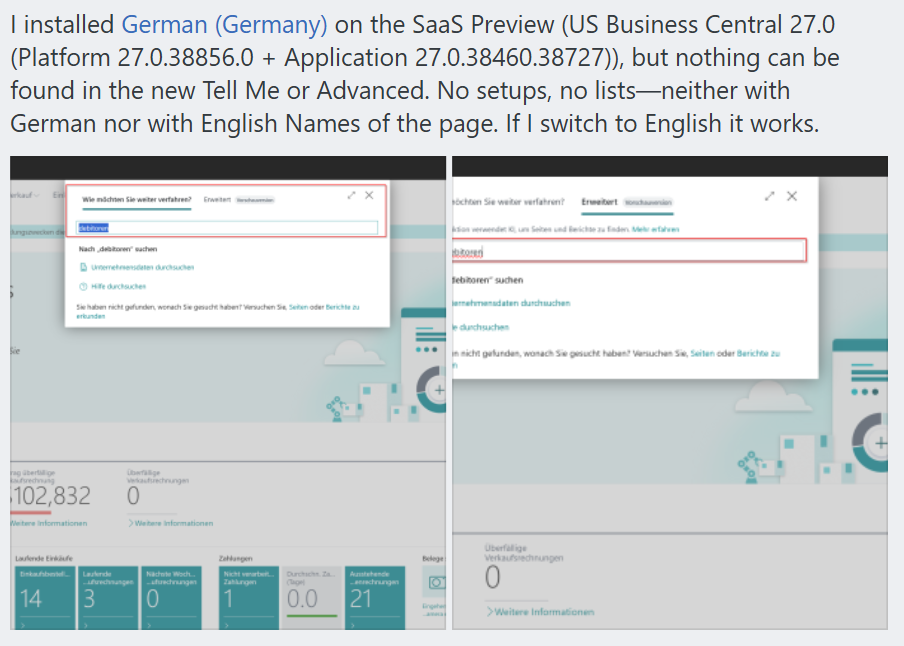
So if you need to test this feature right away, you can create a US environment without installing any language packs.
END
Hope this will help.
Thanks for reading.
ZHU

コメント