
Hi, Readers.
The public preview for Dynamics 365 Business Central 2026 release wave 1 (BC28) is available. Learn more: Link.
I will continue to test and share some new features that I hope will be helpful. In this post, I would like to talk about Set default language for documents on the company level.
Set default language for documents on the company level:
You can now define a company-wide default language for customer-facing documents. Local customers will consistently receive invoices and other sales documents in the expected language, regardless of the user’s UI language. This improves clarity, reduces confusion, and ensures a better customer experience, especially in multilingual teams.
https://learn.microsoft.com/en-us/dynamics365/business-central/dev-itpro/whatsnew/preview-feature-details?wt.mc_id=DX-MVP-5004336#set-default-language-for-documents-on-the-company-level
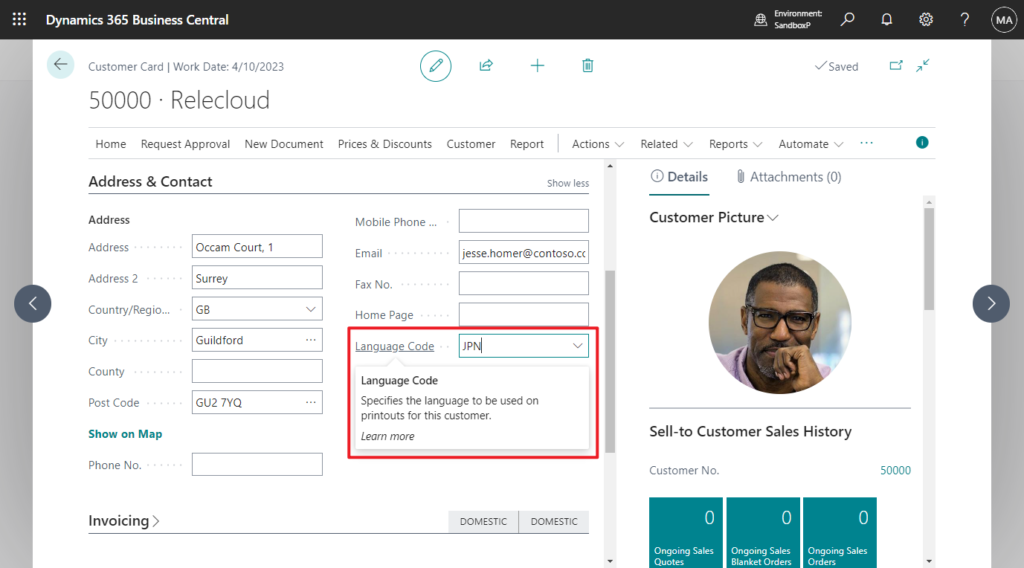
If you have used or customized Business Central in multiple languages, then you must know that the language of report printing in Business Central is firstly related to the Language Code in the master data (not all master data contains Language Code, so it is not applicable on all reports).
Language Code
Specifies the language to be used on printouts for this customer.
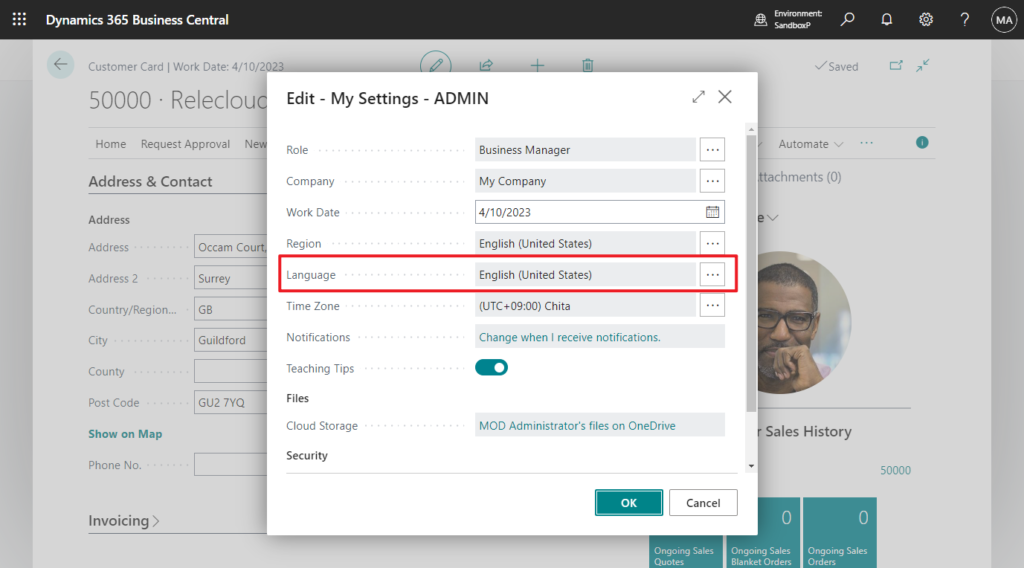
If the Language Code is blank or there is no related Language Code, the system will determine the language for printing the report according to the Language setting in My Settings.
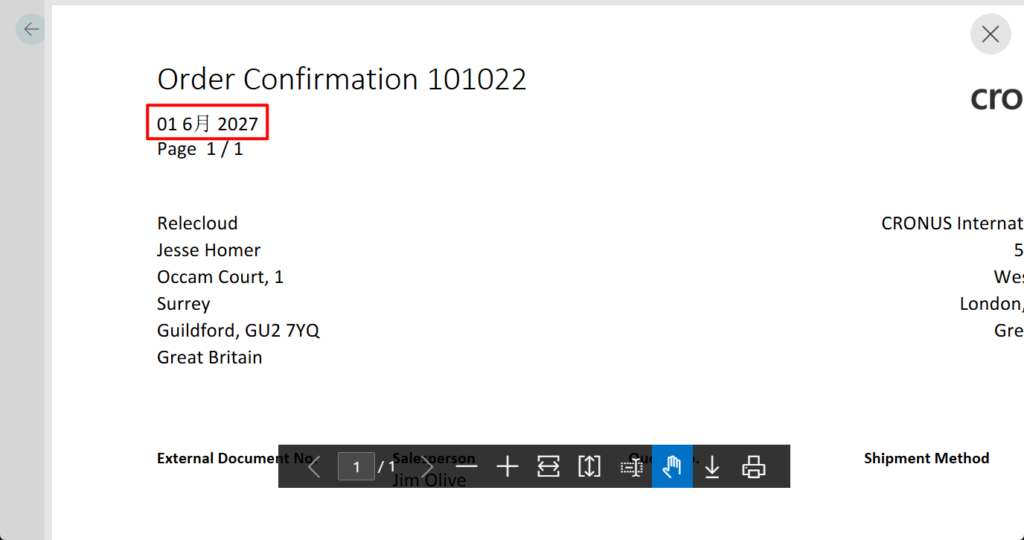
In addition to the display language, this also affects report formats for date and numerical types. For example,
Since Business Central 2023 release wave 1 (BC22), we can define regional settings for each report using the Region property. More details: Business Central 2023 wave 1 (BC22): Define regional settings per report using a region property
With this wave (BC28), we can now define a company-wide default language for customer-facing documents.🎉🎊🎆
Local customers will consistently receive invoices and other sales documents in the expected language, regardless of the user’s UI language. Let’s see more details.
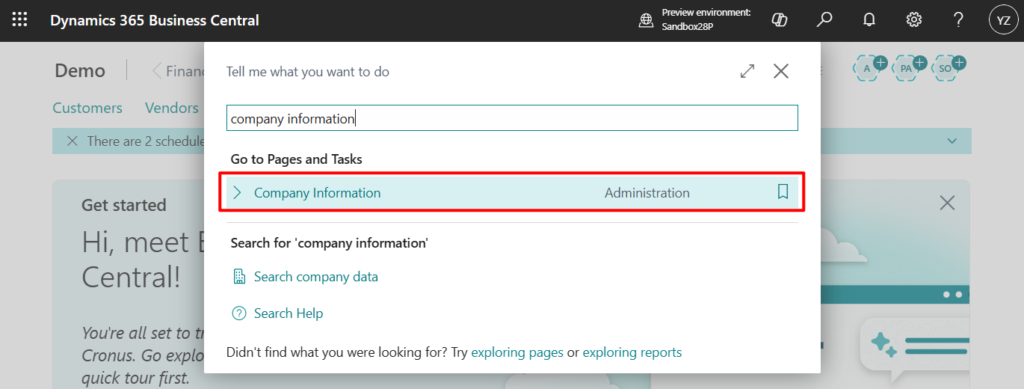
Select Tell Me (Alt+Q) in the upper-right corner, enter Company Information, and then choose the related link.
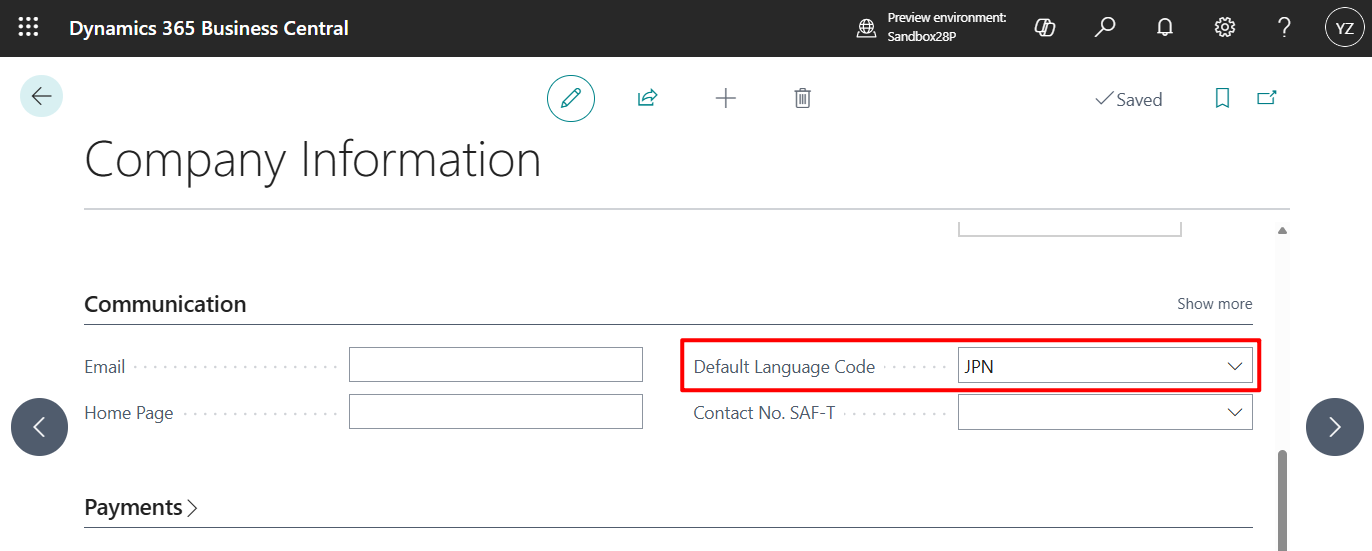
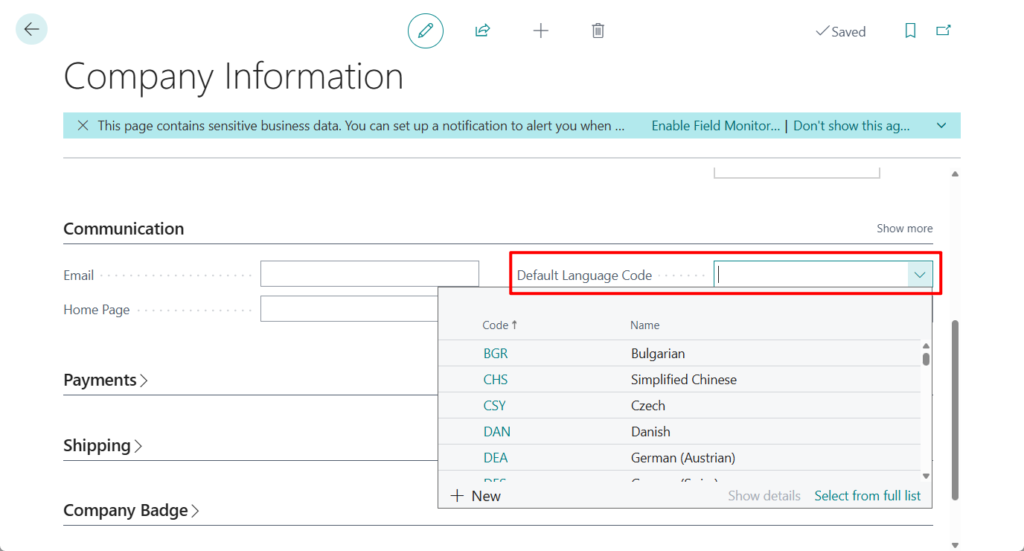
You will notice a new field called ‘Default Language Code’.
Default Language Code:
Specifies a default language code to be used for e.g. printing sales and purchase documents instead of the user language.
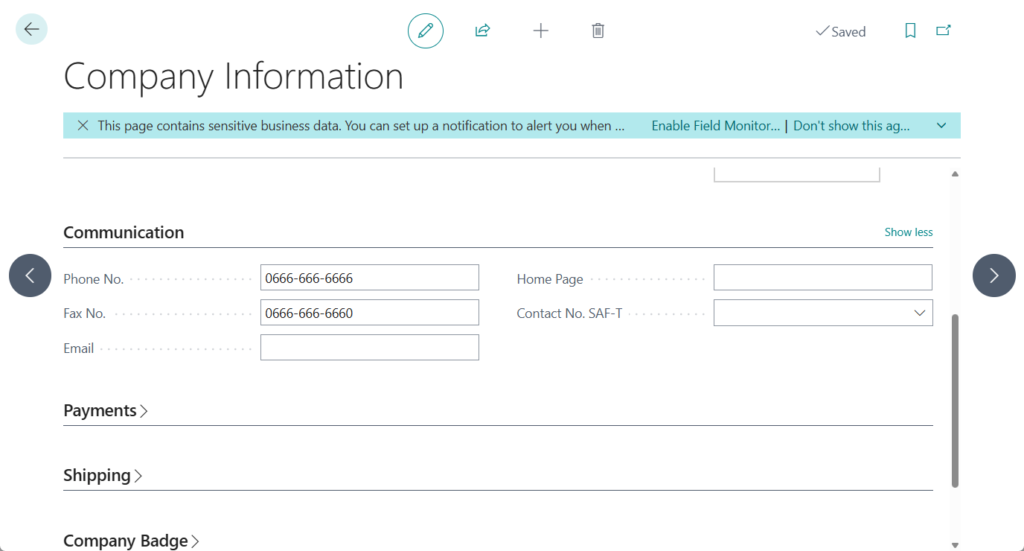
PS: In BC27 and previous versions
As Microsoft mentioned, this improves clarity, reduces confusion, and ensures a better customer experience, especially in multilingual teams. This new setting provides better control over document language while maintaining flexibility for international scenarios.
Great. Give it a try!!!😁
END
Hope this will help.
Thanks for reading.
ZHU
コメント