

Hi, Readers.
The public preview for Dynamics 365 Business Central 2025 release wave 2 (BC27) is available. Learn more: Link.
I will continue to test and share some new features that I hope will be helpful. In this post, I would like to talk about ‘Concealed’ text field type for sensitive data (New field-level property: MaskType).
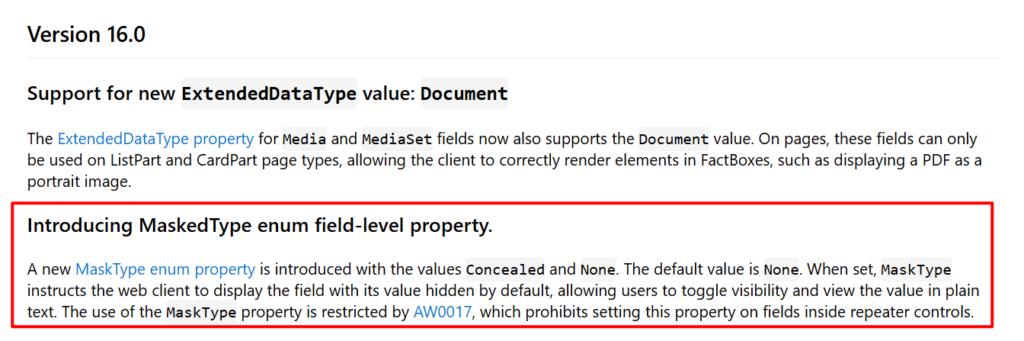
This new feature is not yet documented in the Business Central 2025 release wave 2 (BC27) release plan but is mentioned in AL Language extension changelog Version 16.0.
Introducing MaskedType enum field-level property:
Changelog | Visual Studio Marketplace
A new MaskType enum property is introduced with the valuesConcealedandNone. The default value isNone. When set,MaskTypeinstructs the web client to display the field with its value hidden by default, allowing users to toggle visibility and view the value in plain text. The use of theMaskTypeproperty is restricted by AW0017, which prohibits setting this property on fields inside repeater controls.
This feature introduces a new field-level property MaskedType that allows developers to define text fields as “masked” or in other words “concealed”.
(property) MaskType: Option None,Concealed
Specifies whether the field value should be masked for security purposes.
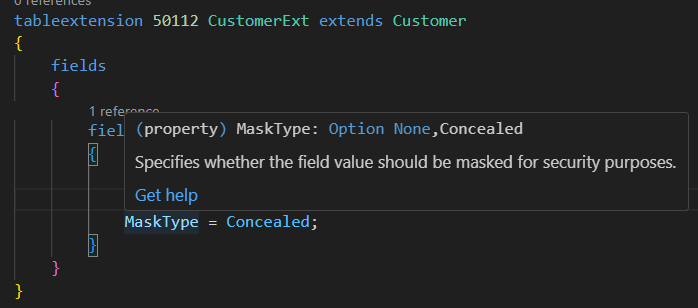
None: Default value. The field will be displayed without any mask.

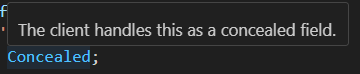
Concealed: The client handles this as a concealed field.
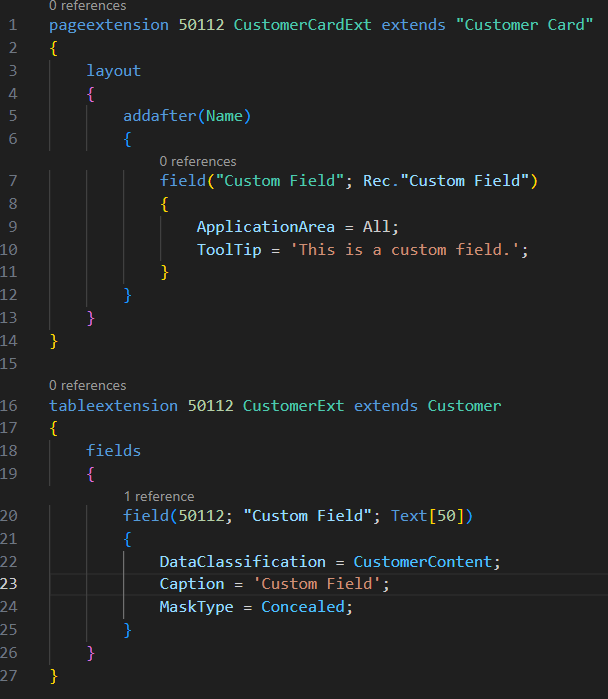
This new property is allowed for the following field types: Code, Text, Decimal, Integer.
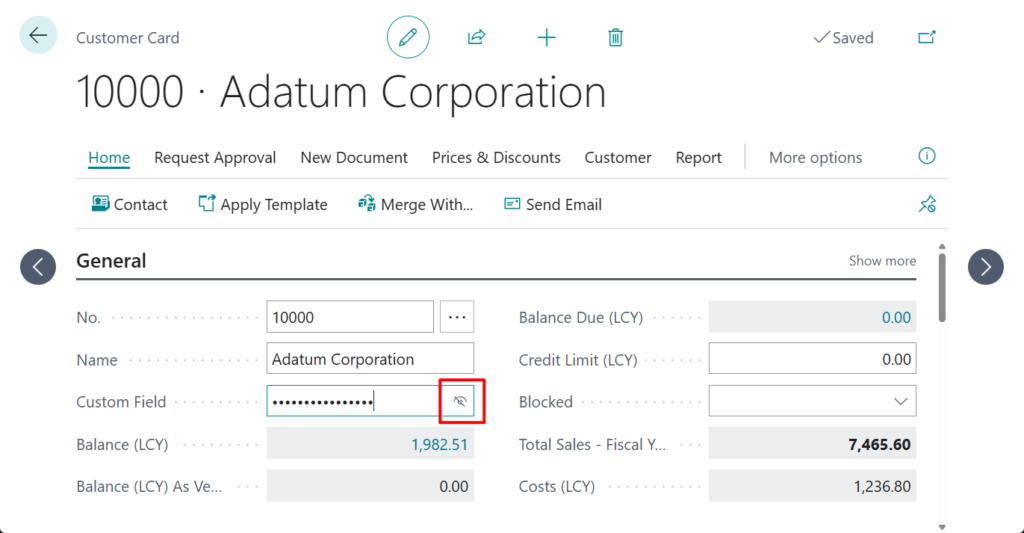
When applied, the field’s value is concealed by default on screen and can be revealed only through explicit user action. For example,
See the special “eye” button on the screenshot below:
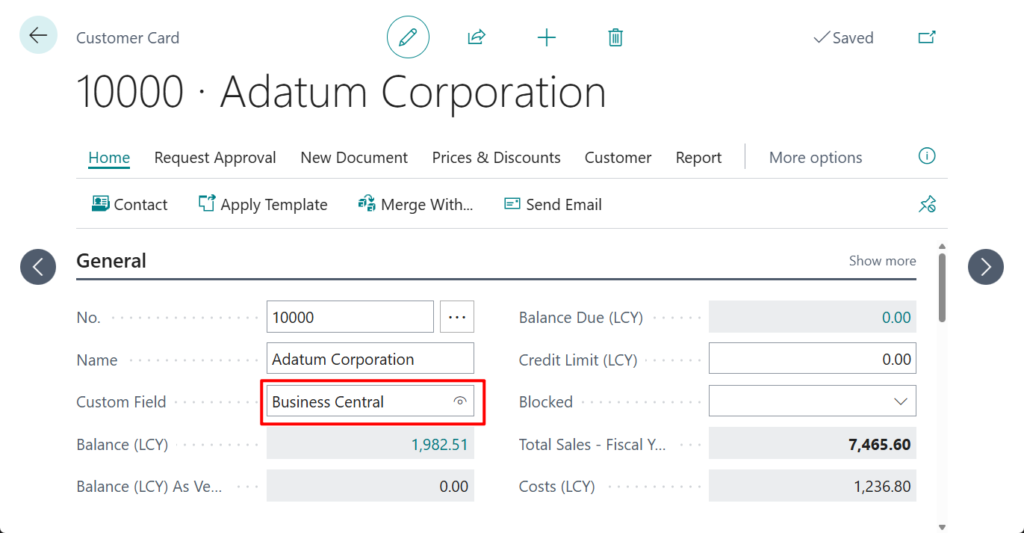
Once the “eye” button is clicked, this will remain visible until the page is refreshed or reopened.
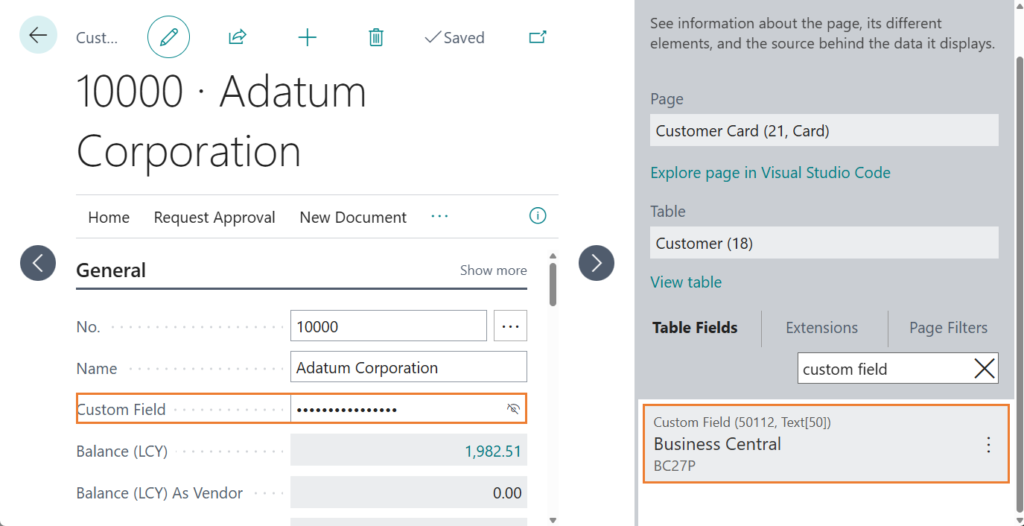
In addition, this value is directly displayed in Page inspection
This is particularly useful for scenarios where sensitive data. Please note the difference between this new property and Masked in ExtendedDatatype Property.
Masked: Displays the value as dots. This will only have effect on fields, where the user can enter and display textual data (including numbers, time, date etc.)
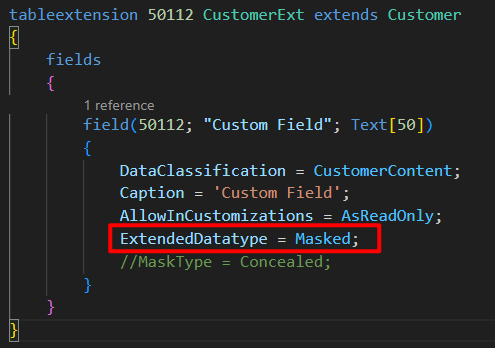
This will always display the mask on the screen and cannot be removed.
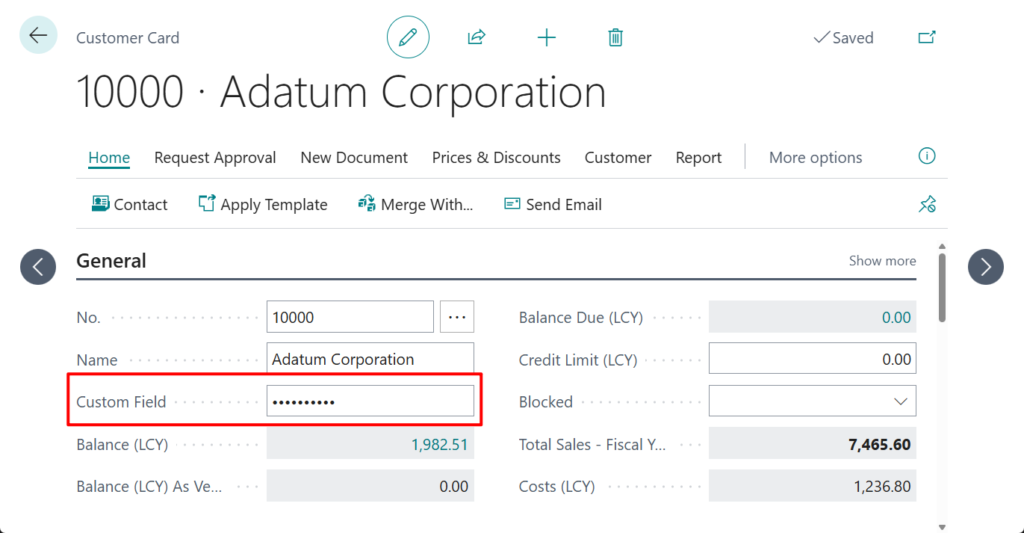
And it will not be displayed in Page inspection.
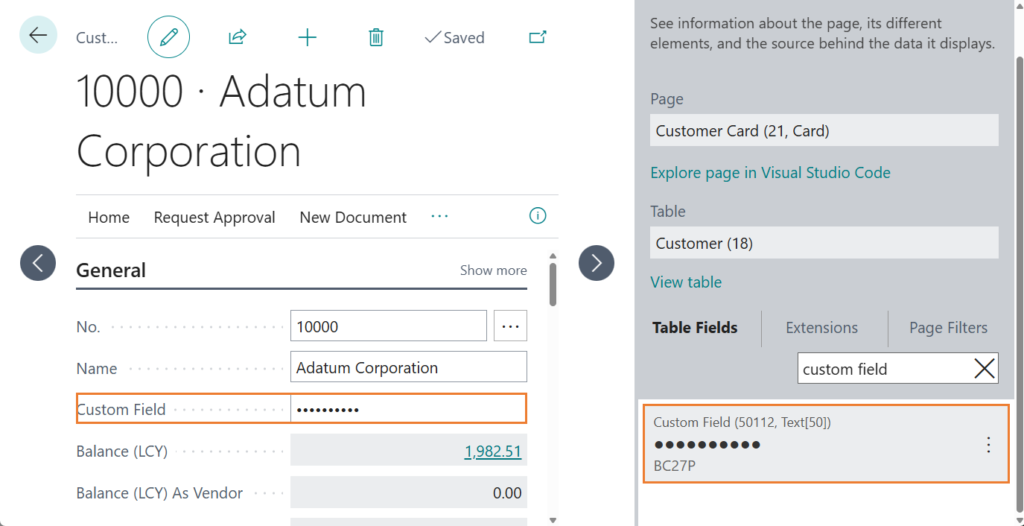
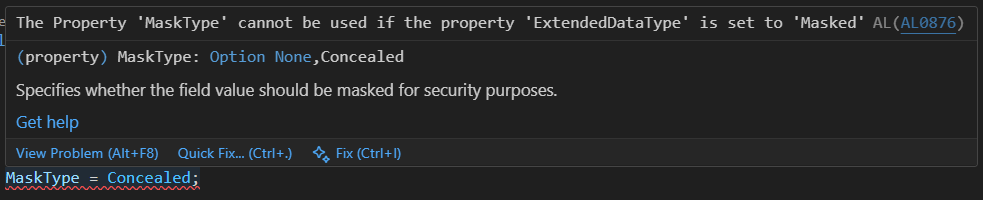
Of course, these two methods cannot be used at the same time.
The Property ‘MaskType’ cannot be used if the property ‘ExtendedDataType’ is set to ‘Masked’ AL AL0876
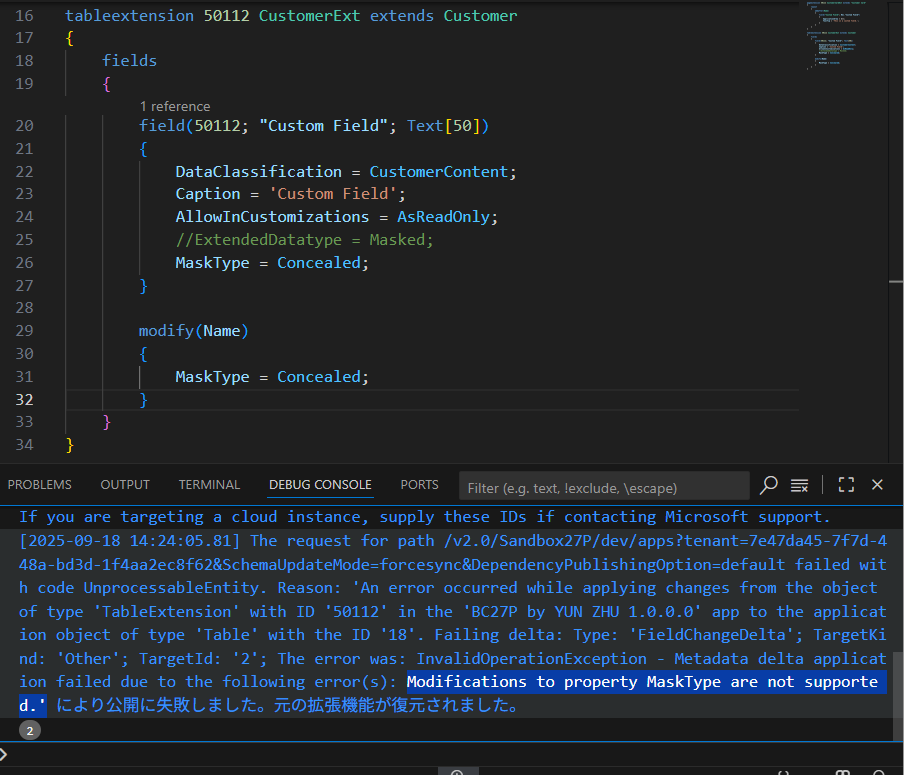
PS: In the version I tested, although this property can be set for standard fields, an error will be prompted when publishing.
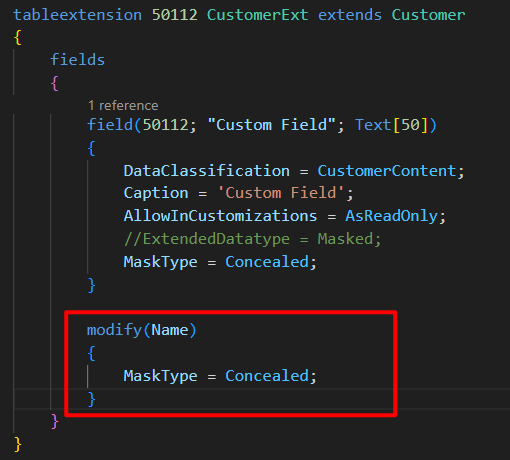
Modifications to property MaskType are not supported.
Note:
- List pages or grids do not support this, only document/card pages (not supported in repeaters)
- An “eye” button is rendered on the control that allows users to toggle between hide and unhide state
- This feature works both on desktop and on mobile devices
Great, give it a try!!!😁
END
Hope this will help.
Thanks for reading.
ZHU
コメント