
Hi, Readers.
The public preview for Dynamics 365 Business Central 2026 release wave 1 (BC28) is available. Learn more: Link.
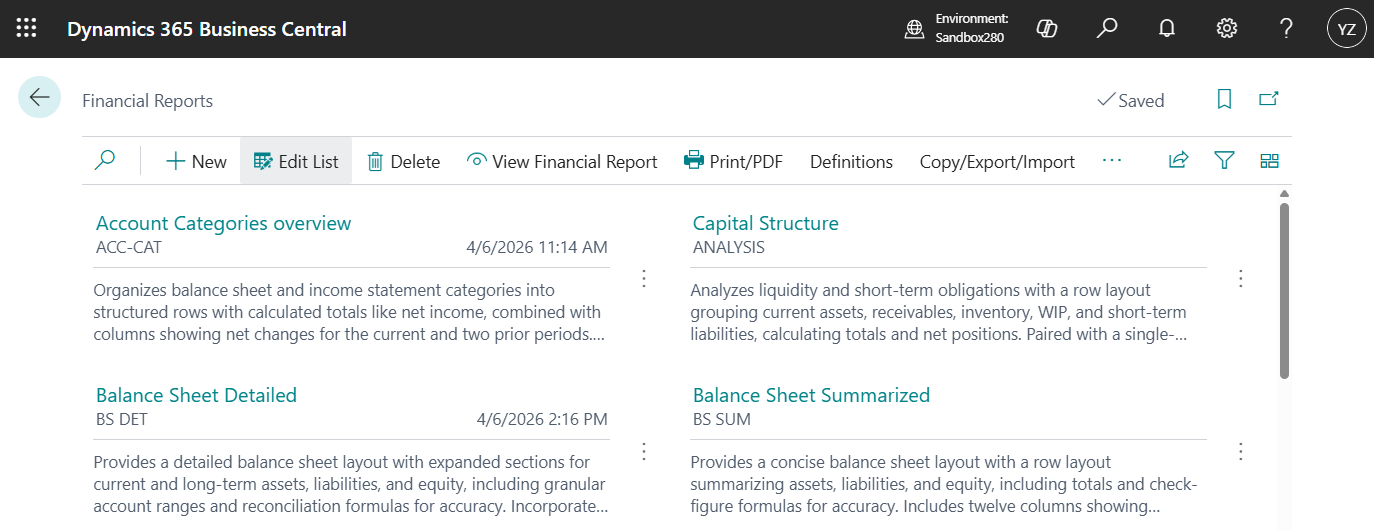
I will continue to test and share some new features that I hope will be helpful. In this post, I would like to talk about Financial Reporting enhancements.
Financial Reporting enhancements:
The enhancements to the Financial Reporting feature help businesses streamline financial reporting by reducing manual effort and improving consistency. Report authors gain flexibility to customize layouts and branding, while users can automate distribution and consolidate multiple reports into a single PDF for easier sharing. Administrators benefit from centralized control of global defaults and enhanced audit capabilities, ensuring compliance and transparency. Together, these improvements save time, reduce errors, and deliver professional, tailored outputs that strengthen decision-making and governance.
https://learn.microsoft.com/en-us/dynamics365/release-plan/2026wave1/smb/dynamics365-business-central/financial-reporting-enhancements?wt.mc_id=DX-MVP-5004336
In Business Central the Financial Reports feature gives you insights into the financial data shown on your chart of accounts (COA). You can set up financial reports to analyze figures in general ledger (G/L) accounts, and compare general ledger entries with budget entries. Business Central provides sample financial reports you can use right away as templates. You can also set up your own reports to specify the figures to compare.
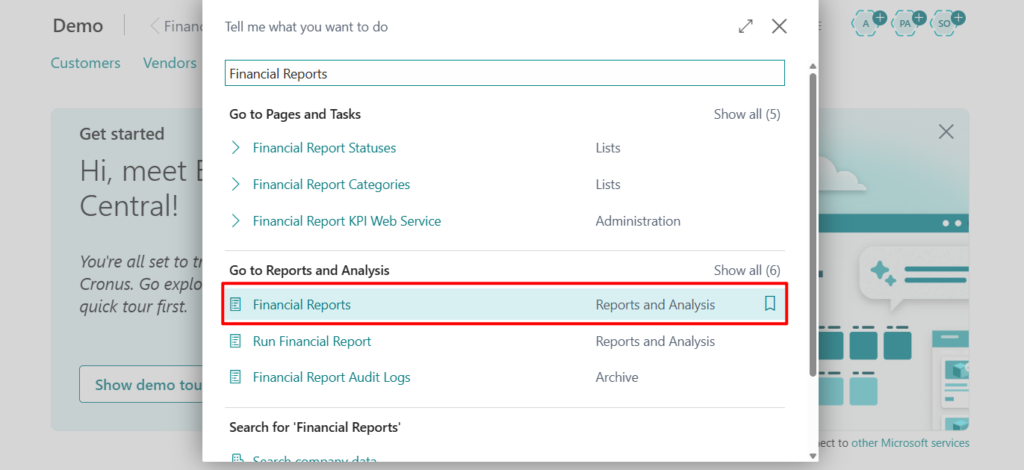
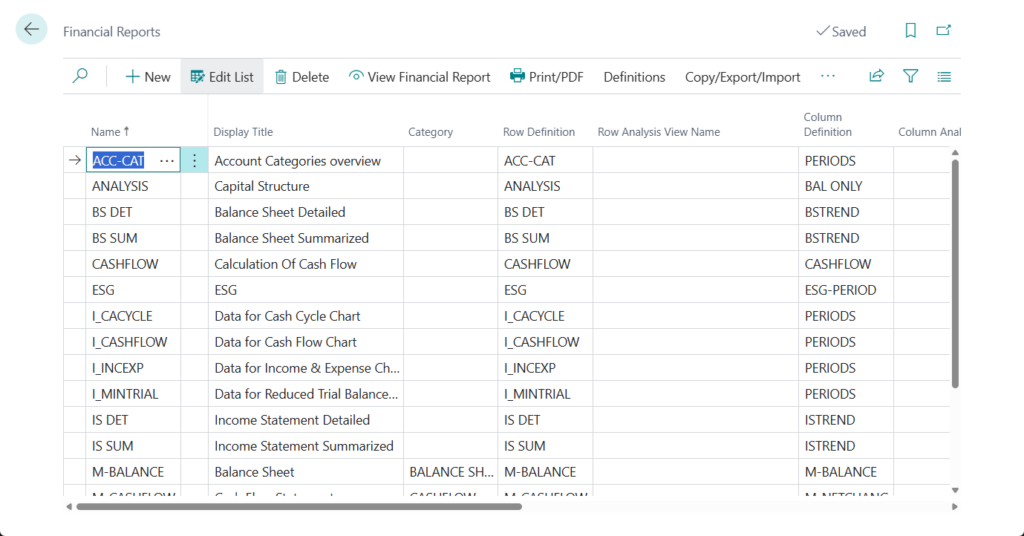
More details: Prepare financial reporting with financial data and account categories
Microsoft has enhanced this feature in recent versions.
- Financial reporting replaces account schedules (Account Schedules -> Financial Reports)
- Use new dedicated APIs for financial reporting (Advanced APIs -> reportsFinance/beta)
- Use new reports and demo data for financial reporting (New standard financial reports and row definitions)
With this wave, Microsoft has further enhanced this feature. Let’s see more details.
Report users, authors, and administrators get new features to make common tasks in financial reporting more efficient.
Report authors can:
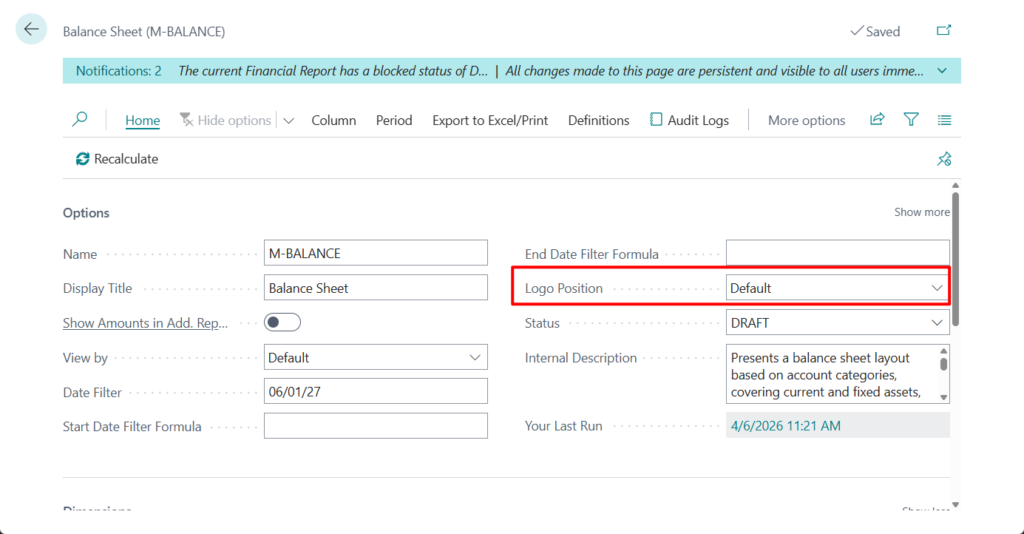
- Choose to display the company logo on PDF outputs.
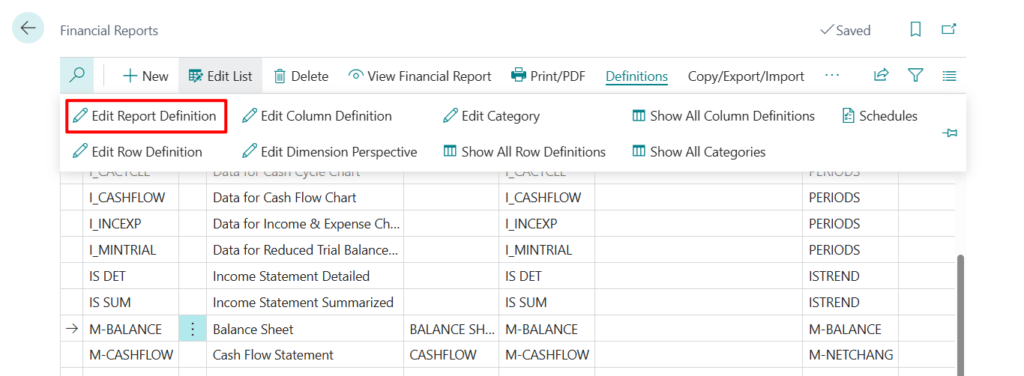
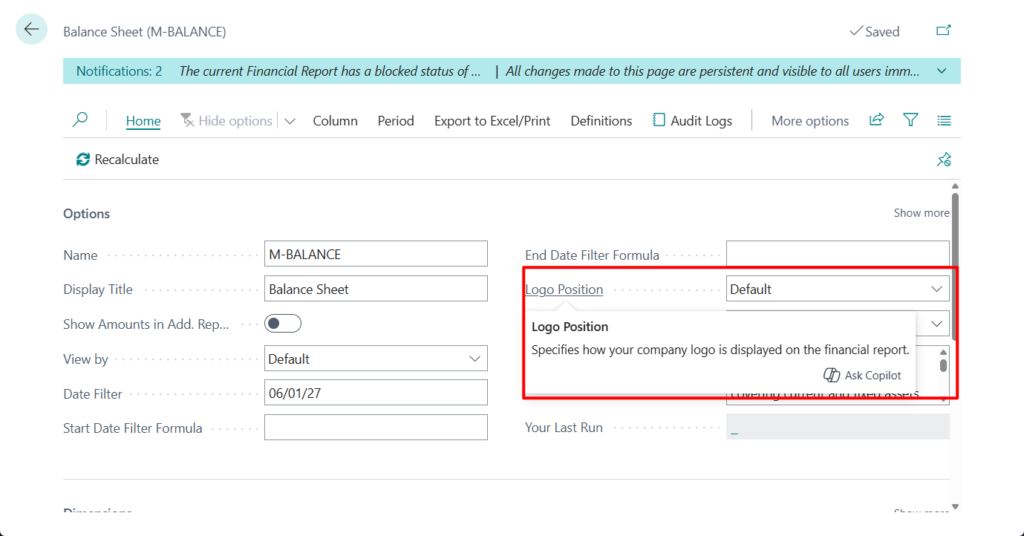
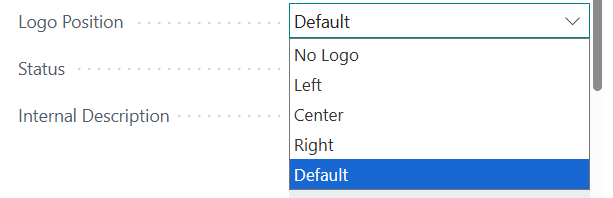
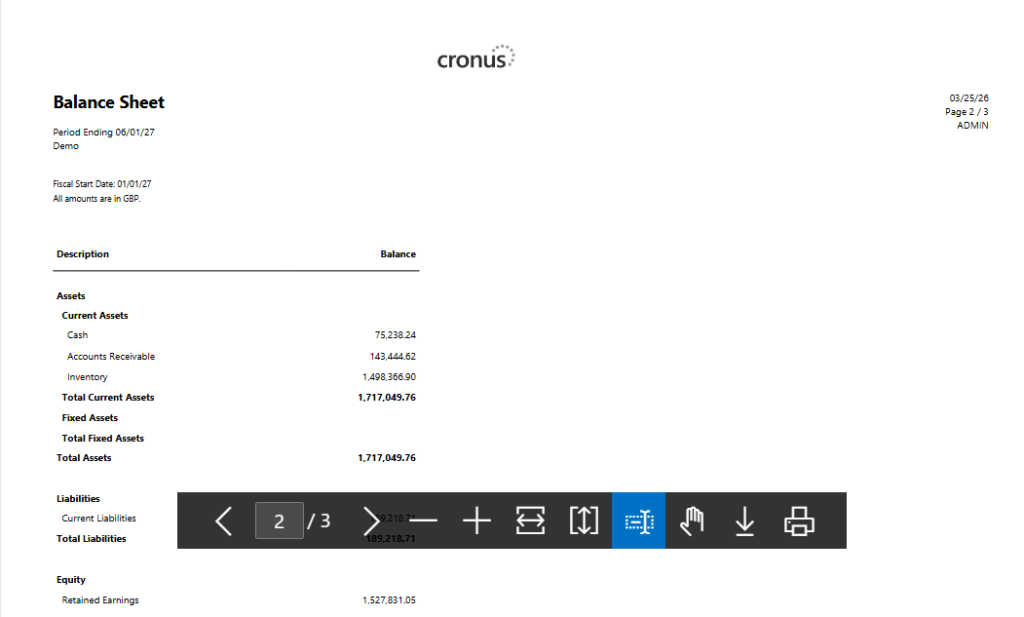
For example, Center:
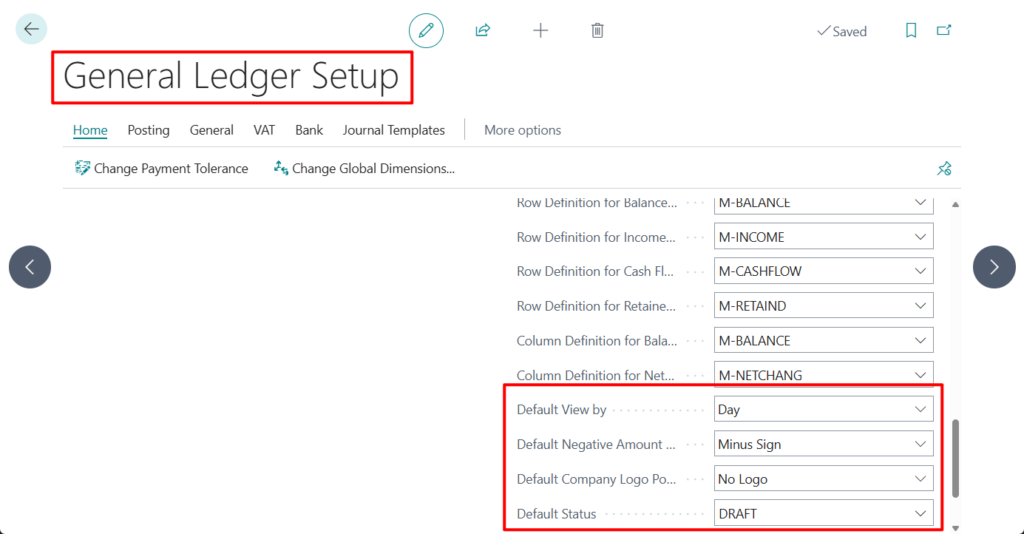
- Override global defaults for negative number format, report period, and logo placement on single reports.
Global defaults:
Financial Report:
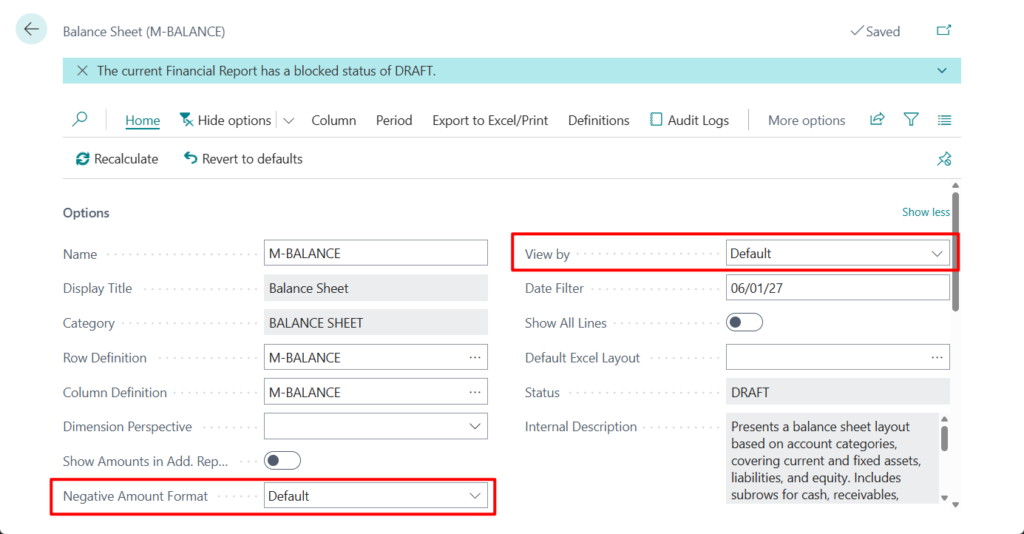
PS: Use enhanced Financial Reporting capabilities
Report Definition:
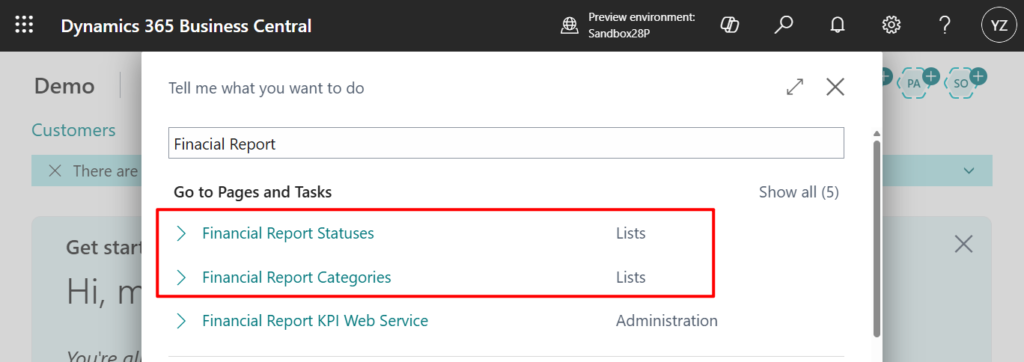
- Use report categories and Report Statuses: Business Central 2026 release wave 1 (BC28): Financial Report Statuses and Financial Report Categories
Report users can:
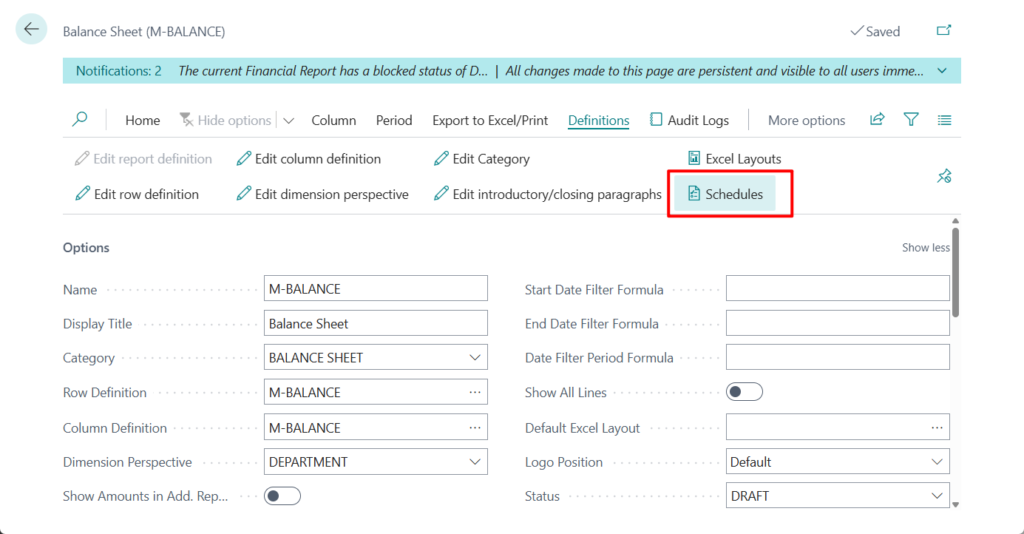
- Schedule reports for a distribution group. Recipients can get the report output in an email and in their report inbox.
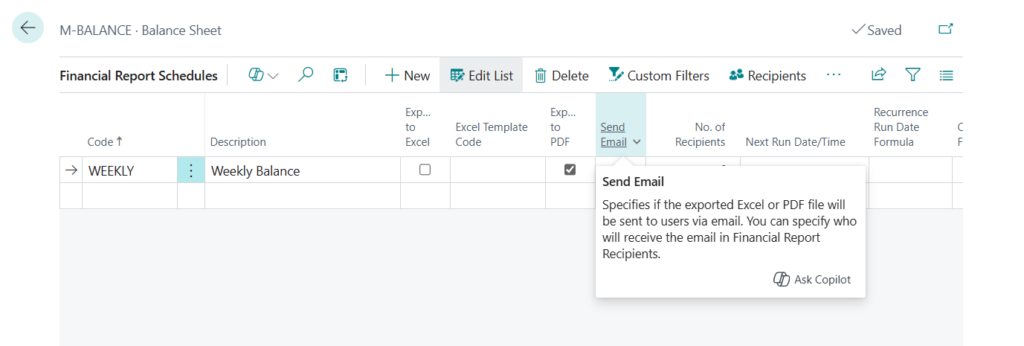
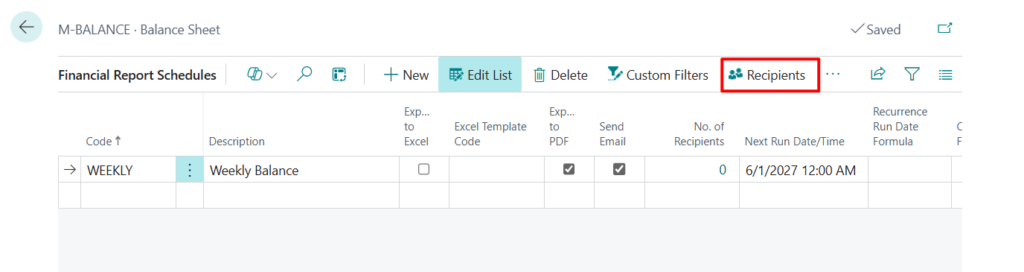
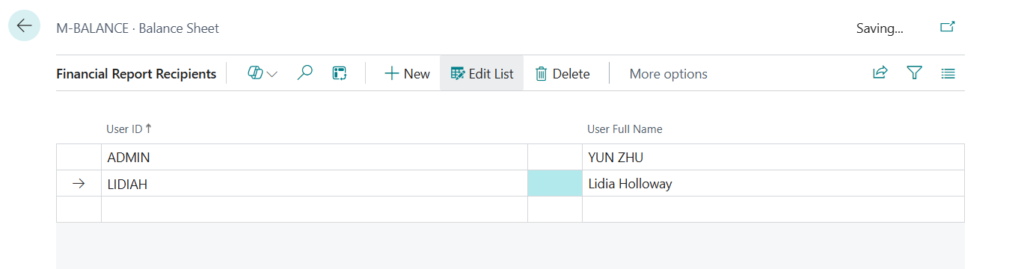
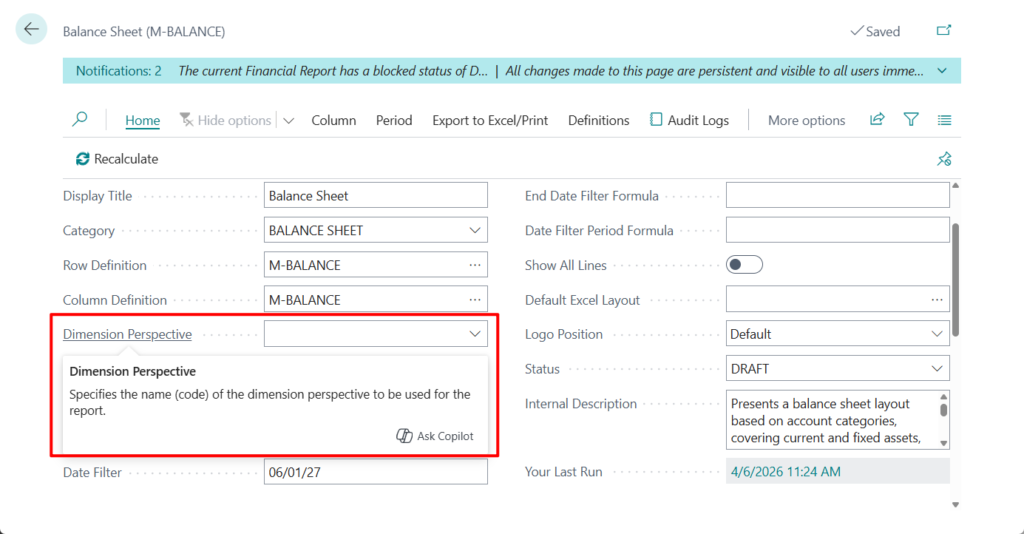
- Run a report over all values of a dimension.
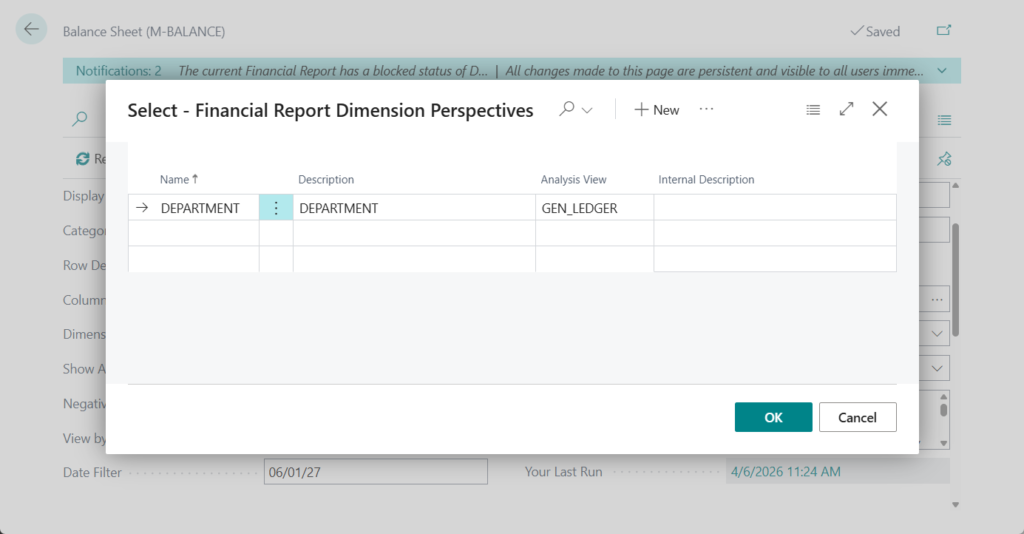
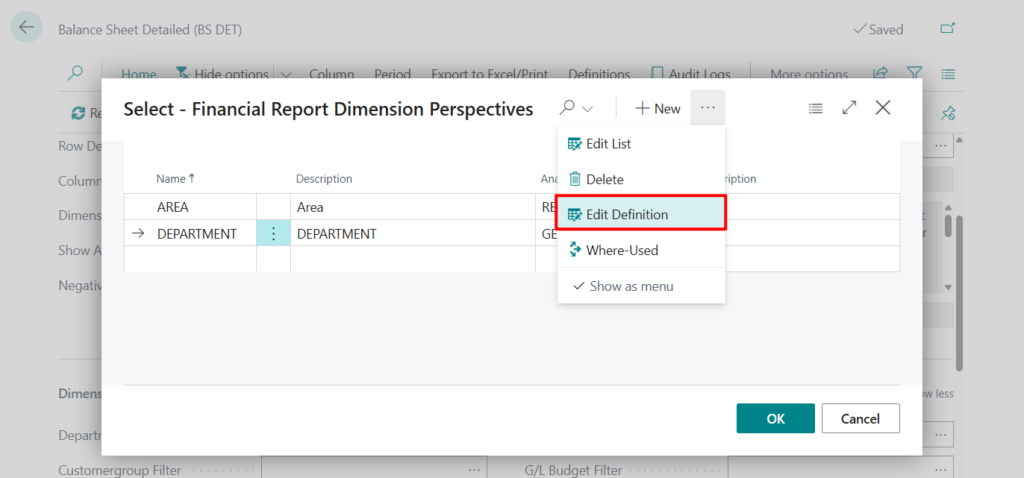
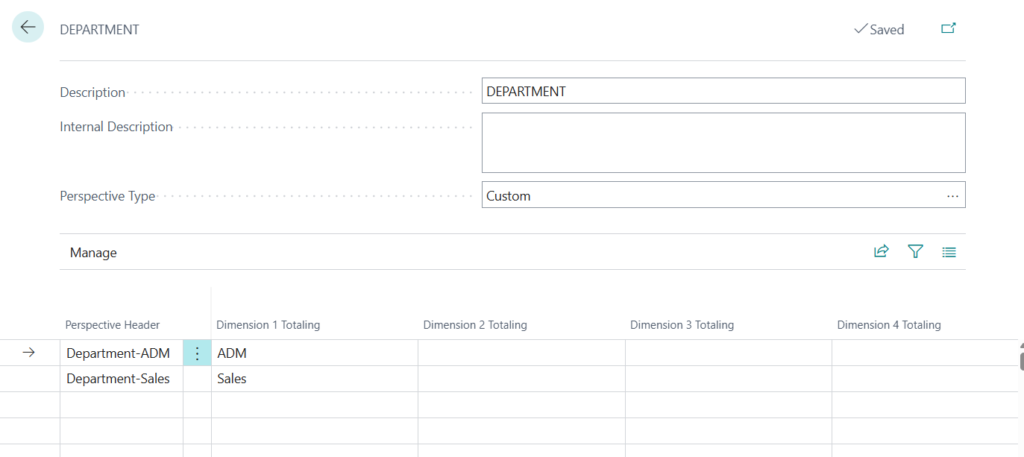
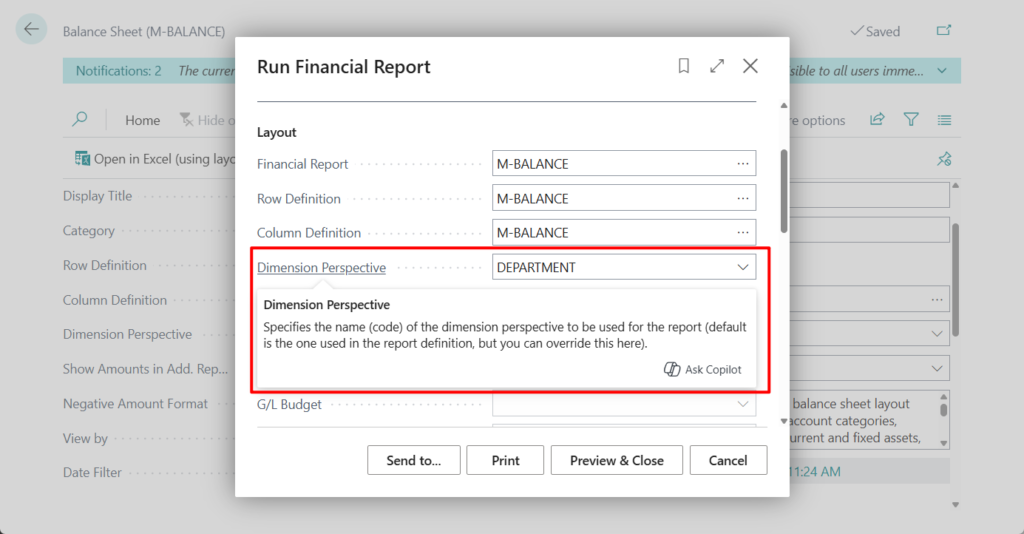
Report administrators can:
- Set global defaults for negative number format, report period, and logo placement.
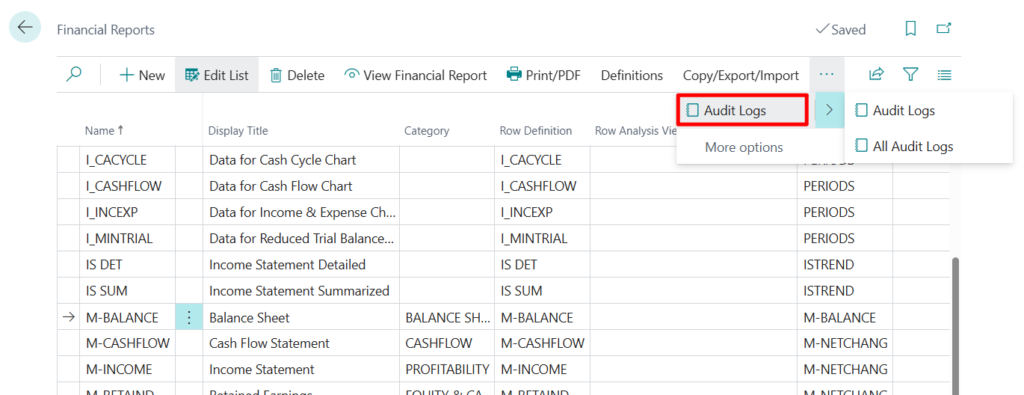
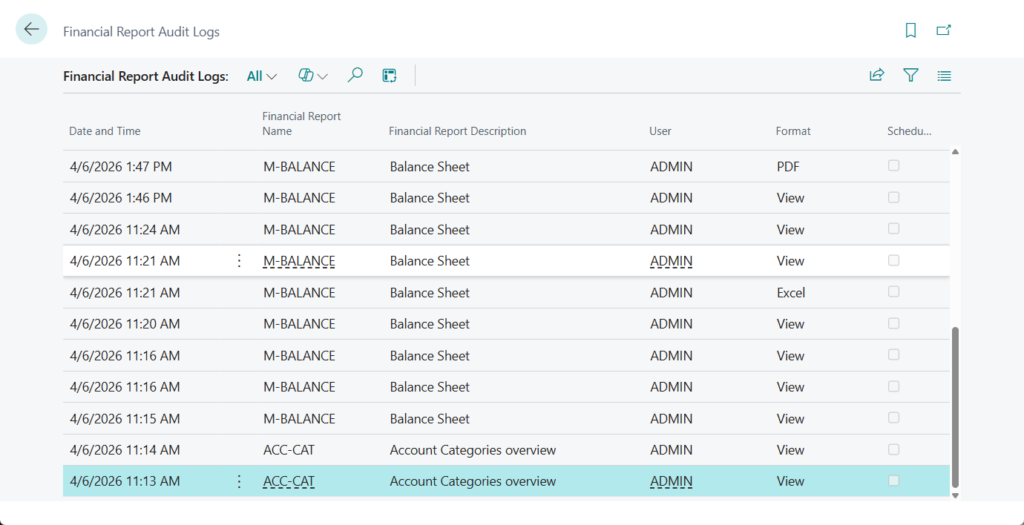
- Monitor report use from a new audit log.
Others:
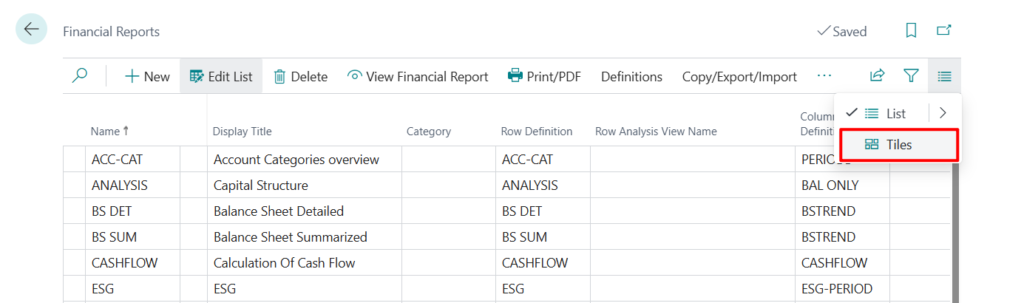
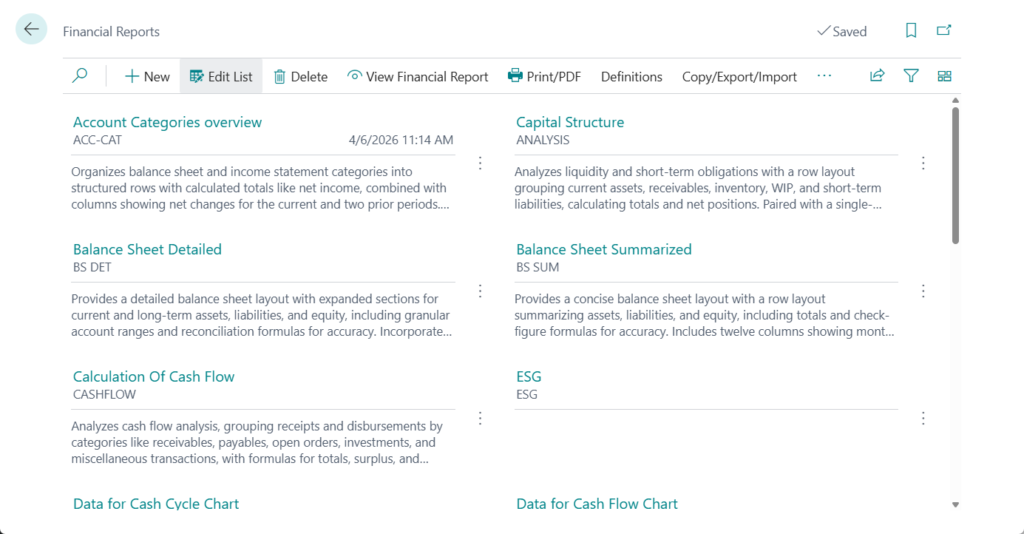
1. New tile view:
2. Hide options
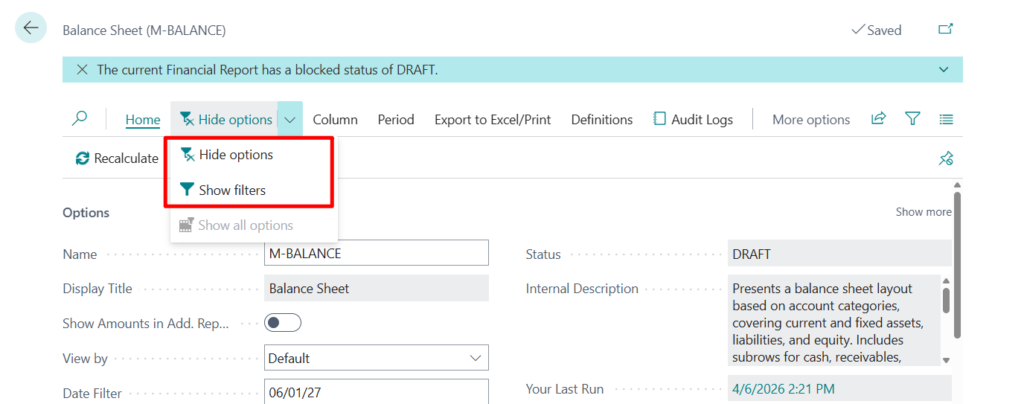
Hide options:
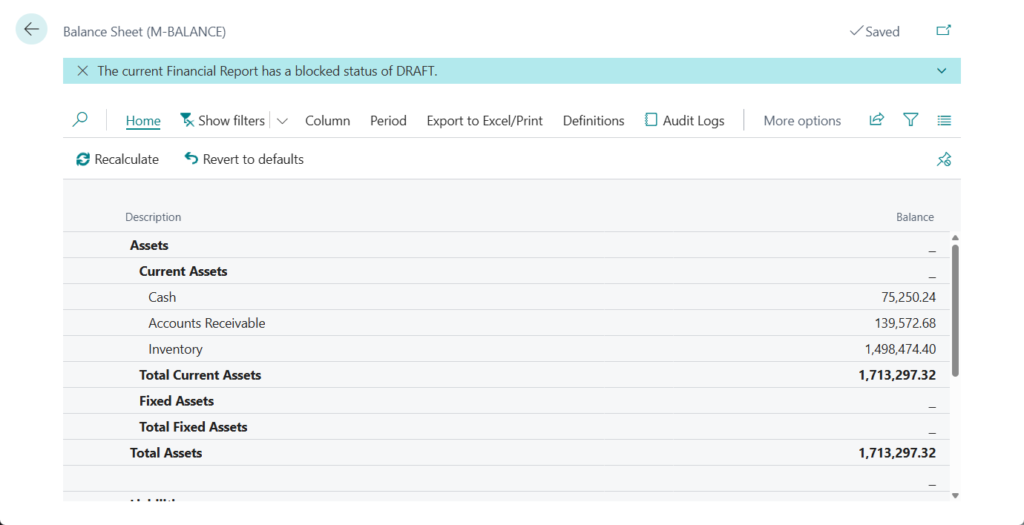
Show filters:

3. What’s new: Enhanced Financial Reporting
END
Hope this will help.
Thanks for reading.
ZHU
コメント