

Hi, Readers.
Dynamics 365 Business Central 2025 wave 2 (BC27) is generally available. More details: General Available: Dynamics 365 Business Central 2025 release wave 2 (BC27).
I will continue to test and share some new features that I hope will be helpful. In this post, I would like to talk about Use enhanced analysis assist with Copilot.
Use enhanced analysis assist with Copilot:
Business value:
Use enhanced analysis assist with Copilot | Microsoft Learn
Microsoft Copilot in Business Central is the AI-powered assistant that boosts creativity, improves productivity, and eliminates tedious tasks. Copilot helps you reduce the time it takes to identify trends and anomalies in your business data by enabling you to express your analysis as a simple sentence, without ever leaving Business Central. By describing how you want to structure your data analysis, such as “show me vendors by location sorted by amount of purchases,” you can quickly get insights instead of spending time on the clicks and keystrokes to construct analysis views. For example, you can use this feature to identify which vendors supply each of your warehouses, and then take steps to optimize your supply chain or negotiate better deals with your vendors.
Analysis assist with Copilot is actually a Copilot feature that helps us quickly create analysis tabs/views in In-client Analysis mode. More details: Business Central 2024 wave 1 (BC24): Get to insights fast with Copilot-created analysis tabs (Analysis mode)
Test video: Youtube
In this release, you get general availability of Copilot’s analysis assist feature with the following key enhancements:
- A new system permission in the Copilot System Features permission set that grants or denies access to the feature.
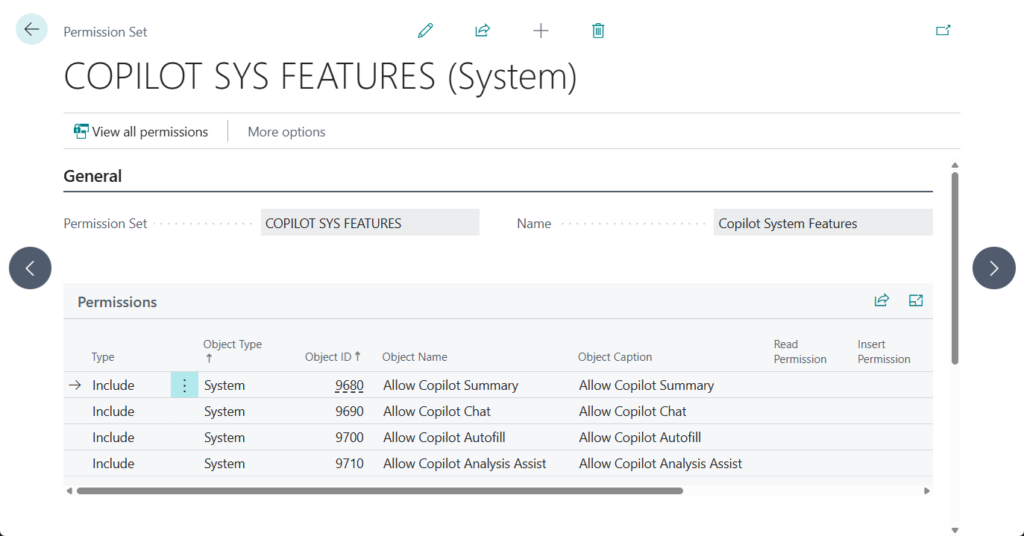
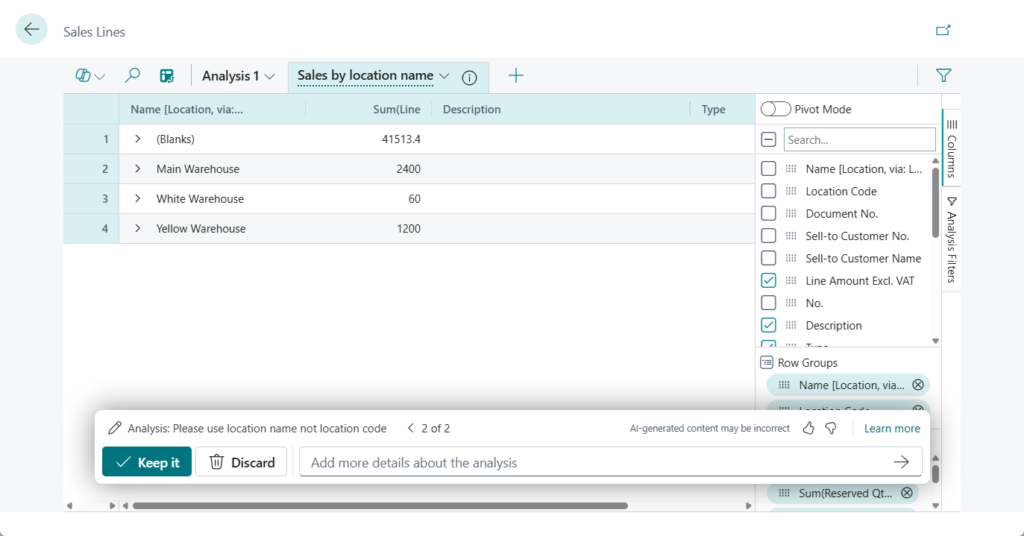
- The ability to ask Copilot to include fields from related tables.
For example, the Sales Lines page
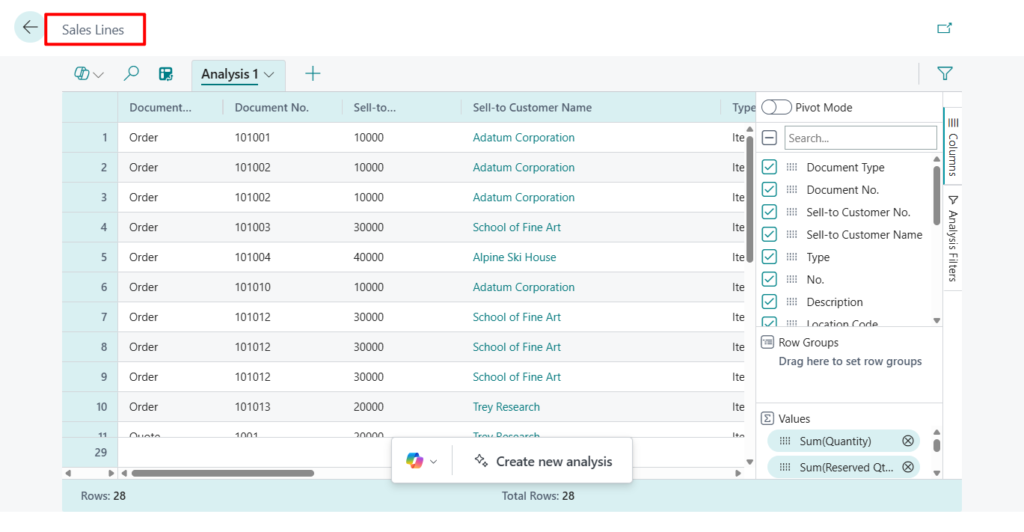
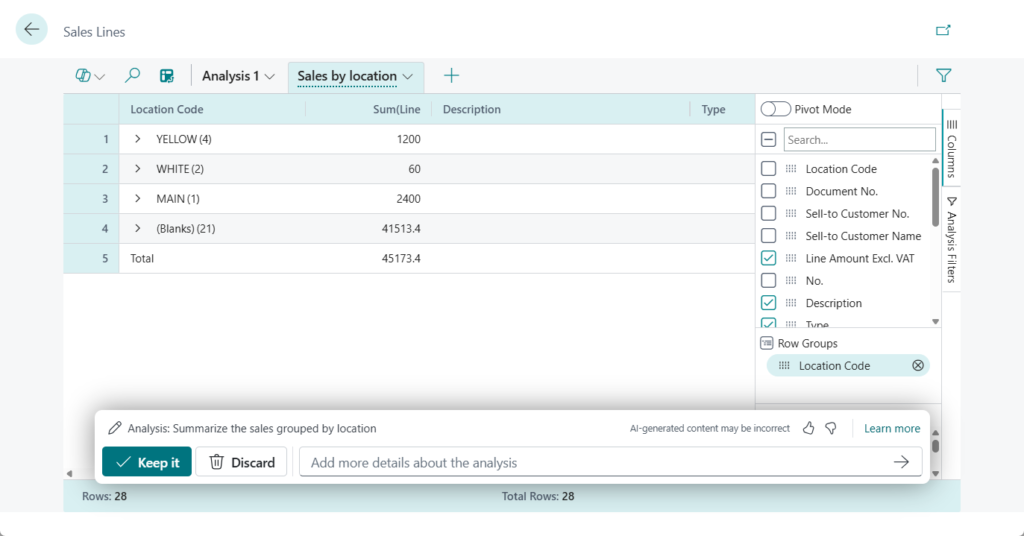
Summarize the sales grouped by location

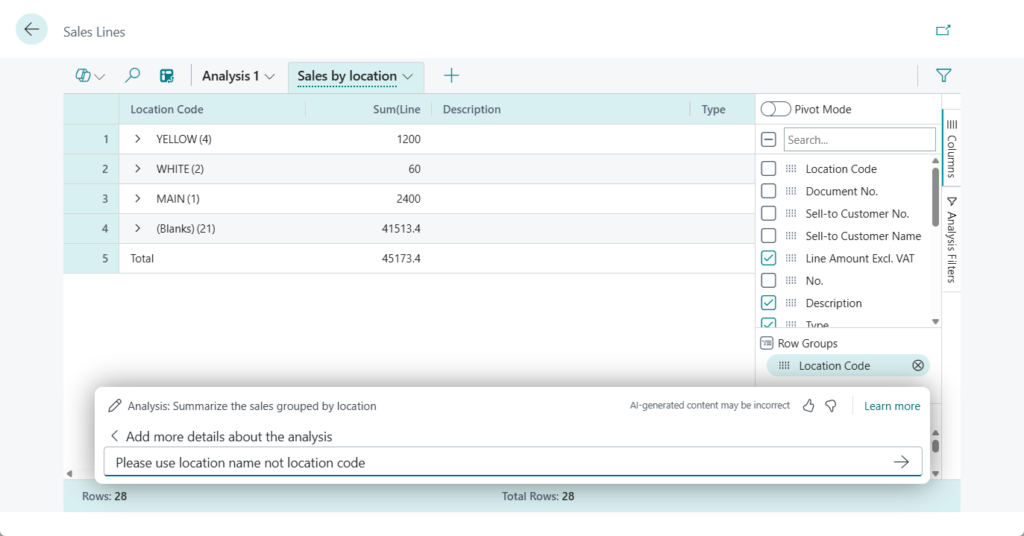
Please use location name not location code
Done.
- Immediate feedback when making analysis design choices that might affect performance.
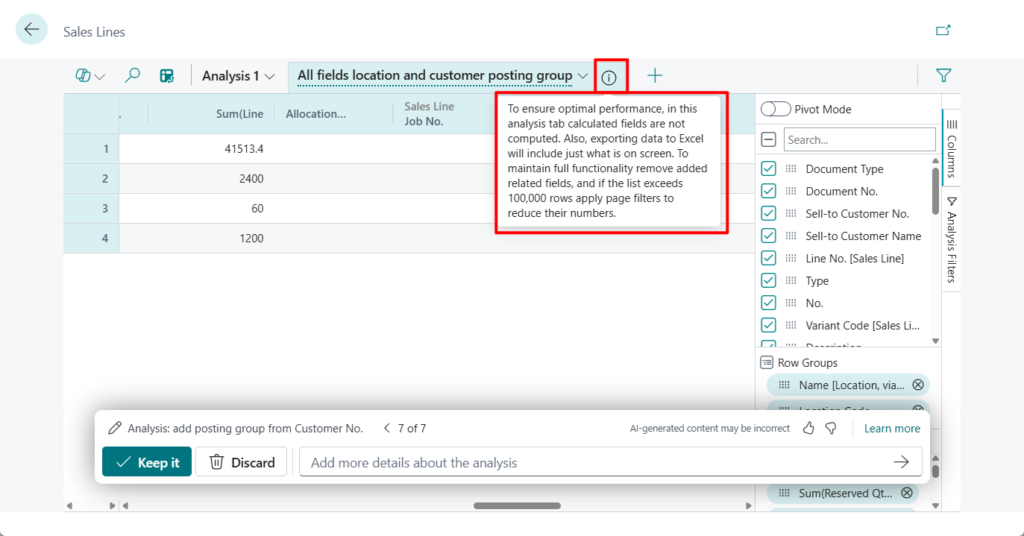
For example,
To ensure optimal performance, in this analysis tab calculated fields are not computed. Also, exporting data to Excel will include just what is on screen. To maintain full functionality remove added related fields, and if the list exceeds 100,000 rows apply page filters to reduce their numbers.
One more: You can now pivot on date hierarchy fields in server-saide data mode

Great, give it a try!!!😁
END
Hope this will help.
Thanks for reading.
ZHU


コメント