

Hi, Readers.
Today I would like to briefly share a question that I was asked recently, how to check posting date before posting (preview posting) in the sales and purchase documents.
As you might know, we can use posting periods to specify when users can post to the general ledger. On the General Ledger Setup page, define the period by entering dates in the Allow Posting From and Allow Posting To fields.
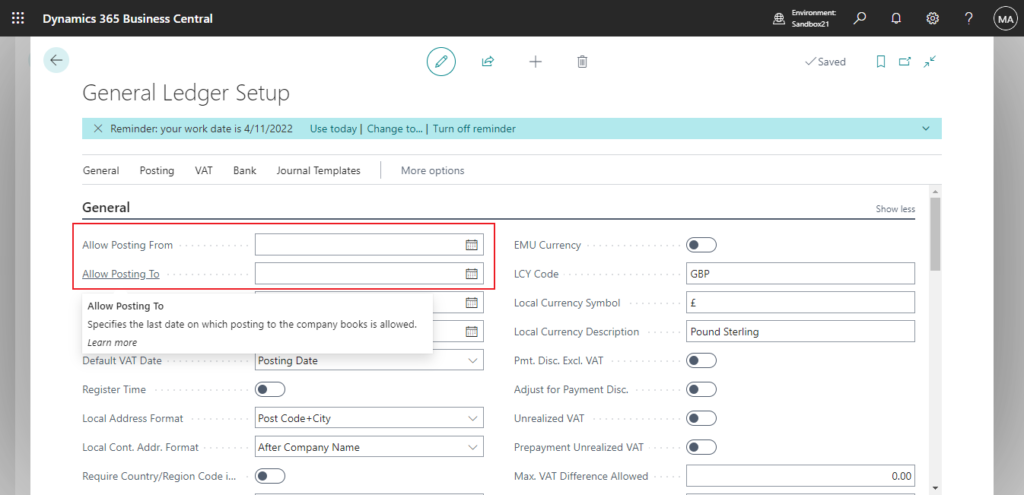
These posting periods apply to the company and to all users. To allow for exceptions, you can define different posting periods for specific users on the User Setup page. These posting periods overrule those specified on the General Ledger Setup page.
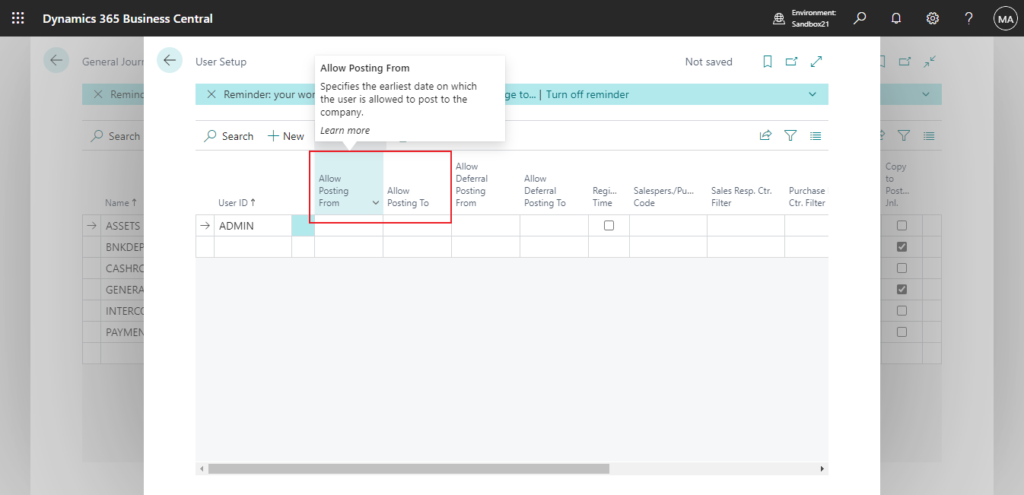
More details: How to use “Allow Posting From” and “Allow Posting To” in General Journal Templates – The third way to specify posting periods
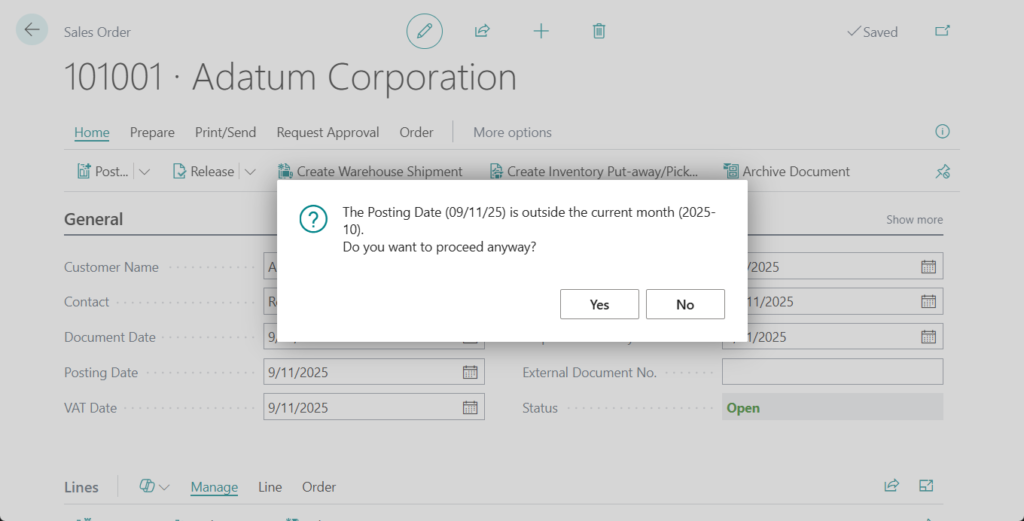
But this partner also wants to add a simple control, that is, if the posting date is not the current month, a confirmation box will pop up to let the user decide whether to really post it. Unfortunately this feature is not included in the standard and we need to customize it.
First, here is the logic of the check, which is not difficult. (In my example, I used Today. If you need Workday, you can change it directly)
PS: How to get Start Date and End Date (Period) of the week/month/quarter/year (Includes last and next) from a given date
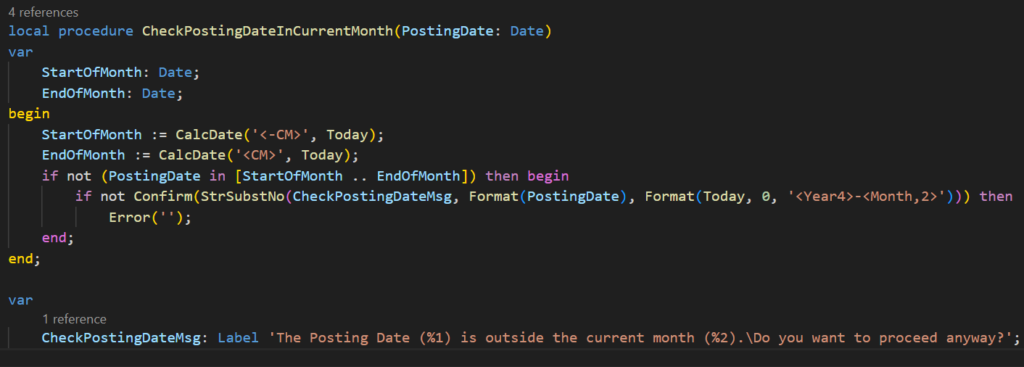
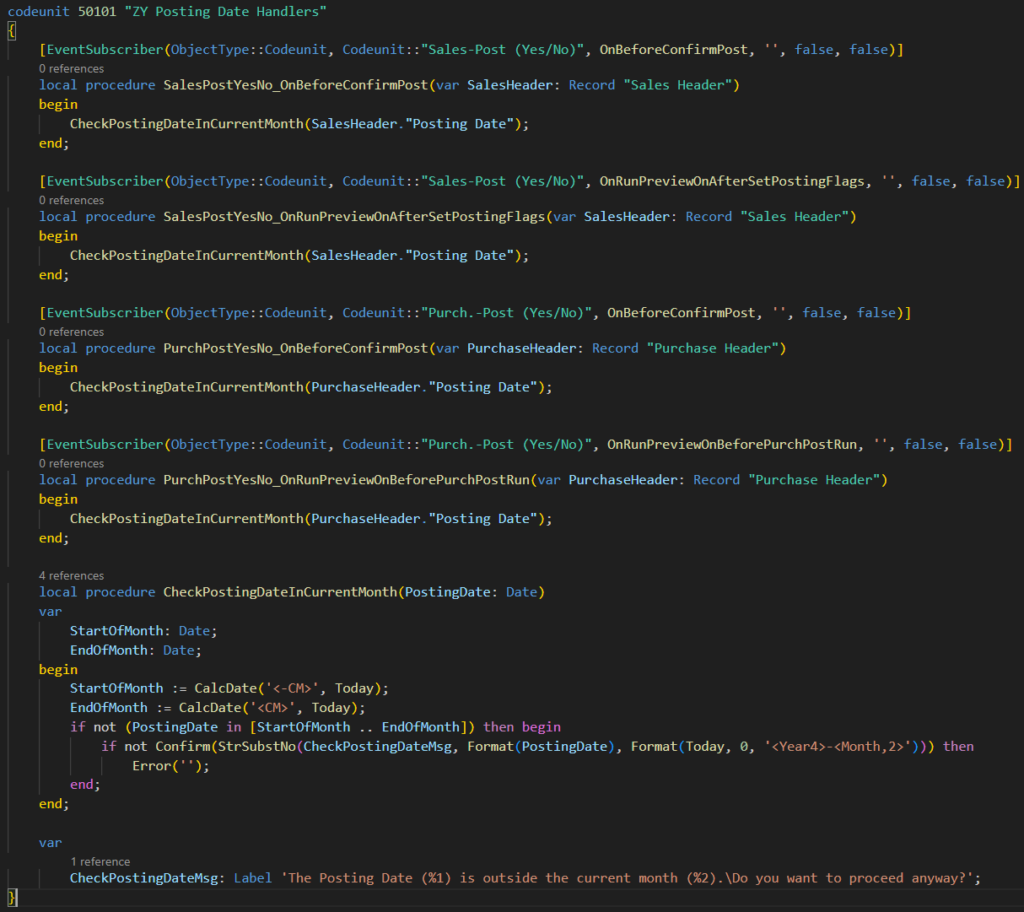
Next is the subscribed events. Here are the events I subscribed to this time.
Sales -> Before posting: codeunit 81 “Sales-Post (Yes/No)” -> local procedure OnBeforeConfirmPost

Sales -> Before preview posting: codeunit 81 “Sales-Post (Yes/No)” -> local procedure OnRunPreviewOnAfterSetPostingFlags

Purhcase -> Before posting: codeunit 91 “Purch.-Post (Yes/No)” -> local procedure OnBeforeConfirmPost

Purhcase -> Before preview posting: codeunit 91 “Purch.-Post (Yes/No)” -> local procedure OnRunPreviewOnBeforePurchPostRun

Done.
A simple test:
Test video:
This is just a simple example, you can also use the same method to add other controls, such as required fields, etc. Give it a try!!!😁
Source Code: GitHub (Please note that the source code is for reference only, you can improve it according to your own needs)
codeunit 50101 "ZY Posting Date Handlers"
{
    [EventSubscriber(ObjectType::Codeunit, Codeunit::"Sales-Post (Yes/No)", OnBeforeConfirmPost, '', false, false)]
    local procedure SalesPostYesNo_OnBeforeConfirmPost(var SalesHeader: Record "Sales Header")
    begin
        CheckPostingDateInCurrentMonth(SalesHeader."Posting Date");
    end;

    [EventSubscriber(ObjectType::Codeunit, Codeunit::"Sales-Post (Yes/No)", OnRunPreviewOnAfterSetPostingFlags, '', false, false)]
    local procedure SalesPostYesNo_OnRunPreviewOnAfterSetPostingFlags(var SalesHeader: Record "Sales Header")
    begin
        CheckPostingDateInCurrentMonth(SalesHeader."Posting Date");
    end;

    [EventSubscriber(ObjectType::Codeunit, Codeunit::"Purch.-Post (Yes/No)", OnBeforeConfirmPost, '', false, false)]
    local procedure PurchPostYesNo_OnBeforeConfirmPost(var PurchaseHeader: Record "Purchase Header")
    begin
        CheckPostingDateInCurrentMonth(PurchaseHeader."Posting Date");
    end;

    [EventSubscriber(ObjectType::Codeunit, Codeunit::"Purch.-Post (Yes/No)", OnRunPreviewOnBeforePurchPostRun, '', false, false)]
    local procedure PurchPostYesNo_OnRunPreviewOnBeforePurchPostRun(var PurchaseHeader: Record "Purchase Header")
    begin
        CheckPostingDateInCurrentMonth(PurchaseHeader."Posting Date");
    end;

    local procedure CheckPostingDateInCurrentMonth(PostingDate: Date)
    var
        StartOfMonth: Date;
        EndOfMonth: Date;
    begin
        StartOfMonth := CalcDate('<-CM>', Today);
        EndOfMonth := CalcDate('<CM>', Today);
        if not (PostingDate in [StartOfMonth .. EndOfMonth]) then begin
            if not Confirm(StrSubstNo(CheckPostingDateMsg, Format(PostingDate), Format(Today, 0, '<Year4>-<Month,2>'))) then
                Error('');
        end;
    end;

    var
        CheckPostingDateMsg: Label 'The Posting Date (%1) is outside the current month (%2).\Do you want to proceed anyway?';
}
END
Hope this will help.
Thanks for reading.
ZHU

コメント