

Hi, Readers.
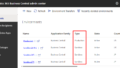
Today I would like to share another mini tip about Business Central, how to show Experience Tier (Essential or Premium) on the Companies (list page).
Business Central is designed to help you run your business regardless of the size and complexity. At the core of the product, you find essential features, such as financial reporting, sales, purchasing, and inventory management. As business complexity increases, you can turn on functionality for manufacturing and service management, for example.
You can define the product complexity level, and thereby which features the company’s users get access to, by changing the Experience setting on the Company Information page.

The following table lists the experiences that are currently available.
| Experience | Impact on User Interface |
|---|---|
| Essentials | Shows all actions and fields for all common business functionality. |
| Premium | Shows all actions and fields for all business functionality, including Manufacturing and Service Management. |

However, there’s a small drawback: the Experience setting isn’t directly visible in the Companies list.
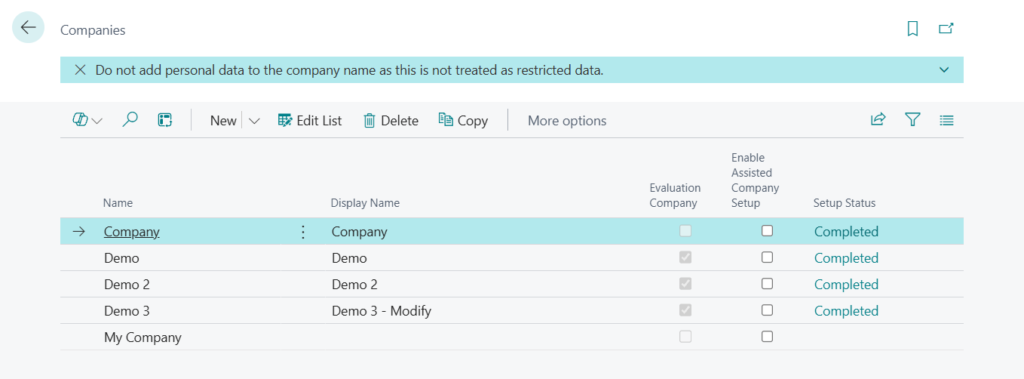
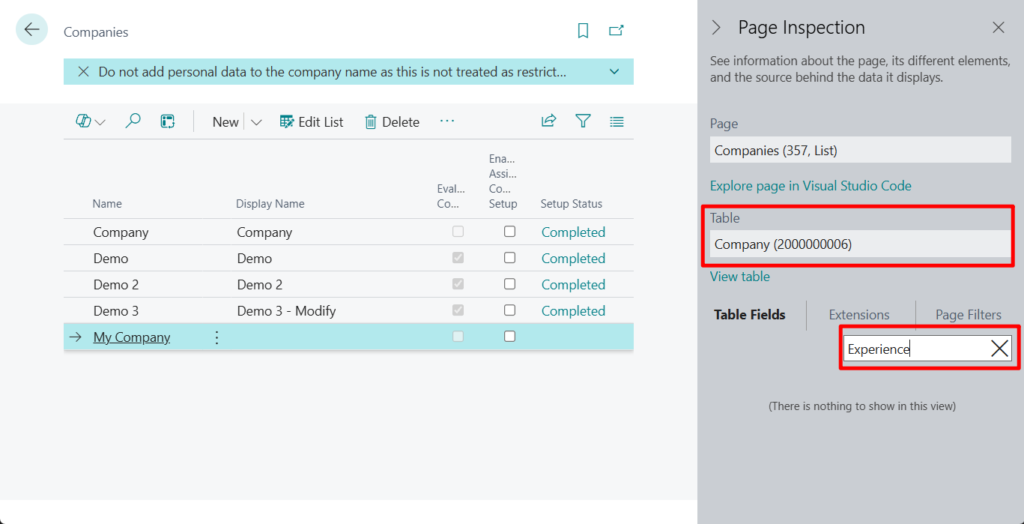
This field does not exist in the table Company (2000000006).
In fact, this field is not available in Company Information (79).
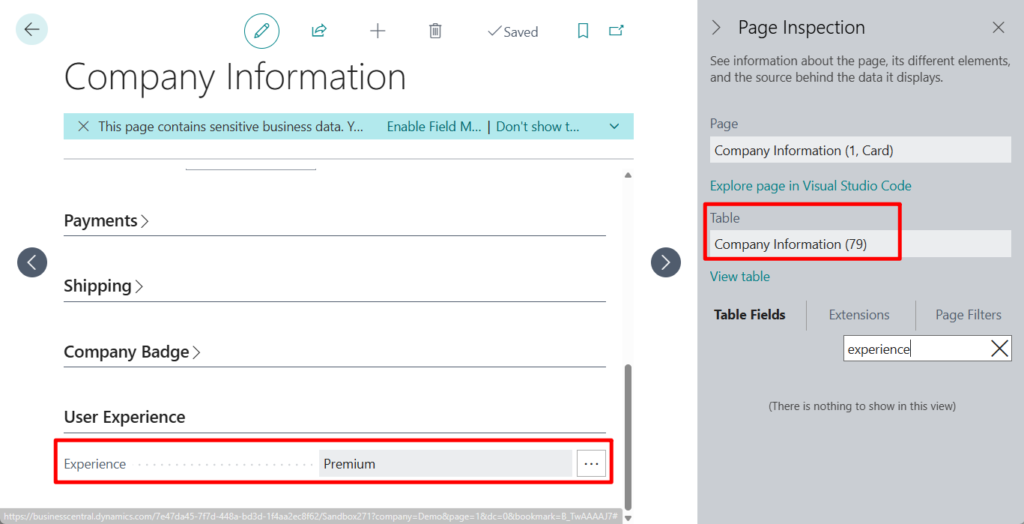
Let’s take a look at the standard code.
In page 1 “Company Information”, Experience is a variable.
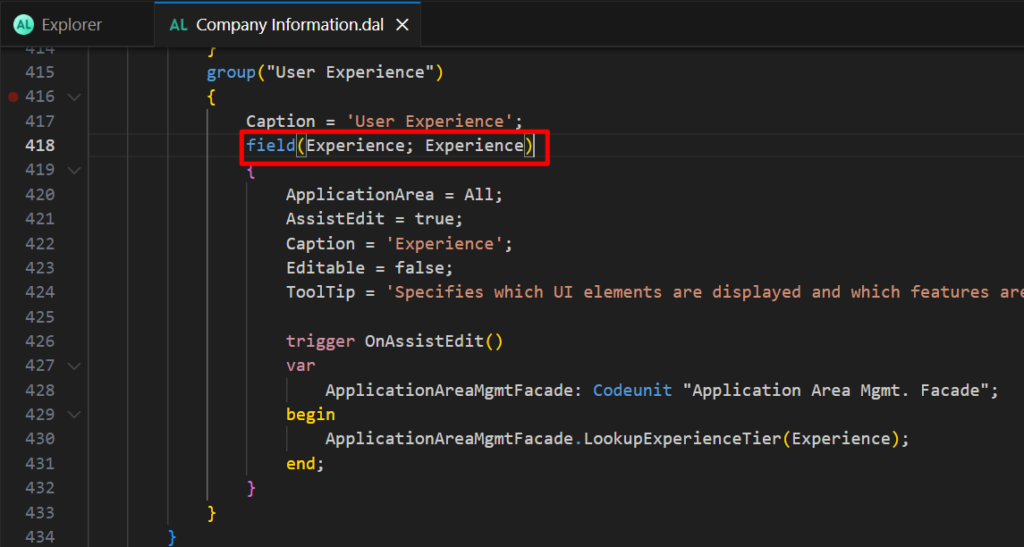
This was obtained when the OnOpenPage() was triggered.
PS: How to quickly get User Experience/Experience Tier (Essential or Premium) in AL
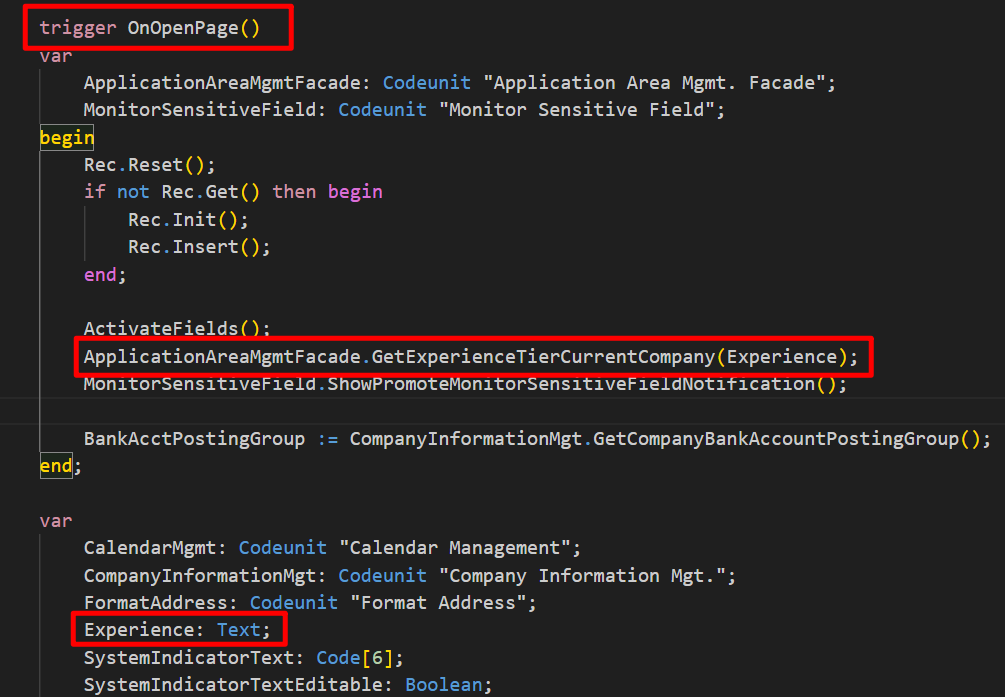
However, this approach can only retrieve the Experience Tier of the current company; it cannot provide the Experience Tier for any other companies. The following is the core logic of this process.
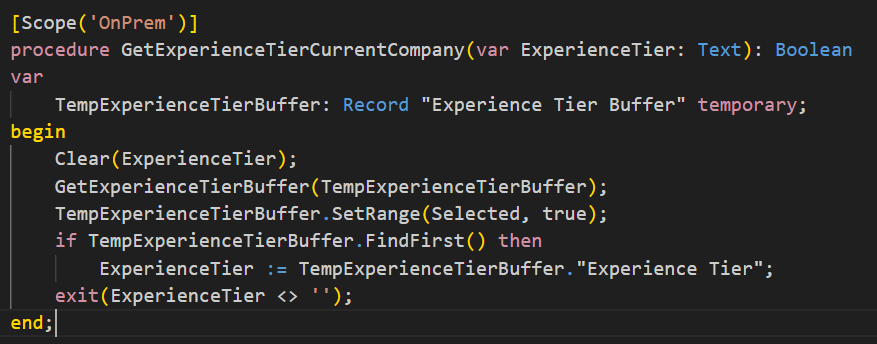
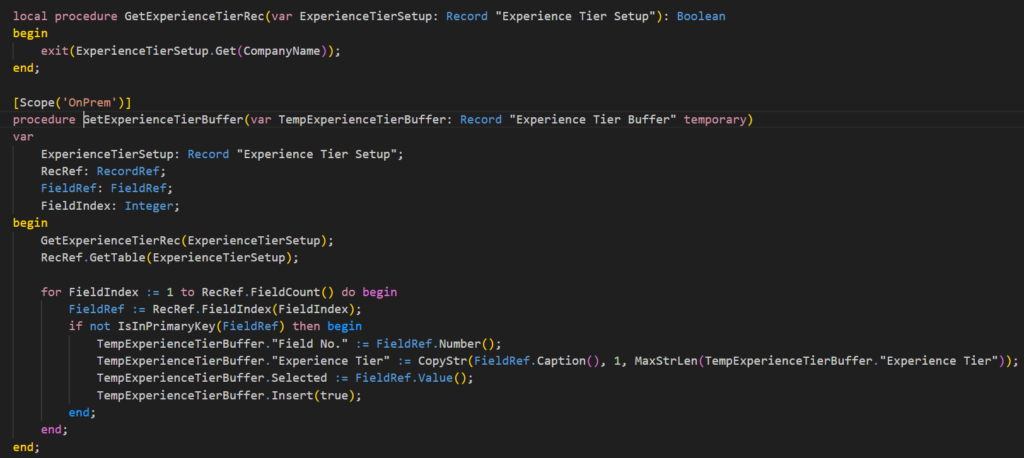
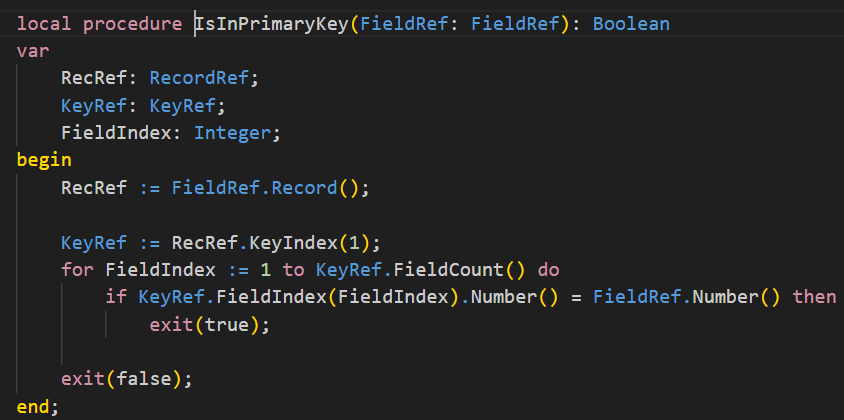
We can refer to it and rewrite it. Let’s see more details.
1.
2.

3.

4.
5.
Done.
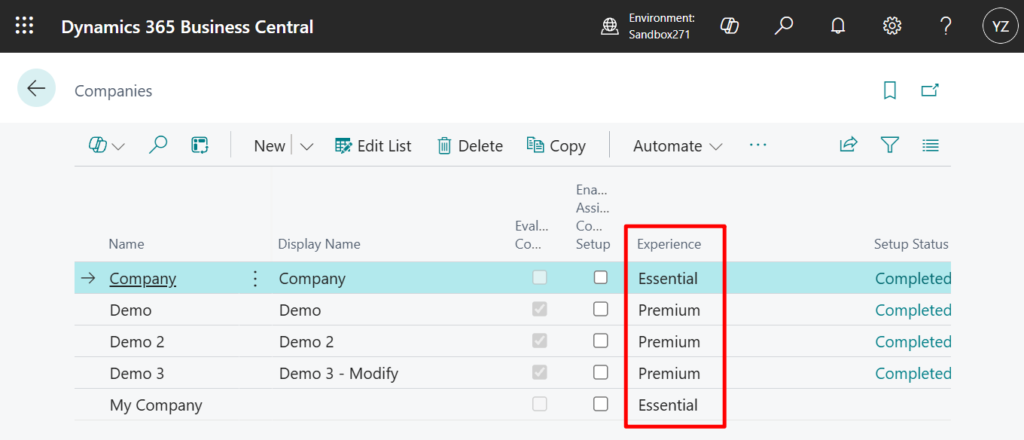
It might be a bit complex, but it’s definitely doable. Give it a try!
Source Code: GitHub (Please note that the source code is for reference only, you can improve it according to your own needs)
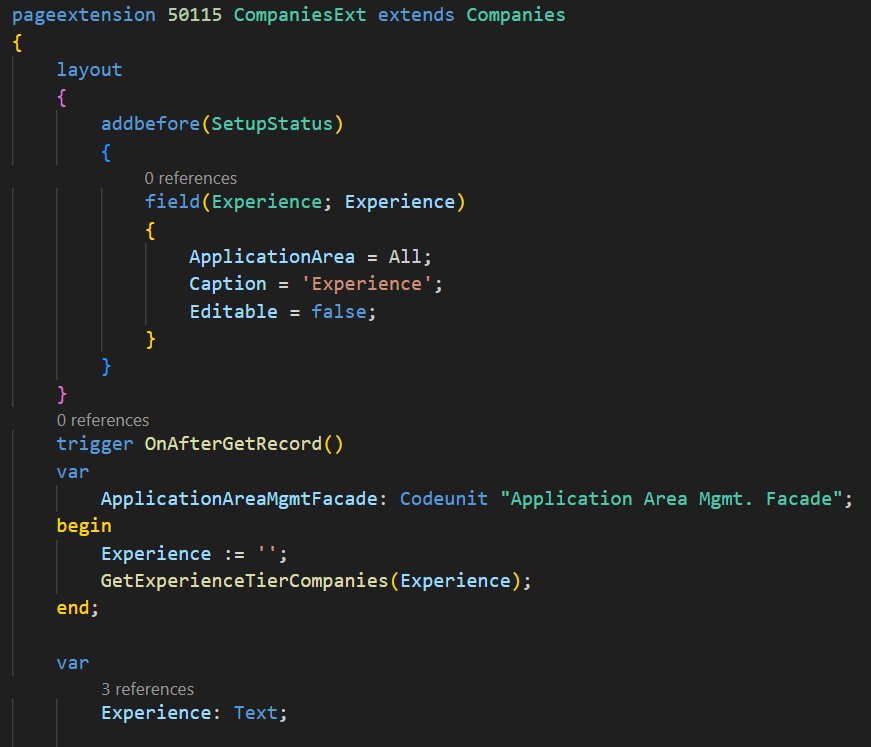
pageextension 50115 CompaniesExt extends Companies
{
    layout
    {
        addbefore(SetupStatus)
        {
            field(Experience; Experience)
            {
                ApplicationArea = All;
                Caption = 'Experience';
                Editable = false;
            }
        }
    }
    trigger OnAfterGetRecord()
    var
        ApplicationAreaMgmtFacade: Codeunit "Application Area Mgmt. Facade";
    begin
        Experience := '';
        GetExperienceTierCompanies(Experience);
    end;

    var
        Experience: Text;


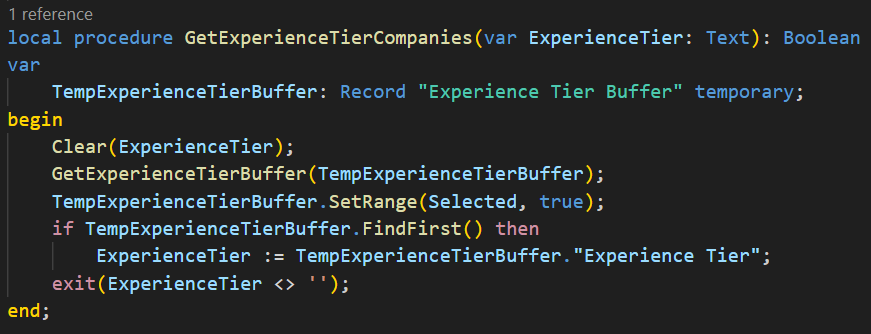
    local procedure GetExperienceTierCompanies(var ExperienceTier: Text): Boolean
    var
        TempExperienceTierBuffer: Record "Experience Tier Buffer" temporary;
    begin
        Clear(ExperienceTier);
        GetExperienceTierBuffer(TempExperienceTierBuffer);
        TempExperienceTierBuffer.SetRange(Selected, true);
        if TempExperienceTierBuffer.FindFirst() then
            ExperienceTier := TempExperienceTierBuffer."Experience Tier";
        exit(ExperienceTier <> '');
    end;

    local procedure GetExperienceTierRec(var ExperienceTierSetup: Record "Experience Tier Setup"; CompanyNameRec: Text[30]): Boolean
    begin
        exit(ExperienceTierSetup.Get(CompanyNameRec));
    end;

    local procedure GetExperienceTierBuffer(var TempExperienceTierBuffer: Record "Experience Tier Buffer" temporary)
    var
        ExperienceTierSetup: Record "Experience Tier Setup";
        RecRef: RecordRef;
        FieldRef: FieldRef;
        FieldIndex: Integer;
    begin
        GetExperienceTierRec(ExperienceTierSetup, Rec.Name);
        RecRef.GetTable(ExperienceTierSetup);

        for FieldIndex := 1 to RecRef.FieldCount() do begin
            FieldRef := RecRef.FieldIndex(FieldIndex);
            if not IsInPrimaryKey(FieldRef) then begin
                TempExperienceTierBuffer."Field No." := FieldRef.Number();
                TempExperienceTierBuffer."Experience Tier" := CopyStr(FieldRef.Caption(), 1, MaxStrLen(TempExperienceTierBuffer."Experience Tier"));
                TempExperienceTierBuffer.Selected := FieldRef.Value();
                TempExperienceTierBuffer.Insert(true);
            end;
        end;
    end;

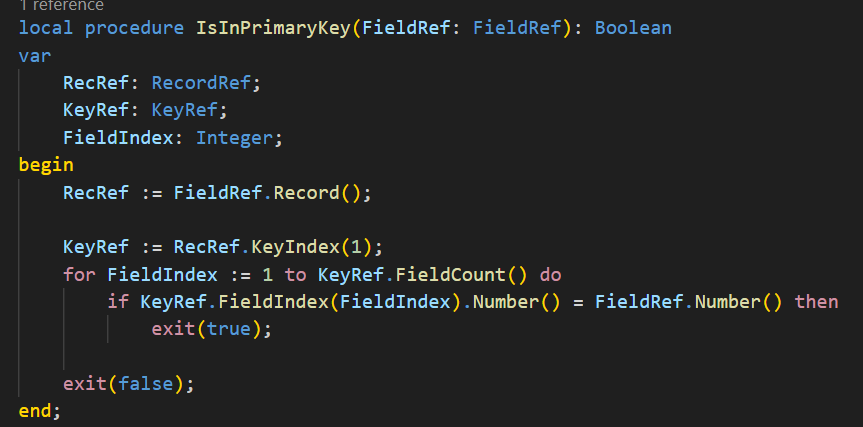
    local procedure IsInPrimaryKey(FieldRef: FieldRef): Boolean
    var
        RecRef: RecordRef;
        KeyRef: KeyRef;
        FieldIndex: Integer;
    begin
        RecRef := FieldRef.Record();

        KeyRef := RecRef.KeyIndex(1);
        for FieldIndex := 1 to KeyRef.FieldCount() do
            if KeyRef.FieldIndex(FieldIndex).Number() = FieldRef.Number() then
                exit(true);

        exit(false);
    end;
}
END
Hope this will help.
Thanks for reading.
ZHU

コメント