
Hi, Readers.
The public preview for Dynamics 365 Business Central 2026 release wave 1 (BC28) is available. Learn more: Link.
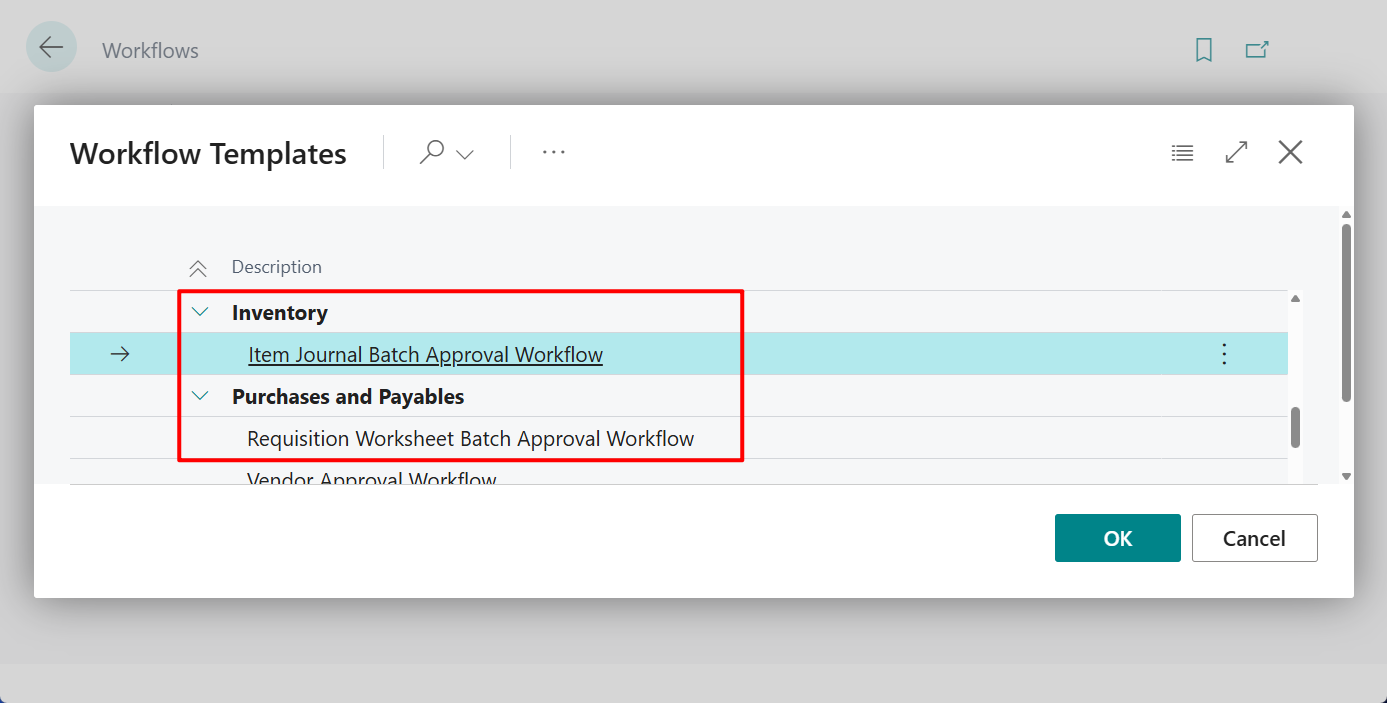
I will continue to test and share some new features that I hope will be helpful. In this post, I would like to talk about Include approvals for requisition worksheets and item journals in your workflows.
Approve requisition worksheets and item journals:
We’ve extended approval workflows to item journals and requisition and planning worksheets. You can ensure that someone reviews and approves entries before creating purchase documents or posting inventory adjustments.
https://learn.microsoft.com/en-us/dynamics365/business-central/dev-itpro/whatsnew/preview-feature-details?wt.mc_id=DX-MVP-5004336#approve-requisition-worksheets-and-item-journals
In Business Central, you can set up and use workflows to connect business-process tasks performed by different users. System tasks, such as automatic posting, can be included as steps in workflows. System tasks can be preceded or followed by user tasks. Requesting and granting approval to create new records are typical workflow steps.
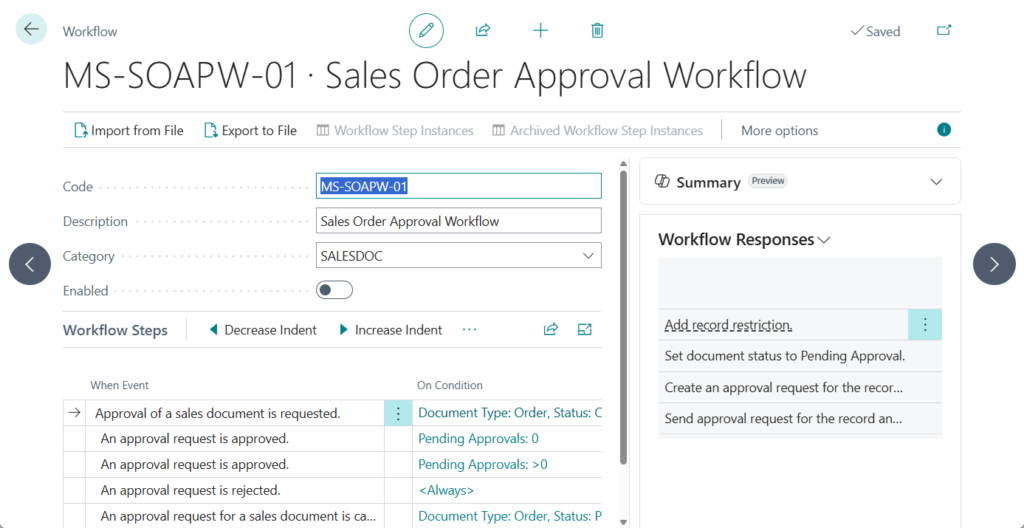
With this wave (BC28), Microsoft extended approval workflows to item journals and requisition and planning worksheets. Let’s see more details.
1. Approval workflows for item journals
Item Journals now support the same approval workflow capabilities that you have today in general journal batches. You can send batches for approval from the following journals:
- Item Journal
- Physical Inventory Journal
- Output Journal
- Consumption Journal
For example,
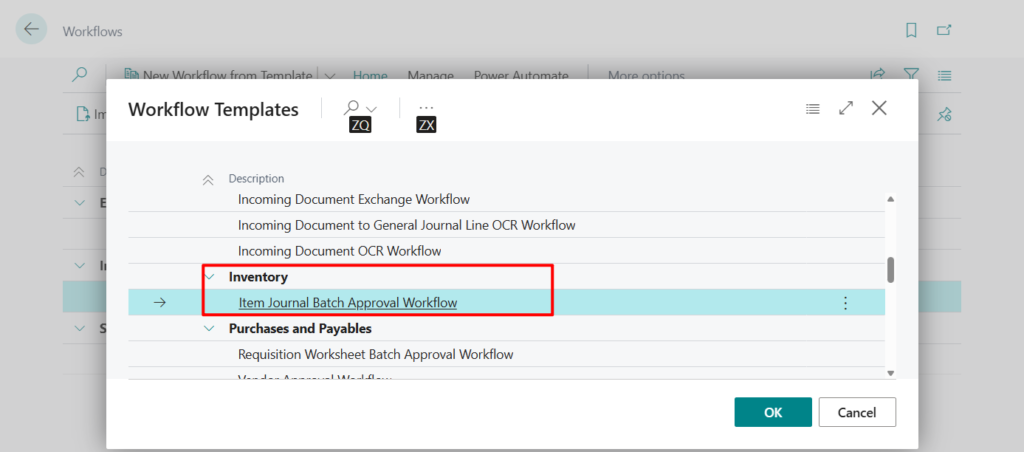
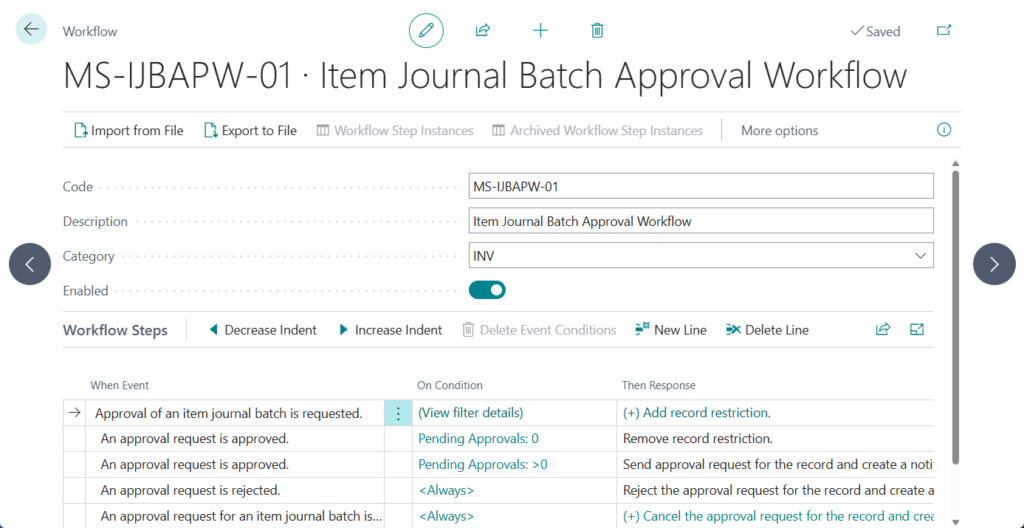
- Item Journal
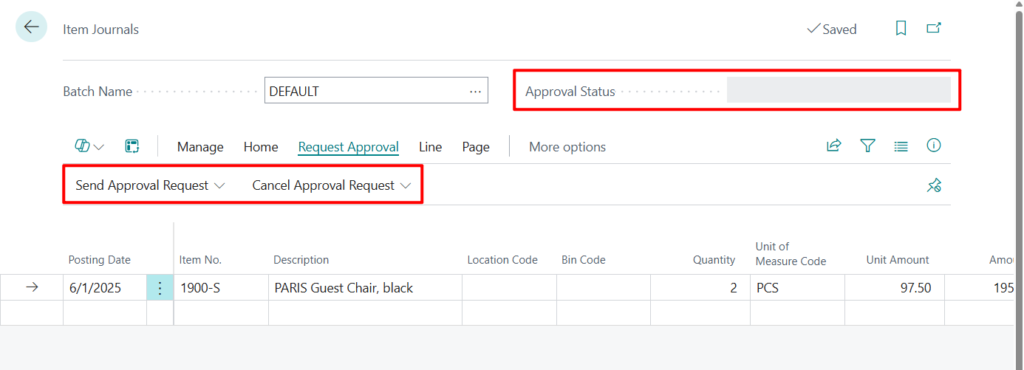
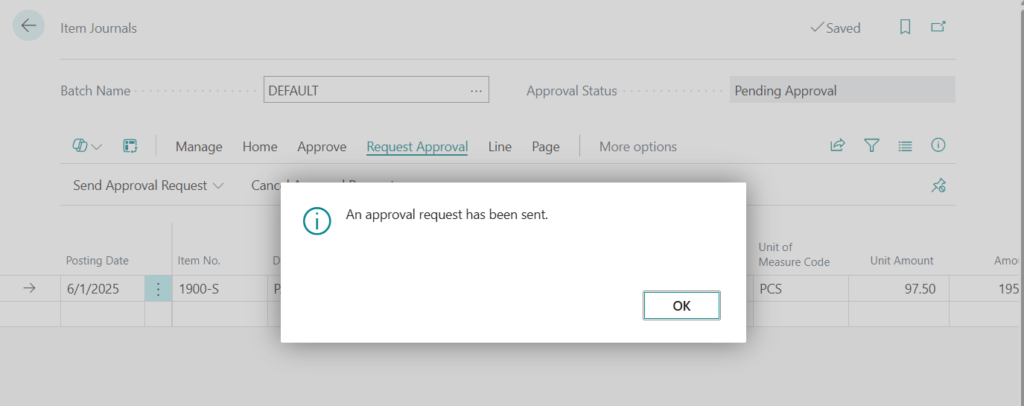
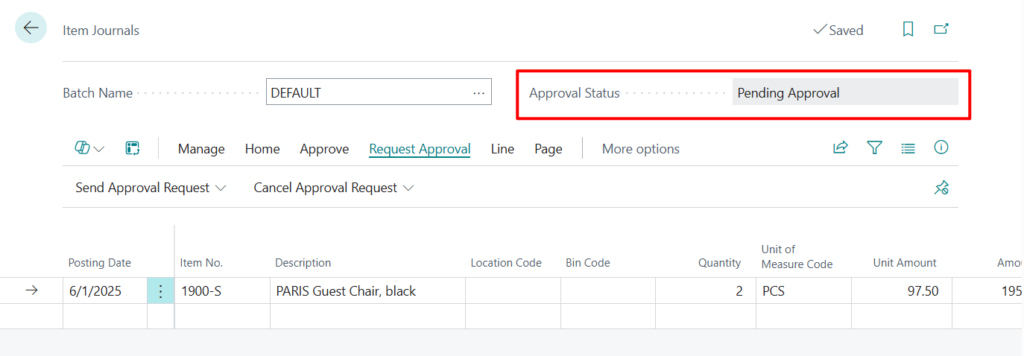
- Physical Inventory Journal
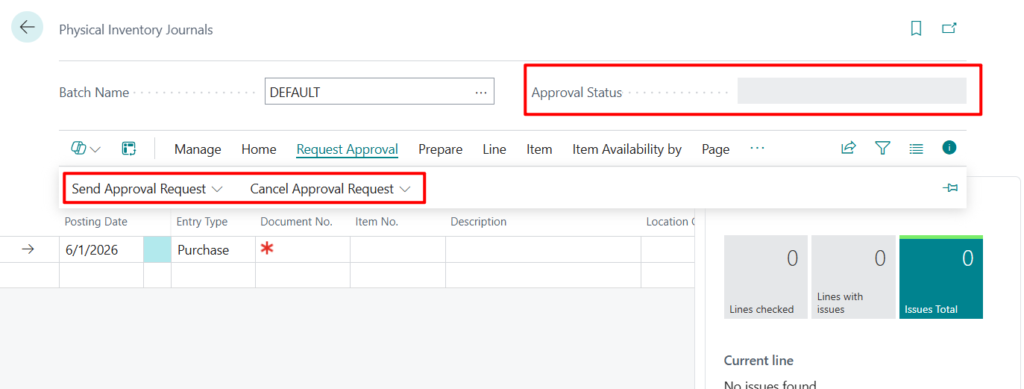
- Output Journal
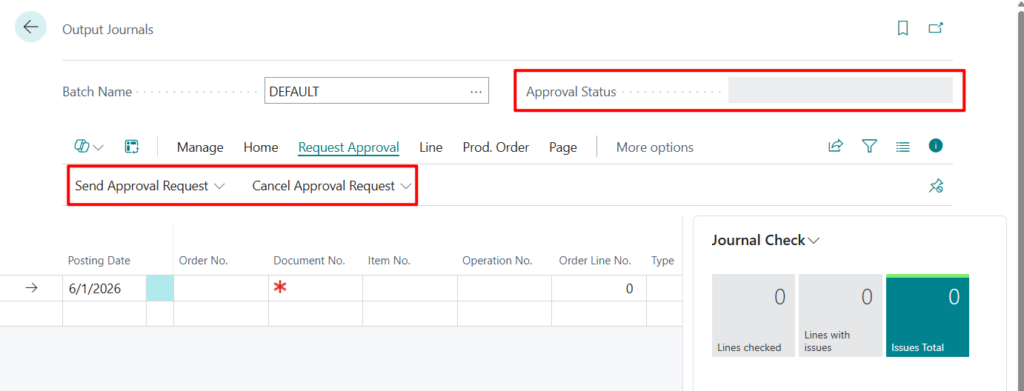
- Consumption Journal
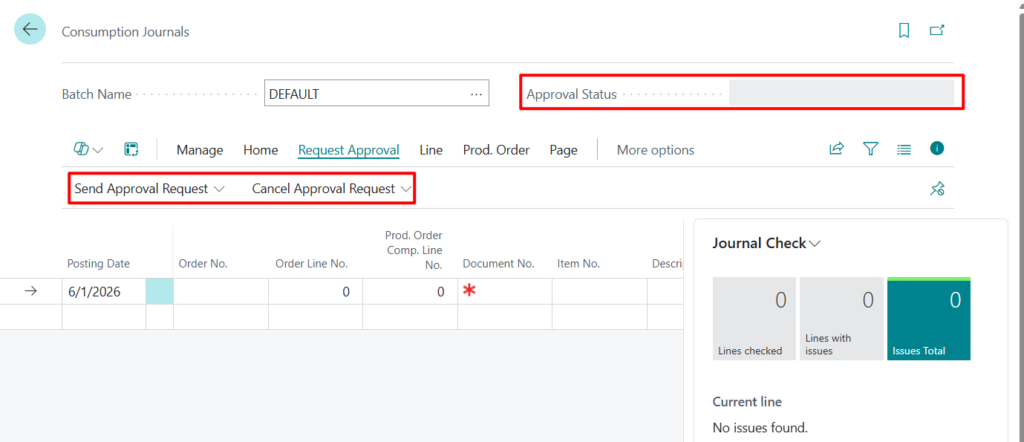
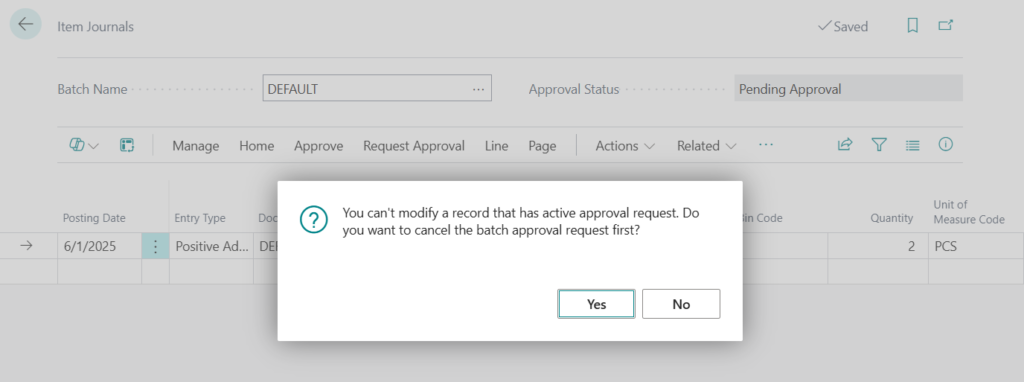
When a journal batch has an approval entry in progress, you can’t edit, delete, or post the record until the approval is completed or canceled.
You can’t modify a record that has active approval request. Do you want to cancel the batch approval request first?
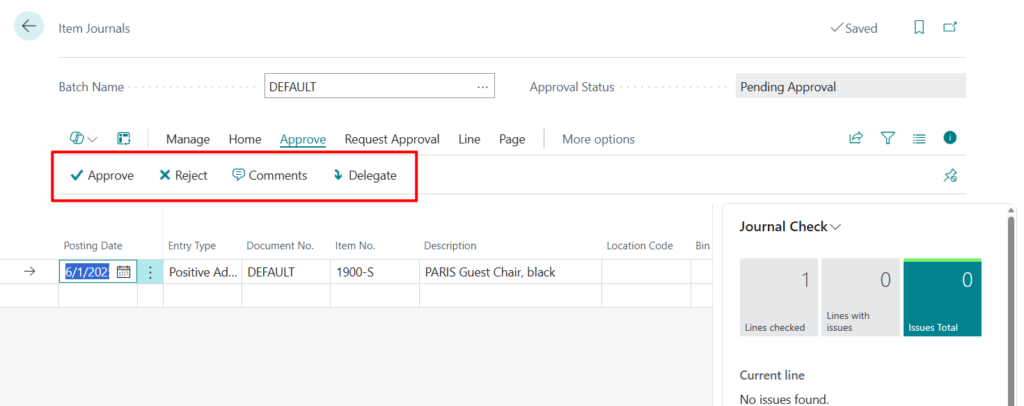
The workflow status shows on the journal pages, and the Approve, Reject, Delegate, and Comments approval actions are available.

2. Approval workflows for requisition and planning worksheets
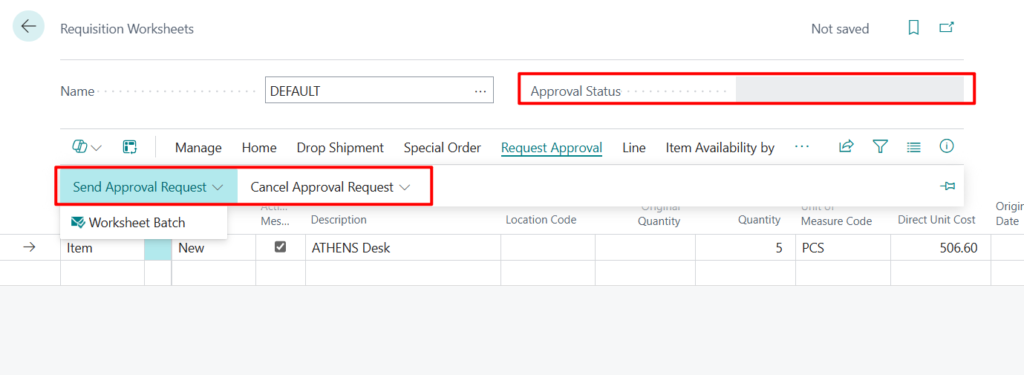
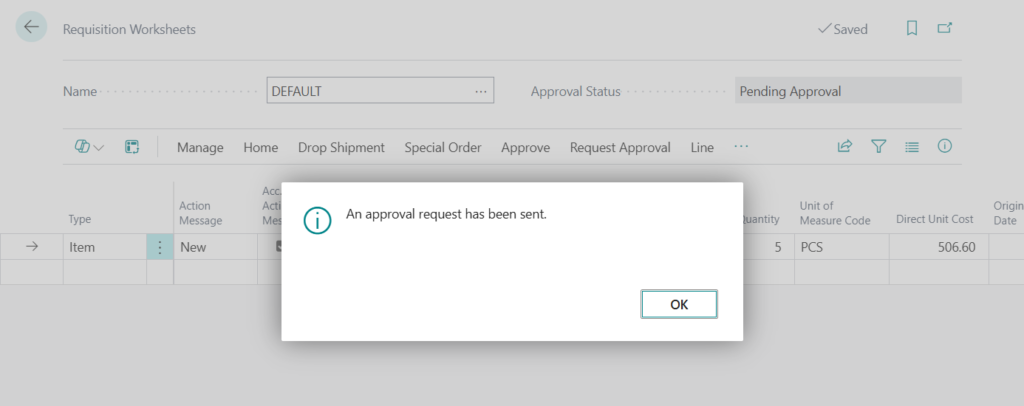
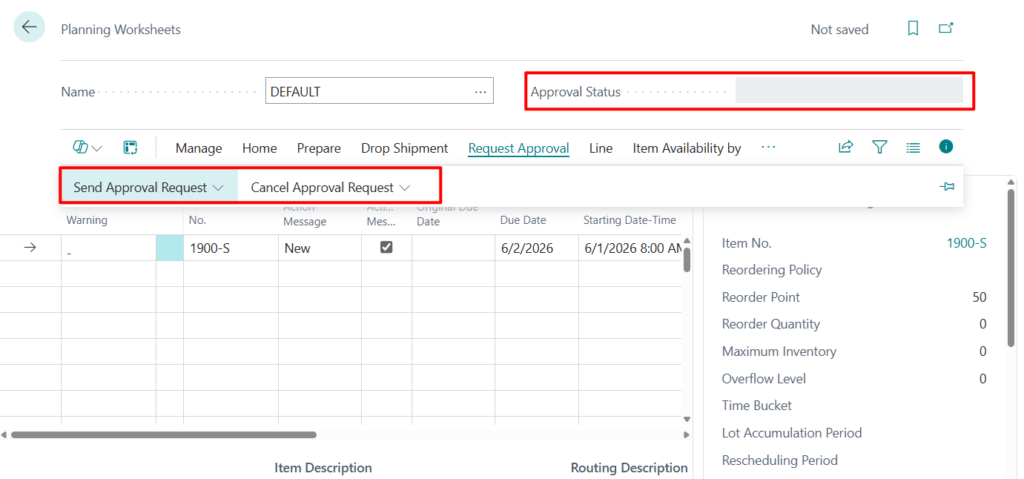
Requisition and planning worksheets now include full approval workflow support at the worksheet batch level. You can send a worksheet batch for approval before you carry out planning or convert requisition lines into purchase documents. For example,
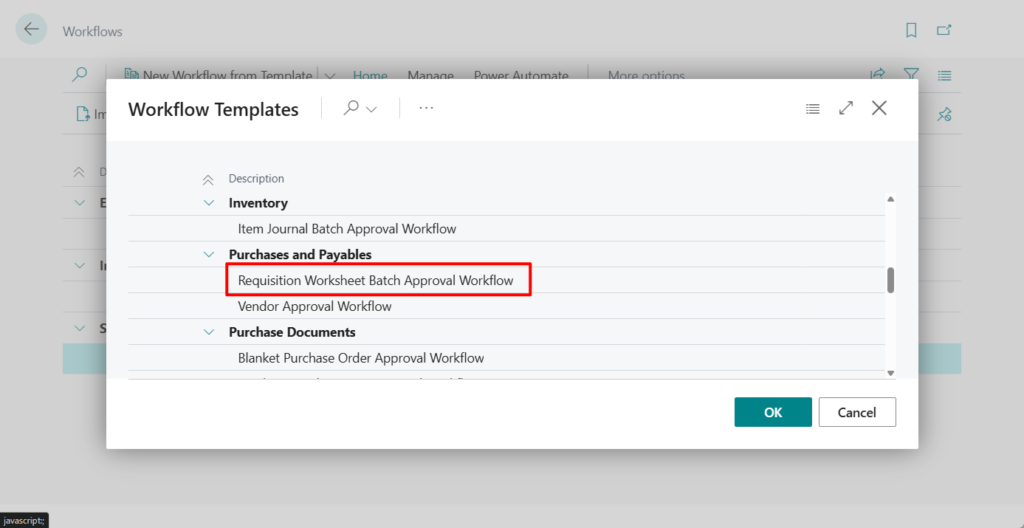

Requisition Worksheets:
Planning Worksheets:
When an approval request is created for a worksheet batch:
- You can’t insert, modify, or delete requisition or planning lines.
- The workflow status shows on the worksheet pages.
- Approval actions are available to approve, reject, or delegate the batch.
Worksheet-level approval prevents changes to planning data while decisions are pending.
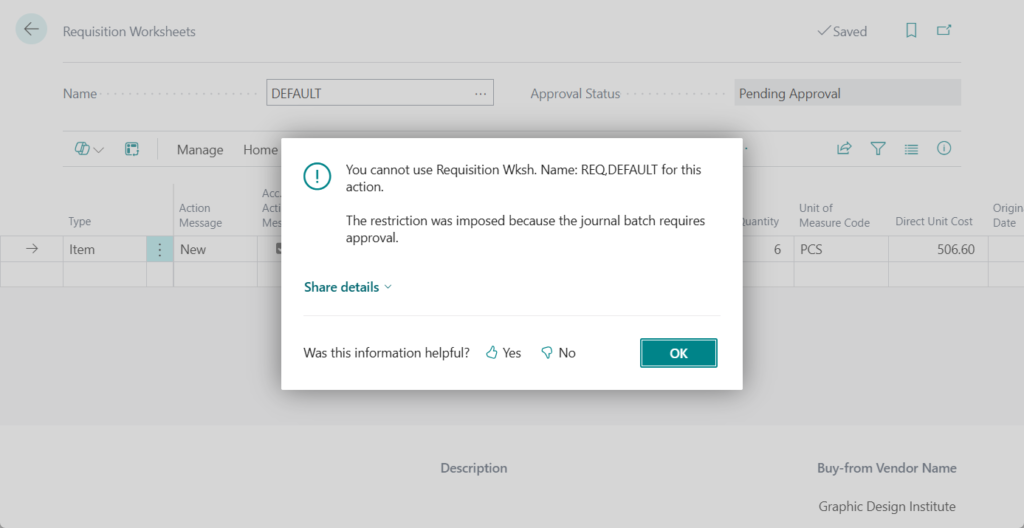
You cannot use Requisition Wksh. Name: REQ,DEFAULT for this action. The restriction was imposed because the journal batch requires approval.
This is a great update because creating custom workflows from scratch can be quite cumbersome. Having these as standard features is a huge time-saver.
Please note, however, that line-level approvals are not yet supported.
Give it a try!!!😁
PS: Microsoft Power Automate support is available through updated workflow events and responses, with guidance provided as part of the enhancement.
END
Hope this will help.
Thanks for reading.
ZHU
コメント