

Hi, Readers.
Today I’d like to share a question that came up yesterday, regarding the issue where the Source Currency Amount in G/L Entry differs from the pre-posting Amount.
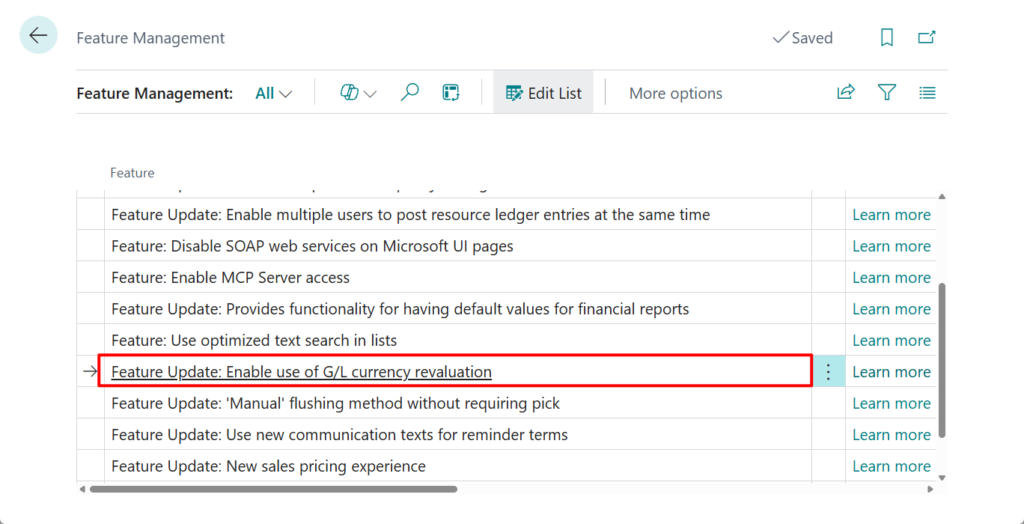
In Business Central 2024 release wave 1 (BC24), Microsoft has introduced a new feature: Improve accuracy with general ledger account revaluation (G/L Revaluation feature).
More details: Revalue general ledger account balances and What’s new: Financial management – G/L Account Revaluations
In Feature Management:
Along with the addition of this feature, even though it is not enabled by default, several fields have already been added to the G/L Entry (17) table — including Source Currency Code and Source Currency Amount, as shown below. This is very convenient because it allows Business Central to store both the original transaction currency and the original currency amount before posting.
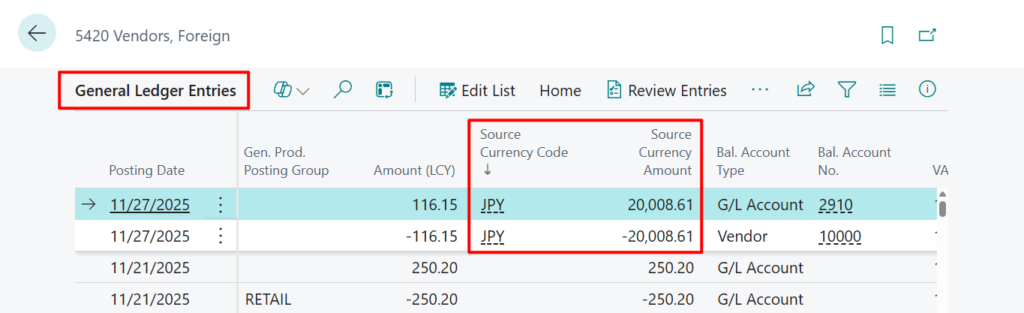
PS: These two fields are not displayed by default and cannot be added using the Personalization feature.
More details: Business Central 2023 wave 2 (BC23): Add existing table fields to optimize your pages (Adding Table Fields to Page without Page Extensions)
However, a client who uses these two fields raised an issue yesterday: the Source Currency Amount does not match the amount before posting. Let’s see more details.
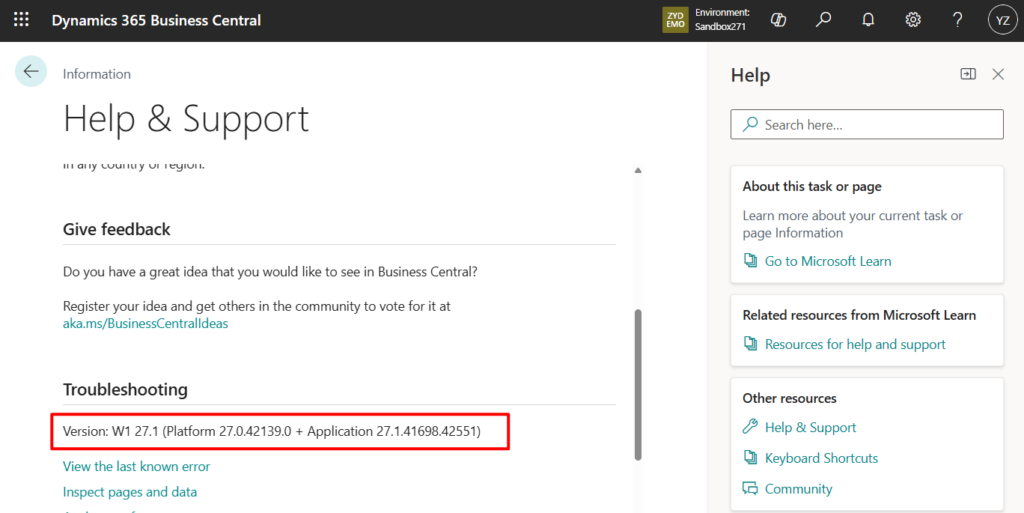
PS: Test Version: W1 27.1 (Platform 27.0.42139.0 + Application 27.1.41698.42551)
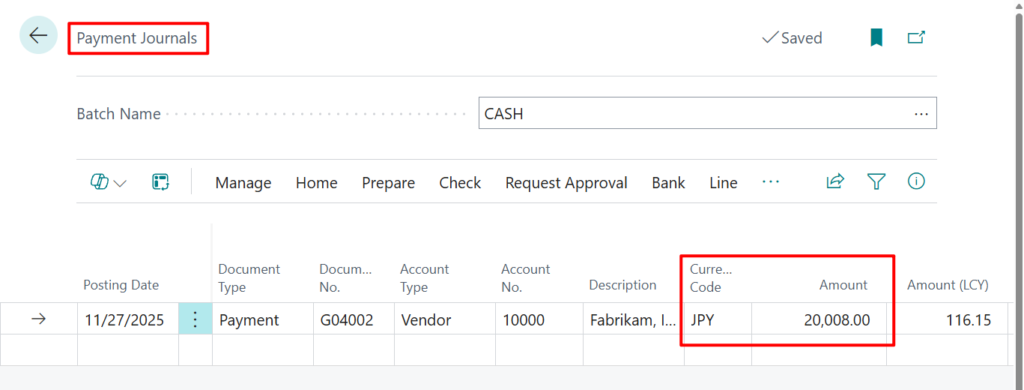
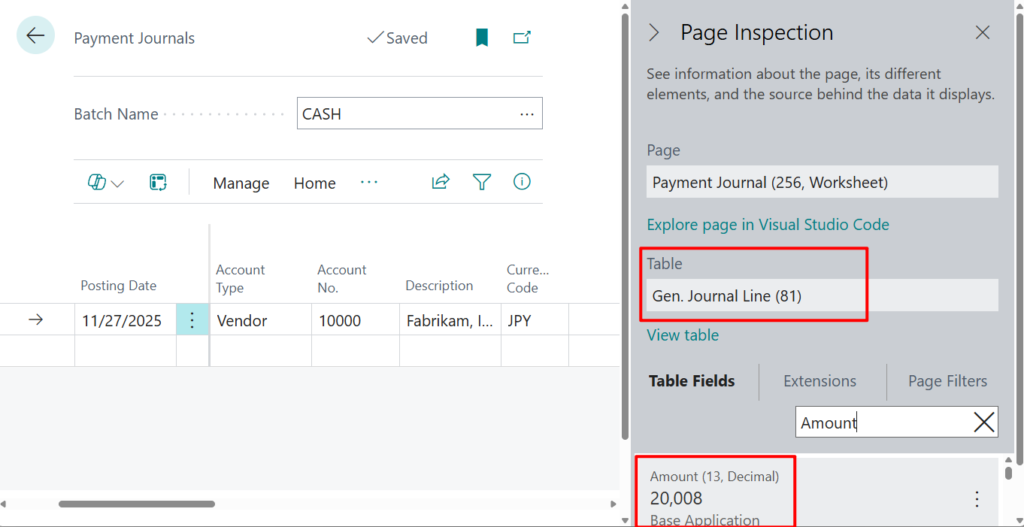
I created a very simple Payment Journal with Currency Code JPY and an Amount of 20,008.00.
PS: I haven’t updated the JPY exchange rate; instead, I’m using the default value from the demo database, which contains only a single entry.
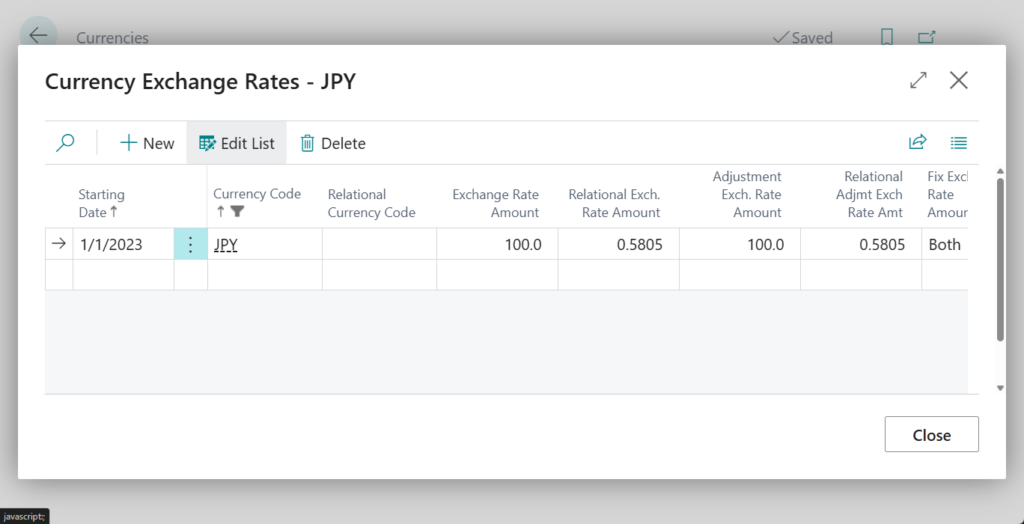
All the data below is accurate to two decimal places, Rounding Type is nearest.
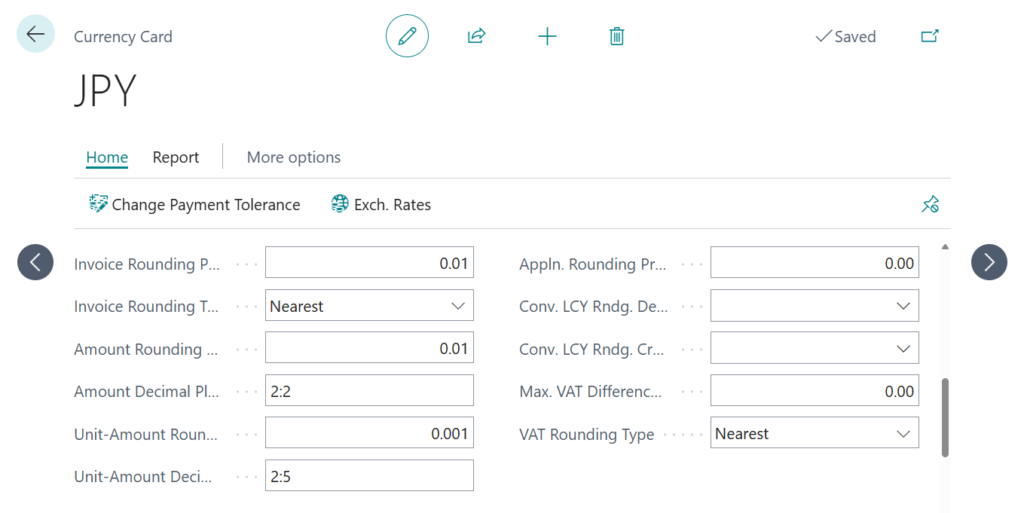
So, the Relational Exch. Rate Amount is 0.5805.
PS: Dynamics 365 Business Central: Change the exchange rate on each journal line/document
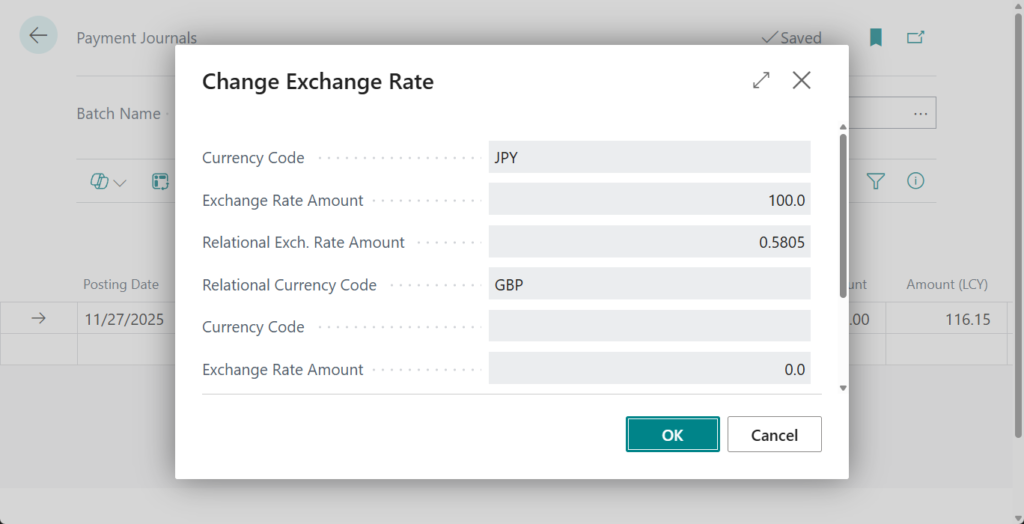
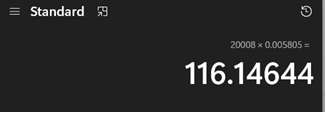
Let’s go back to the Payment Journal: the Amount (LCY) is calculated automatically.
20008*0.005805 = 116.14644 -> 116.15
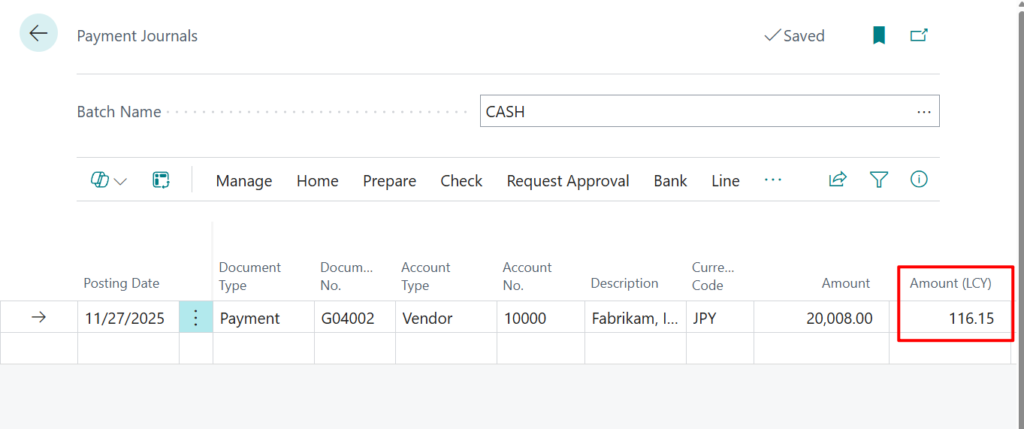
To check the data after posting, choose Preview Posting.
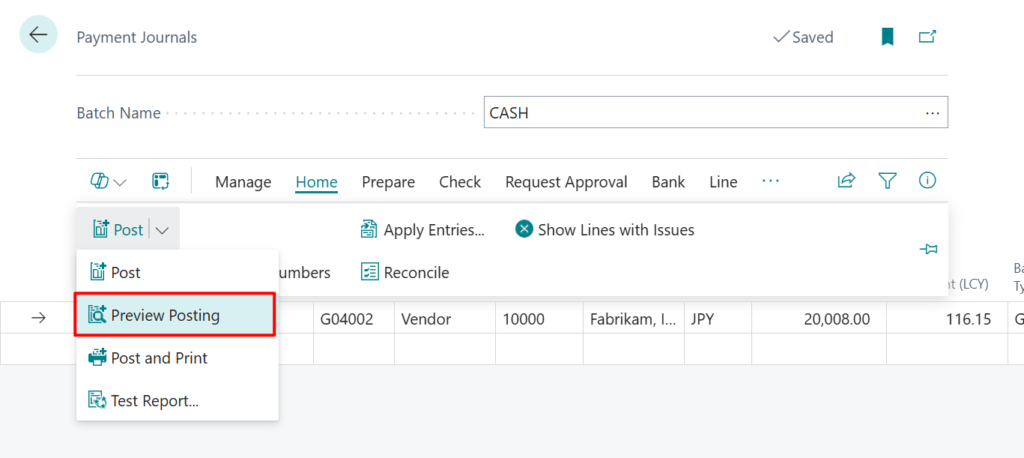
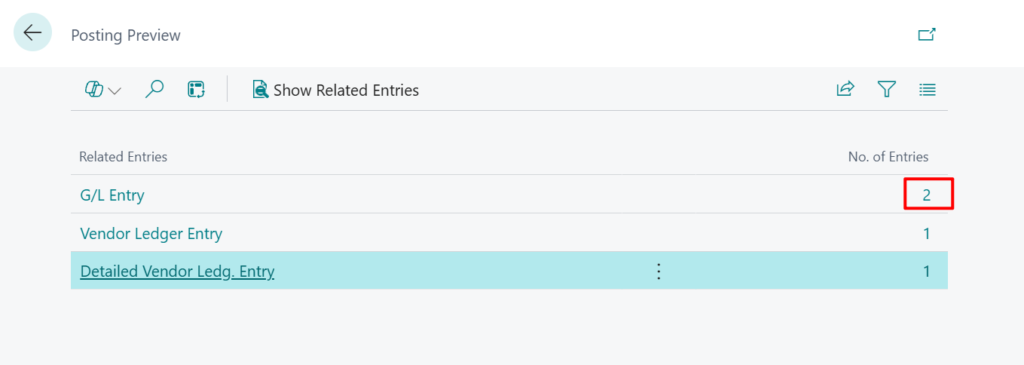
Then you’ll notice that the Source Currency Amount differs from the pre-posting amount; it now shows 20,008.61.
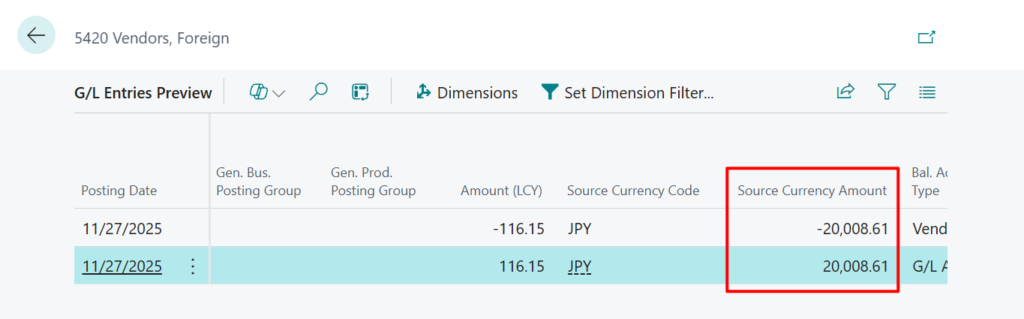
Why? First, we can guess where this amount comes from.
116.15/0.005805=20008.6132644 -> 20008.61
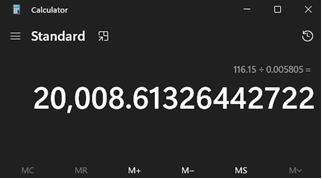
Yes, the standard logic does not use the Amount field directly from the Gen. Journal Line (81), but instead recalculates it.
Similar questions have been raised on the Business Central forum, more details: Source currency amount not showing correct amount
To verify this, I examined the standard code.
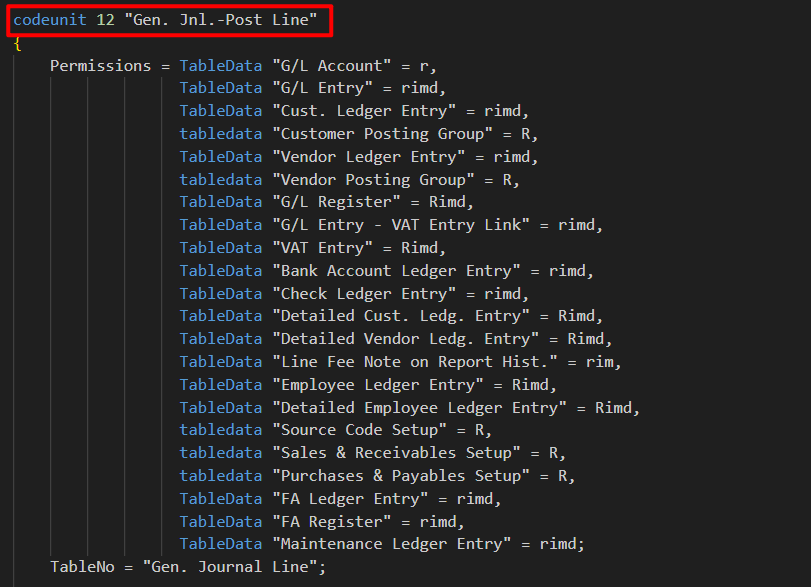
codeunit 12 “Gen. Jnl.-Post Line”:
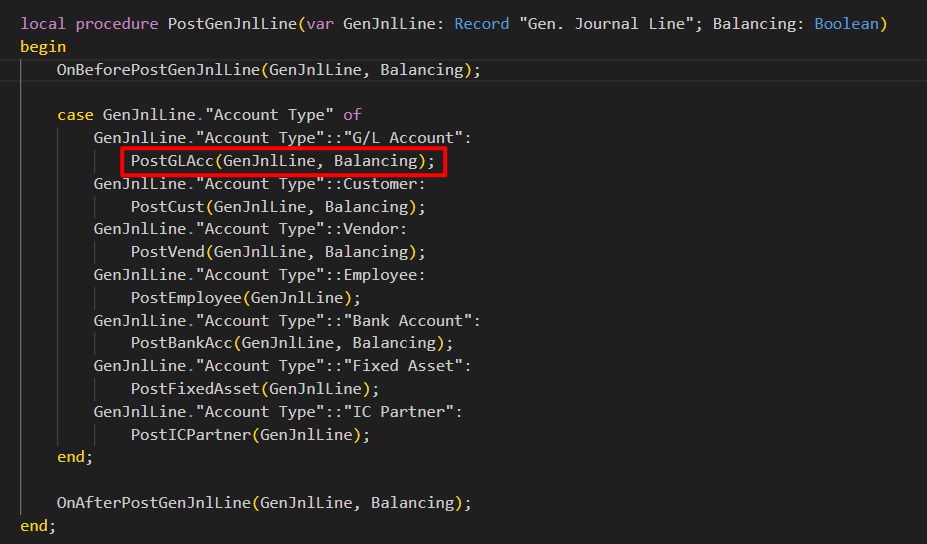
local procedure PostGenJnlLine -> local procedure PostGLAcc:
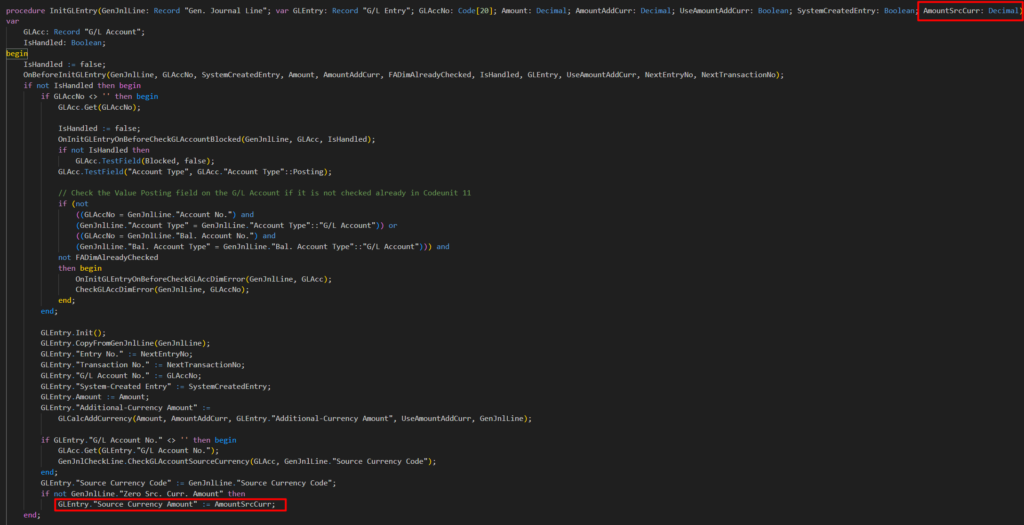
procedure InitGLEntry
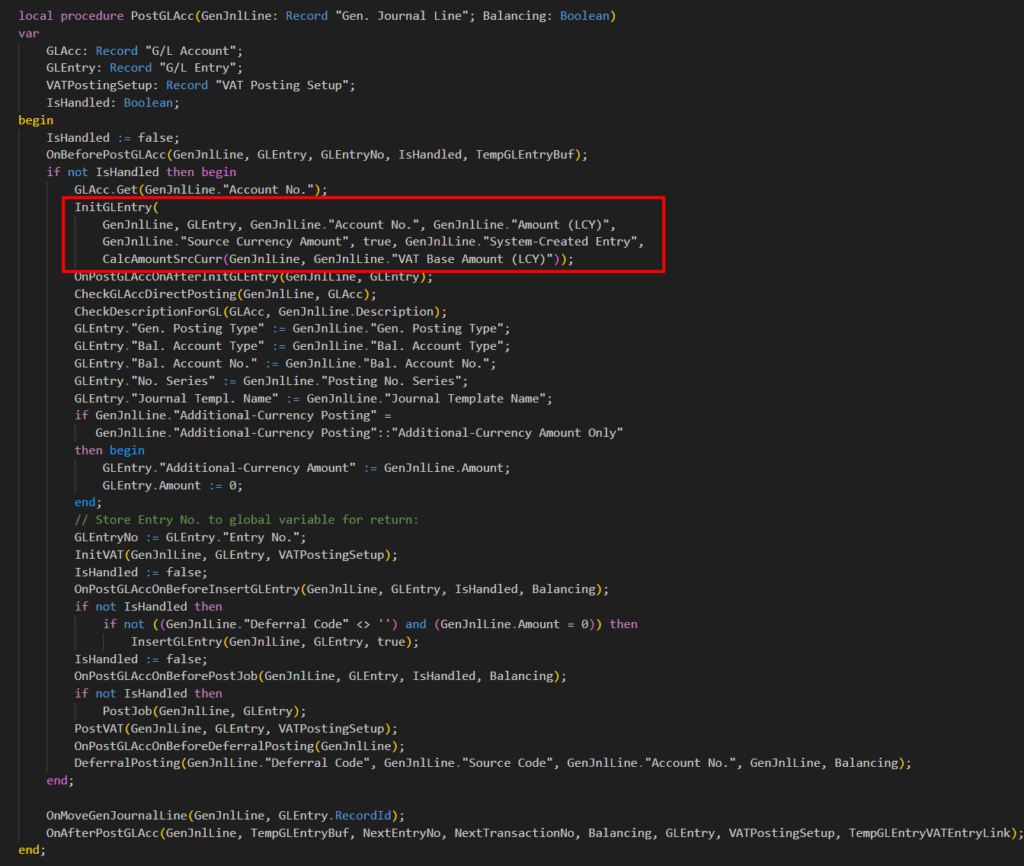
Here, the result of CalcAmountSrcCurr(GenJnlLine, GenJnlLine.VAT Base Amount (LCY)) is passed as AmountSrcCurr to GLEntry.Source Currency Amount.
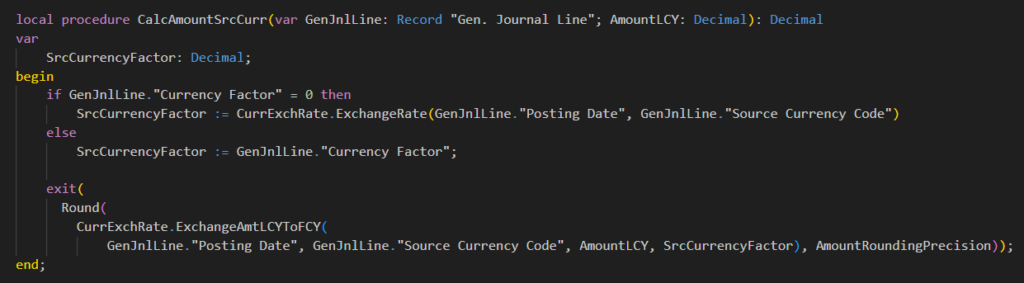
CalcAmountSrcCurr(GenJnlLine, GenJnlLine.”VAT Base Amount (LCY)”:
Last, table 330 “Currency Exchange Rate” -> procedure ExchangeAmtLCYToFCY: I used the same exchange rate in my test; if you get a different exchange rate, the difference will be even greater.
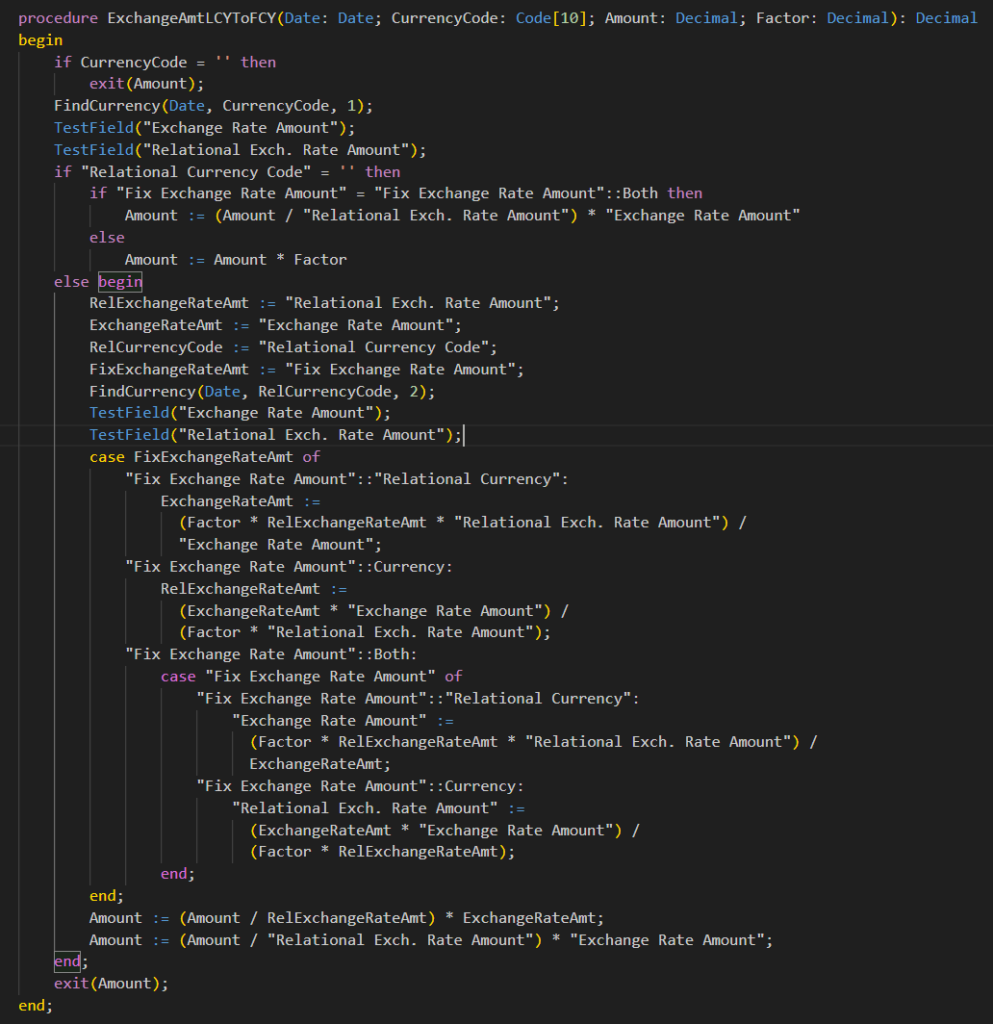
Yes, it was indeed recalculated.
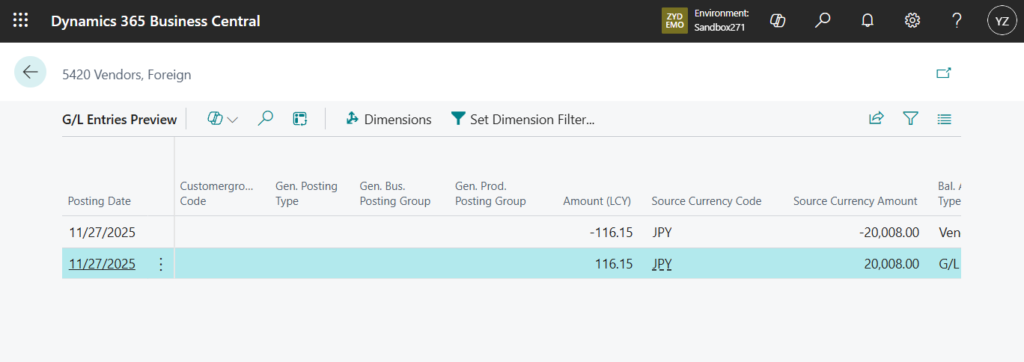
So is there a way to avoid this? Unfortunately, there is no solution in the standard as of now. I did a simple test, and using event OnBeforeInsertGLEntryBuffer, the “Source Currency Amount” can be restored to the Amount on the “Gen. Journal Line”. I apologize that I haven’t tested all types in detail; you can test it if needed.

codeunit 50132 PostingExtender
{
    [EventSubscriber(ObjectType::Codeunit, Codeunit::"Gen. Jnl.-Post Line", OnBeforeInsertGLEntryBuffer, '', false, false)]
    local procedure GenJnlPostLineOnBeforeInsertGLEntryBuffer(var TempGLEntryBuf: Record "G/L Entry" temporary; var GenJournalLine: Record "Gen. Journal Line")
    begin
        TempGLEntryBuf."Source Currency Amount" := GenJournalLine.Amount;
    end;

}
I’m not sure if this is by design or a bug. If you want to see previous code, please refer to the link below.
MSDyn365BC.Code.History/BaseApp/Source/Base Application/Finance/GeneralLedger/Posting/GenJnlPostLine.Codeunit.al at w1-26 · StefanMaron/MSDyn365BC.Code.History · GitHub
I will continue to update this article if there are any new findings or developments.
PS: There is no issue with the amounts in other entries, such as Vendor Ledger Entry and Detailed Vendor Ledger Entry.
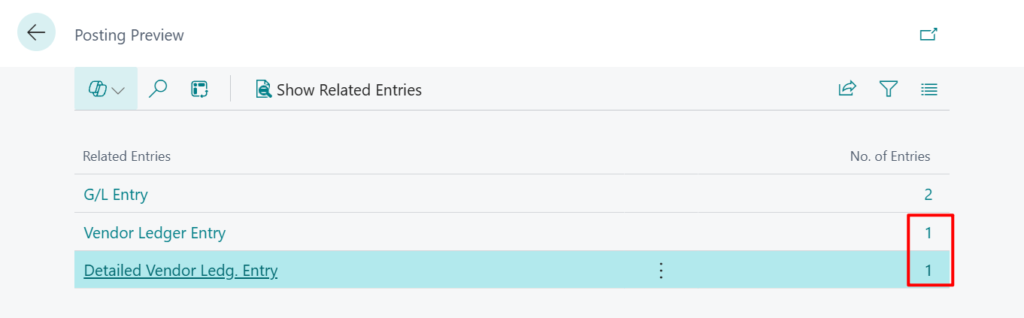
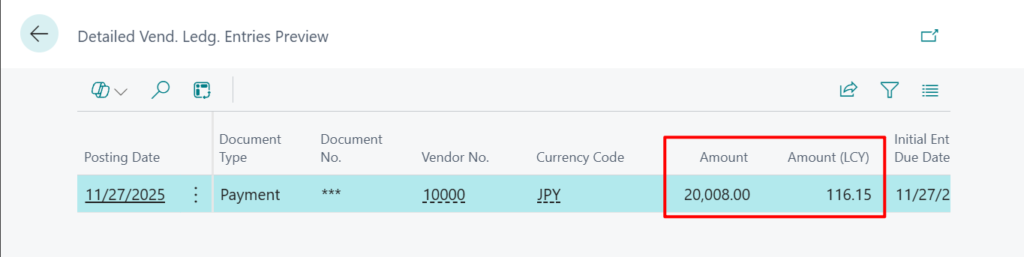
END
Hope this will help.
Thanks for reading.
ZHU

コメント