

Hi, Readers.
Today I would like to briefly discuss a question I was asked recently, how to quickly determine if the installed AppSource (Global) app is up-to-date?
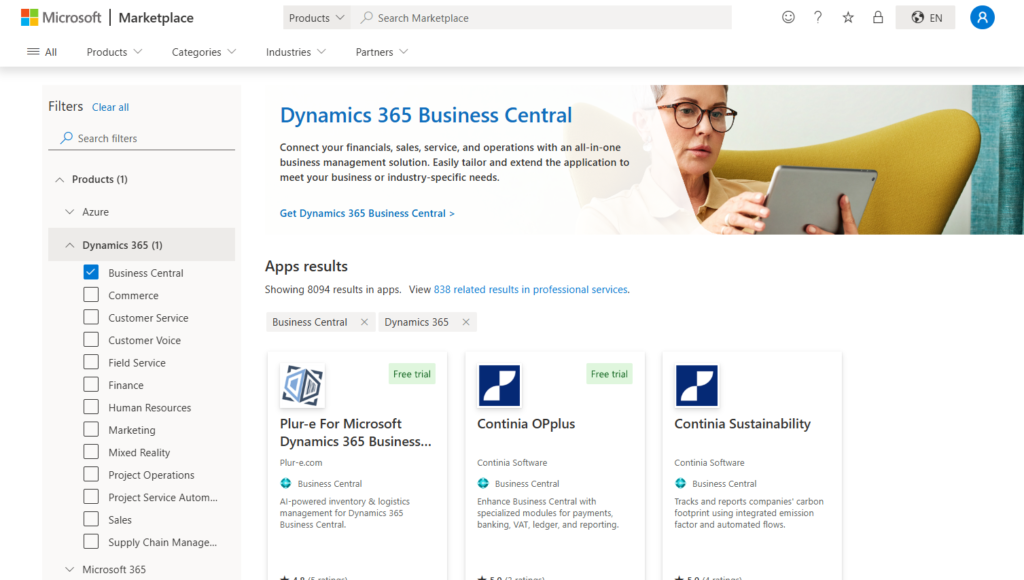
As you might know, you can get new apps from the marketplace at AppSource.microsoft.com. The marketplace offers all available apps for Business Central, plus apps and content packs for other Microsoft products.
And, in Business Central 2021 release wave 1 (BC18), Microsoft introduced the scope (Published as) of extensions.
Global (Global Scope): AppSource Extensions (Including Microsoft standard extensions)
More details: The scope of extensions (Global, PTE, Dev)
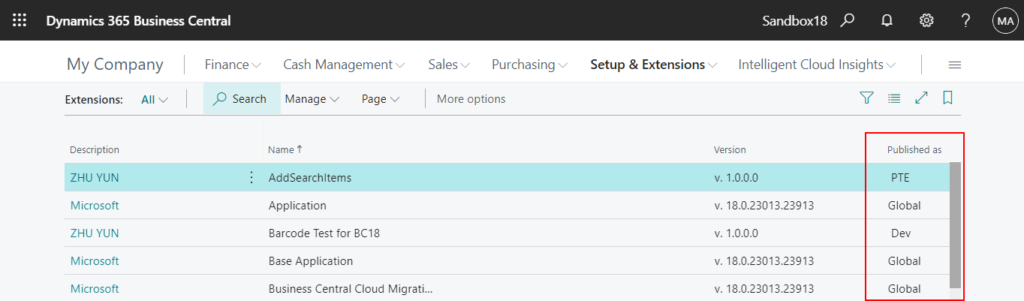
The question is, how can we quickly determine if the AppSource (Global) app in our current environment is the latest version?
Generally, the following methods would come to mind.
- Open Extension Management
- Find your AppSource extension, check the Installed version, for example, 27.1.41698.42115
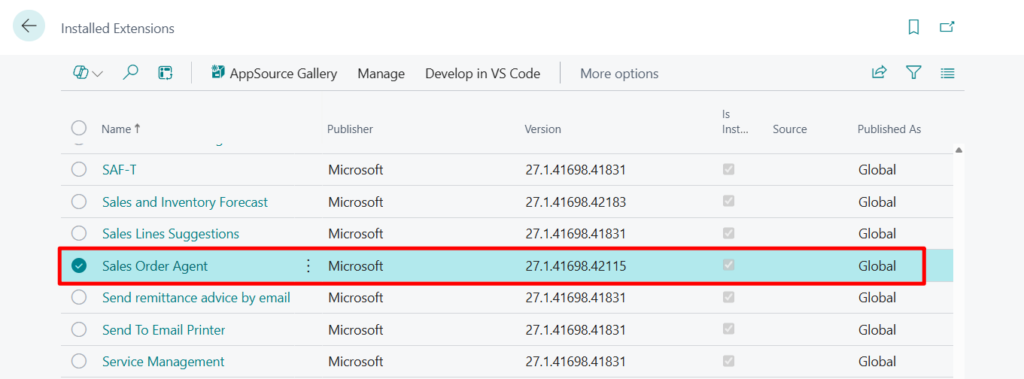
- Choose AppSource Gallery action
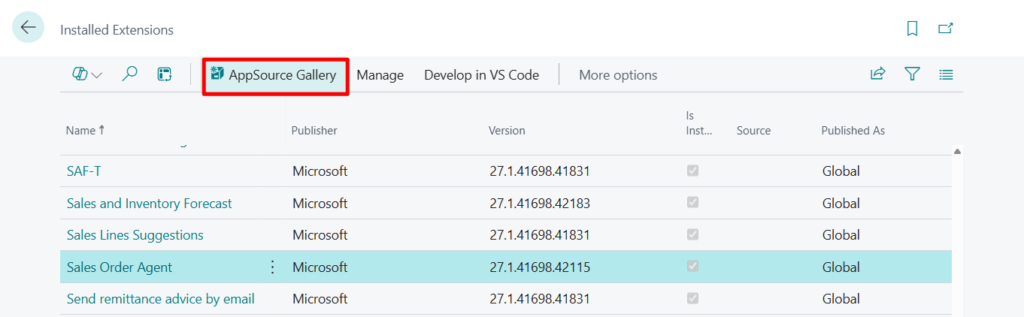
- Search for the same app, then choose View on AppSource
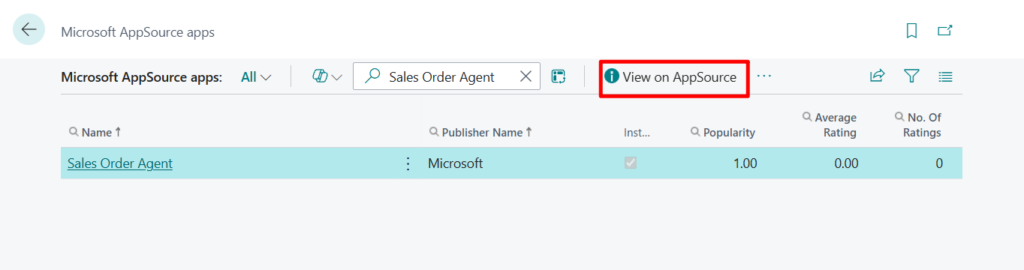
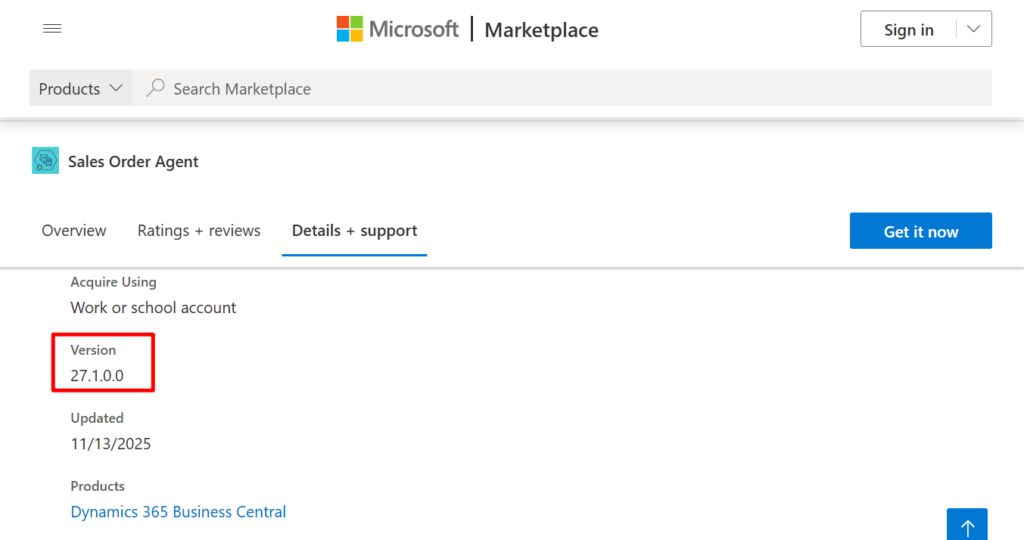
Then you can see the version. If the version in the Marketplace is higher → an update is available. This approach works for some partner extensions, but for Microsoft standards, the following situation will occur, the version number only shows up to 27.1 (<major>.<minor>).
Actually, there is a very simple way. As you might know, for Appsource extension, you already can update individual apps from the App Management page in the Business Central admin center.
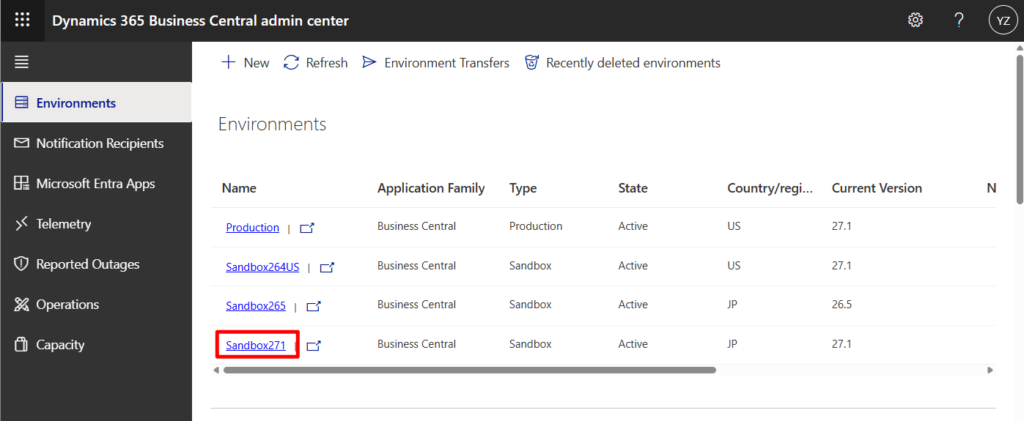
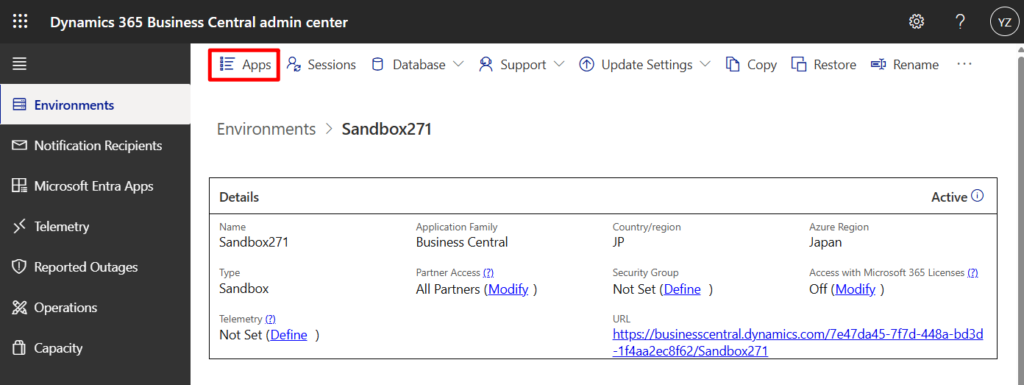
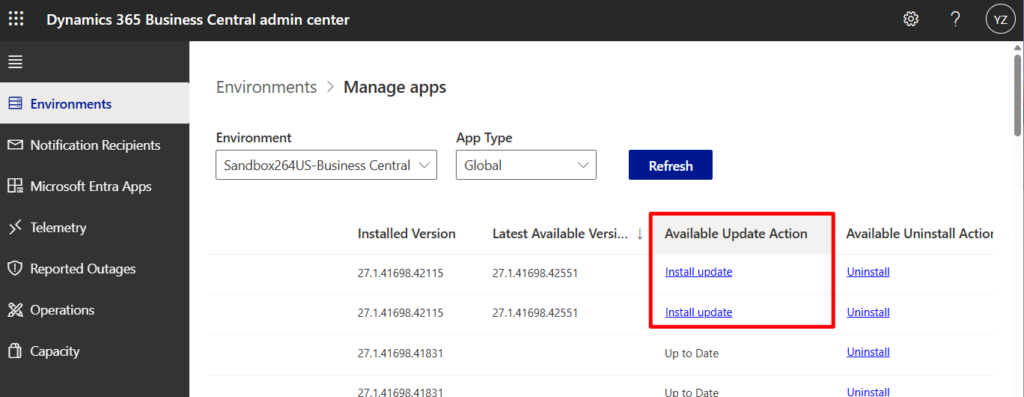
The Latest Available Version is also displayed on this page. If this field is empty, then the current AppSource app is the latest version.
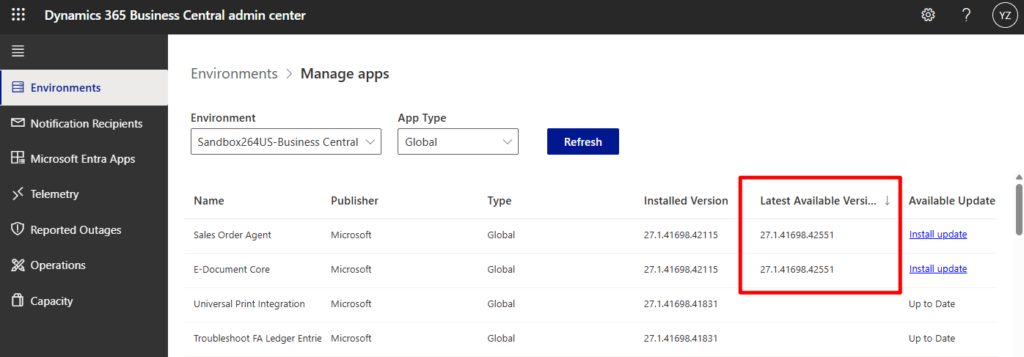
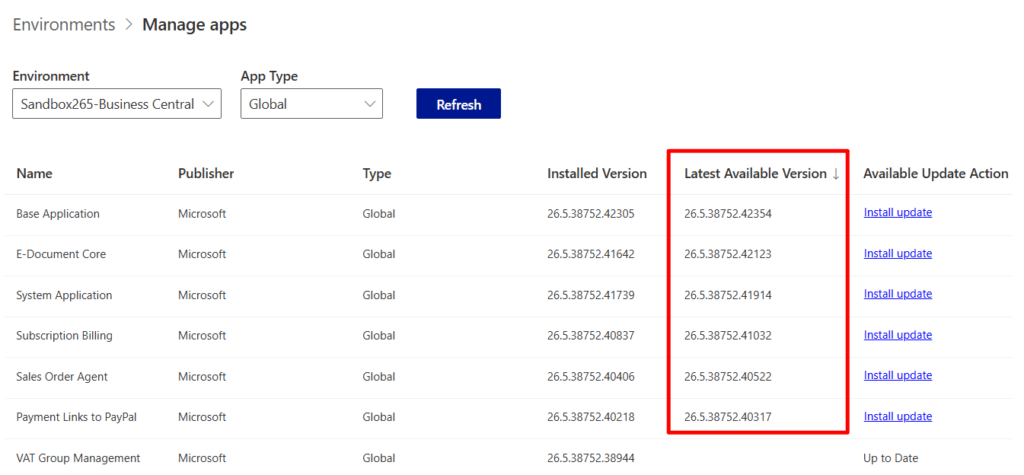
PS: Please note that these are the available versions supported by the current major version. If the major version is different, the available versions will also be different.
And in 2023 release wave 2 (BC23), Microsoft is introducing an environment-level setting that automatically updates all installed apps with every minor update, and lets you schedule individual app updates to take place during the environment’s update window: Apps Update Cadence
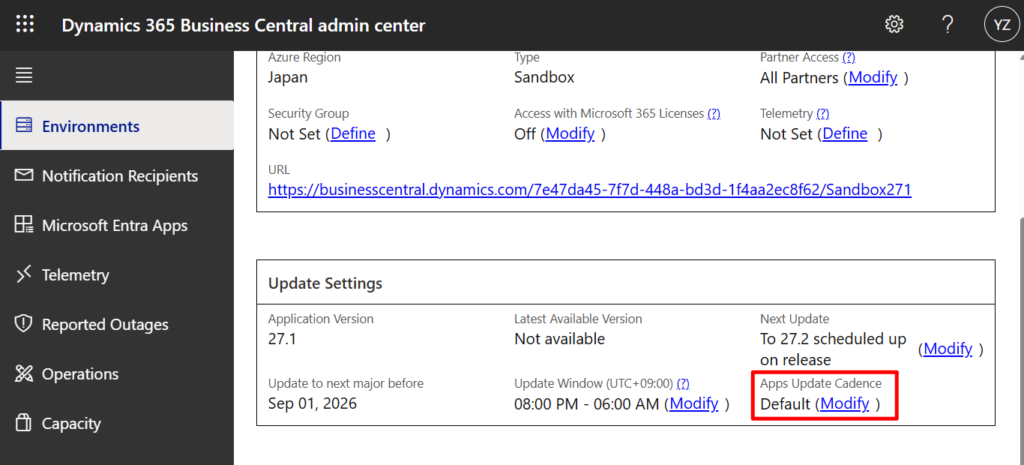
AppSource apps update automatically when your environment updates, and you can choose below whether this should happen with every minor and major update, or only with major updates. Per-tenant extensions are not affected by this setting and will update as chosen when the app package was uploaded to the environment.
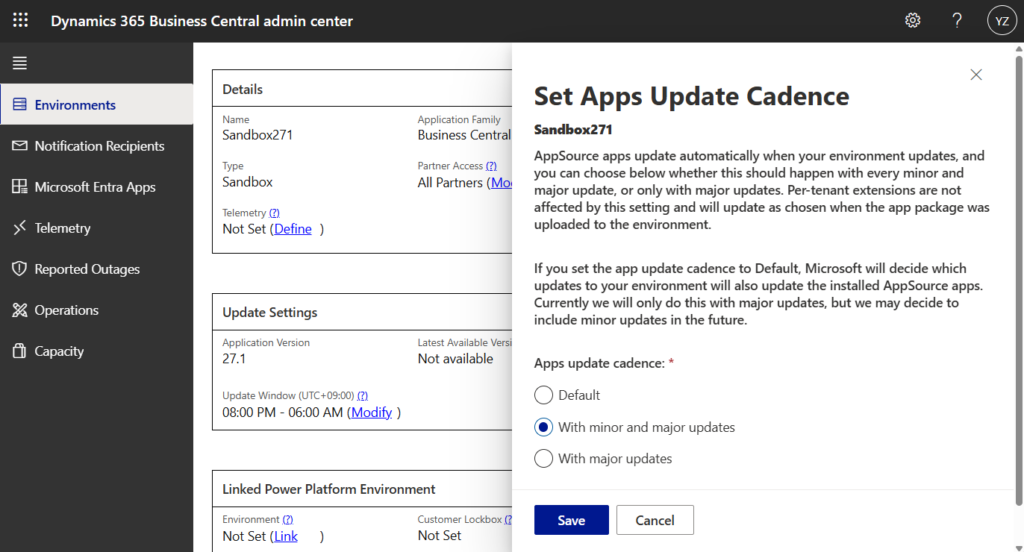
More details: Business Central 2023 wave 2 (BC23): Automatically update AppSource apps with minor updates (Apps Update Cadence)
Very simple, give it a try!!!😁
PS:
1. Business Central 2025 wave 1 (BC26): Managing PTE/DEV Apps in admin center
2. Dynamics 365 Business Central: Install AppSource Apps via Admin Center API
END
Hope this will help.
Thanks for reading.
ZHU
コメント