

Hi, Readers.
Dynamics 365 Business Central 2025 wave 2 (BC27) is generally available. More details: General Available: Dynamics 365 Business Central 2025 release wave 2 (BC27).
I will continue to test and share some new features that I hope will be helpful. In this post, I would like to talk about New field “AL Namespace” has been added to object metadata record (AllObj, AllObjWithCaption, Page Metadata, Report Metadata, and Codeunit Metadata).
This new feature is not yet documented in the Business Central 2025 release wave 2 (BC27) release plan and AL Language extension changelog Version 16.0, but it is mentioned in What’s new: AL Language
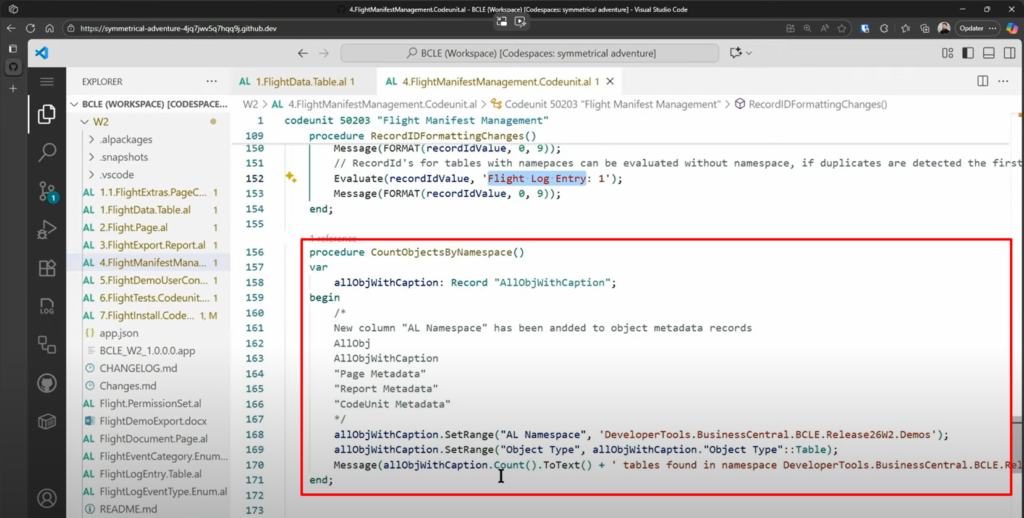
More details:
In computing, a namespace is a set of signs (names) that are used to identify and refer to objects of various kinds. A namespace ensures that all of a given set of objects have unique names so that they can be easily identified. More details: Namespace
This feature was introduced starting with Business Central 2023 wave 2 (runtime”: “12.0”).
- Segment AL code and reduce naming conflicts with namespaces (Namespaces in AL)
- Specify namespaces for multiple objects at a time (Structuring namespaces in AL)
- The command for generating permission sets is now compatible with namespaces
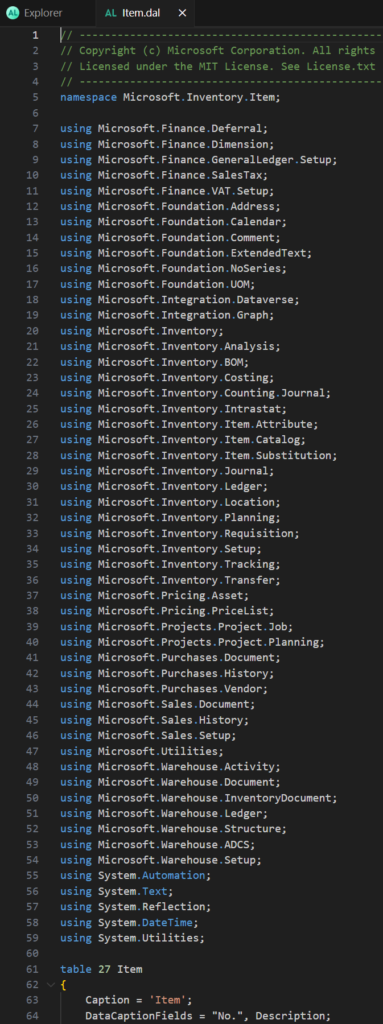
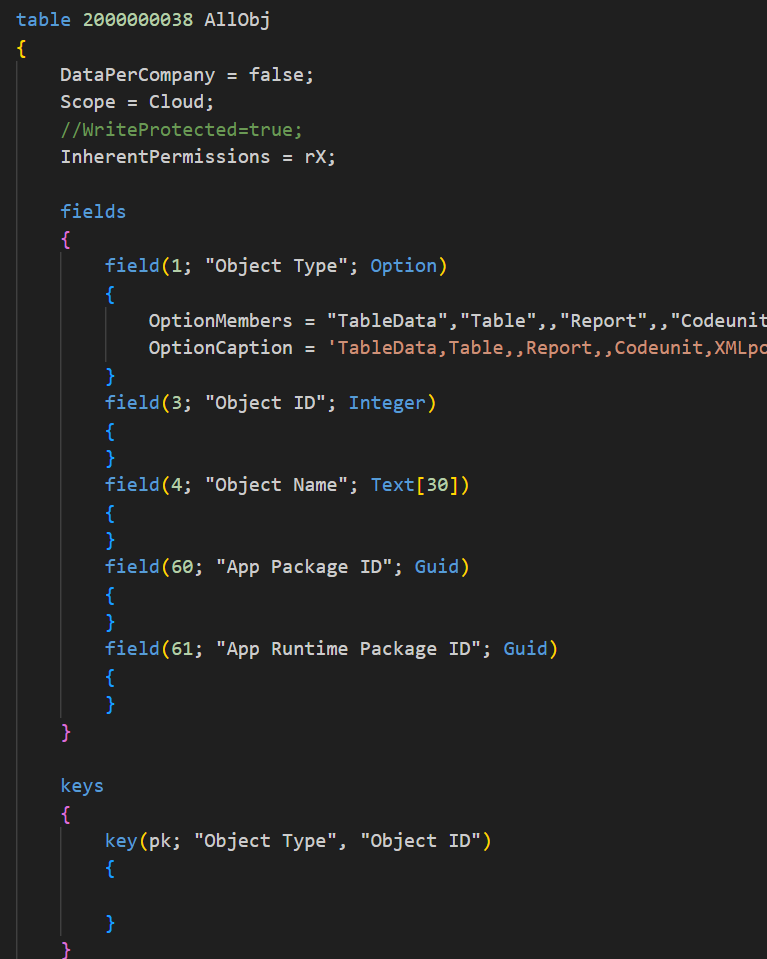
As you might know, when we need to get object details, we can use table 2000000038 AllObj, table 2000000058 AllObjWithCaption, etc. But as of now, we cannot export all namespaces because the namespace is not stored in any table.
With this wave (BC27), Microsoft added a new “AL Namespace” field to these object metadata records. And detailed summaries/remarks are added for these tables and fields. Let’s see more details.
table 2000000038 AllObj: The AllObj table is a fundamental metadata source used by various system features for object discovery, navigation, and administrative purposes. It includes objects from the base application as well as installed extensions. This table is commonly used for building object browsers, search functionality, and metadata analysis tools.
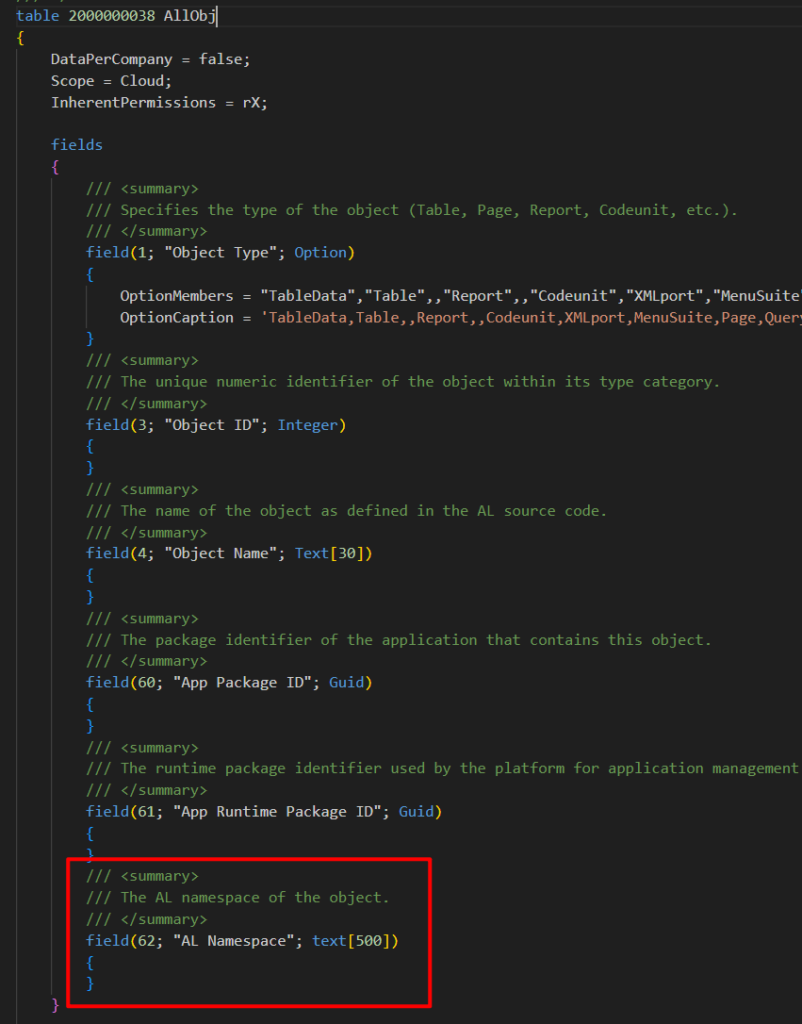
table 2000000058 AllObjWithCaption: The AllObjWithCaption table enhances basic object metadata with user-facing information such as object captions, subtypes, and application identifiers. This table is particularly useful for building user interfaces that need to display objects with their localized captions and categorize them by subtype. It provides a complete view of all objects in the system including those from the base application and all installed extensions, making it ideal for object browsers, search functionality, and administrative tools that require rich object metadata.
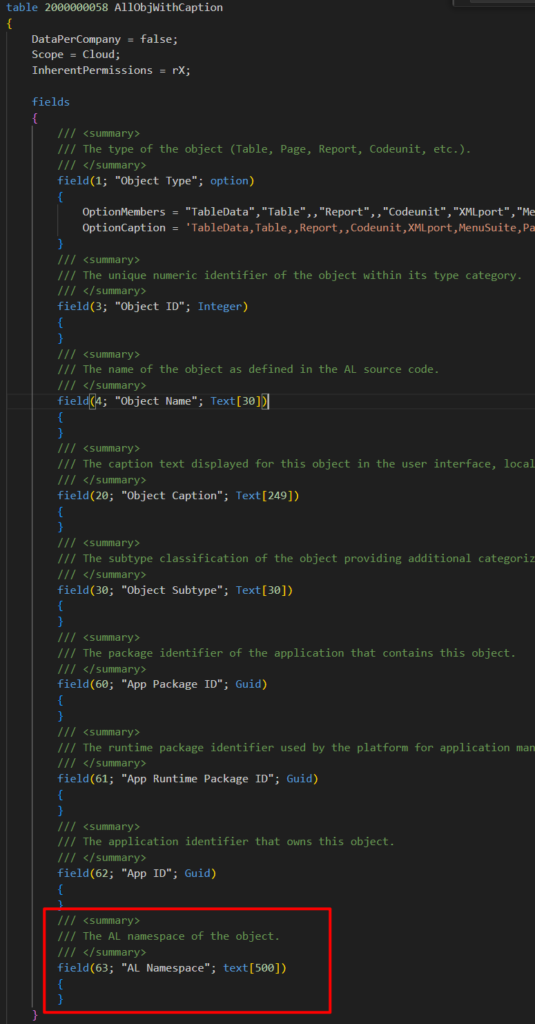
table 2000000138 “Page Metadata”: The Page Metadata table is a critical metadata source for understanding page definitions and their characteristics. It includes detailed information about page types, source tables, permissions, API configurations, and various behavioral properties. This table is essential for development tools, page analyzers, API management, and administrative utilities that need to understand page structures and capabilities. The information covers all page types including Cards, Lists, RoleCenters, APIs, and parts, providing a view of the user interface and API surface area across the entire application suite.
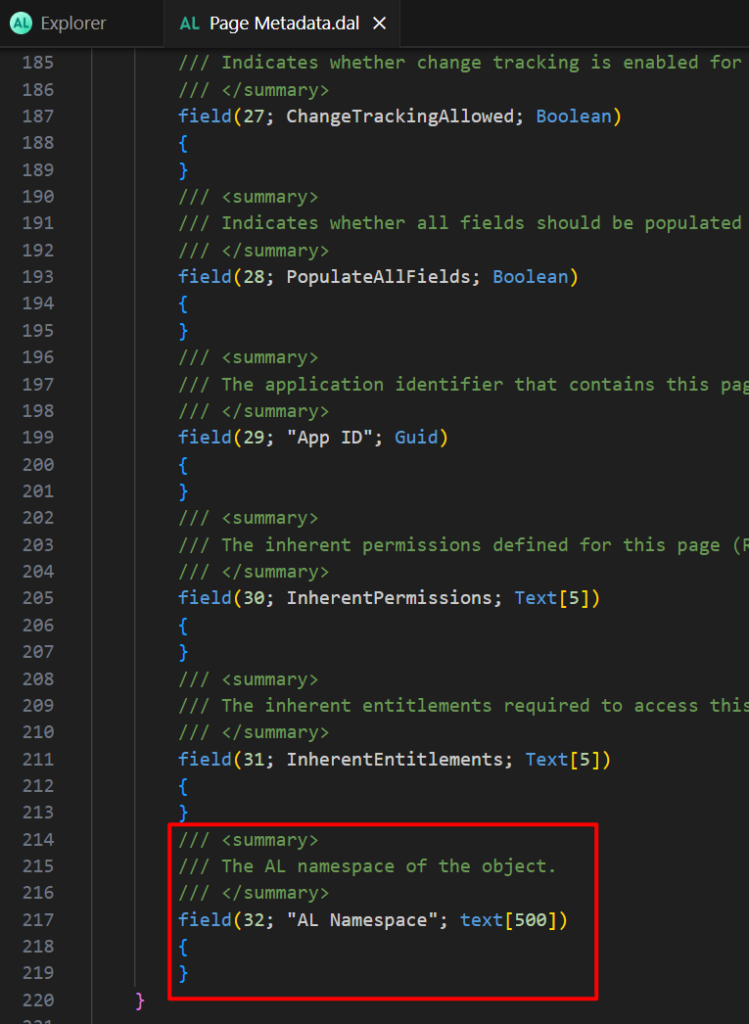
table 2000000139 “Report Metadata”: The Report Metadata table is essential for understanding report definitions and their capabilities. It includes detailed information about report layouts, printing options, data sources, and various behavioral properties that control report execution and output. This table is crucial for report management tools, layout selection, scheduling configuration, and administrative utilities that need to understand report structures and constraints. The information covers all report types including RDLC, Word, Excel, and custom layouts, providing visibility into the reporting infrastructure across all applications.
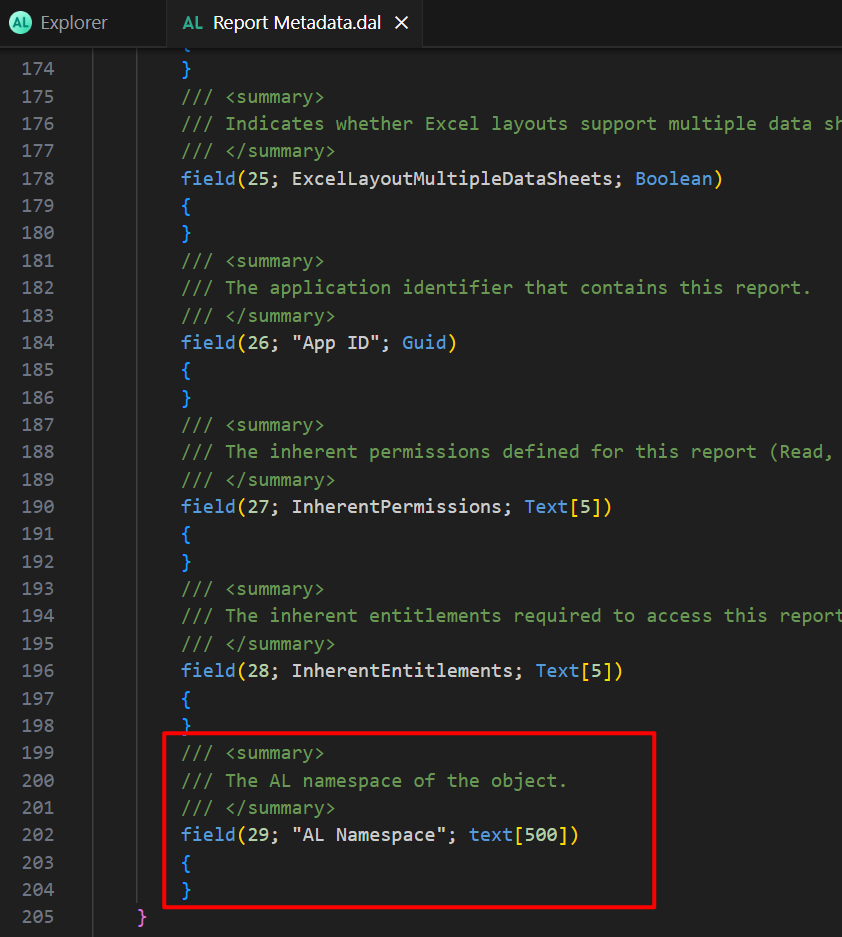
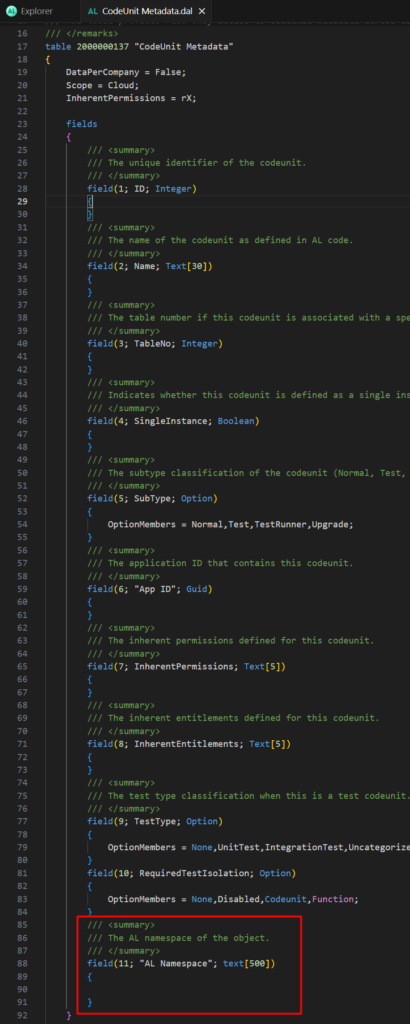
table 2000000137 “CodeUnit Metadata”: This table exposes metadata about codeunits including their properties, subtype, permissions, and application associations. Essential for reflection scenarios, development tools, and runtime analysis of codeunit characteristics. Used by the platform to determine codeunit capabilities such as single instance behavior, test classifications, and security permissions. The table provides read-only access to codeunit metadata across all installed applications.
PS: In BC26.5 and previous versions
We can directly open the table to search for these AL Namespaces, or filter or process them from the code as in the Microsoft example.
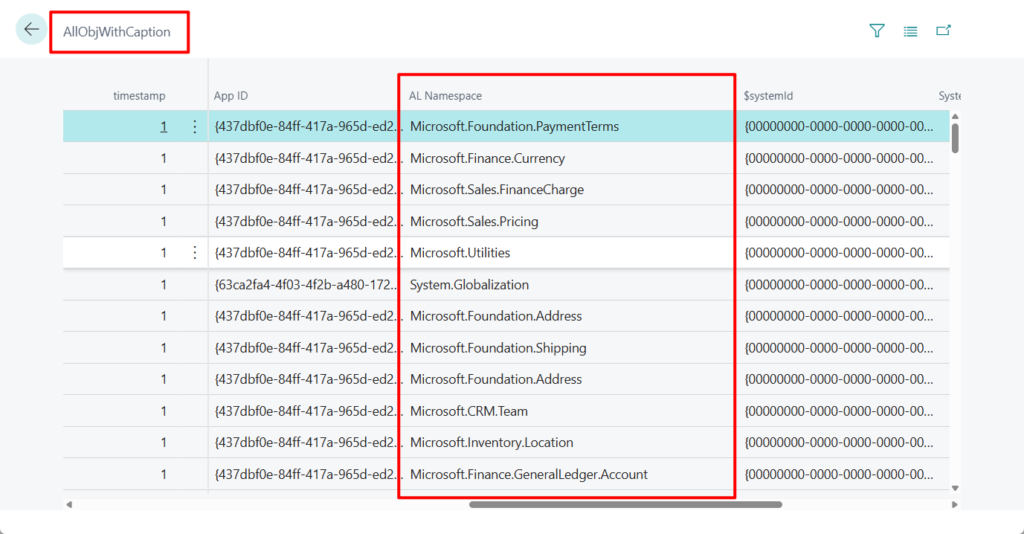
Great, give it a try!!!😁
PS:
- Dynamics 365 Business Central: Viewing table data (Six ways)
- Dynamics 365 Business Central: View the all object details (Type, ID, Name…) and find out what extension an object belong to without using VS Code
- Dynamics 365 Business Central: How to get object name from object id and type via AL
- Dynamics 365 Business Central: Quick run table (Standard feature and Customization)
- Dynamics 365 Business Central: System tables, Virtual tables and Virtual tables (entities) in Dataverse
- Dynamics 365 Business Central: Find out which extension the field belongs to
END
Hope this will help.
Thanks for reading.
ZHU
コメント