

Hi, Readers.
The public preview for Dynamics 365 Business Central 2025 release wave 2 (BC27) is available. Learn more: Link.
I will continue to test and share some new features that I hope will be helpful. In this post, I would like to talk about Allow copying nodes in the profile editor and support for hovering.
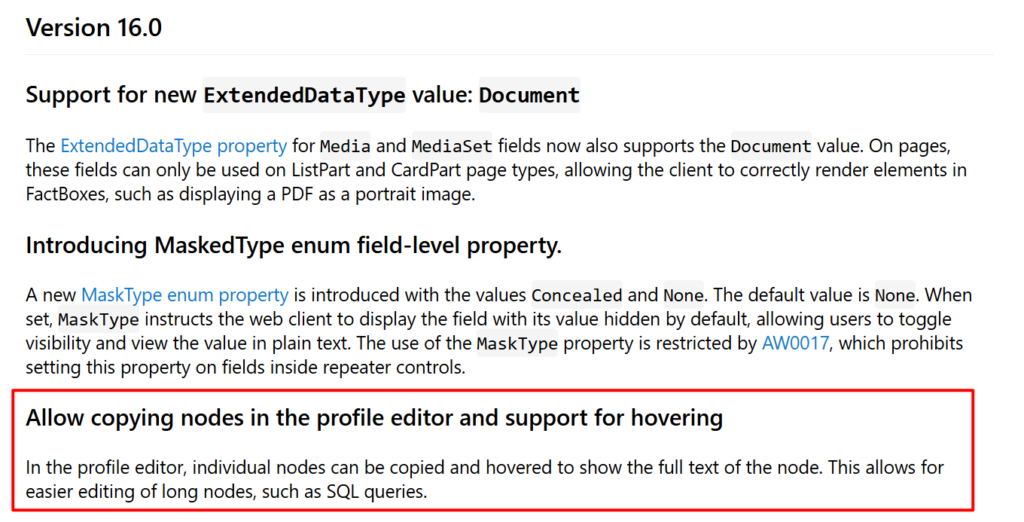
This new feature is not yet documented in the Business Central 2025 release wave 2 (BC27) release plan but is mentioned in AL Language extension changelog Version 16.0.
Allow copying nodes in the profile editor and support for hovering
Changelog | Visual Studio Marketplace
In the profile editor, individual nodes can be copied and hovered to show the full text of the node. This allows for easier editing of long nodes, such as SQL queries.
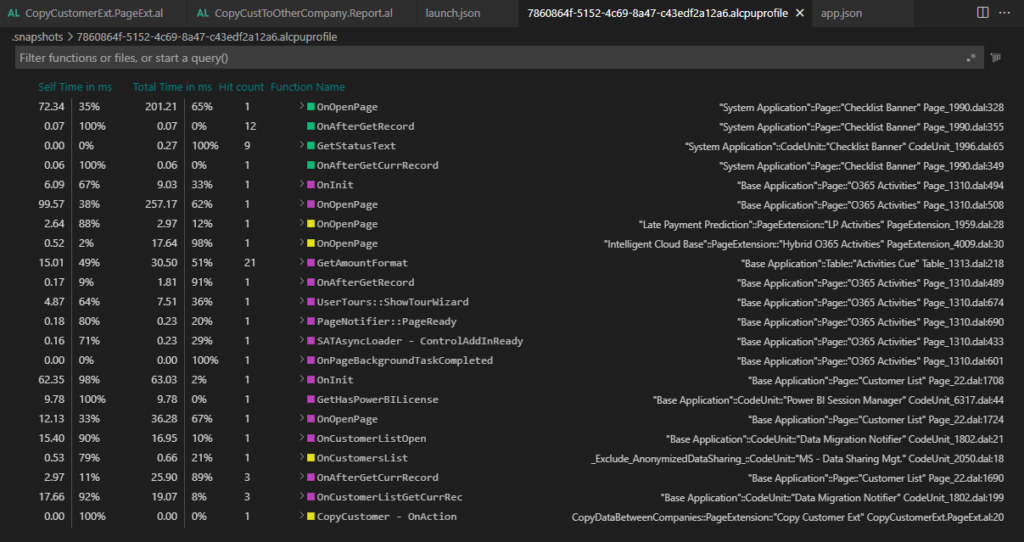
In Business Central 2021 wave 2 (BC19), Micorosft added the AL performance profiler to the Visual Studio Code AL experience. This feature is mainly for developers. The performance profiler has empowered pro developers to investigate performance as part of developing new functionality.
More details: Profiling AL performance with snapshot debugger (AL: Generate profile file)
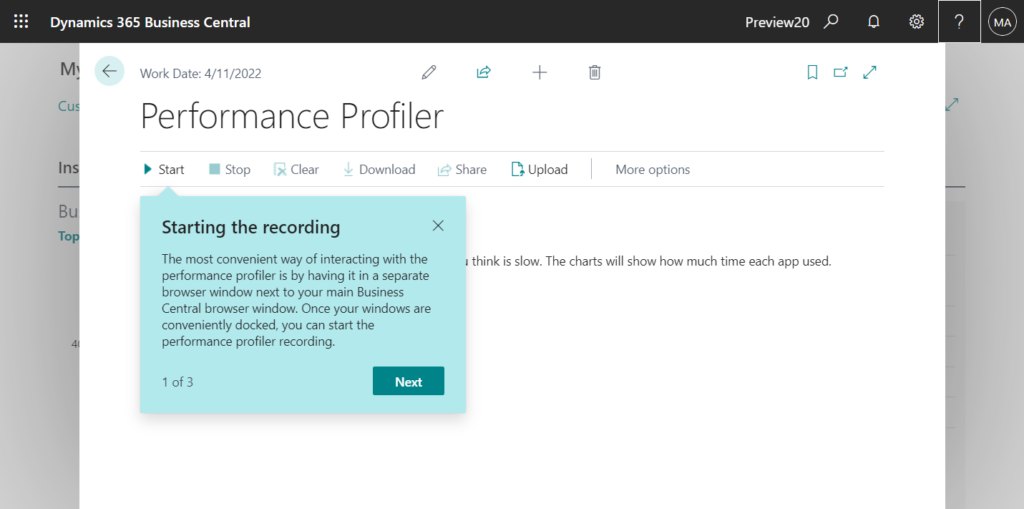
In Business Central 2022 wave 1 (BC20), Microsoft are going to take this even further. The in-client performance profiler feature is available. Any user with permission can analyze performance issues in Business Central.
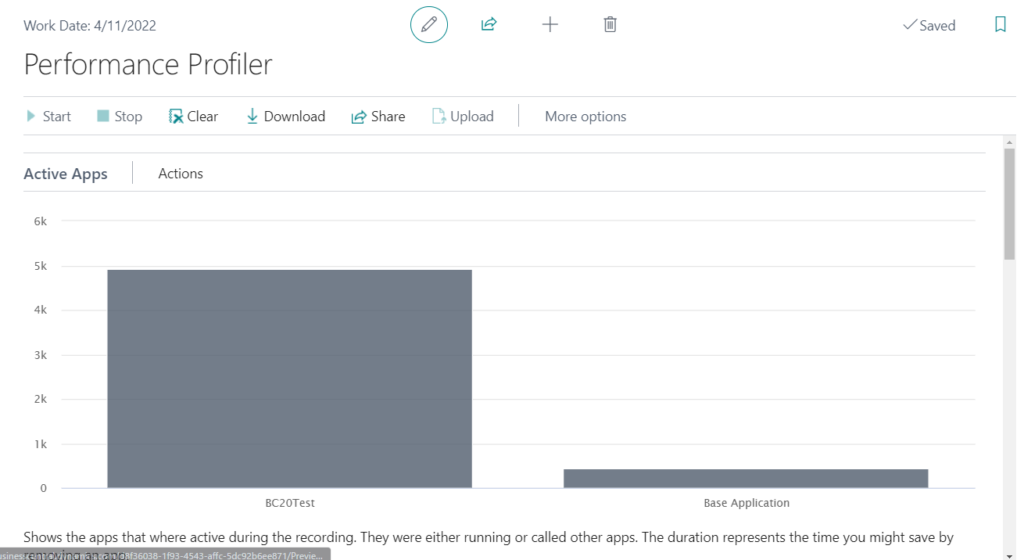
Active Apps: Shows the apps that where active during the recording. They were either running or called other apps. The duration represents the time you might save by removing an app.
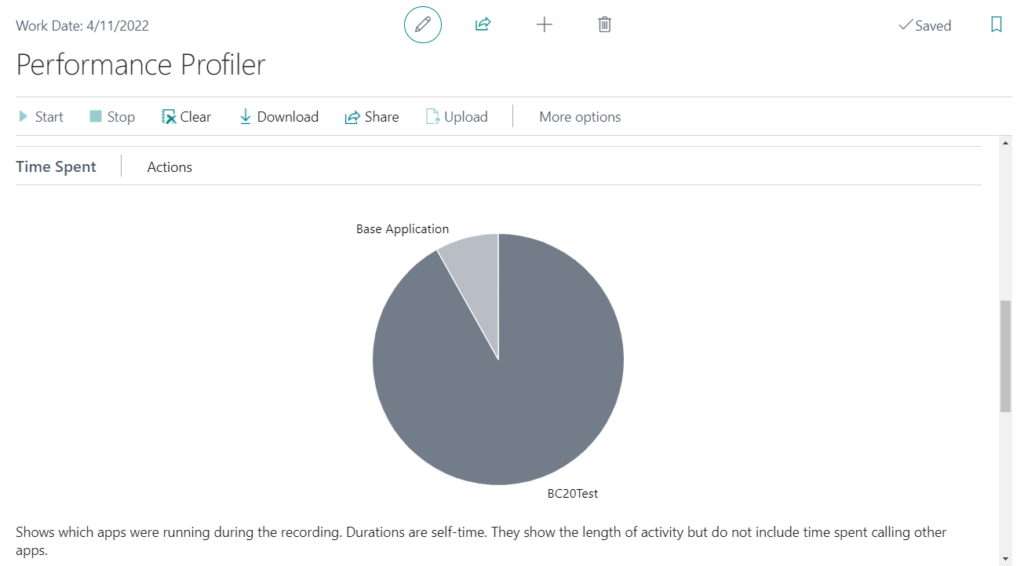
Time Spent: Shows which apps were running during the recording. Durations are self-time. They show the length of activity but do not include time spent calling other apps.
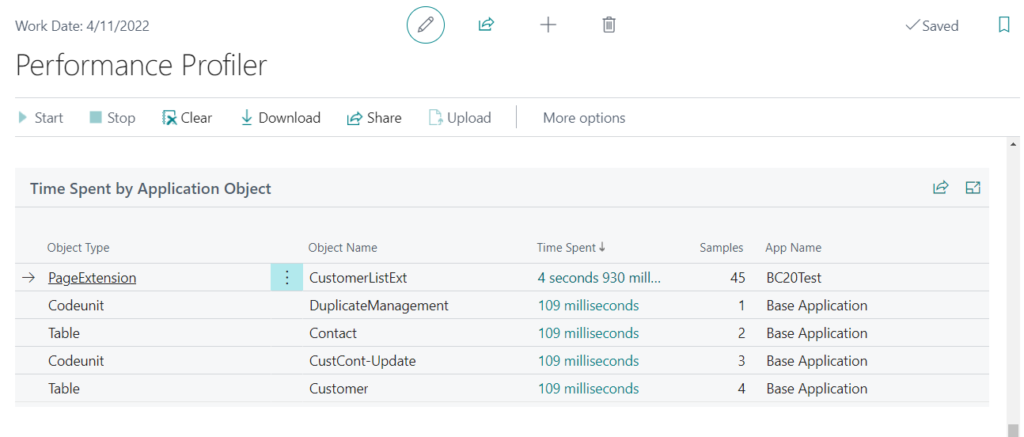
Time Spent by Application Object:
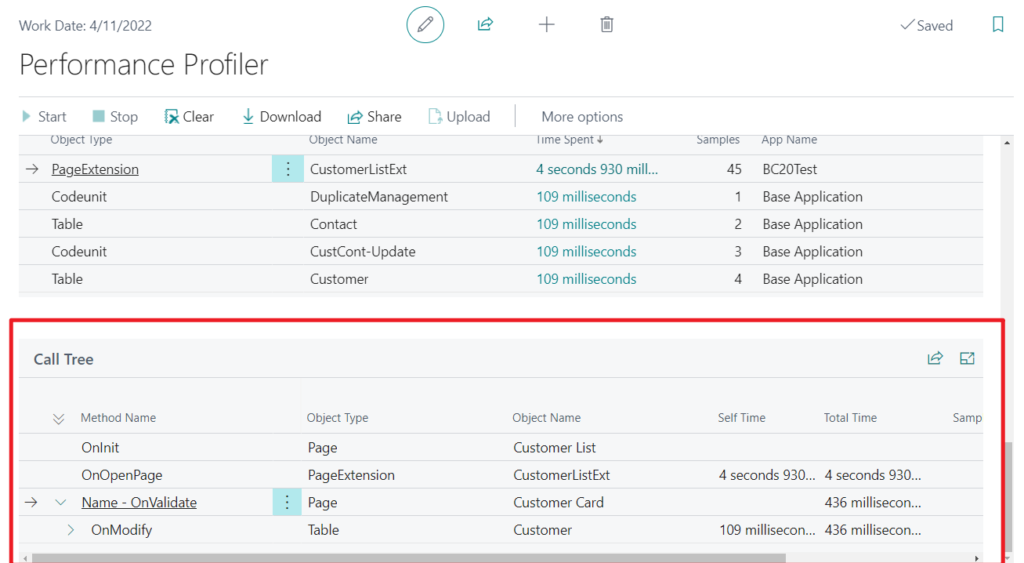
Call Tree:
Test Video:
More details: Business Central 2022 wave 1 (BC20) new features: In-client performance profiler (Performance Profiler page)
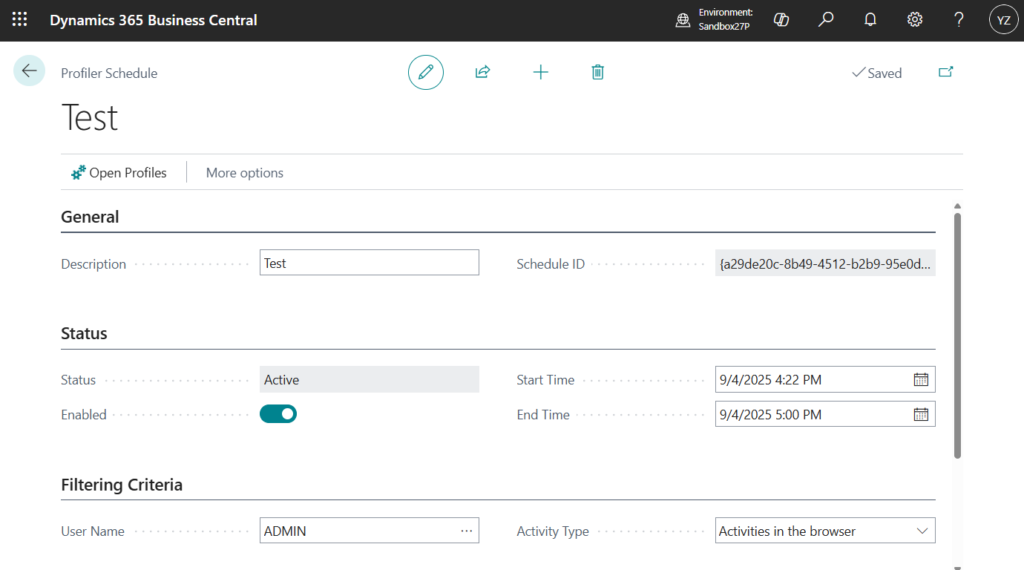
And in Business Central 2024 wave 2 (BC25), in addition to the existing interactive way of capturing a performance profile – by starting the profile, performing repro steps in the client, stopping the profiler and then analyzing the results – a new rule-based scheduling mode for capturing profiles in the background is added.
Profiler Schedule:
Performance Profiles:

More details: Business Central 2024 wave 2 (BC25): Set up easier in-client performance profiling with rules (Profiler Schedules)
With this wave (BC27), Microsoft has enhanced this feature again. You can now see which calls are made to SQL during a performance profile, and therefore better assess whether bad performance is due to AL code inefficiencies or resulting SQL calls.

More details: Business Central 2025 wave 2 (BC27): View SQL call information in performance profiles
This can also be confirmed in VS Code.

With this update (BC27), a small update was also made to VS Code. Let’s see more details.
1. Allow copying nodes in the profile editor: Select the line you want to copy and press Ctrl + C, Ctrl + V to paste it anywhere.
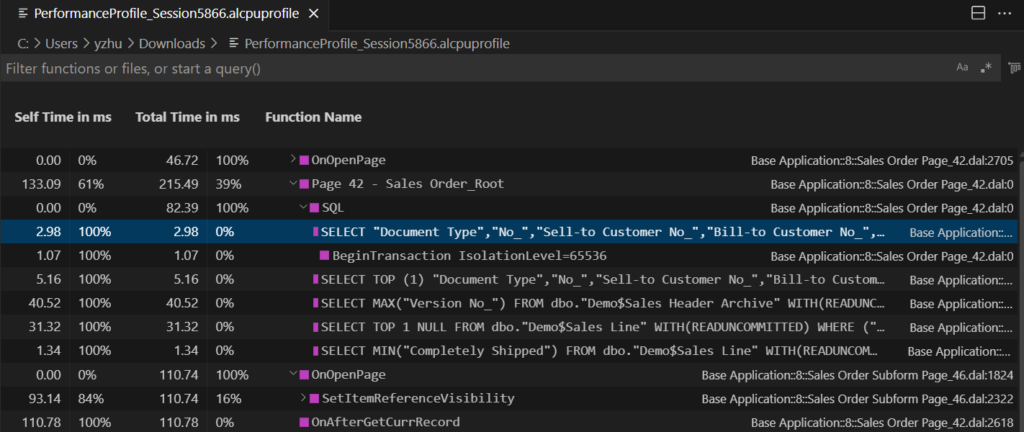
SELECT "Document Type","No_","Sell-to Customer No_","Bill-to Customer No_","Bill-to Name","Bill-to Name 2","Bill-to Address","Bill-to Address 2","Bill-to City","Bill-to Contact","Your Reference","Ship-to Code","Ship-to Name","Ship-to Name 2","Ship-to Address","Ship-to Address 2","Ship-to City","Ship-to Contact","Order Date","Posting Date","Shipment Date","Posting Description","Payment Terms Code","Due Date","Payment Discount _","Pmt_ Discount Date","Shipment Method Code","Location Code","Shortcut Dimension 1 Code","Shortcut Dimension 2 Code","Customer Posting Group","Currency Code","Currency Factor","Customer Price Group","Prices Including VAT","Invoice Disc_ Code","Customer Disc_ Group","Language Code","Format Region","Salesperson Code","Order Class","No_ Printed","On Hold","Applies-to Doc_ Type","Applies-to Doc_ No_","Bal_ Account No_","Ship","Invoice","Print Posted Documents","Shipping No_","Posting No_","Last Shipping No_","Last Posting N...WHERE ("Document Type"=@0 AND "No_"=@1) OPTION(OPTIMIZE FOR UNKNO Base Application::8::Sales Order Page_42.dal:02. Support for hovering
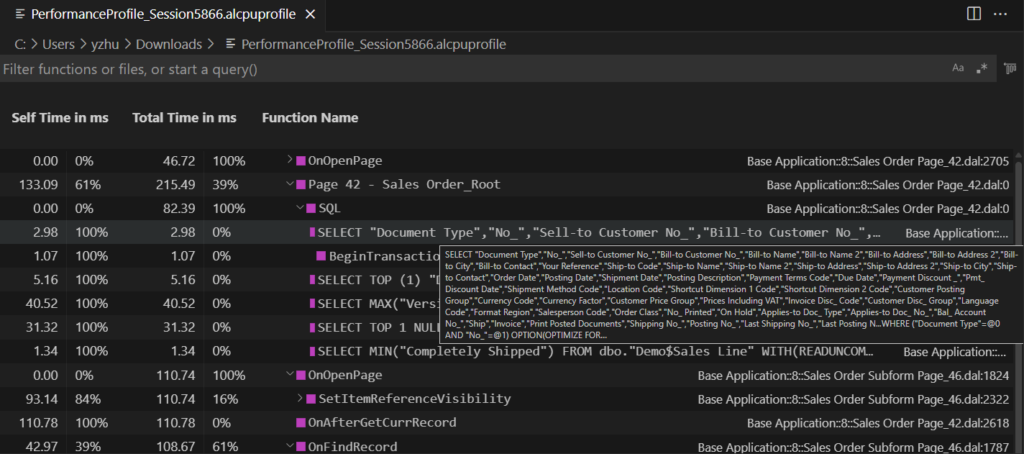
Small update, but it makes life easier. Give it a try!!!😁
END
Hope this will help.
Thanks for reading.
ZHU

コメント