

Hi, Readers.
Today I would like to talk about a simple topic, how to check the expiration date of your Business Central license, this is not limited to Business Central but is also available for other Microsoft products.
Business Central is a business management solution for small and mid-sized organizations that automates and streamlines business processes and helps you manage your business. And Business Central is a full cloud solution now, included as an app in Microsoft 365.
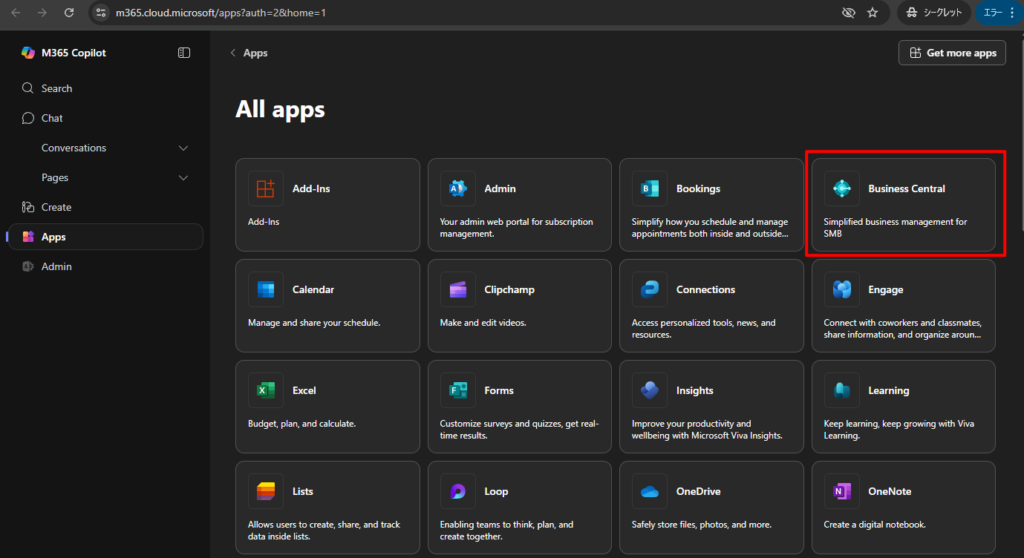
So we need to authenticate Business Central users with Microsoft Entra ID.
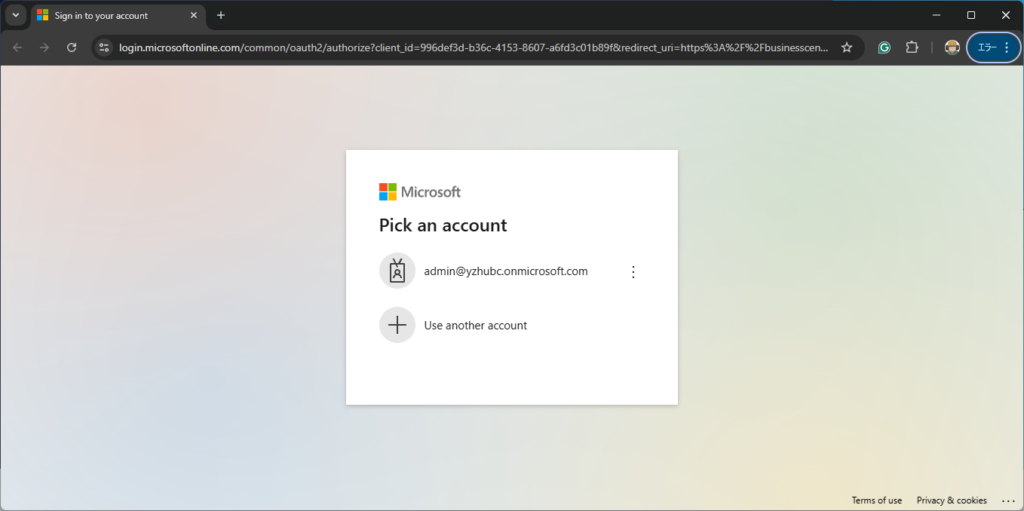
PS: Microsoft Entra ID is a cloud service that provides identity and access capabilities, such as for applications on Microsoft Azure, Microsoft 365, and for applications that install on-premises. Business Central Server instance is configured to use the AccessControlService credential type so that you can associate the Business Central user accounts with the Microsoft 365 accounts that people use to access the Business Central Web client, Microsoft 365, and SharePoint.
So, how do we check the expiration date of a client’s license now? It’s not difficult.
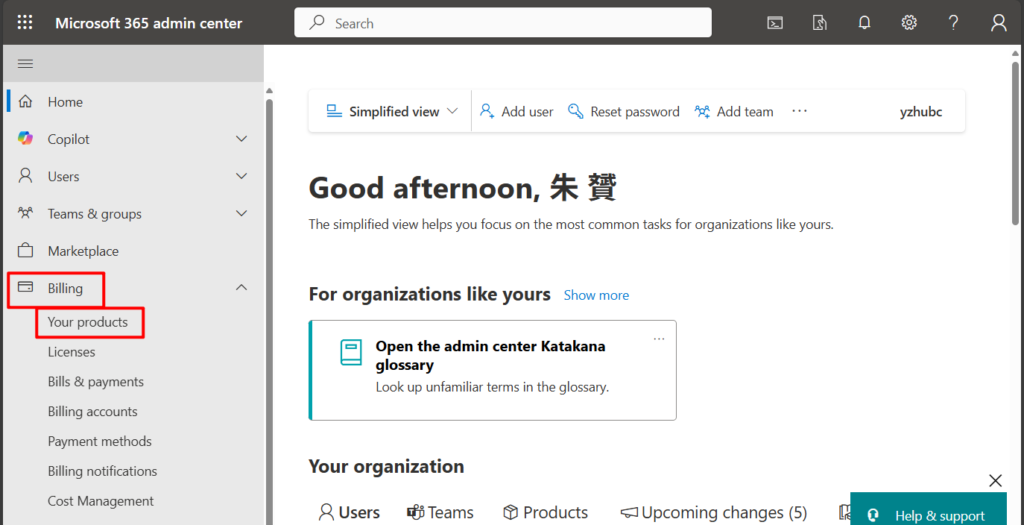
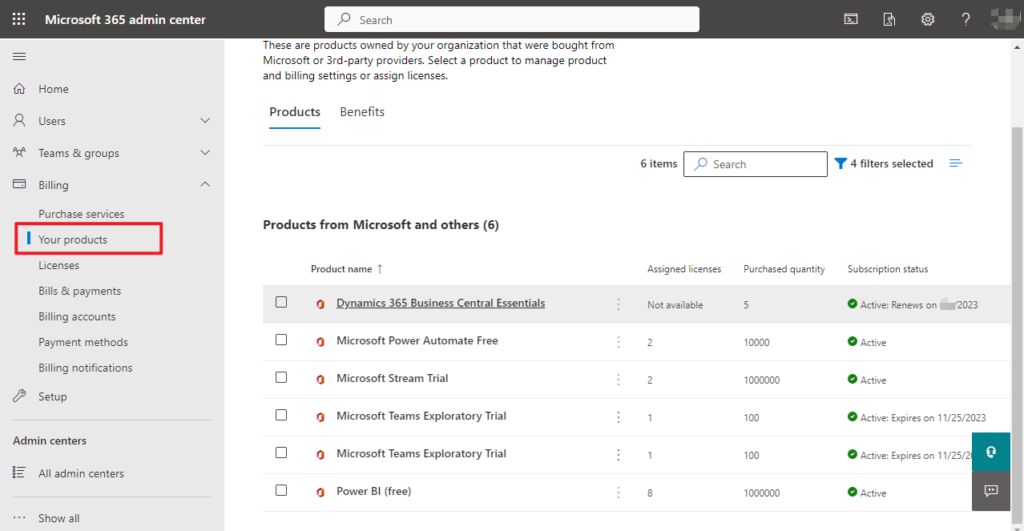
In the Microsoft 365 admin center, go to the Billing -> Your products page.
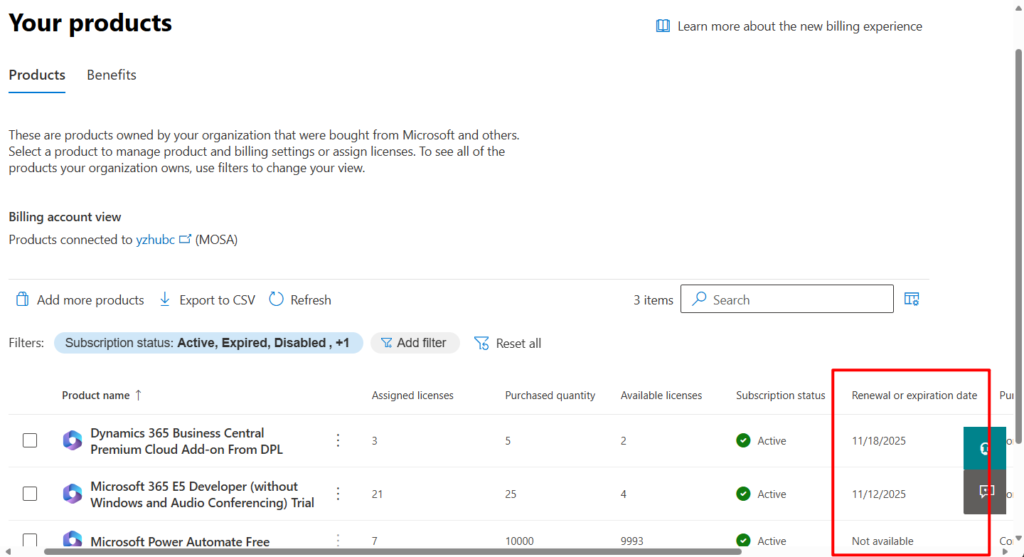
- On the Products tab, you see all your subscriptions. Review the details under the Renewal or expiration date heading.
- If you see a circle arrow, then your subscription is set up for recurring billing, unless you turn recurring billing off or cancel it beforehand. The next charge info shows you when you’ll be charged next, and for how much.
- If you see [date], then your subscription will expire on that date, unless you renew.
PS:
1. If it is a trial environment, the expiration date is not displayed.
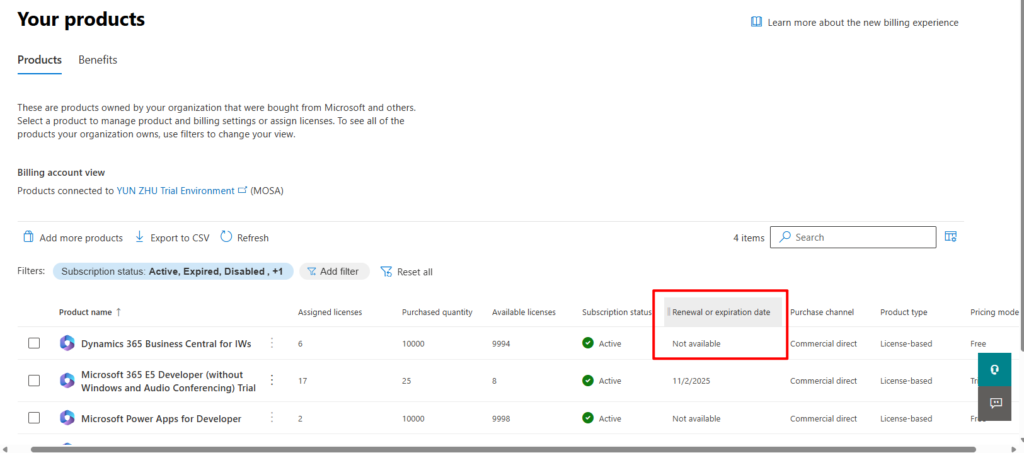
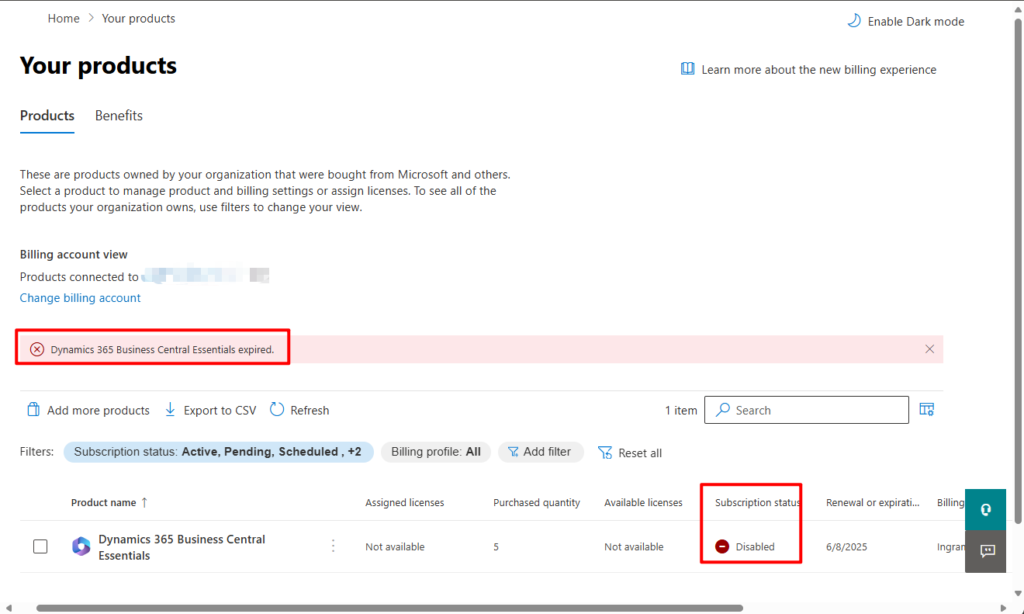
2. If the product has expired, it will show the Disabled status and display the following message
Dynamics 365 Business Central Essentials expired.
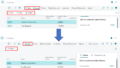
3. The content shown here is slightly different from before:
Very simple, give it a try!!!😁
4. What happens to data and access when a Dynamics 365 Business Central subscription ends/expires?
END
Hope this will help.
Thanks for reading.
ZHU
コメント