
Hi, Readers.
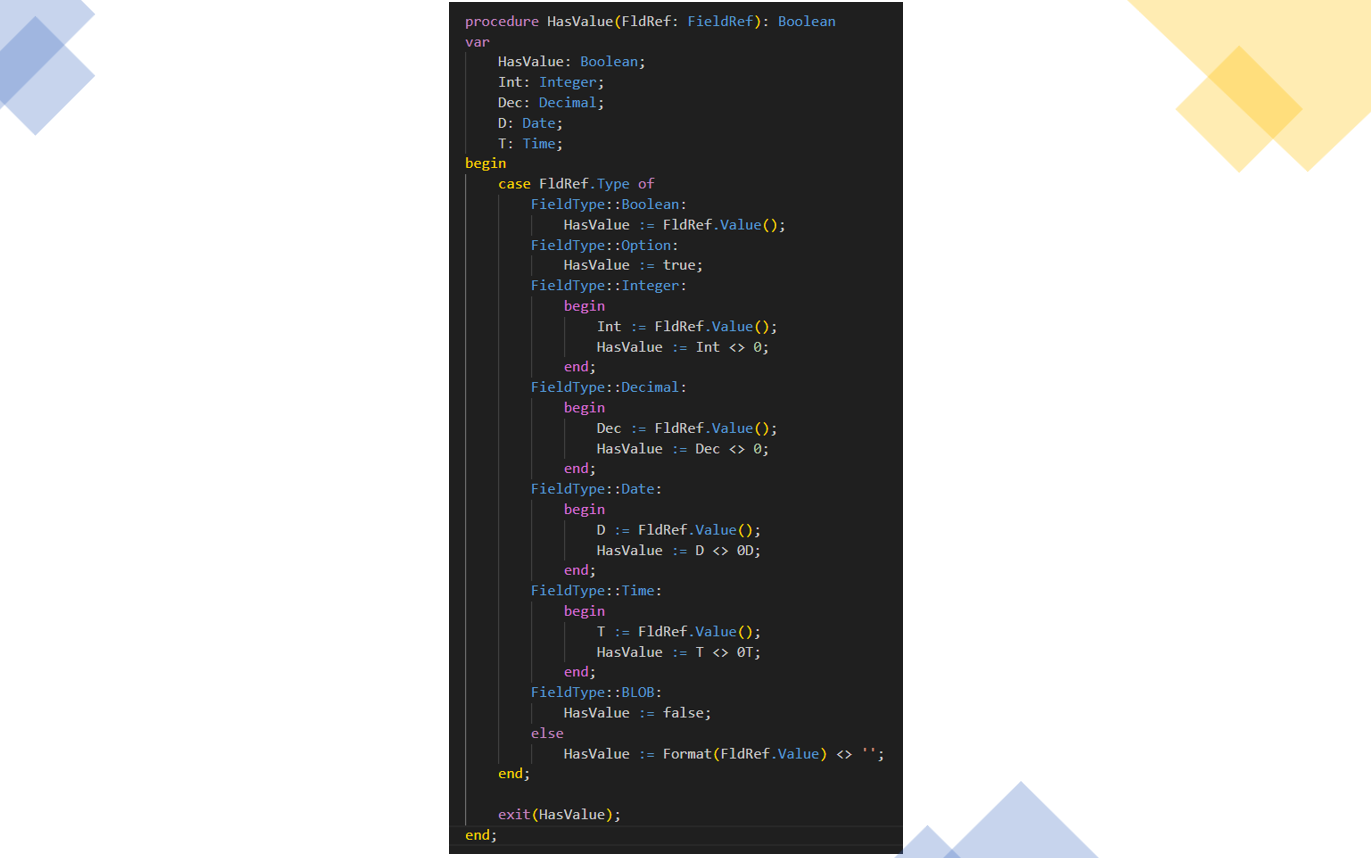
Today I would like to share another mini tip about Business Central, how to check if a Field has a value with a universal method in AL.
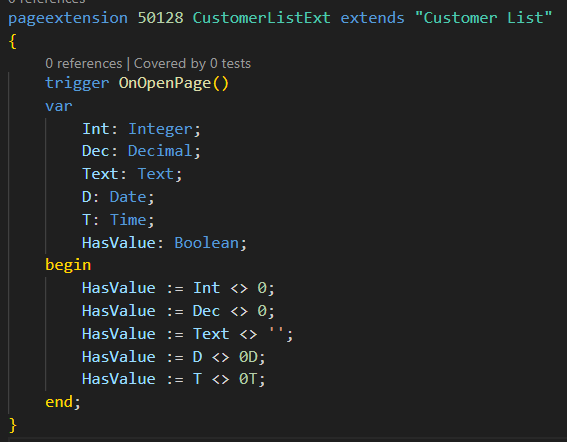
The AL language offers a rich variety of data types to handle diverse business logic, for example, Integer data type, Date data type, Decimal data type, etc. The syntax varies slightly when validating whether these fields contain values, depending on the data type. Here are some simple examples:
Microsoft actually provides a standard method to address this. You can leverage it directly or use it as a foundation for your own custom improvements.
codeunit 423 “Change Log Management” -> procedure HasValue
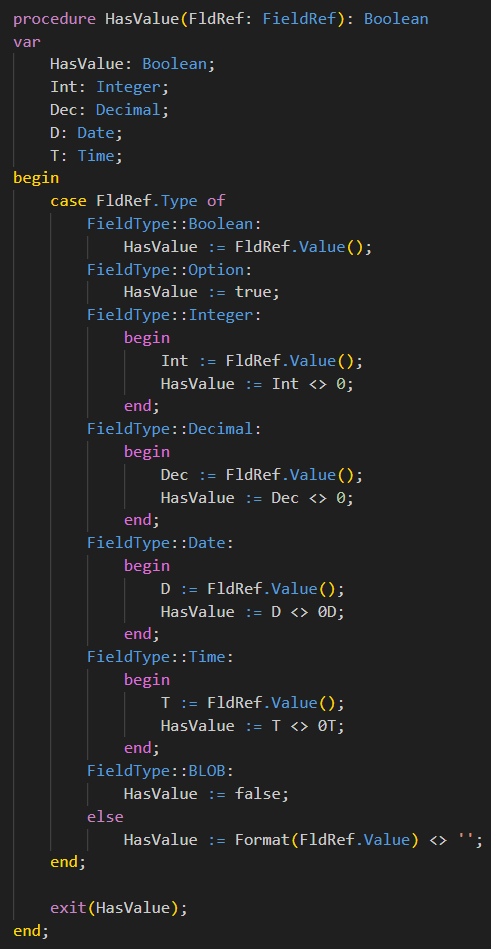
Consequently, all we need is to pass the FieldRef as a parameter. Let’s look at a simple example: Check if Customer Name is empty.
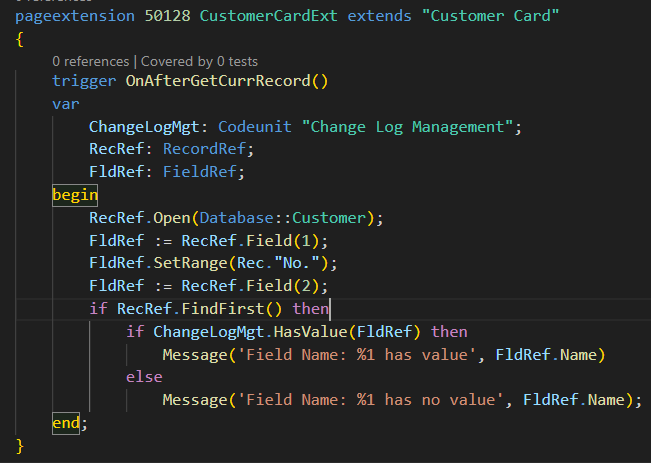
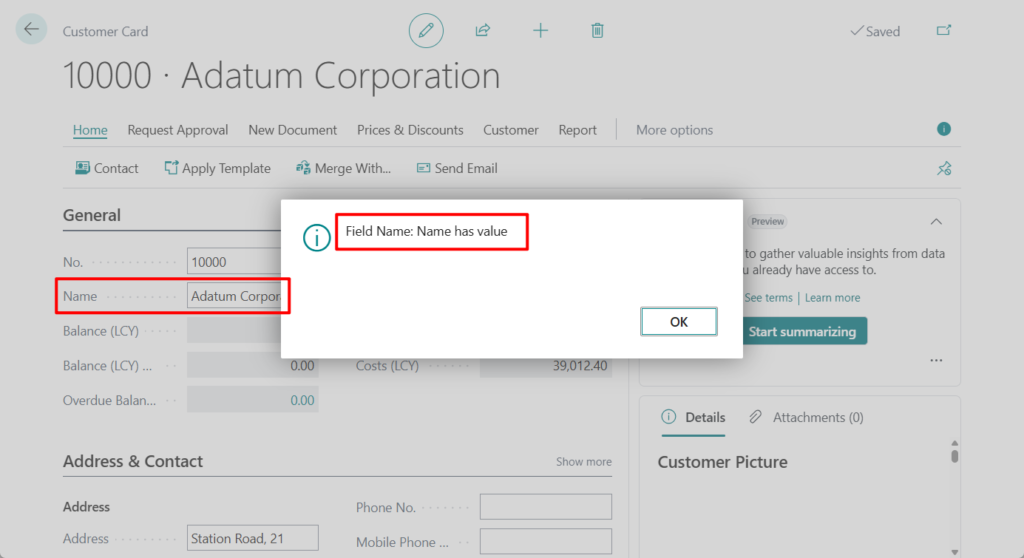
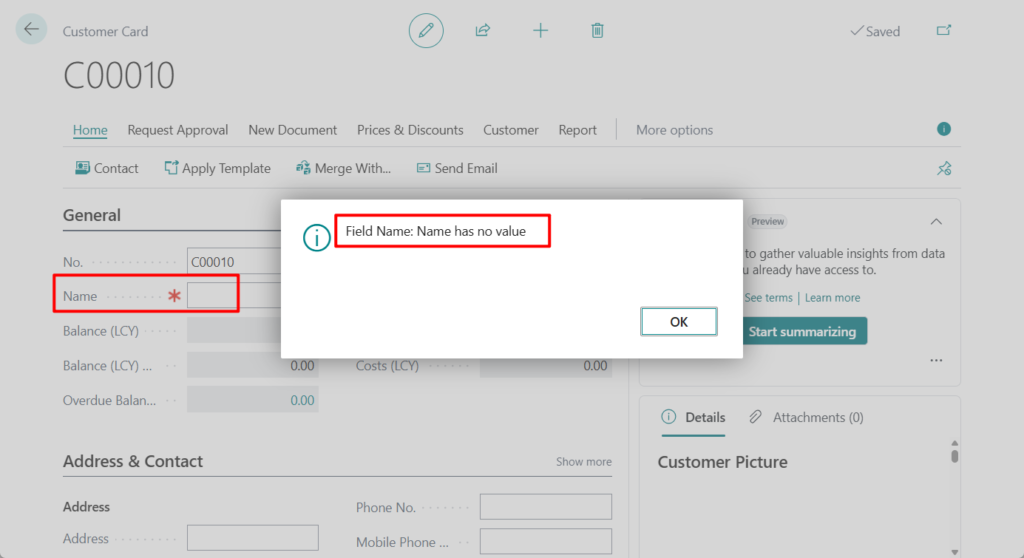
Test code:
pageextension 50128 CustomerCardExt extends "Customer Card"
{
    trigger OnAfterGetCurrRecord()
    var
        ChangeLogMgt: Codeunit "Change Log Management";
        RecRef: RecordRef;
        FldRef: FieldRef;
    begin
        RecRef.Open(Database::Customer);
        FldRef := RecRef.Field(1);
        FldRef.SetRange(Rec."No.");
        FldRef := RecRef.Field(2);
        if RecRef.FindFirst() then
            if ChangeLogMgt.HasValue(FldRef) then
                Message('Field Name: %1 has value', FldRef.Name)
            else
                Message('Field Name: %1 has no value', FldRef.Name);
    end;
}
Great. Give it a try!!!😁
END
Hope this will help.
Thanks for reading.
ZHU
コメント