
Hi, Readers.
Dynamics 365 Business Central 2026 wave 1 (BC28) is generally available. More details: General Available: Dynamics 365 Business Central 2026 release wave 1 (BC28)
I will continue to test and share some new features that I hope will be helpful. In this post, I would like to talk about Run AL tests from Visual Studio Code (Test codeunits and test methods).
Run AL tests from Visual Studio Code:
Business value:
Visual Studio Code provides a rich set of features for testing your code. You can automatically discover tests in your project, run and debug your tests, and get test coverage results. You can even use GitHub Copilot chat as well as a coding agent in Visual Studio Code to assist with setting up the testing framework for your project, generate test code, and fix failing tests.
Until now, however, you haven’t been able to discover and run AL tests in Visual Studio Code. With this release, we are adding that ability, making it much more seamless for developers (or other technically fluent personas) to use Visual Studio Code to discover and run AL tests, whether manually or as part of using a coding agent, such as GitHub Copilot.
Feature details:
Developers and other technically fluent personas building extensions for Dynamics 365 Business Central can now discover and run AL tests directly inside Visual Studio Code, without switching to an external test runner or the Business Central web client. This tighter integration with the IDE reduces context-switching, shortens feedback loops, and makes it easier to adopt test-driven development practices.
Learn more about the Test Explorer and running tests in Visual Studio Code.
https://learn.microsoft.com/en-us/dynamics365/release-plan/2026wave1/smb/dynamics365-business-central/run-al-tests-visual-studio-code?wt.mc_id=DX-MVP-5004336
Before you release your Business Central application, you should test its functionality to ensure it works as expected. Testing is an iterative process. It’s important and helpful to create repeatable tests that can be automated. This article describes the features in Business Central to help you test the business logic in your application and provides best practices for testing.
For a walkthrough concerning advanced extension testing, see Testing the Advanced Extension Sample.
For the AppSource extension, you are required to include a Visual Studio Code test package with your extension. Ensure that you include as much code coverage as you can. See Testing the Advanced Sample Extension for information on this topic. More details: Understand the technical validation requirements
Let’s see more details.
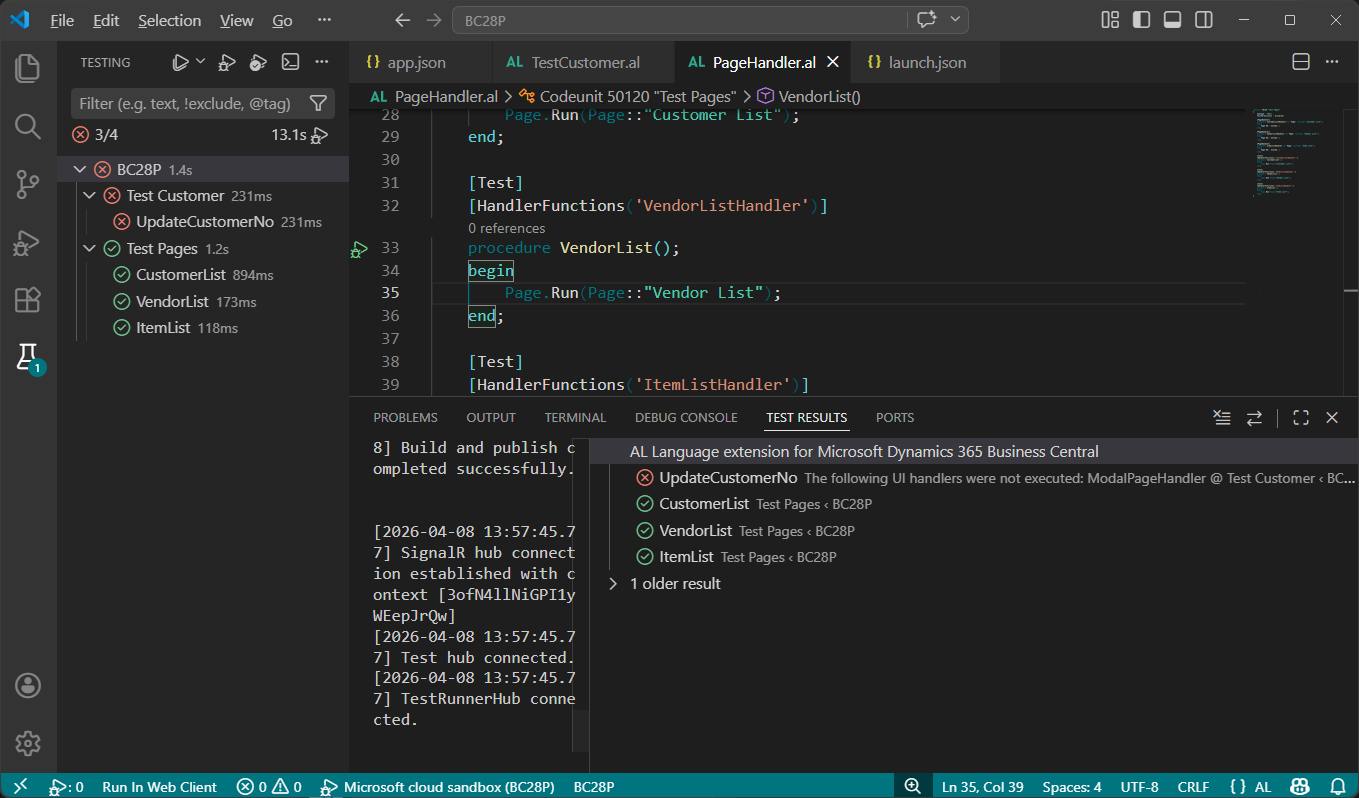
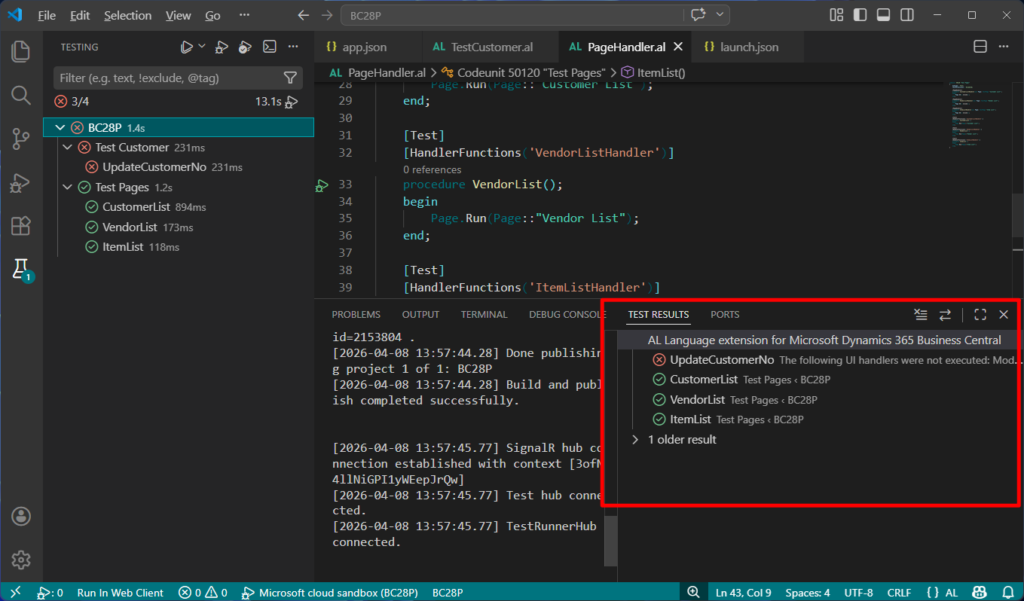
The Test Explorer automatically detects test codeunits and test methods in the active workspace. To explore and run tests:
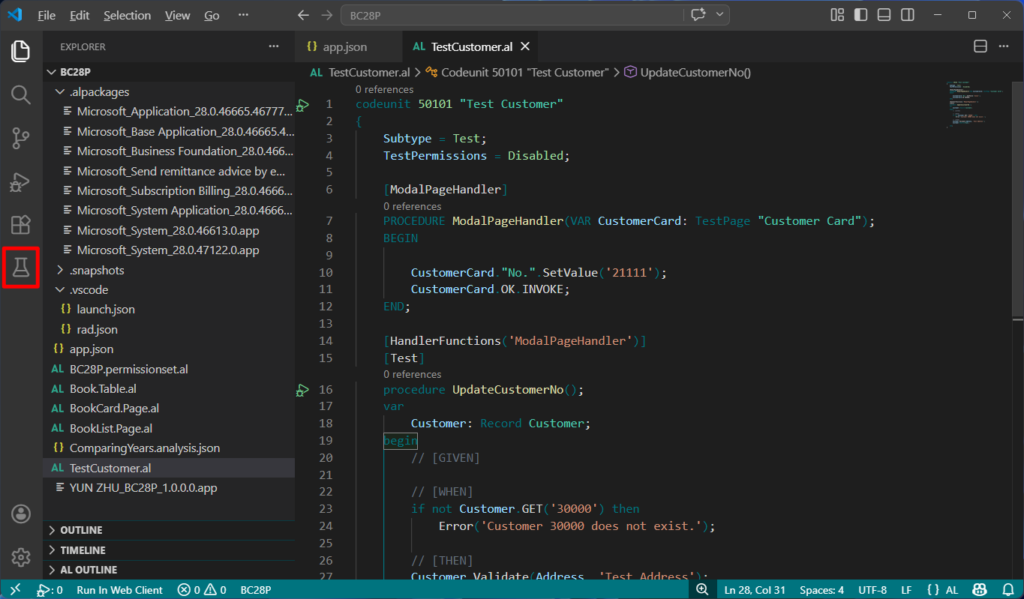
- Open the Test Explorer view in Visual Studio Code.
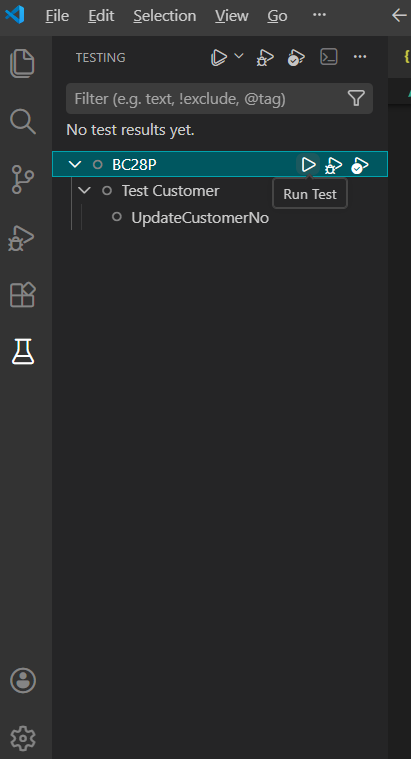
- Verify that your test codeunits appear in the test list. Only tests in the active workspace are shown. Tests are sorted by owning app, then by codeunit, then by test procedure.
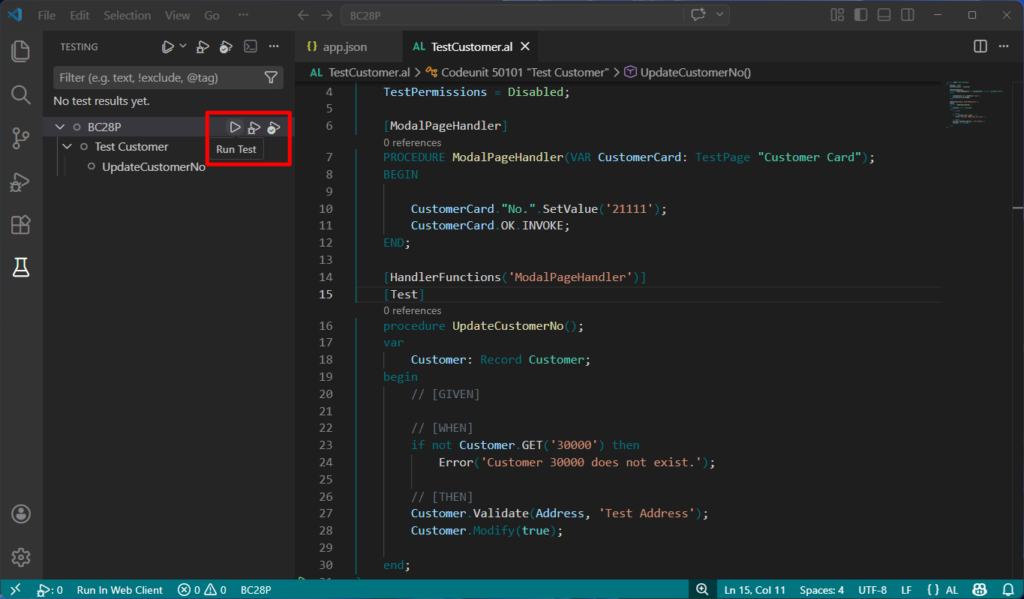
- Select the test you want to run and choose the Run button.
- Review execution progress and results in the Test Results panel.
How tests are run depends on the chosen run profile, as summarized here:
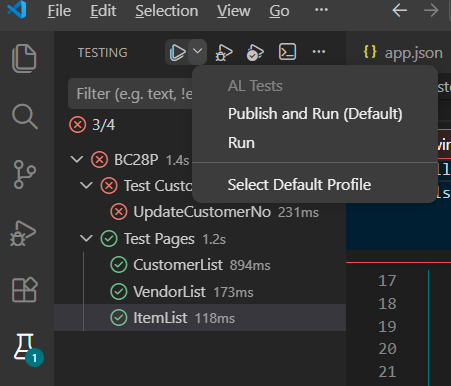
| Profile | Description |
|---|---|
| Publish & Run (default) | Publishes the test project and any changed dependencies before running the selected tests. |
| Run | Runs the selected tests without republishing the project. |
| Run & Debug | Publishes the test project and starts a run with the debugger attached. |
| Coverage (Procedure) | Runs the selected tests and collects procedure-level code coverage. |
Running tests from Visual Studio Code is supported in online sandbox environments and local (on-premises) server installations. Running tests on production environments isn’t supported, as it might affect business operations.
Tests run from Visual Studio Code don’t execute under an AL test runner codeunit. As a result:
- Running AI tests isn’t supported.
- Tests that rely on events published by a test runner for setup or teardown might not work.
- Isolation level is determined by the
RequiredTestIsolationproperty on the test codeunit. If not set, it defaults to Codeunit level isolation.
PS:
1. Run AL tests from Visual Studio Code with Test Explorer
2. Create test codeunits and test methods
3. What’s new: Running tests from Visual studio code
END
Hope this will help.
Thanks for reading.
ZHU
コメント