
Hi, Readers.
Today I would like to briefly talk about a qustion I saw in the Dynamics 365 Community before, how to show or hide subform fields based on a value in the main page.
In Dynamics 365 Business Central development, creating a responsive UI is key to a great user experience. We’ve discussed this topic before, but only for the main page. For example,
- Dynamics 365 Business Central: Dynamic Visibility of Controls (Hide and show fields dynamically)
- Dynamics 365 Business Central: Hide and show actions dynamically
- How to change field captions dynamically in Dynamics 365 Business Central
Now, I need to implement the same logic for the subform fields.
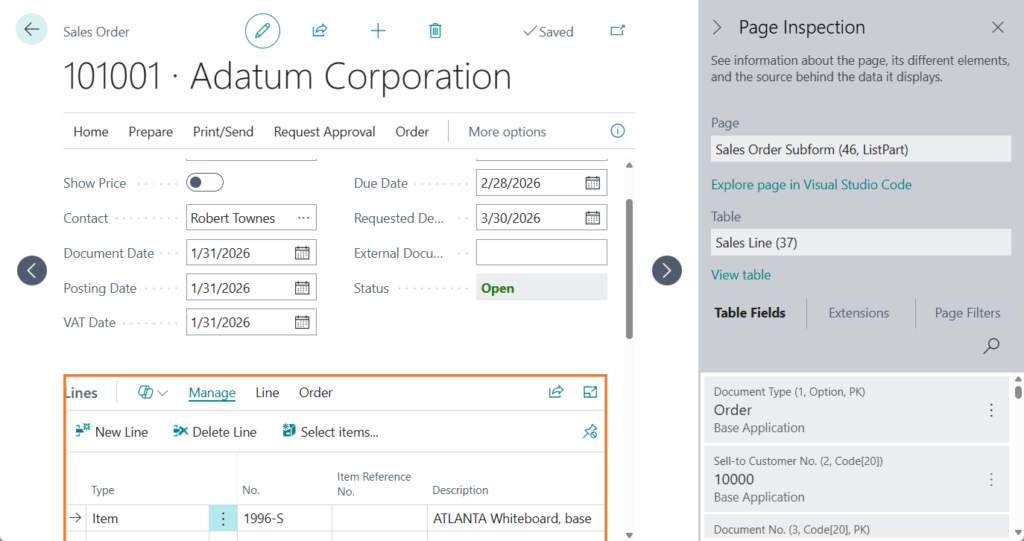
In this post, I’ll share a practical example of how to dynamically control field visibility within the Sales Order Subform based on a custom field on the Sales Order page. I hope this walkthrough proves helpful for your future AL development!
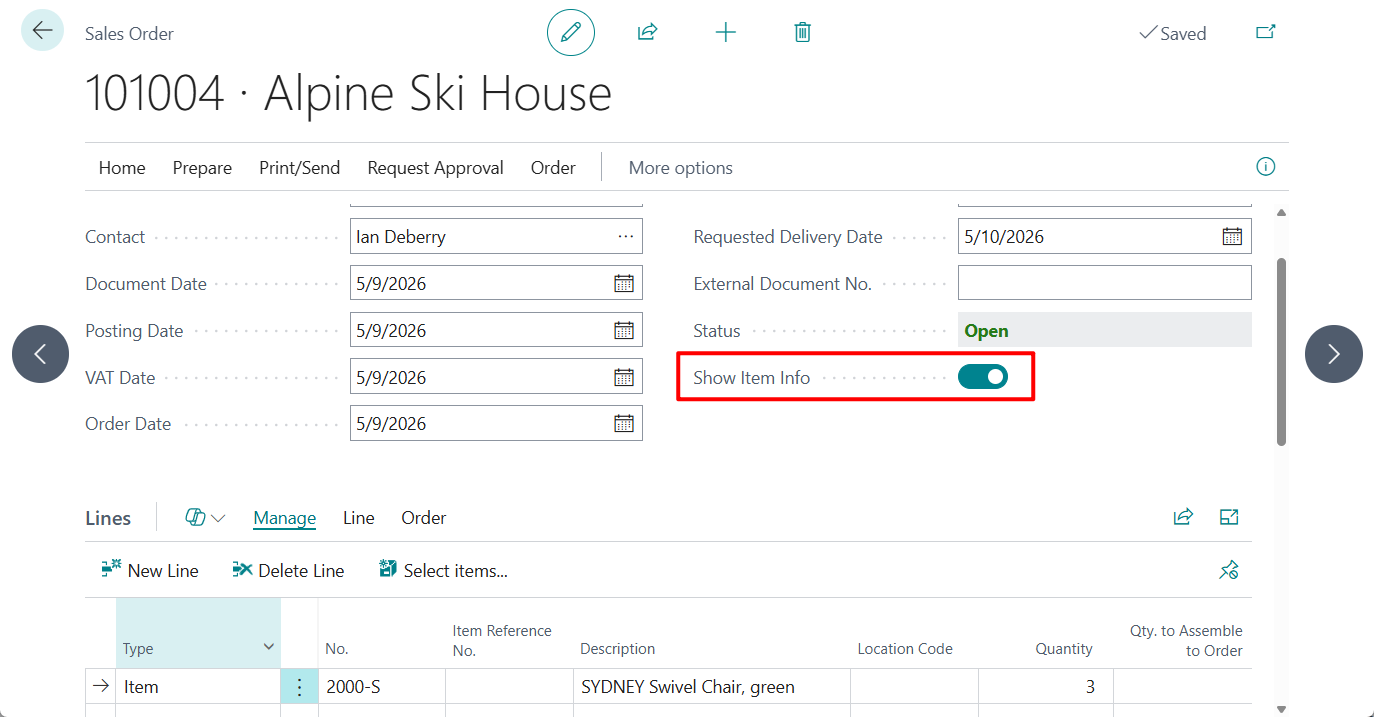
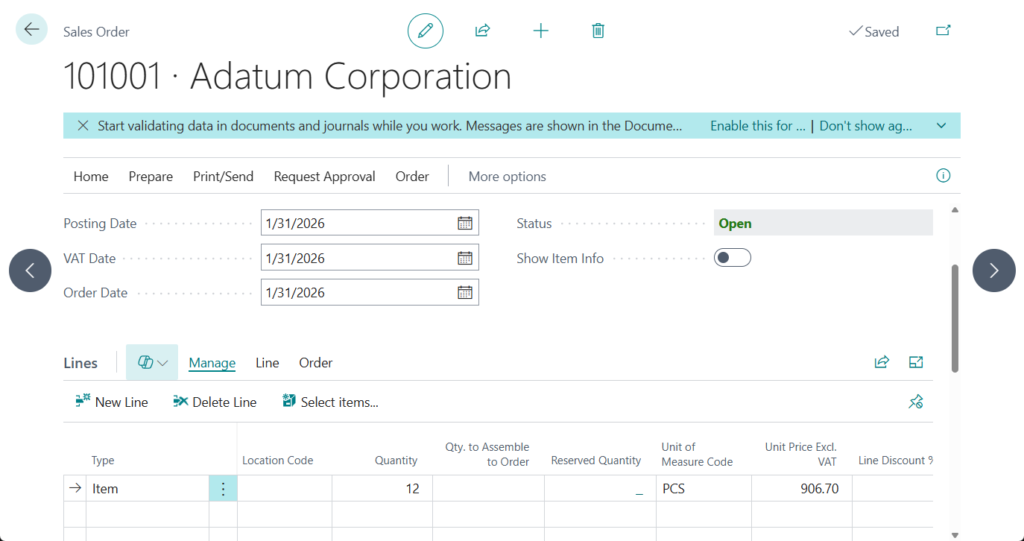
I added a new field, ‘Show Item Info’, to the Sales Header and implemented logic to dynamically control the visibility of the ‘No.’, ‘Item Reference No.’, and ‘Description’ fields in the Sales Line.
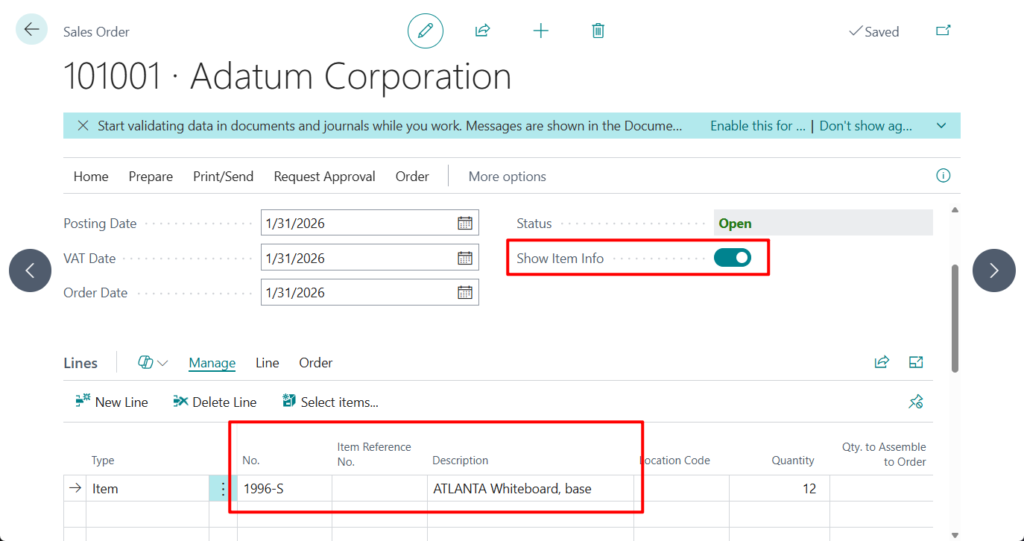
This will be updated in real time.
Test video:
Source code: Github (Please note that the source code is for reference only, you can improve it according to your own needs)
tableextension 50112 SalesHeaderExt extends "Sales Header"
{
    fields
    {
        field(50112; "Show Item Info"; Boolean)
        {
            DataClassification = CustomerContent;
        }
    }
}

pageextension 50113 SalesOrderExt extends "Sales Order"
{
    layout
    {
        addafter(Status)
        {
            field("Show Item Info"; Rec."Show Item Info")
            {
                ApplicationArea = All;

                trigger OnValidate()
                begin
                    CurrPage.SalesLines.Page.SetShowItemInfo(Rec."Show Item Info");
                end;
            }
        }
    }

    trigger OnOpenPage()
    begin
        CurrPage.SalesLines.Page.SetShowItemInfo(Rec."Show Item Info");
    end;
}

pageextension 50112 SalesOrderSubformExt extends "Sales Order Subform"
{
    layout
    {
        modify("No.")
        {
            Visible = ShowItemInfo;
        }
        modify("Item Reference No.")
        {
            Visible = ShowItemInfo;
        }
        modify("Description")
        {
            Visible = ShowItemInfo;
        }
    }

    var
        ShowItemInfo: Boolean;


    procedure SetShowItemInfo(NewShowItemInfo: Boolean)
    begin
        ShowItemInfo := NewShowItemInfo;
        CurrPage.Update();
    end;
}END
Hope this will help.
Thanks for reading.
ZHU
コメント