

Hi, Readers.
Today I would like to briefly share a question that I was asked recently, how to check whether External Document No./Vendor Invoice No. are unique or duplicated – Customization.
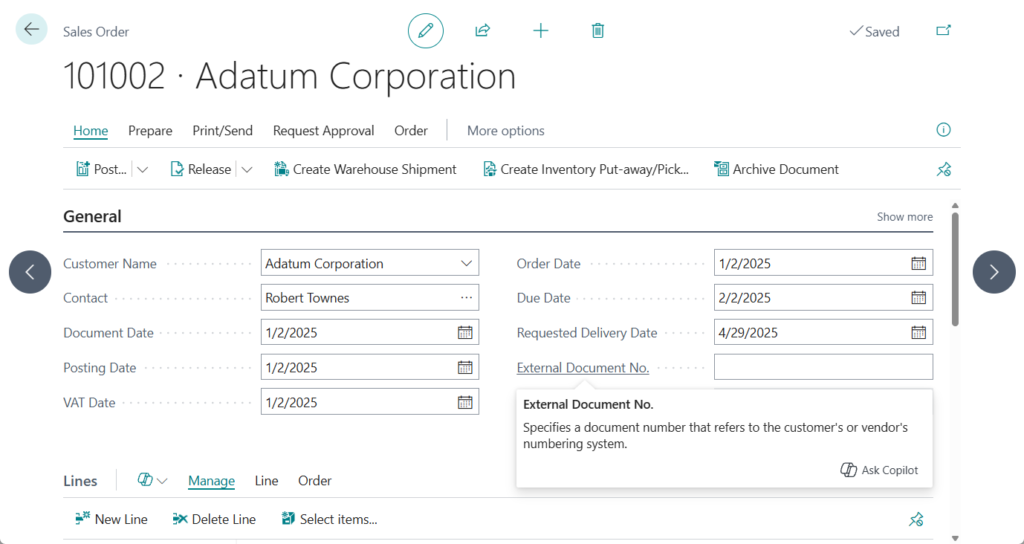
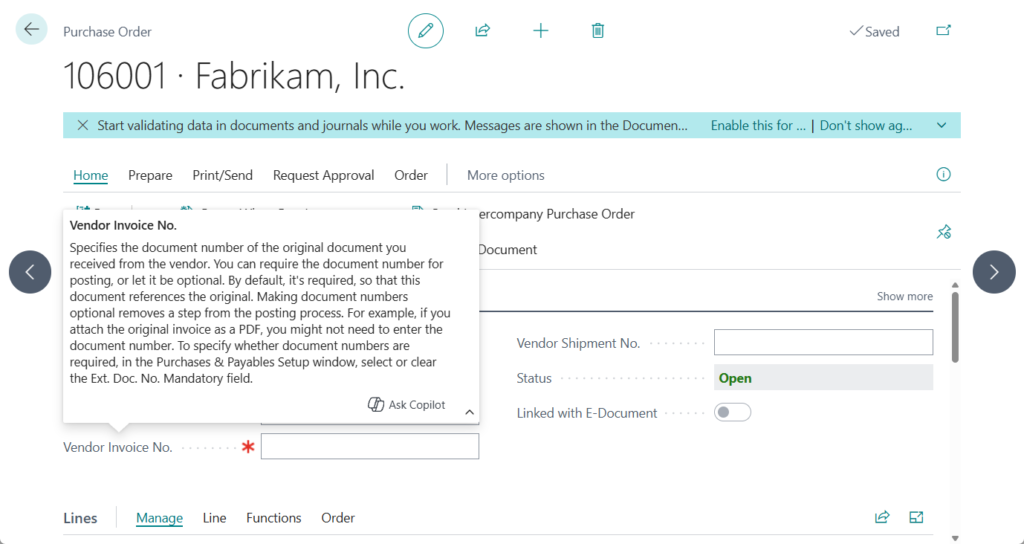
In Business Central, you can enter external document numbers for customers and vendors in all sales and purchase orders, invoices, and credit memos. For example,
On the Sales Order: External Document No.
On the Purchase Order: Vendor Invoice No.
In Dynamics 365 Business Central: Set External Document No./Vendor Invoice No. as mandatory (Ext. Doc. No. Mandatory), we briefly discussed how to set External Document No./Vendor Invoice No. as mandatory. As mentioned briefly, Business Central does not validate whether external document numbers are unique or duplicated. If this kind of control is required, a small customization is necessary. In this post, I will share a simple solution.
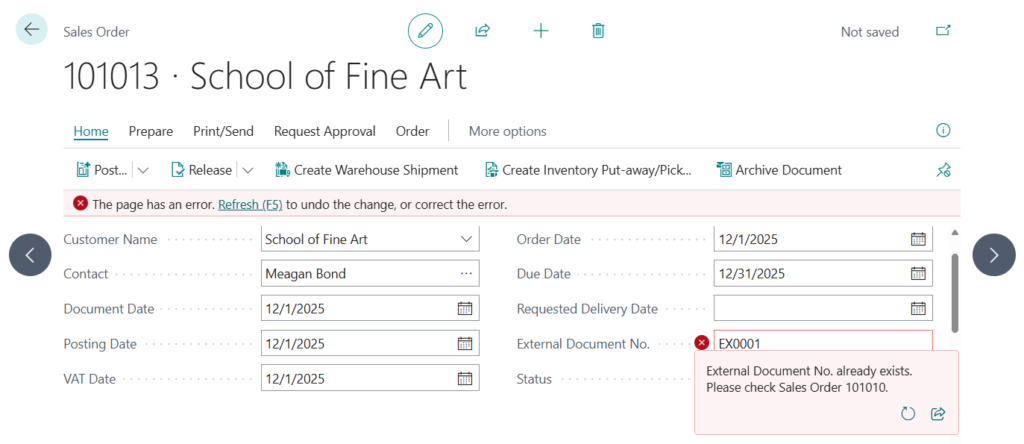
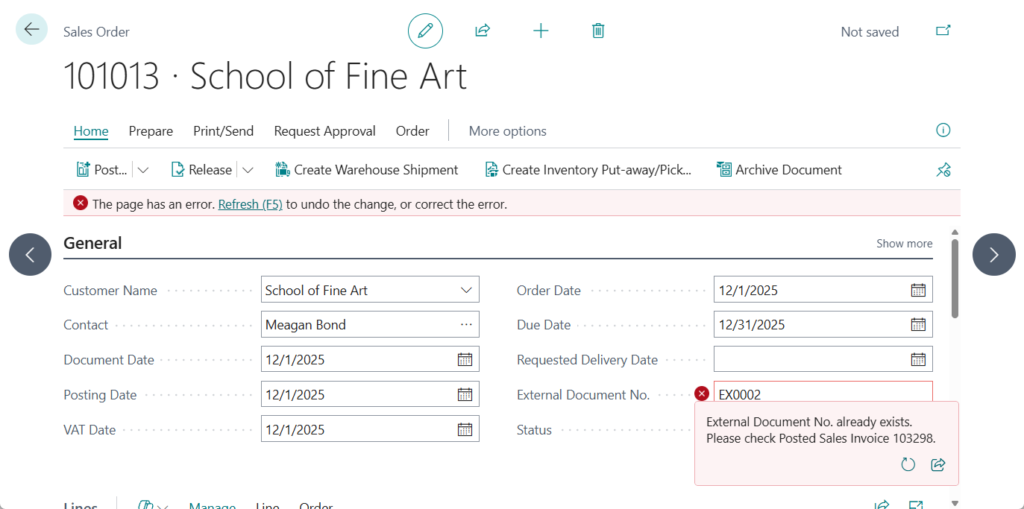
When entering an External Document No., you can implement a check for duplicate numbers across both pre-posting and posted documents, such as Sales Header and Sales Invoice Header. If needed, the validation can also be limited to pre-posting data within the same Document Type.
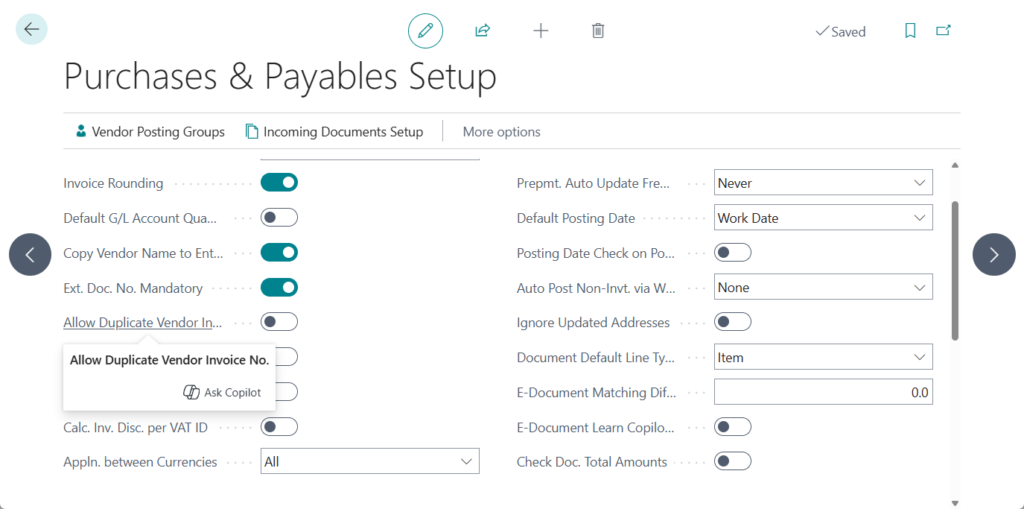
Let’s look at a simple example. First, I added a new setup in the settings.

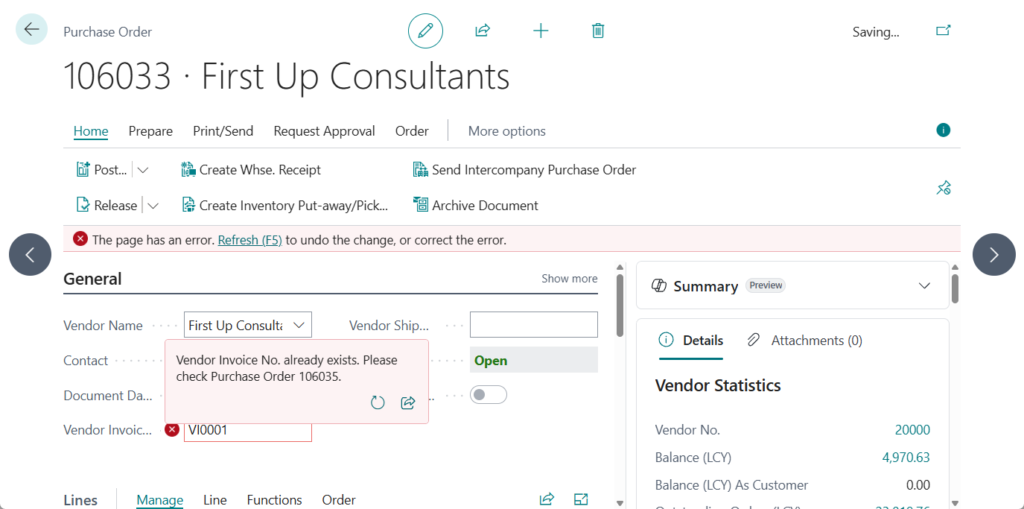
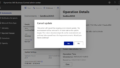
Case 1: The external document number already exists in the Sales Header
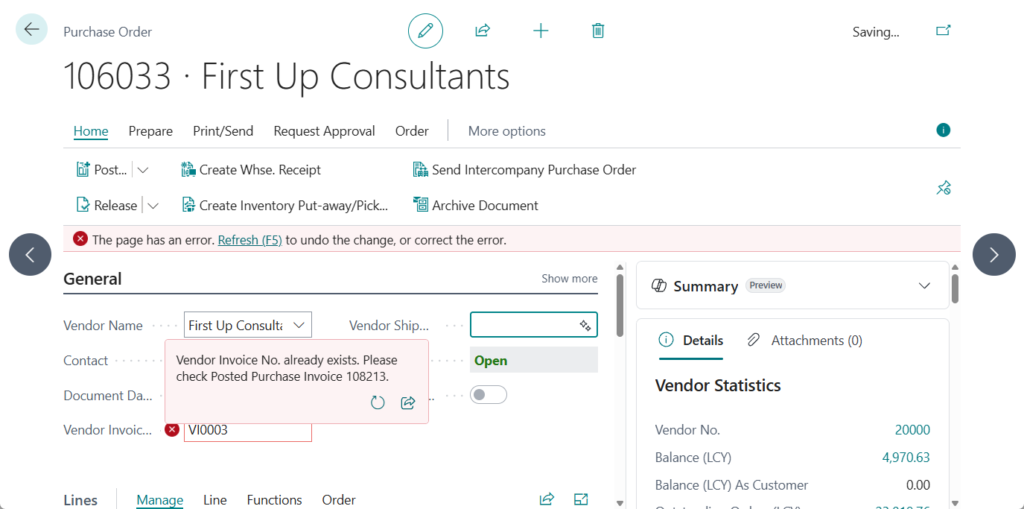
Case 2: The external document number already exists in the Sales Invoice Header
The purchase process follows the same approach.
Source code: Github (Please note that the source code is for reference only, you can improve it according to your own needs)
codeunit 50123 ExtDocNoHandler
{
    [EventSubscriber(ObjectType::Table, Database::"Sales Header", OnBeforeValidateEvent, "External Document No.", false, false)]
    local procedure CheckDuplicateExtDocNo(var Rec: Record "Sales Header")
    var
        SalesHeader: Record "Sales Header";
        SalesInvHeader: Record "Sales Invoice Header";
        SalesSetup: Record "Sales & Receivables Setup";
    begin
        SalesSetup.Get();
        if SalesSetup."Allow Duplicate Ext. Doc. No." then
            exit;
        if Rec."External Document No." <> '' then begin
            SalesHeader.Reset();
            //SalesHeader.SetRange("Document Type", Rec."Document Type");
            SalesHeader.SetRange("External Document No.", Rec."External Document No.");
            if SalesHeader.FindFirst() then
                Error('External Document No. already exists. Please check Sales Order %1.', SalesHeader."No.");
            SalesInvHeader.Reset();
            SalesInvHeader.SetRange("External Document No.", Rec."External Document No.");
            if SalesInvHeader.FindFirst() then
                Error('External Document No. already exists. Please check Posted Sales Invoice %1.', SalesInvHeader."No.");
        end;
    end;

    [EventSubscriber(ObjectType::Table, Database::"Purchase Header", OnBeforeValidateEvent, "Vendor Invoice No.", false, false)]
    local procedure CheckDuplicateVendInvNo(var Rec: Record "Purchase Header")
    var
        PurchaseHeader: Record "Purchase Header";
        PurchaseInvHeader: Record "Purch. Inv. Header";
        PurchSetup: Record "Purchases & Payables Setup";
    begin
        PurchSetup.Get();
        if PurchSetup."Allow Duplicate Vend. Inv. No." then
            exit;
        if Rec."Vendor Invoice No." <> '' then begin
            PurchaseHeader.Reset();
            //PurchaseHeader.SetRange("Document Type", Rec."Document Type");
            PurchaseHeader.SetRange("Vendor Invoice No.", Rec."Vendor Invoice No.");
            if PurchaseHeader.FindFirst() then
                Error('Vendor Invoice No. already exists. Please check Purchase Order %1.', PurchaseHeader."No.");
            PurchaseInvHeader.Reset();
            PurchaseInvHeader.SetRange("Vendor Invoice No.", Rec."Vendor Invoice No.");
            if PurchaseInvHeader.FindFirst() then
                Error('Vendor Invoice No. already exists. Please check Posted Purchase Invoice %1.', PurchaseInvHeader."No.");
        end;
    end;
}

tableextension 50123 SalesReceivablesSetupExt extends "Sales & Receivables Setup"
{
    fields
    {
        field(50100; "Allow Duplicate Ext. Doc. No."; Boolean)
        {
            Caption = 'Allow Duplicate External Document No.';
            DataClassification = CustomerContent;
            InitValue = true;
        }
    }
}

pageextension 50123 SalesReceivablesSetupExt extends "Sales & Receivables Setup"
{
    layout
    {
        addafter("Ext. Doc. No. Mandatory")
        {
            field("Allow Duplicate Ext. Doc. No."; Rec."Allow Duplicate Ext. Doc. No.")
            {
                ApplicationArea = All;
            }
        }
    }
}
tableextension 50124 PurchasesPayablesSetupExt extends "Purchases & Payables Setup"
{
    fields
    {
        field(50100; "Allow Duplicate Vend. Inv. No."; Boolean)
        {
            Caption = 'Allow Duplicate Vendor Invoice No.';
            DataClassification = CustomerContent;
            InitValue = true;
        }
    }
}

pageextension 50124 PurchasesPayablesSetupExt extends "Purchases & Payables Setup"
{
    layout
    {
        addafter("Ext. Doc. No. Mandatory")
        {
            field("Allow Duplicate Vend. Inv. No."; Rec."Allow Duplicate Vend. Inv. No.")
            {
                ApplicationArea = All;
            }
        }
    }
}
Great, give it a try!!!😁
END
Hope this will help.
Thanks for reading.
ZHU
コメント