
Hi, Readers.
Today I’d like to briefly talk about how to automatically delete archived versions (For example, have 10 versions and want to keep a copy of the latest).
In Business Central, you can archive sales, purchase, and service orders, quotes, return orders, and blanket orders. If you’re using Project Management features, you can also archive your projects. You can archive documents and projects several times. A different archived version saves each time.

PS: For sales documents, if the original still exists and isn’t posted, you can use the Restore action to overwrite it with an archived version.

You can automate archiving to create a new version of the archived document when someone does the following things:
- Changes the status or deletes a document or project.
- Prints, downloads, or sends a document by email.
- Converts a quote to an order or invoice.
- Posts an order.
For example,
- Select Search (Alt+Q)
 in the upper-right corner, enter Sales & Receivables Setup, and then choose the related link.

- On the Archiving FastTab, specify whether to turn on automatic archiving for the various types of sales documents. Hover over a field to read a short description.

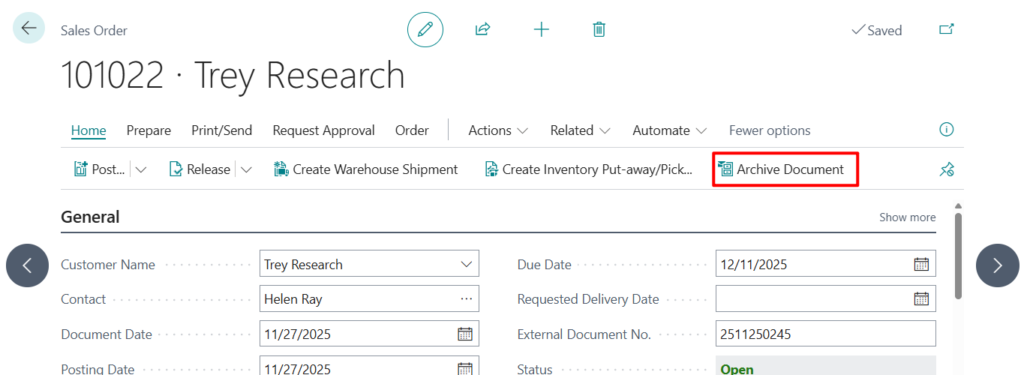
And we can manually archive a sales order.
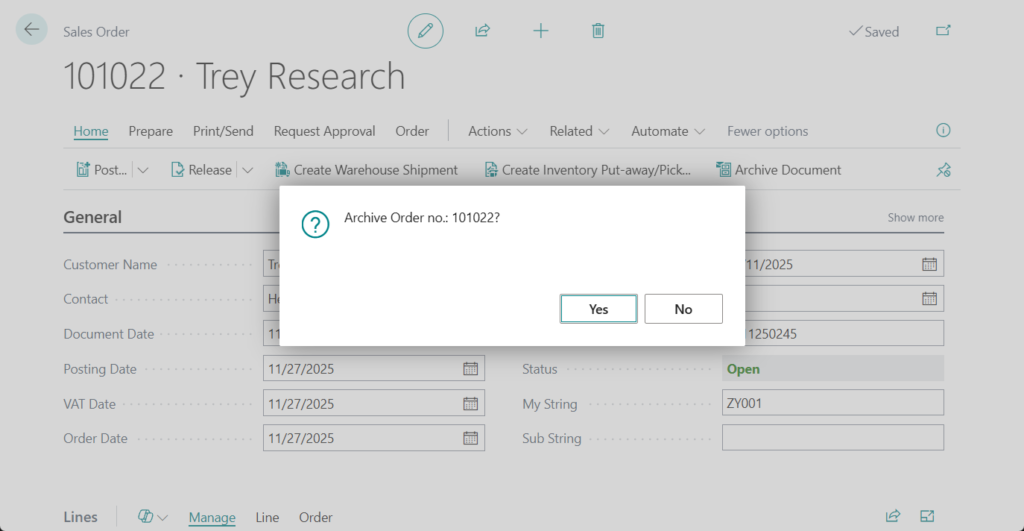
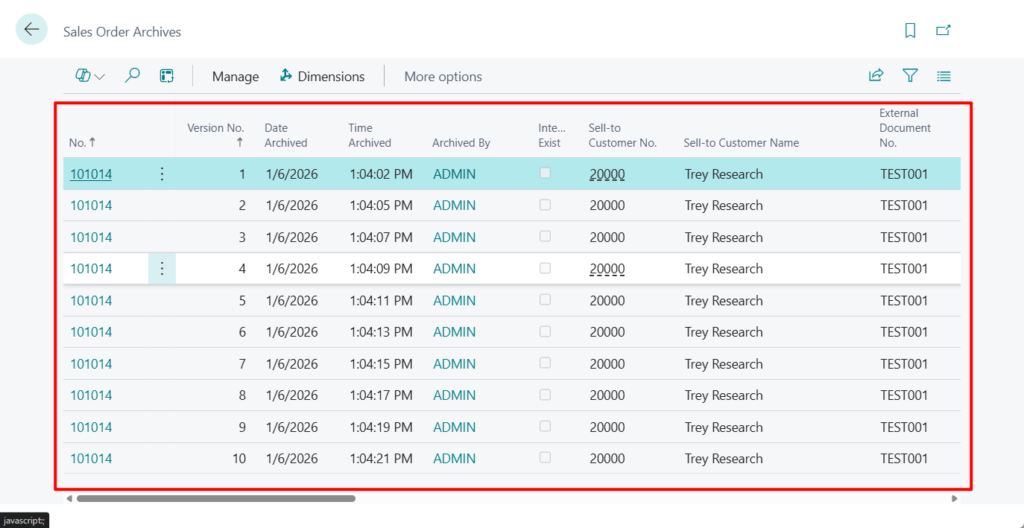
The sales order is archived. You can view it on the Archived Sales Orders page.

Here’s a requirement: since archives may contain many versions, is it possible to clean them up periodically?
Yes, this can be done in the standard functionality.
You can use a retention policy to clean up archived versions that you no longer need.
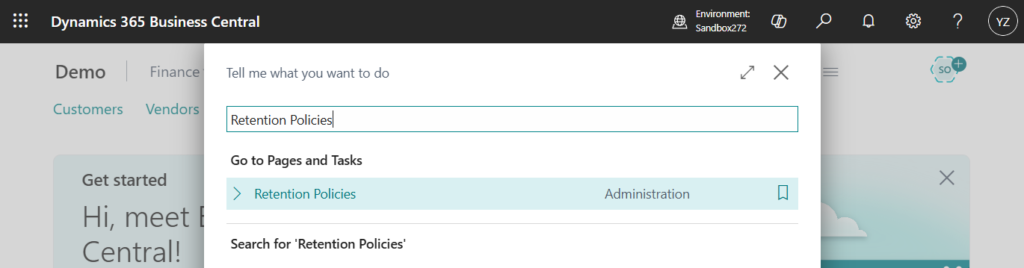
Retention policies let administrators define how long they want to store data. For example, they can set up a policy that deletes data after an expiration date. Learn more in Define Retention Policies.
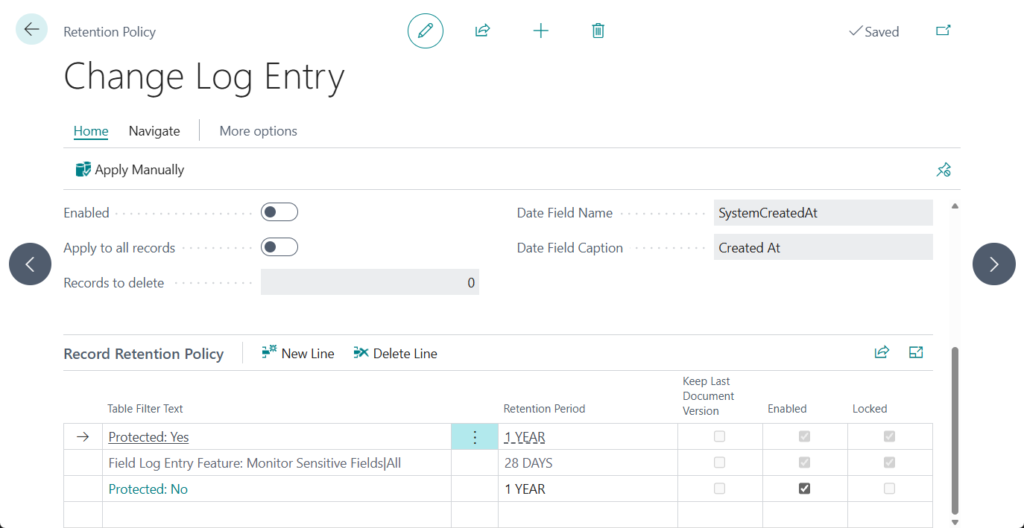
Let’s look at a simple example.
Choose New on the Retention Policies page.
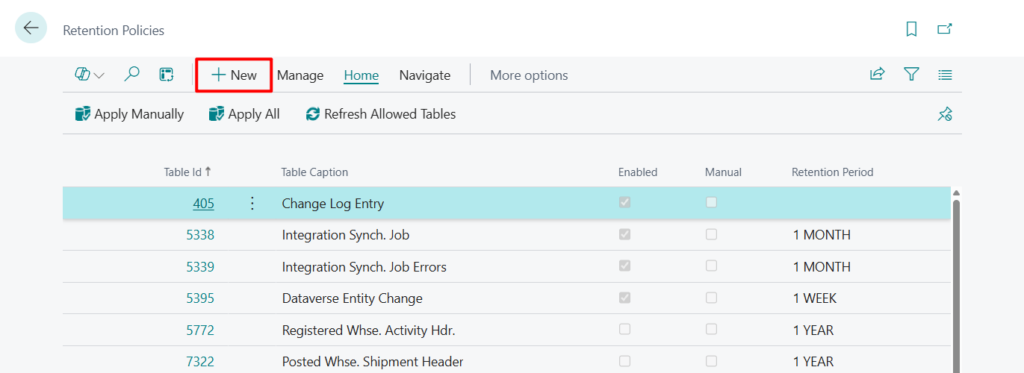
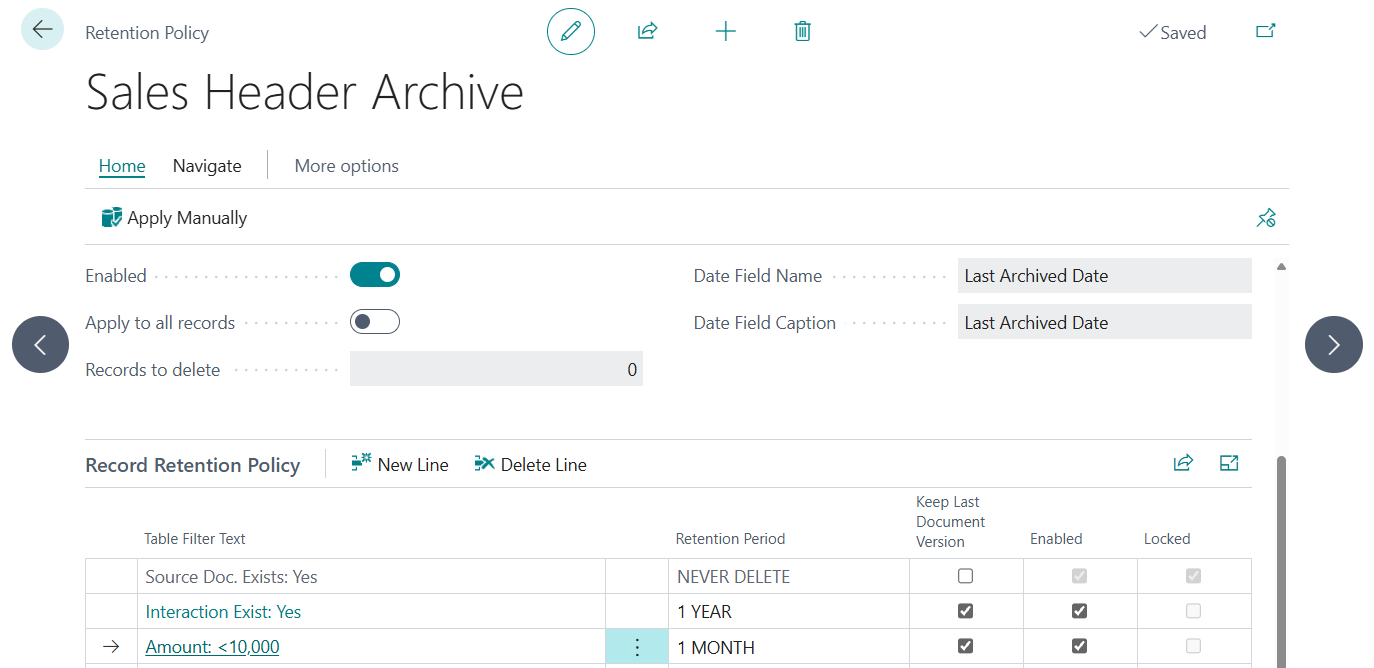
Select the archive related tables that you need to clean up regularly.
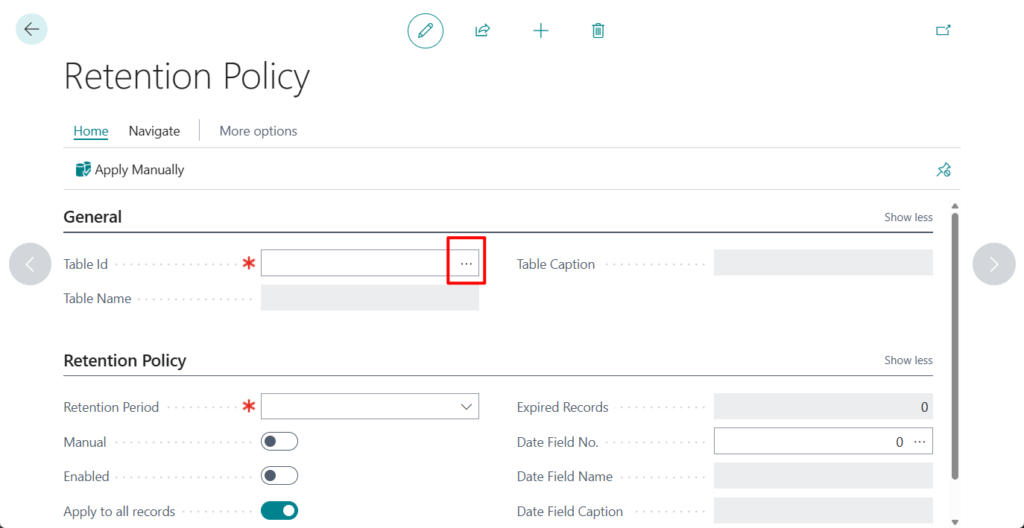
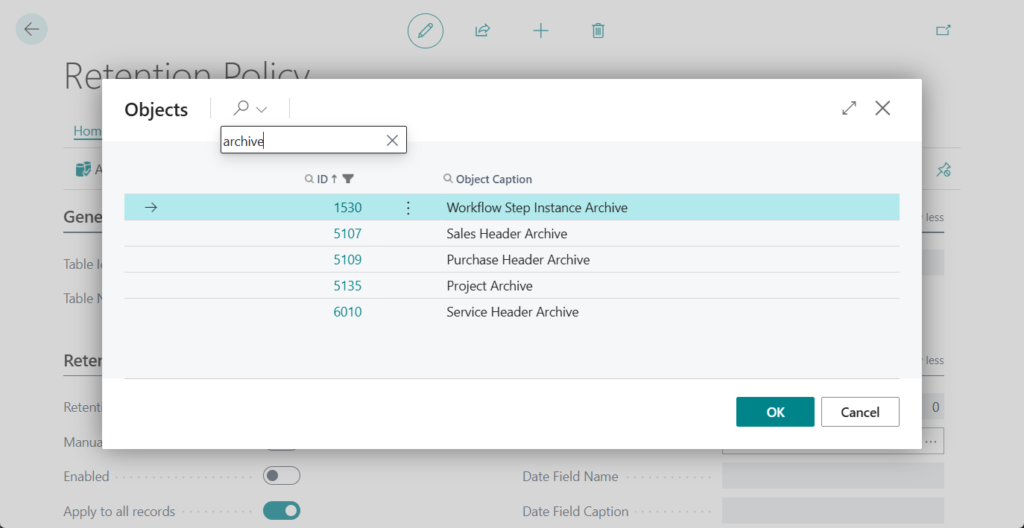
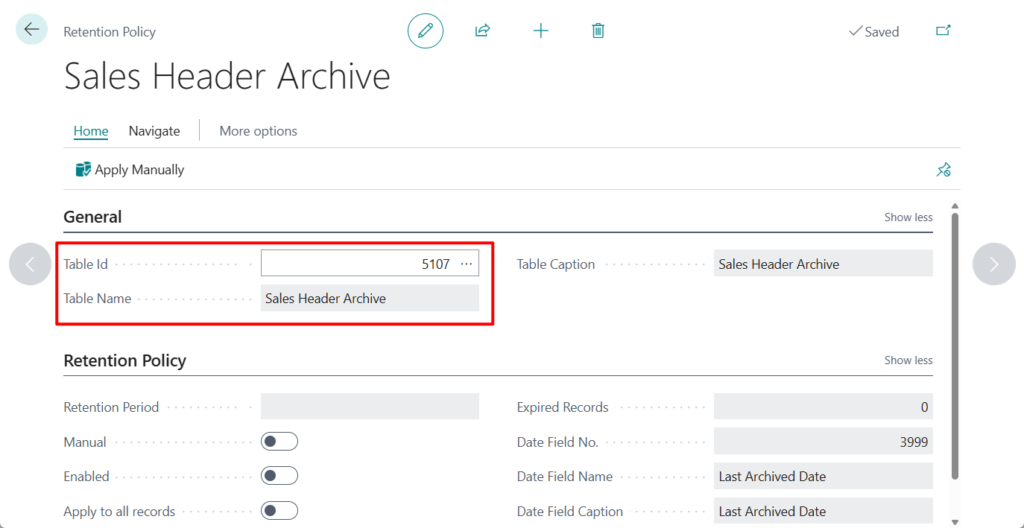
For example, 5107 Sales Header Archive
There are a few things to note about creating retention policies for archived documents and projects:
- If the original document isn’t deleted, Business Central you can’t delete the archived versions. Archived versions don’t expire as long as the original exists.
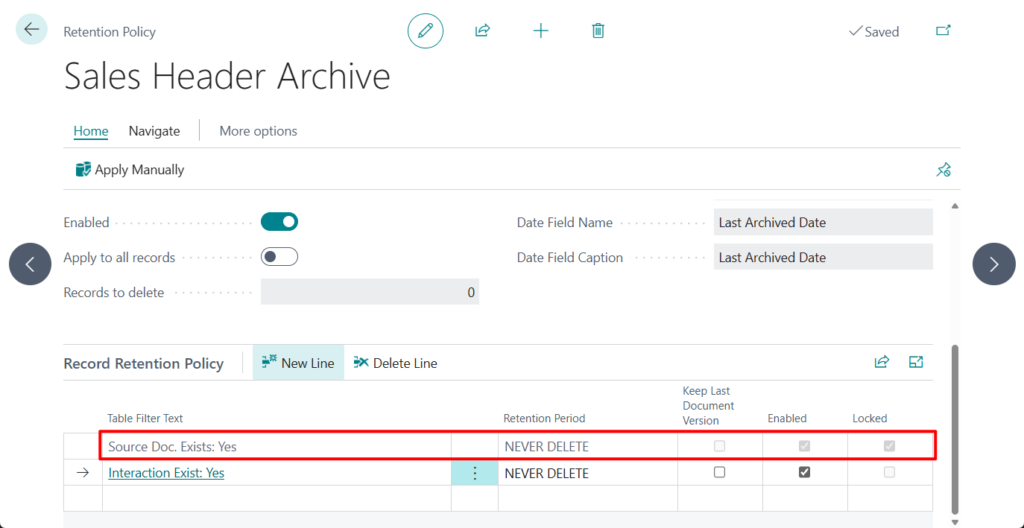
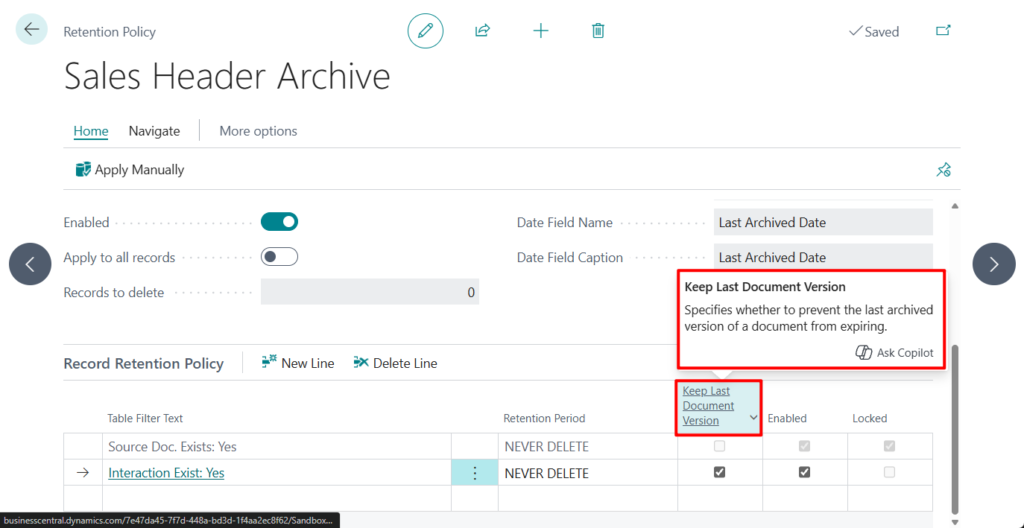
- When you set up the retention policy, you can specify that you want the policy to delete all archived versions except the most recent. For example, you might have 10 versions and want to keep a copy of the latest.
- Business Central calculates the expiration date for documents based on the date of the most recent archived version.
Keep Last Document Version
Specifies whether to prevent the last archived version of a document from expiring.
Policies can include all data in the tables that is past the expiration date, or they can add filter criteria that will include only certain expired data in the policy.
So if you want to reduce the number of entries you can create a retention policy that will delete entries after a specified period of time.
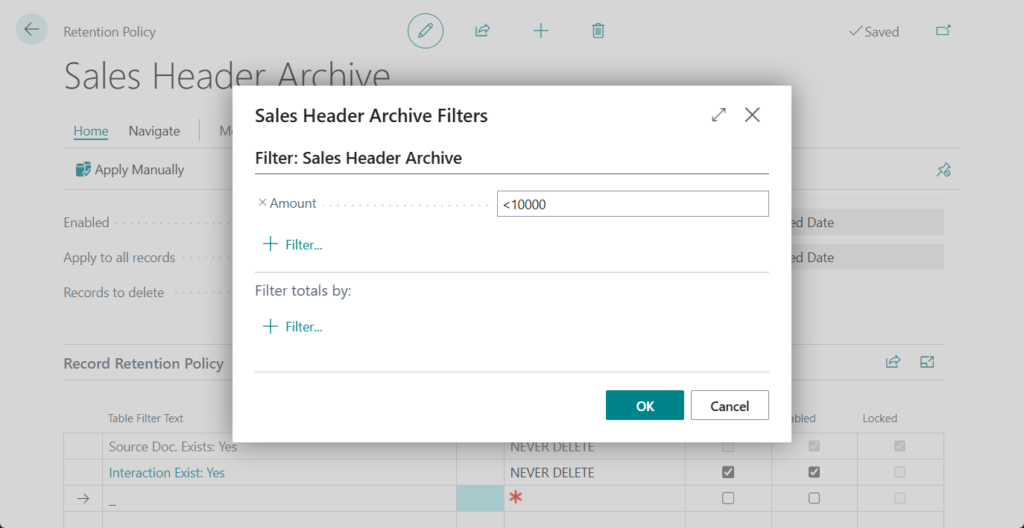
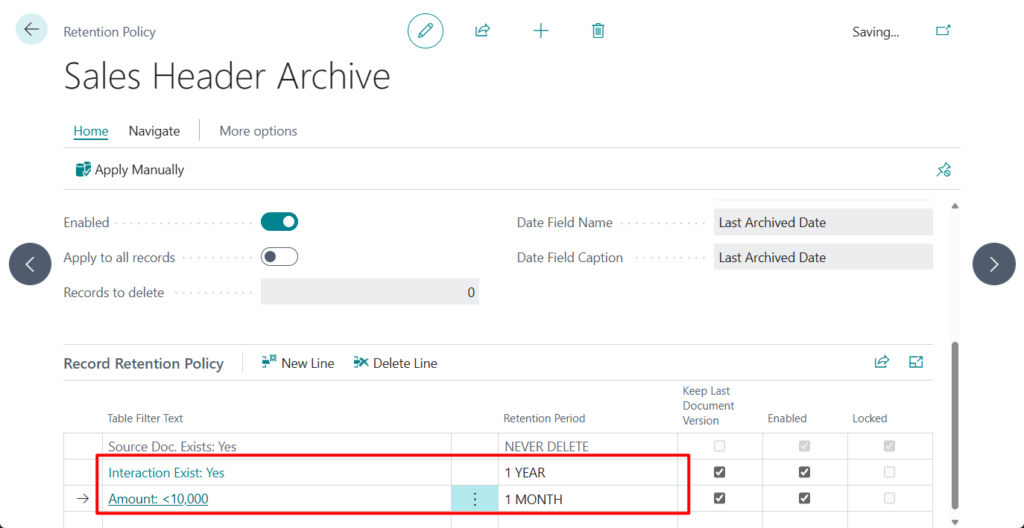
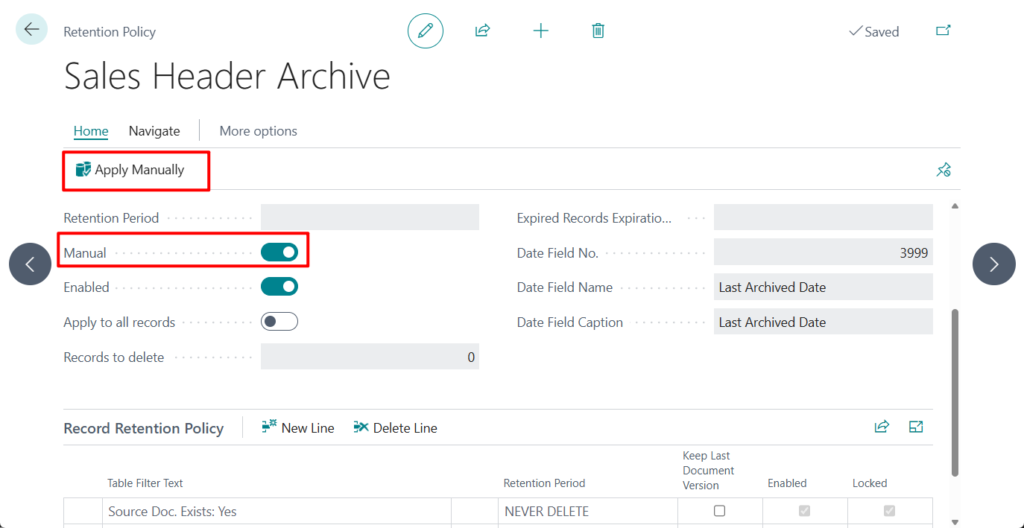
Alternatively, you can perform the cleanup manually. This is very convenient.
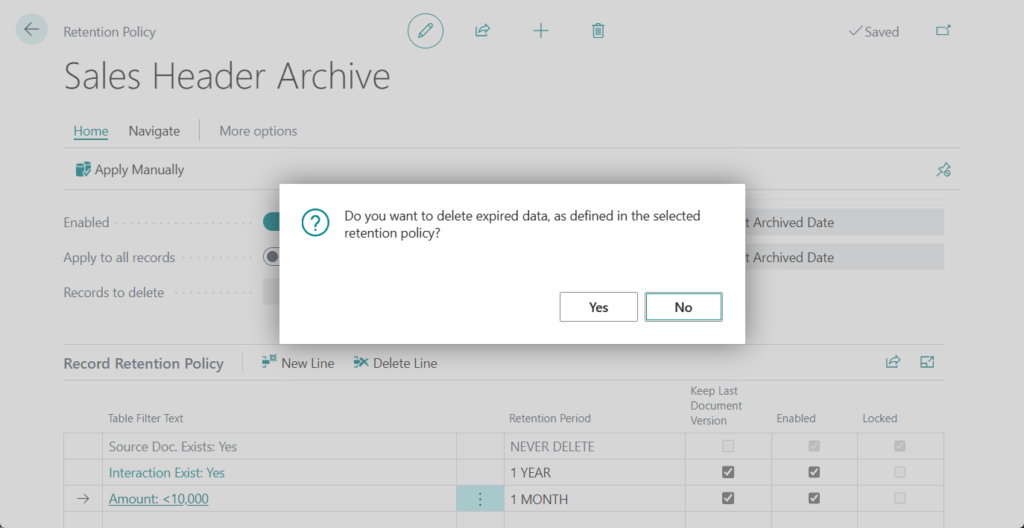
Great, give it a try!!!😁
PS:
1. Before you can create retention policies, you must set up the tables to include and the periods of time to keep data.
| Setup | Description |
|---|---|
| Allowed Tables | We provide a list of tables that you can include in retention policies. If you want to add tables from an extension to a retention policy, a developer must add their tables to the list. To learn more, go to Include your extension in a retention policy. |
| Retention Periods | Specify periods of time for which to keep data in the tables in a policy. The periods determine how often data is deleted. |
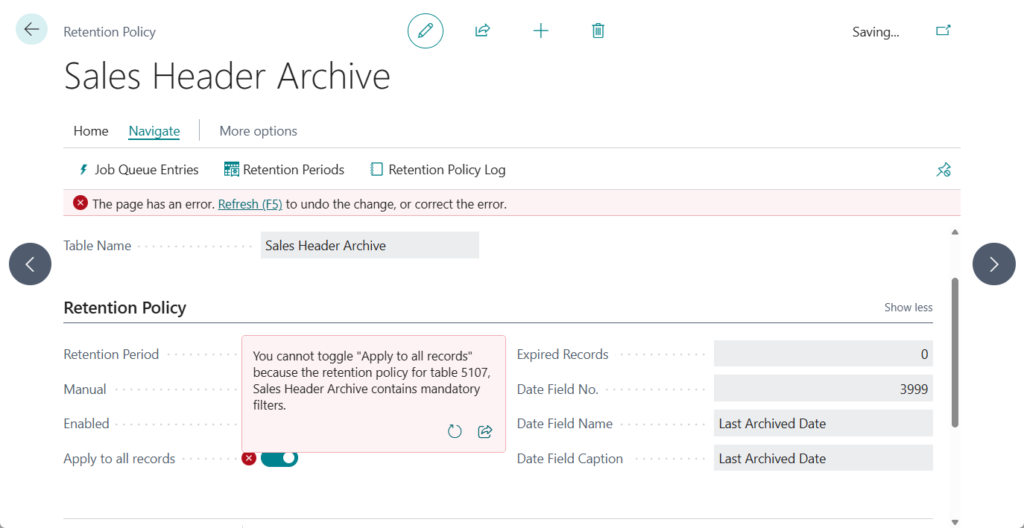
2. You cannot toggle “Apply to all records” because the retention policy for table 5107, Sales Header Archive contains mandatory filters.
3. Archive sales, purchase, project, and service documents – Business Central | Microsoft Learn
END
Hope this will help.
Thanks for reading.
ZHU
コメント