
Hi, Readers.
Today I would like to share another mini tip about Business Central, how to use the OData V4 IN operator in web service queries.
This is a question I’ve been asked before, ‘The documentation claims this is supported, so why am I running into an error?’
Let’s take a look at the documentation first; this is one of the new features in Business Central 2024 wave 1 (BC24).
Use the OData V4 IN operator in web service queries:
Business value:
Integrators can now use OData IN operator when querying Business Central web services. This can simplify OData queries and therefore make integrations easier to develop.Feature details:
Before this release, to query an OData endpoint, a developer needed to write a filter expression. For example, to query an API for a short list of customer numbers, the developer wrote$filter=CustomerNo eq '10000' or CustomerNo eq '20000' or CustomerNo eq '30000'.With this release, the developer can use the OData IN operator and write
https://learn.microsoft.com/en-us/dynamics365/release-plan/2024wave1/smb/dynamics365-business-central/use-odata-v4-operator-web-service-queries?wt.mc_id=DX-MVP-5004336$filter=CustomerNo IN ('10000','20000','30000').

Prior to this release, a developer who wanted to query an OData endpoint—for example, to query an API for a (short) list of Customer numbers—would have to write a filter expression such as ?$filter=No eq ‘10000’ or No eq ‘20000’ or No eq ‘30000’.
https://api.businesscentral.dynamics.com/v2.0/c8558e71-6ad8-4fcd-9f29-3ca165b41bbe/Sandbox234/ODataV4/Company('My%20Company')/Customers?$filter=No eq '10000' or No eq '20000' or No eq '30000'
With this release, they can just write $filter=CustomerNo IN ('10000','20000','30000') by using the OData IN operator. Unfortunately, using it directly will trigger an error.
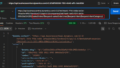
https://api.businesscentral.dynamics.com/v2.0/7e47da45-7f7d-448a-bd3d-1f4aa2ec8f62/Sandbox273/ODataV4/Company('Demo')/Customers?$filter=No in ('10000', '20000', '30000'){
“error”: {
“code”: “BadRequest_MethodNotImplemented”,
“message”: “The OData filter expression is not supported. CorrelationId: 0971fe71-7603-48dc-9396-0d869e289d4a.”
}
}
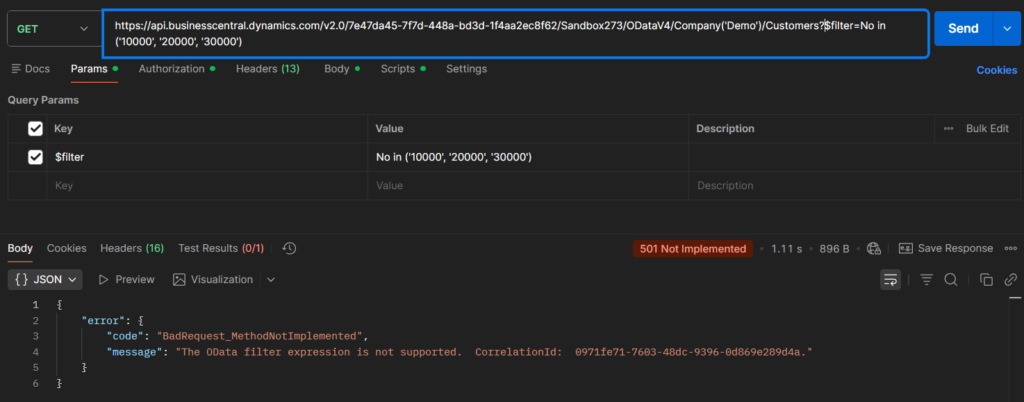
Why is that? Is there a mistake in Microsoft’s documentation?
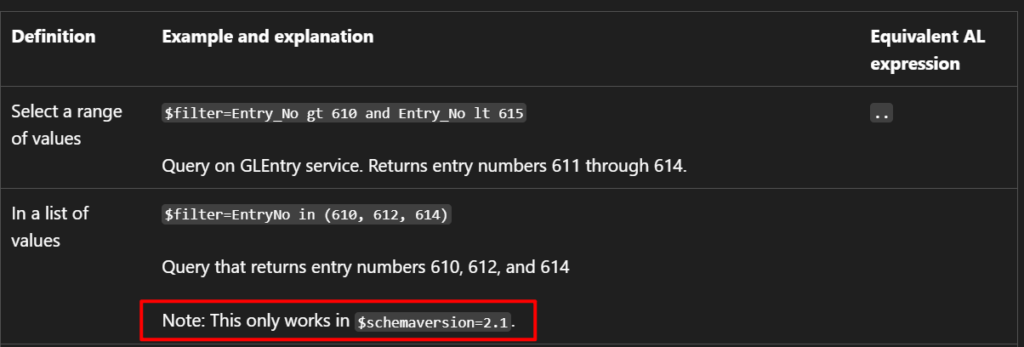
Actually, that’s not quite the case. Let’s take a closer look at a specific point in the documentation below.
Using filter expressions in OData URIs:
Note: This only works in $schemaversion=2.1.
Therefore, we need to specify the schemaversion in the endpoint, for example, schemaversion=2.1
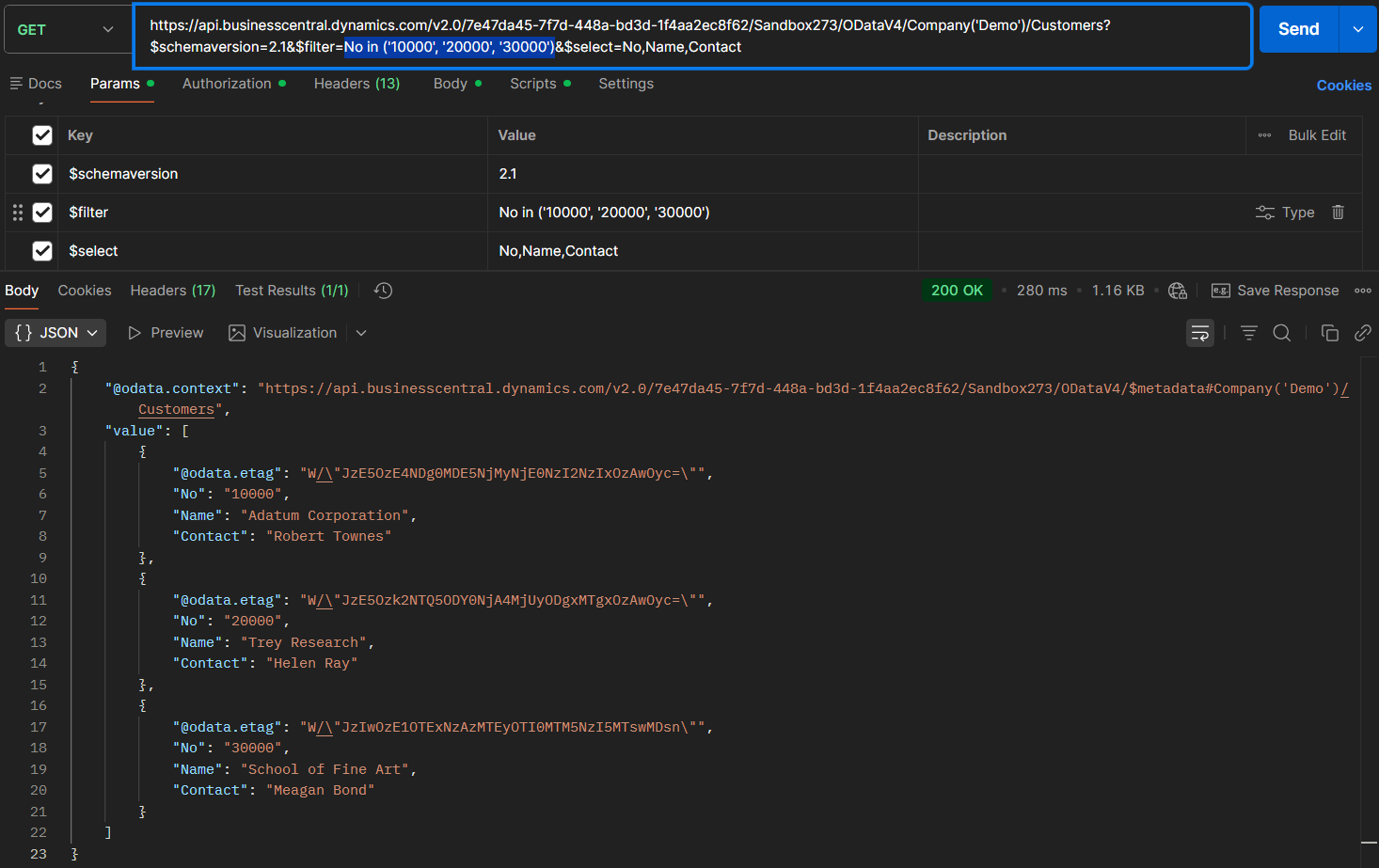
https://api.businesscentral.dynamics.com/v2.0/7e47da45-7f7d-448a-bd3d-1f4aa2ec8f62/Sandbox273/ODataV4/Company('Demo')/Customers?$schemaversion=2.1&$filter=No in ('10000', '20000', '30000')&$select=No,Name,ContactDone.
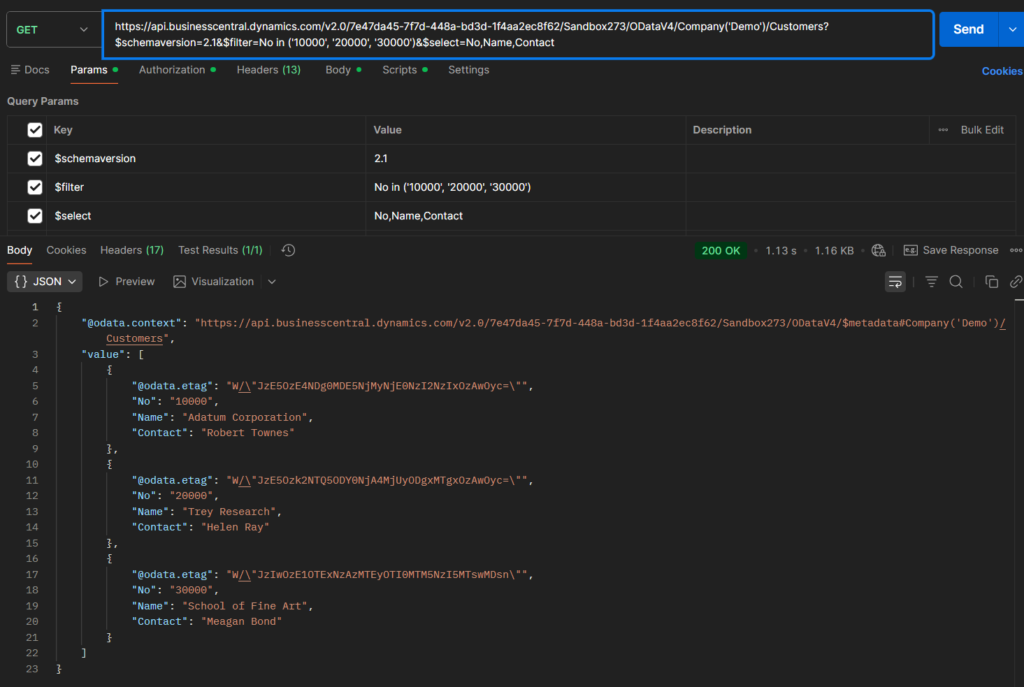
Great, give it a try!!!😁
END
Hope this will help.
Thanks for reading.
ZHU
コメント