

Hi, Readers.
Today I would like to talk about how to quickly get next Sequence/Entry Number (without using FindLast -> Entry No. + 1).
As you might know, there are generally three ways to generate the primary key of a table in Business Central.
1. Using No. Series or Manual entry
For example, the Customer (18) table
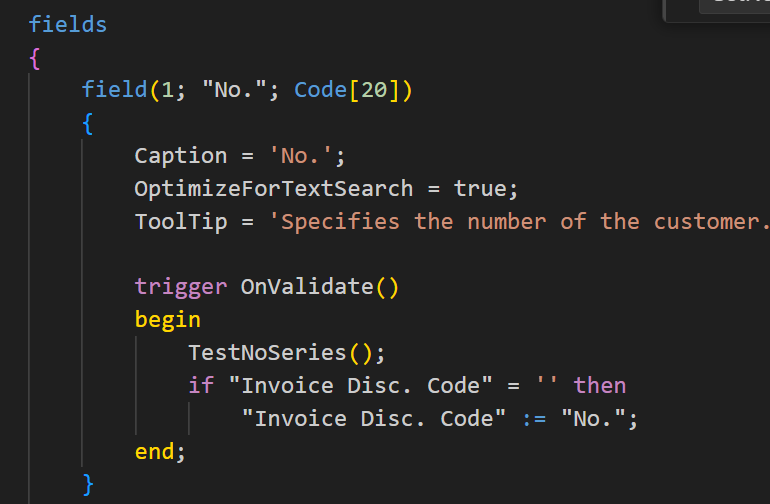
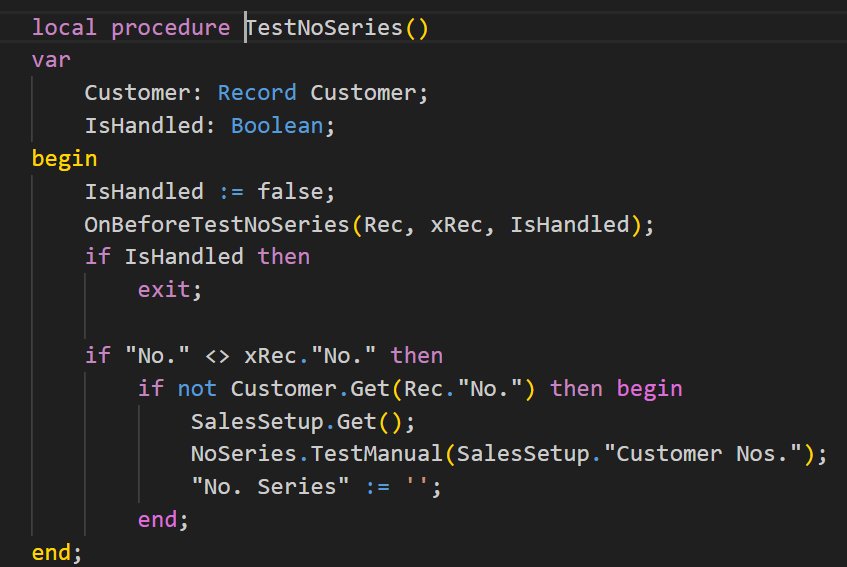

2. Using AutoSplitKey Property
For example, the Sales Line (37) table
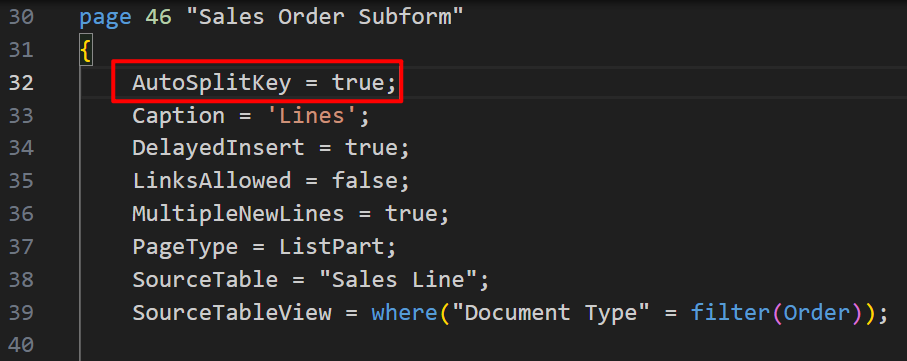
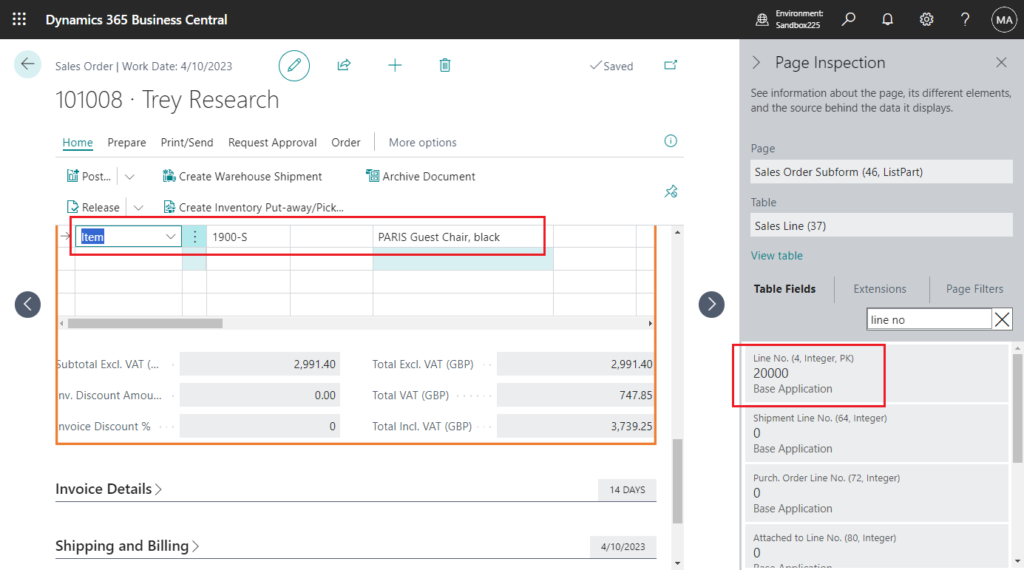
More details: The line cannot be split & There is not enough space to insert correction lines (AutoSplitKey Property)
3. Find the last number and plus 1 (Ledger table)
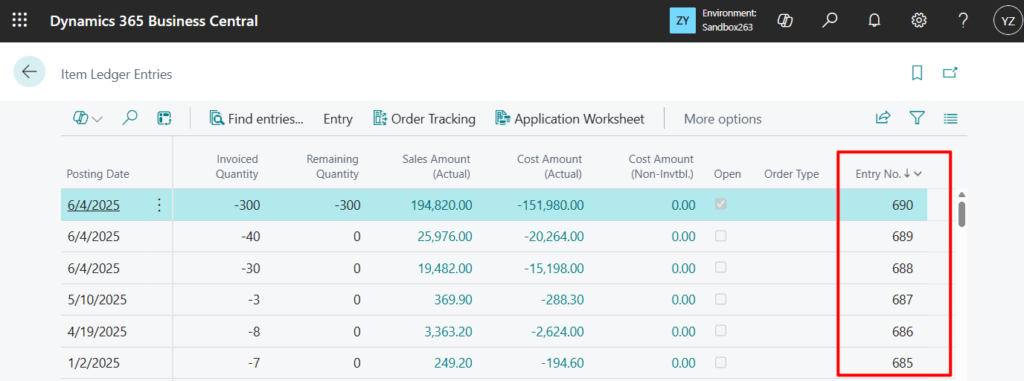
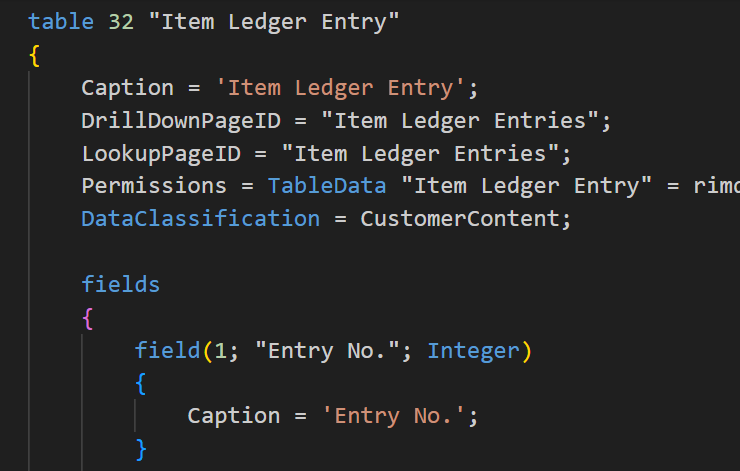
For example, the Item Ledger Entry (32) table:
And the G/L Entry (17) table:
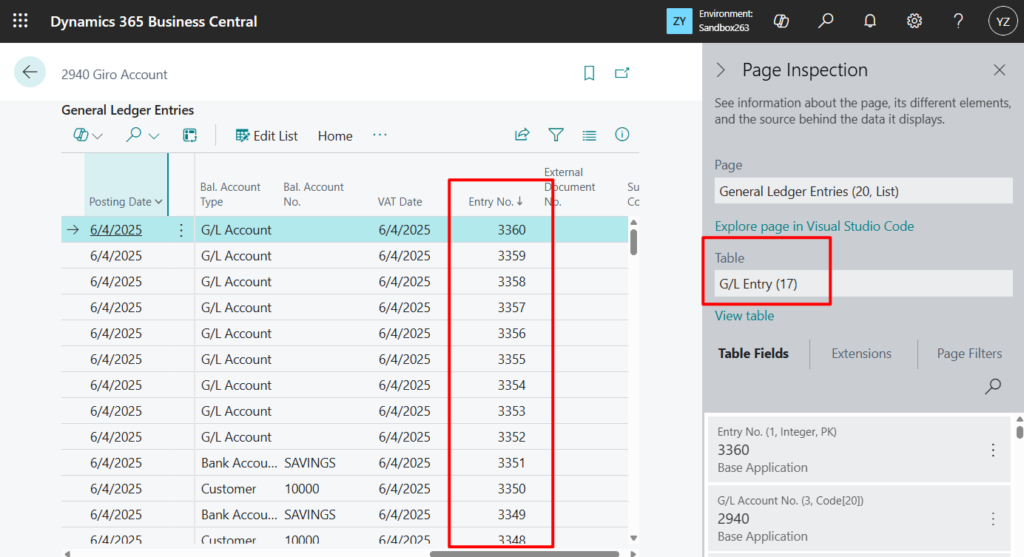
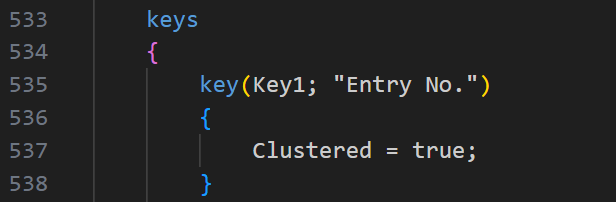
The primary key is Integer Data Type and has only one field.
PS: The primary key of the setup table is treated specially, see the post below for details.
More details: Matters needing attention when creating a new setup page
In Business Central, the ledger table that archives entries basically uses the third method.
PS: In ledger tables, you can find the transactional information of a functional domain. Examples of ledger tables are the Cust. Ledger Entry and Item Ledger Entry tables.
The primary key of a ledger table is an integer field named Entry No. This key is automatically generated by the posting routine that controls the ledger table and is incremented by one.
Therefore, when we add a ledger table in our own customization, or add data to the standard ledger tables from the code, get the last number and plus 1 as the new sequence/entry number (Primary key).
Here is a very simple example, and sometimes, in order to avoid the possibility of simultaneous insertion, it is necessary to add the LockTable() method before Findlast().

There’s nothing wrong with this approach, but there’s actually another standard pattern to do it. We can simply use codeunit 9500 “Sequence No. Mgt.”.
procedure GetNextSeqNo and procedure GetCurrentSeqNo:

This is already used in standard code, such as table 32 “Item Ledger Entry” -> procedure GetNextEntryNo():

And table 5802 “Value Entry”:
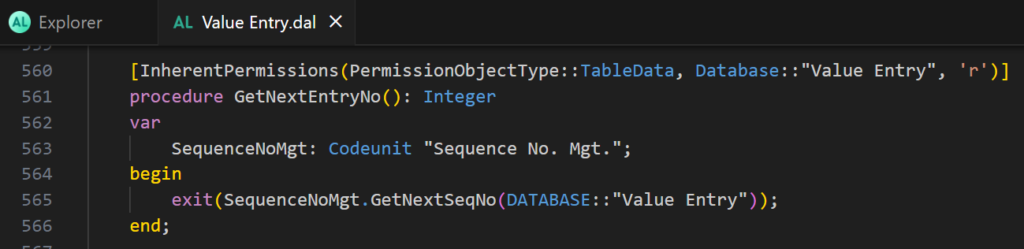
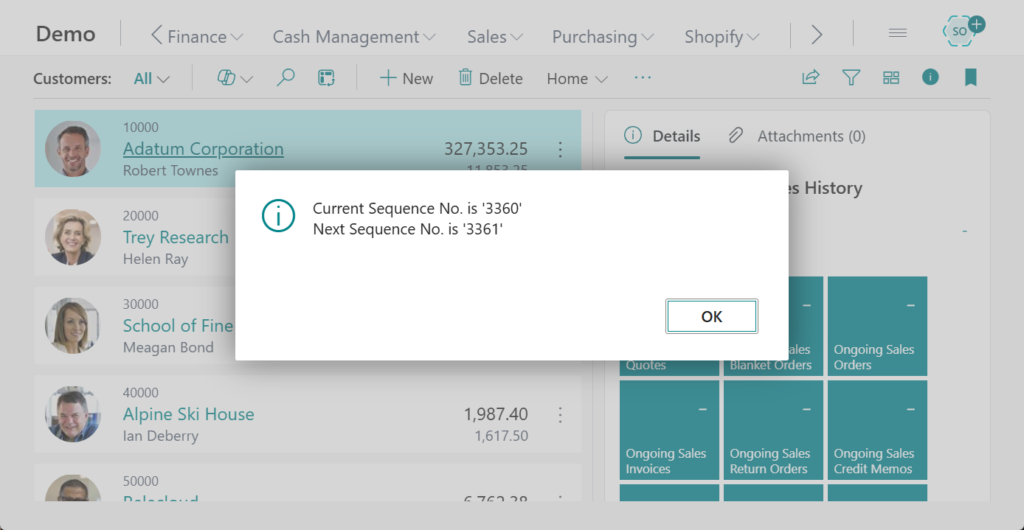
The method of use is also very simple, just need to pass the table number. For example, in the above example, the same result can be achieved by using the following method.

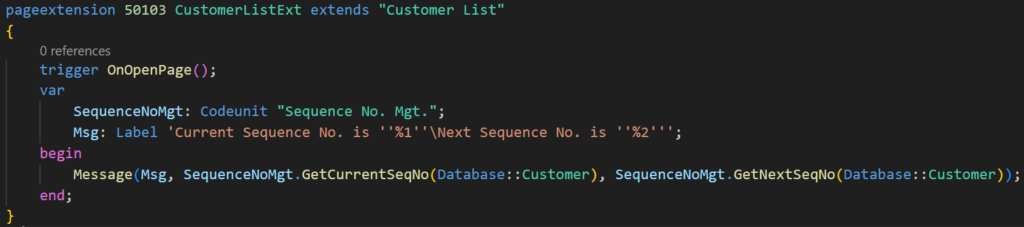
Test code:
pageextension 50103 CustomerListExt extends "Customer List"
{
    trigger OnOpenPage();
    var
        SequenceNoMgt: Codeunit "Sequence No. Mgt.";
        Msg: Label 'Current Sequence No. is ''%1''\Next Sequence No. is ''%2''';
    begin
        Message(Msg, SequenceNoMgt.GetCurrentSeqNo(Database::"G/L Entry"), SequenceNoMgt.GetNextSeqNo(Database::"G/L Entry"));
    end;
}
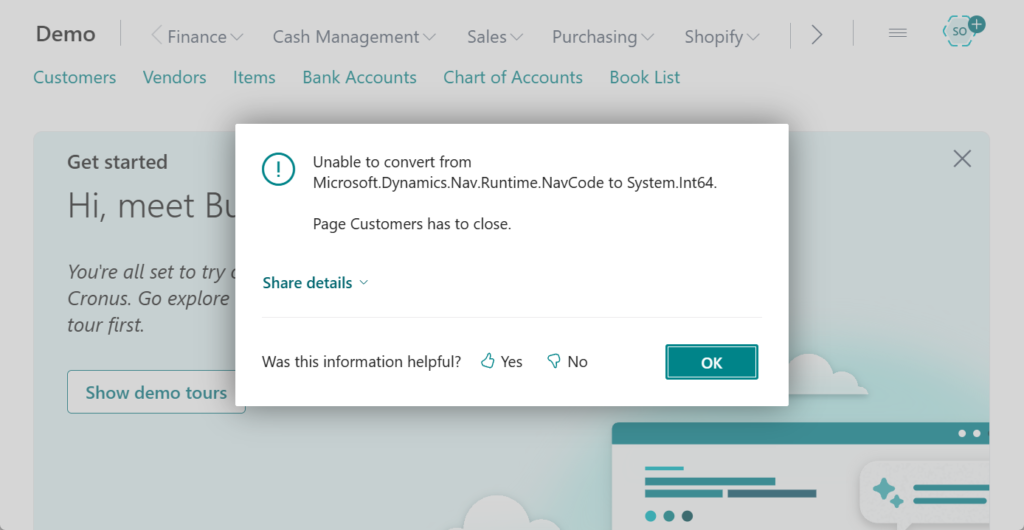
PS: If the table primary key passed in is not Integer Data Type, a runtime error will occur.
Unable to convert from Microsoft.Dynamics.Nav.Runtime.NavCode to System.Int64. Page Customers has to close.
Great, give it a try!!!😁
END
Hope this will help.
Thanks for reading.
ZHU

コメント