

Hi, Readers.
The public preview for Dynamics 365 Business Central 2025 release wave 2 (BC27) is available. Learn more: Link.
I will continue to test and share some new features that I hope will be helpful. In this post, I would like to talk about Tenant administrators can set Feature Management switches with an API.
Tenant administrators can set Feature Management switches with an API:
Business value:
The new API for Feature Management empowers tenant admins to streamline and scale their operations by automating feature switch settings across multiple companies and environments. It reduces manual effort, minimizes errors, and ensures consistent feature configurations. By integrating this capability into existing deployment or configuration pipelines, businesses can accelerate rollouts and maintain tighter control over feature availability. Ultimately, this leads to improved operational efficiency and a more agile response to changing business needs.
https://learn.microsoft.com/en-us/dynamics365/release-plan/2025wave2/smb/dynamics365-business-central/tenant-administrators-set-feature-management-switches-api?wt.mc_id=DX-MVP-5004336
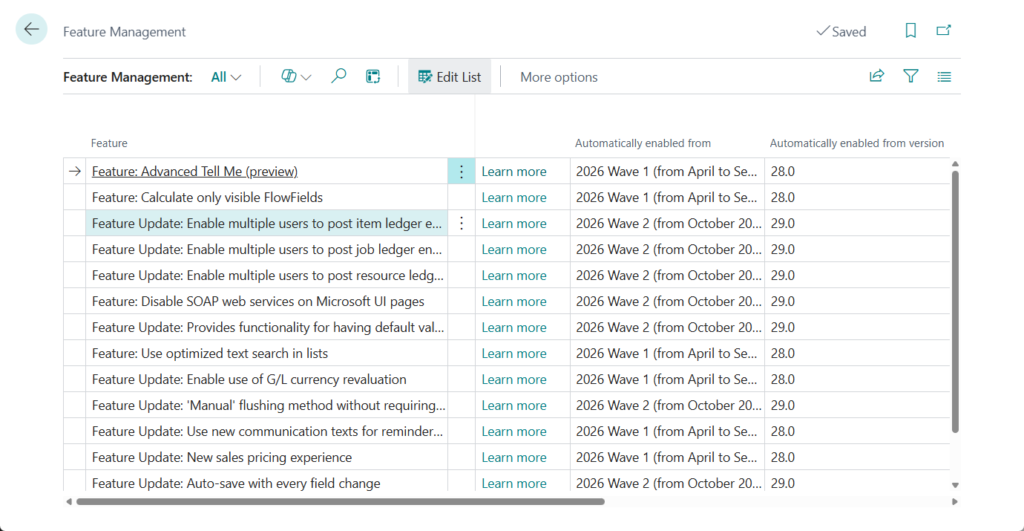
Tenant admins can now control entries on the Feature Management page using an API. This allows them to automate setting feature switches across multiple companies and/or environments. Since Microsoft’s documentation didn’t provide the API endpoint, I eventually found it in the standard code.
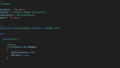
APIV2FeatureManagement.Page.al: This is an automation API
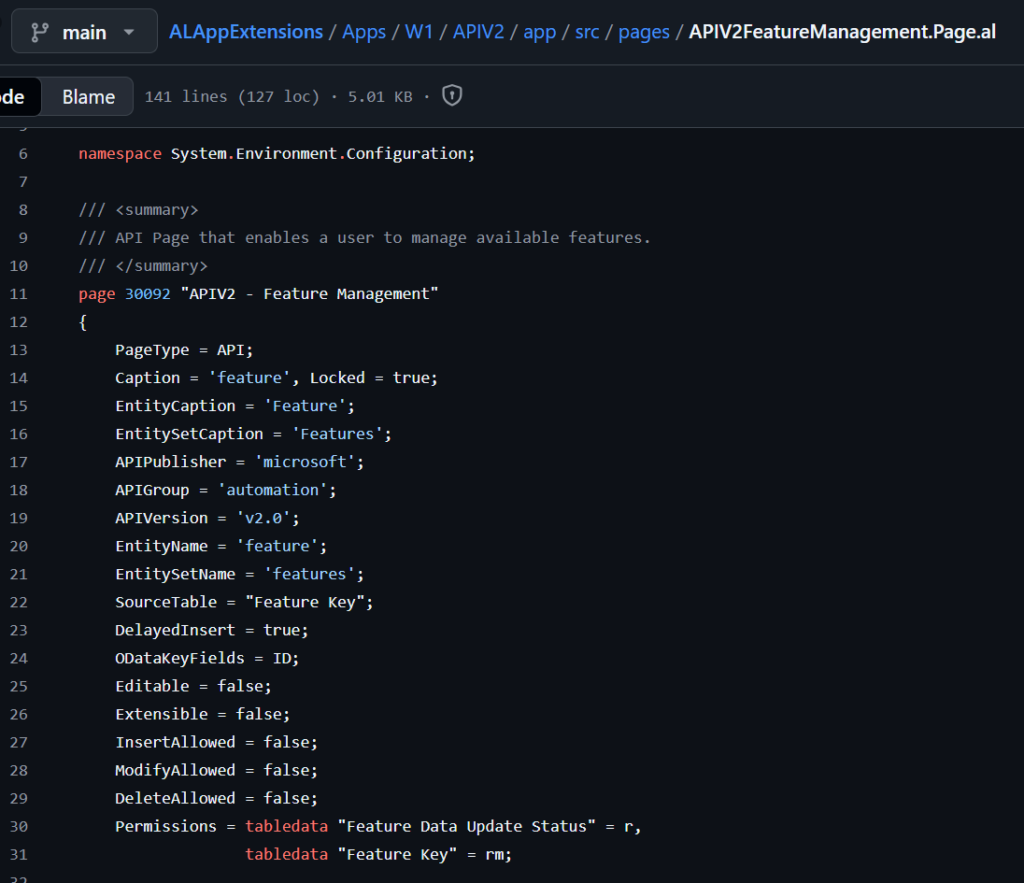
Automation APIs provide capability for automating company setup through APIs. Once the tenants have been created, the automation APIs can be used, in order to hydrate the tenant – to bring the tenant up to a desired state. Usually this involves creating a new company on the tenant, running RapidStart packages, installing extensions, adding users to user groups and assigning permission sets to users.
Delegated admin credentials and Dynamics 365 Business Central users with permissions, can call the APIs. More details:
- Automation APIs for Dynamics 365 Business Central SaaS
- Business Central 2021 wave 2 (BC19) new features: New automation API (profiles and userGroupPermissions)
With this wave (BC27), the following operations are possible with the new API:
- Get a list of current feature switches and their state.
- Get the current state for a feature switch.
- Set the current state (activated/de-activated) for a feature switch.
Let’s see more details.
Endpoints for the Automation APIs:
https://api.businesscentral.dynamics.com/v2.0/user domain name/environment name/api/microsoft/automation/v2.0/For Example: My test environment
Tenant ID (user domain name): 7e47da45-7f7d-448a-bd3d-1f4aa2ec8f62
Environment name: Sandbox27P
Endpoints: https://api.businesscentral.dynamics.com/v2.0/7e47da45-7f7d-448a-bd3d-1f4aa2ec8f62/Sandbox27P/api/microsoft/automation/v2.0/

From the list of available automation APIs that opens, you can see this new API.
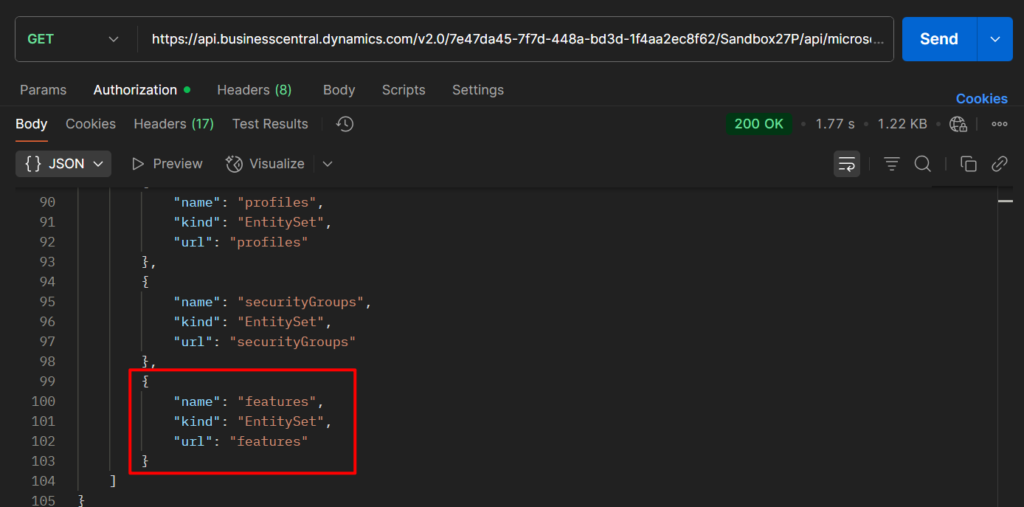
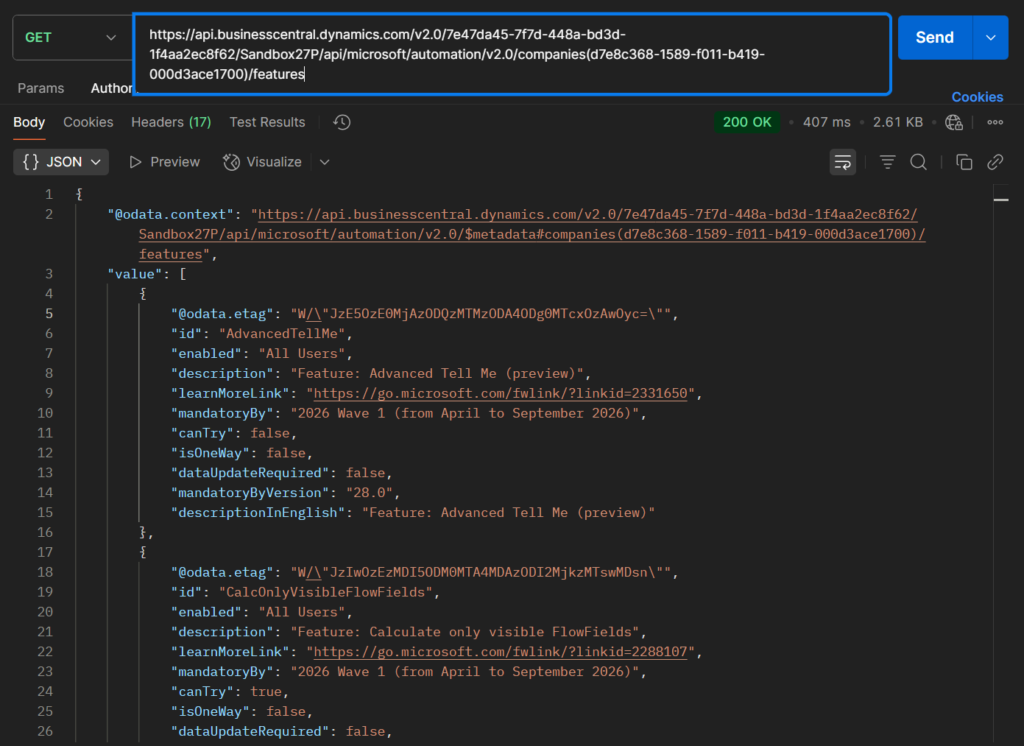
Endpoint: Get
https://api.businesscentral.dynamics.com/v2.0/7e47da45-7f7d-448a-bd3d-1f4aa2ec8f62/Sandbox27P/api/microsoft/automation/v2.0/companies(d7e8c368-1589-f011-b419-000d3ace1700)/featuresThe data obtained here is the same as that on the Feature Management page. So we can get a list of current feature switches and their state, and the current state for a feature switch (All Users or None).
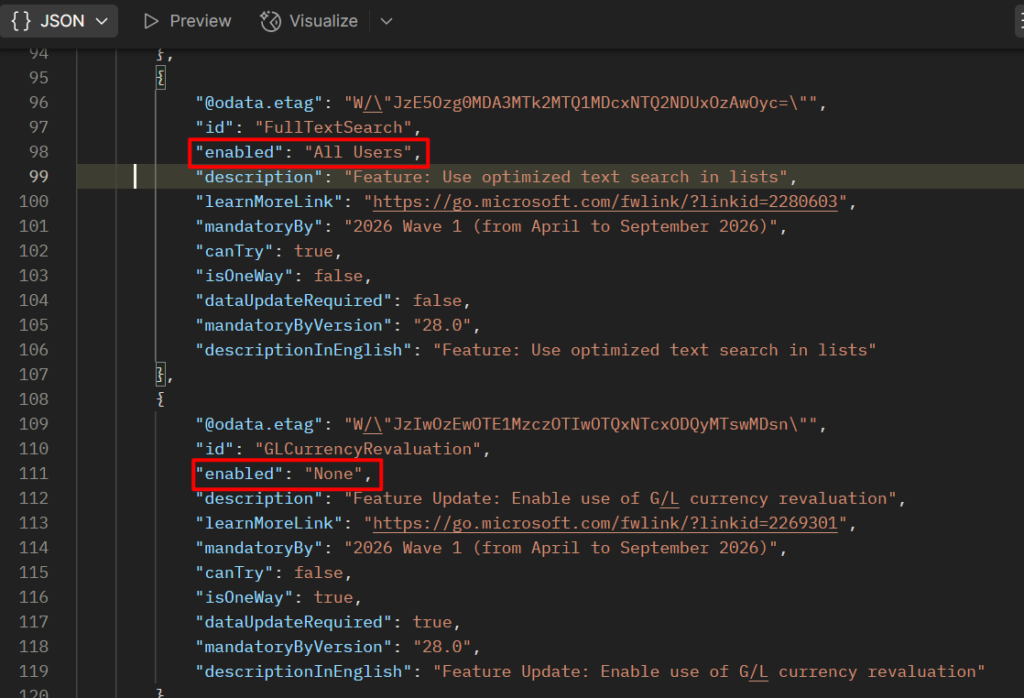
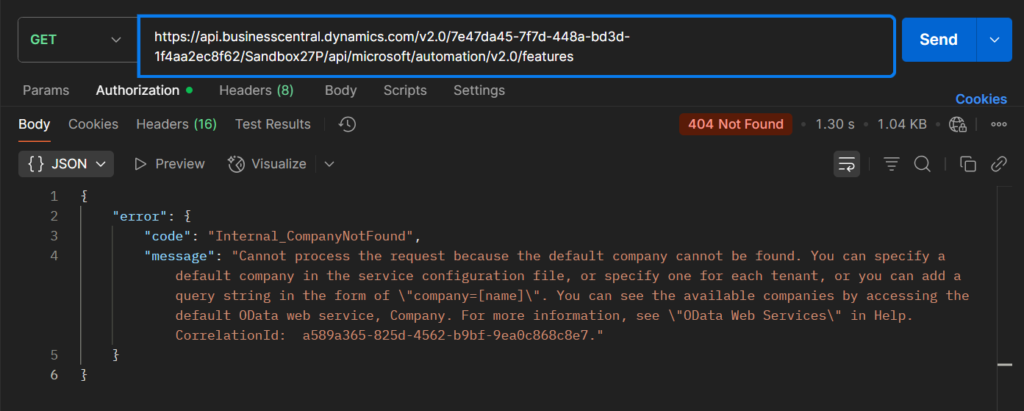
PS: In the Endpoint, the company parameter is required.
“error”: {
“code”: “Internal_CompanyNotFound”,
“message”: “Cannot process the request because the default company cannot be found. You can specify a default company in the service configuration file, or specify one for each tenant, or you can add a query string in the form of \”company=[name]\”. You can see the available companies by accessing the default OData web service, Company. For more information, see \”OData Web Services\” in Help. CorrelationId: a589a365-825d-4562-b9bf-9ea0c868c8e7.”
}
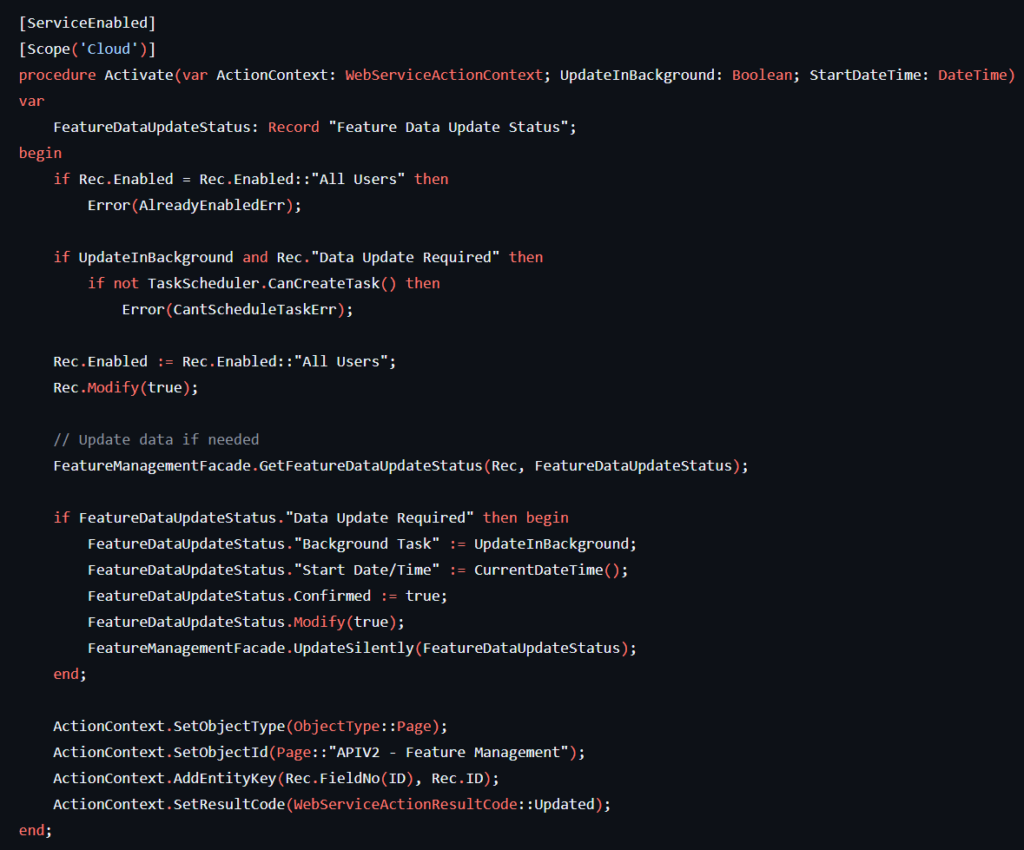
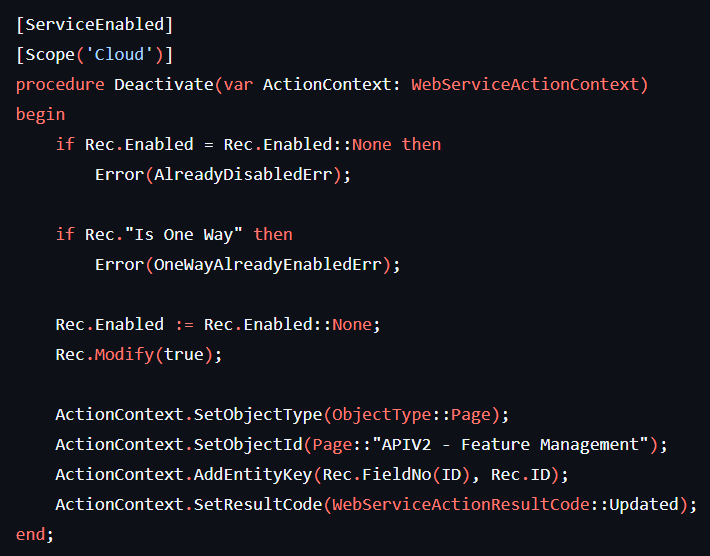
This API contains two methods that can be used to activate or deactivate the features.
For usage, please refer to the following posts
- Dynamics 365 Business Central: How to use Standard/Custom API Bound Actions
- Dynamics 365 Business Central: How to run AL procedure in Power Automate (Add custom execute actions)
- Dynamics 365 Business Central: Release a Sales Order with Power Automate
Since we need to get a single value, we need to use the following method, but please note that we need to add single quotes, otherwise the value cannot be found.
https://api.businesscentral.dynamics.com/v2.0/7e47da45-7f7d-448a-bd3d-1f4aa2ec8f62/Sandbox27P/api/microsoft/automation/v2.0/companies(d7e8c368-1589-f011-b419-000d3ace1700)/features('GLCurrencyRevaluation')/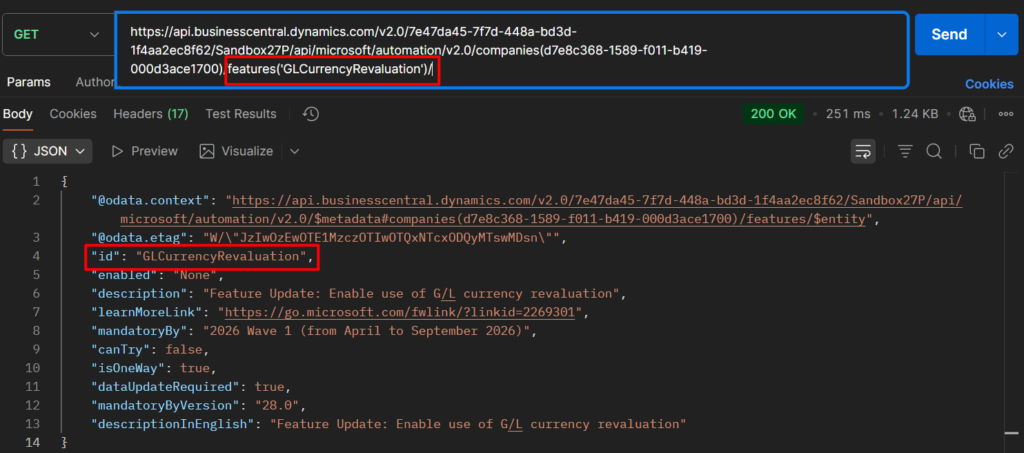
PS: Please note that batch processing is not possible
{
“error”: {
“code”: “BadRequest_NotFound”,
“message”: “The request URI is not valid. Since the segment ‘features’ refers to a collection, this must be the last segment in the request URI or it must be followed by an function or action that can be bound to it otherwise all intermediate segments must refer to a single resource.”
}
}
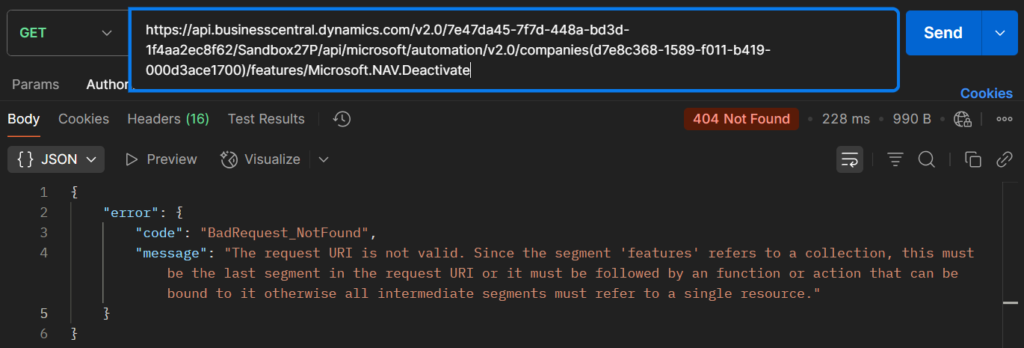
We can then call the Activate and Deactivate bound actions. For example, Deactivate AdvancedTellMe feature.
Post:
https://api.businesscentral.dynamics.com/v2.0/7e47da45-7f7d-448a-bd3d-1f4aa2ec8f62/Sandbox27P/api/microsoft/automation/v2.0/companies(d7e8c368-1589-f011-b419-000d3ace1700)/features('AdvancedTellMe')/Microsoft.NAV.Deactivate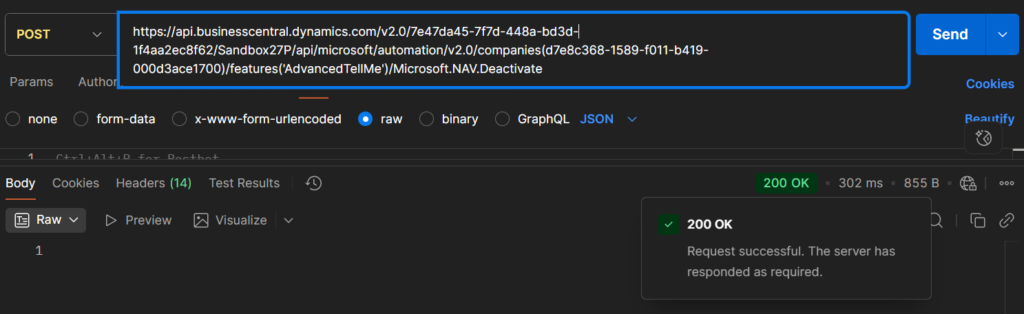
Running it again will prompt the following error.
{
“error”: {
“code”: “Application_DialogException”,
“message”: “This feature has already been disabled. CorrelationId: 93ee6a1c-c321-4f59-84dc-69fffff9c450.”
}
}
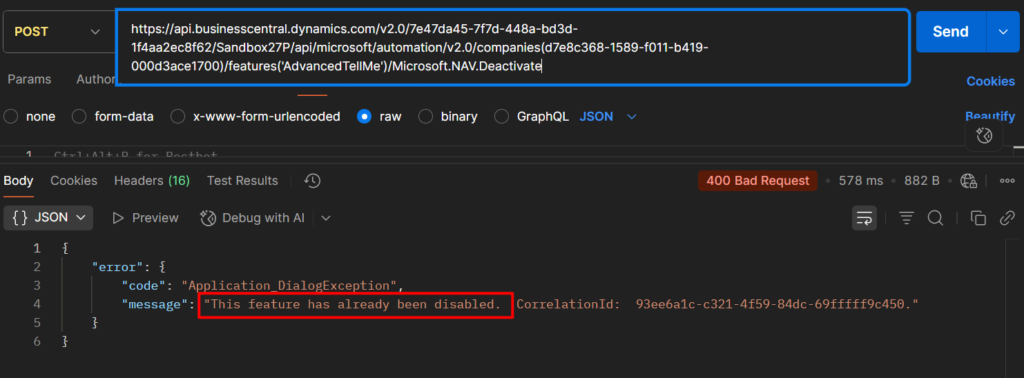
Let’s look at another example. Activate AdvancedTellMe feature
Post:
https://api.businesscentral.dynamics.com/v2.0/7e47da45-7f7d-448a-bd3d-1f4aa2ec8f62/Sandbox27P/api/microsoft/automation/v2.0/companies(d7e8c368-1589-f011-b419-000d3ace1700)/features('AdvancedTellMe')/Microsoft.NAV.ActivateBut for Activate action, as defined in the standard function above, we need to pass in some parameters.
{
“error”: {
“code”: “BadRequest”,
“message”: “Expected at least one parameter for the action, but none were provided. CorrelationId: 4a3c80c0-adf4-4b61-9aa5-f16f9eeb6834.”
}
}
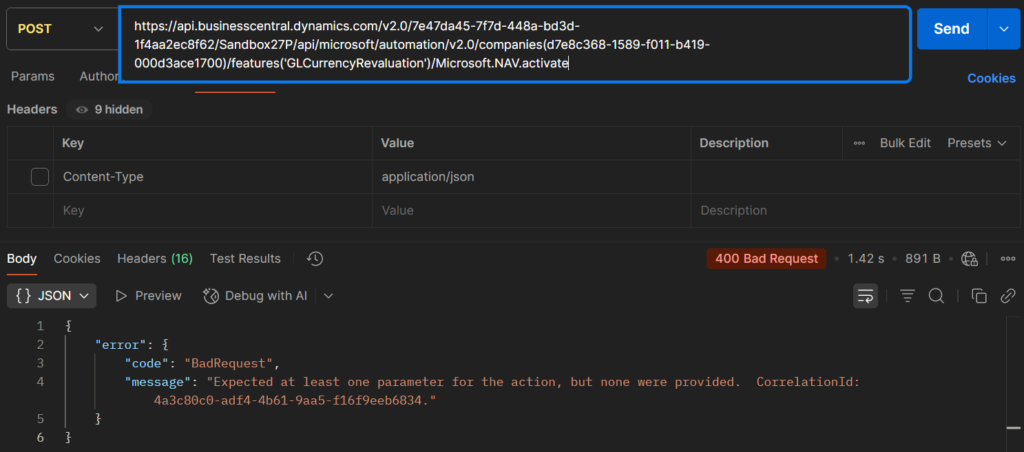
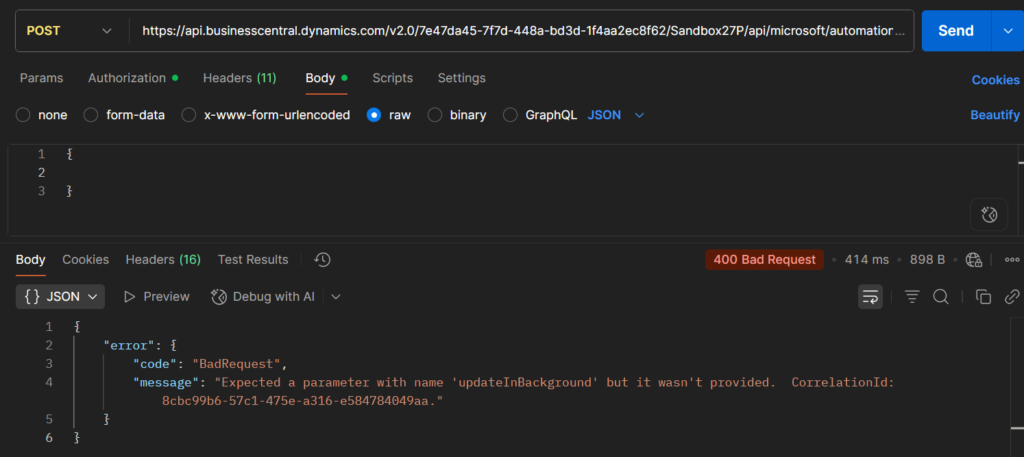
One is updateInBackground and the other is startDateTime. (When you send a post, you will get the following error message.)
{
“error”: {
“code”: “BadRequest”,
“message”: “Expected a parameter with name ‘updateInBackground’ but it wasn’t provided. CorrelationId: 8cbc99b6-57c1-475e-a316-e584784049aa.”
}
}
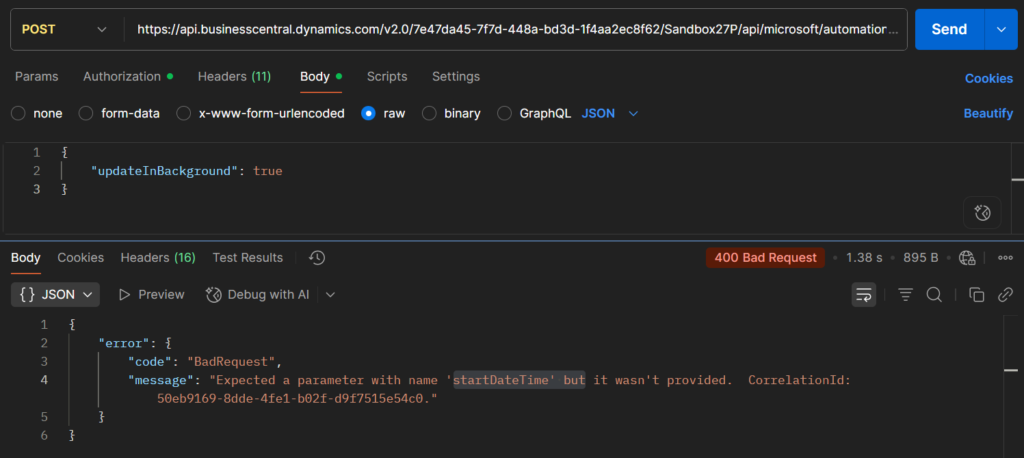
{
“error”: {
“code”: “BadRequest”,
“message”: “Expected a parameter with name ‘startDateTime’ but it wasn’t provided. CorrelationId: 50eb9169-8dde-4fe1-b02f-d9f7515e54c0.”
}
}
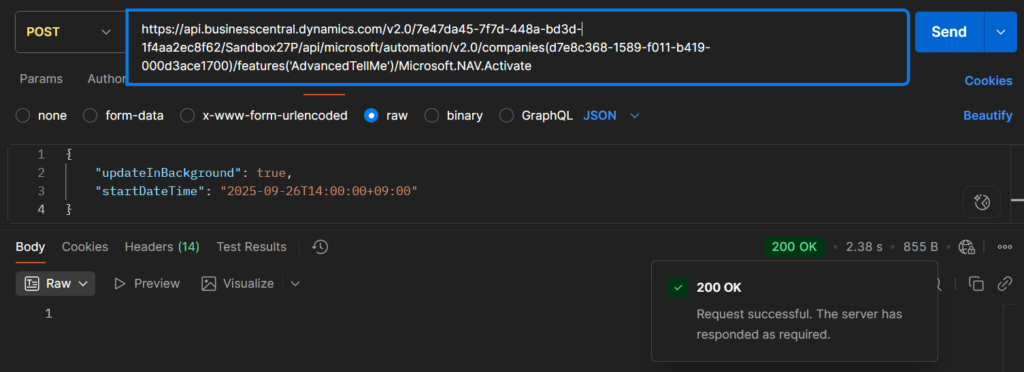
A simple example,
{
    "updateInBackground": true,
    "startDateTime": "2025-09-26T14:00:00+09:00"
}
Done.
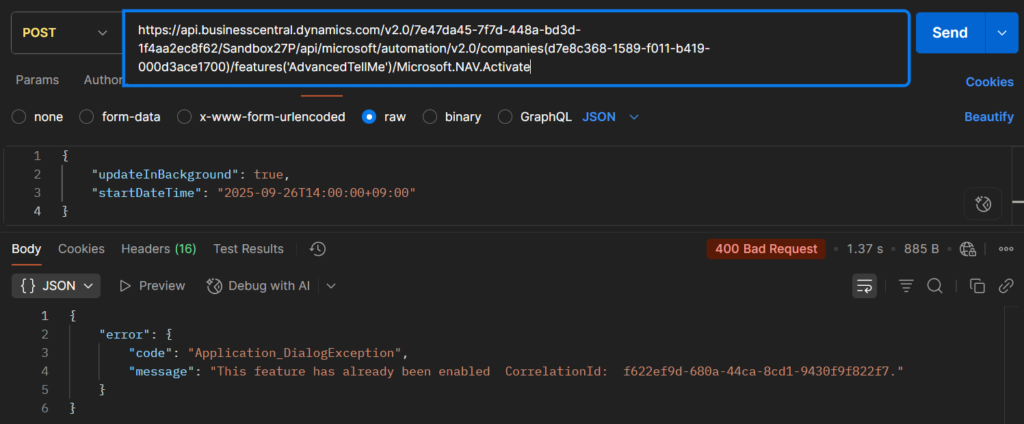
Similar to the Deactivate action, running again will prompt the following error.
{
“error”: {
“code”: “Application_DialogException”,
“message”: “This feature has already been enabled CorrelationId: f622ef9d-680a-44ca-8cd1-9430f9f822f7.”
}
}
Great, give it a try!!!😁
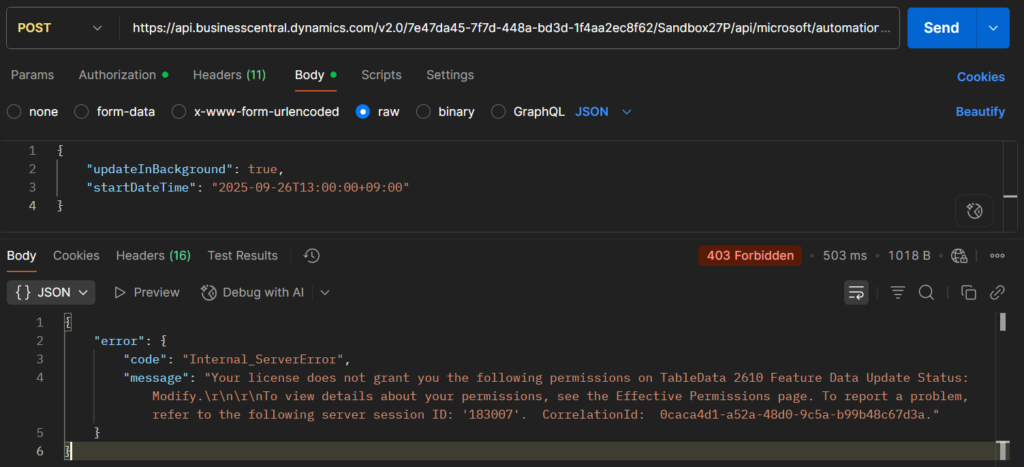
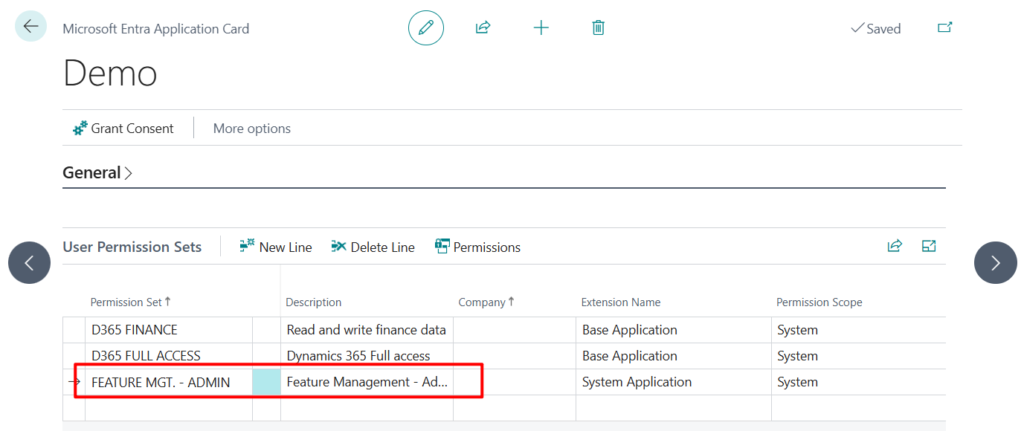
PS: If you encounter the following permission error, please add the FEATURE MGT. – ADMIN permission set to the app in the Microsoft Entra Application Card.
{
“error”: {
“code”: “Internal_ServerError”,
“message”: “Your license does not grant you the following permissions on TableData 2610 Feature Data Update Status: Modify.\r\n\r\nTo view details about your permissions, see the Effective Permissions page. To report a problem, refer to the following server session ID: ‘183007’. CorrelationId: 0caca4d1-a52a-48d0-9c5a-b99b48c67d3a.”
}
}
END
Hope this will help.
Thanks for reading.
ZHU
コメント