
Hi, Readers.
Today I would like to talk about how to copy Comments from Vendor to Purchase Document.
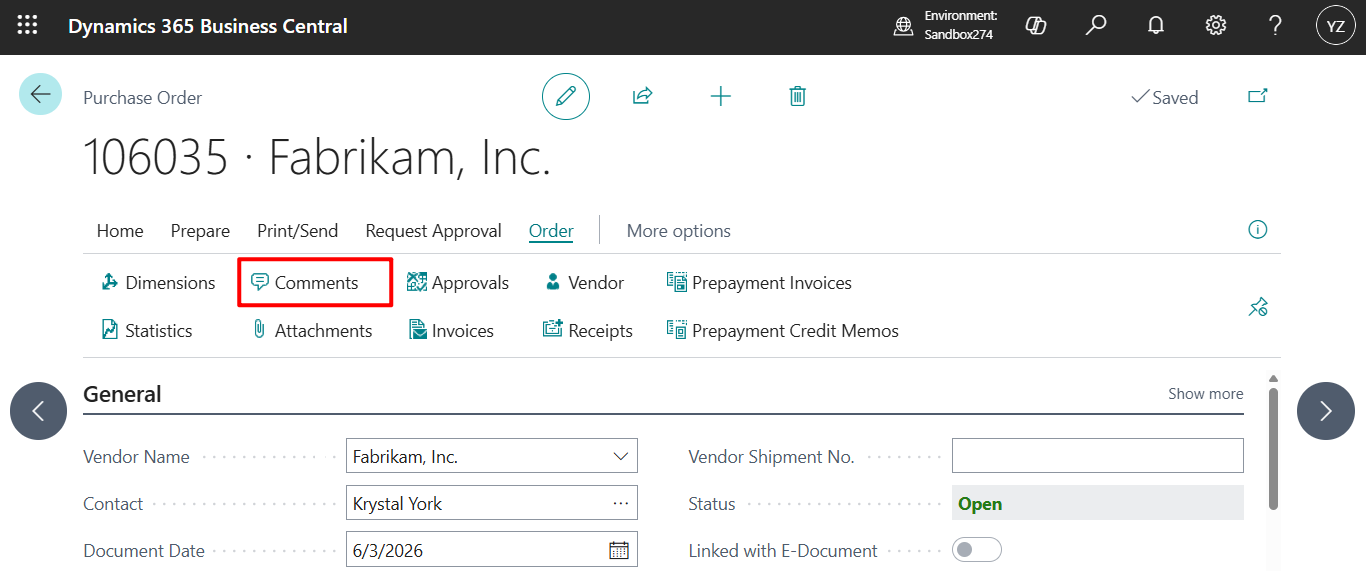
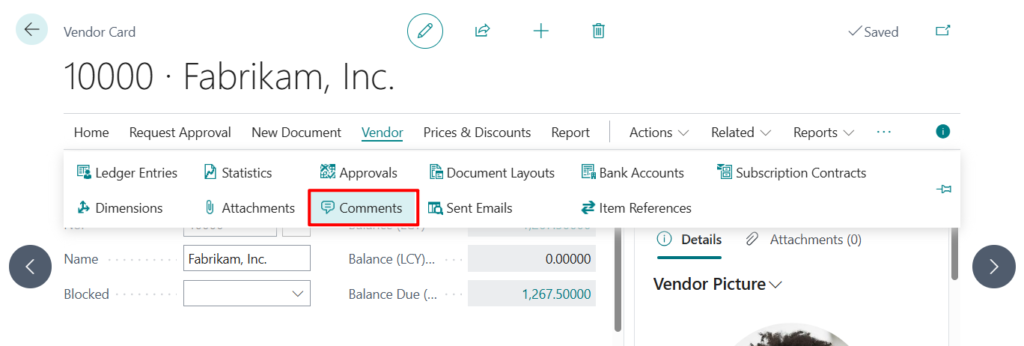
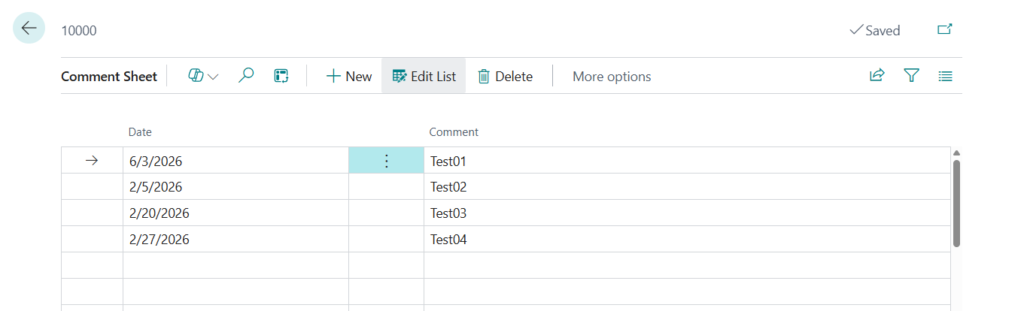
As you might know, you can add extra information to G/L accounts, vendor card, or purchase orders to communicate exceptions or special agreements to other users. Practically all cards and document have a Comments action, which opens the Comment Sheet page where you can write or read comments.
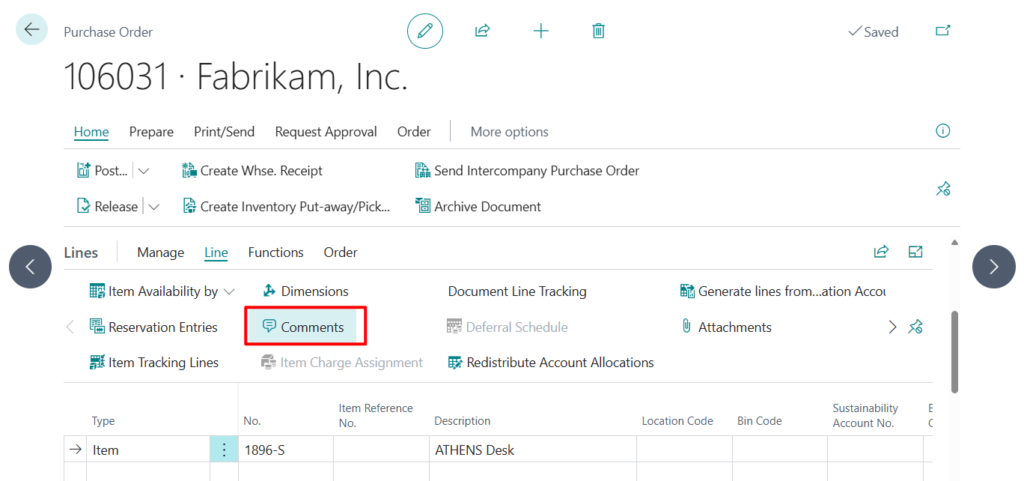
On documents, you can also add comments to individual lines.
Comments on ongoing documents are transferred to the related posted document. For example, a comment on a purchase order is transferred to a resulting posted purchase receipt. In addition, you can specify if you want comments to be transferred from one type of document to another resulting type of document, such as from a purchase order to a purchase invoice. You do this in the Purchases & Payables pages respectively.
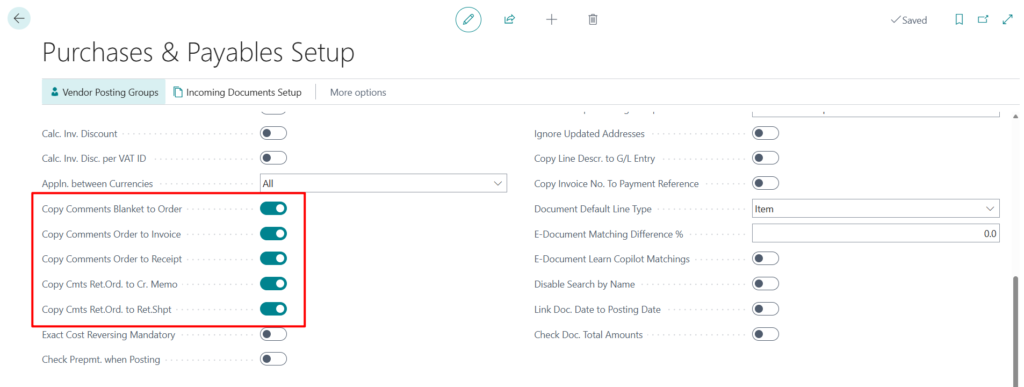
Well, this is a very useful feature. But I was asked a question before, “Is there anyway automatically get comments from vendor card to purchase order?”
As of now, this function is not included in the standard features……So we can only customize it.
Let’s see more details. First of all, the table used in the vendor card and the table used in the purchase document are not the same table.
table 97 “Comment Line”: Vendor Card


table 43 “Purch. Comment Line”: Purchase Order
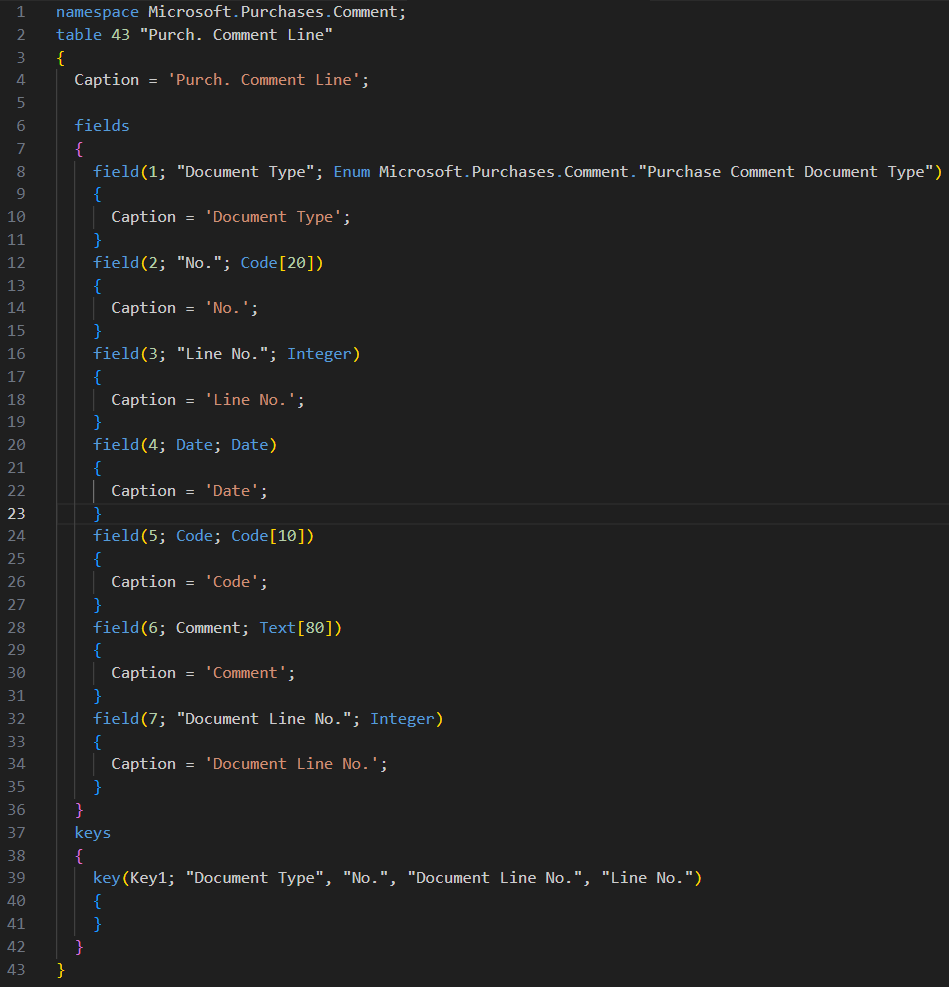
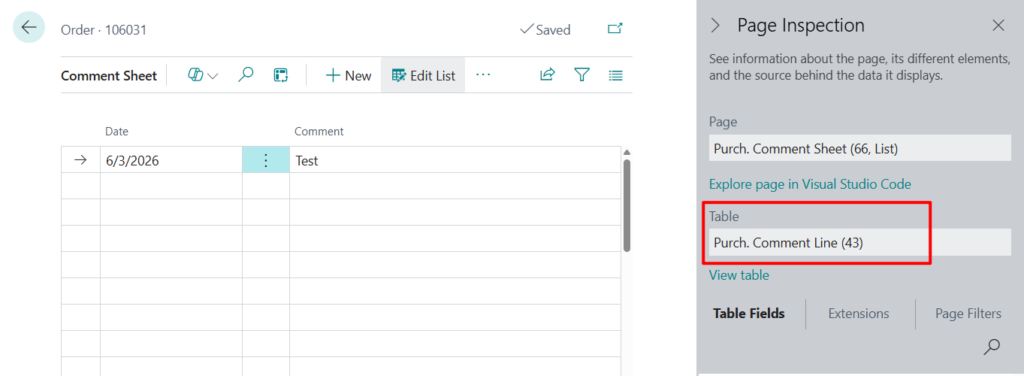
We can look at the standard processing of Purchase Document.
codeunit 90 “Purch.-Post” -> local procedure InsertInvoiceHeader
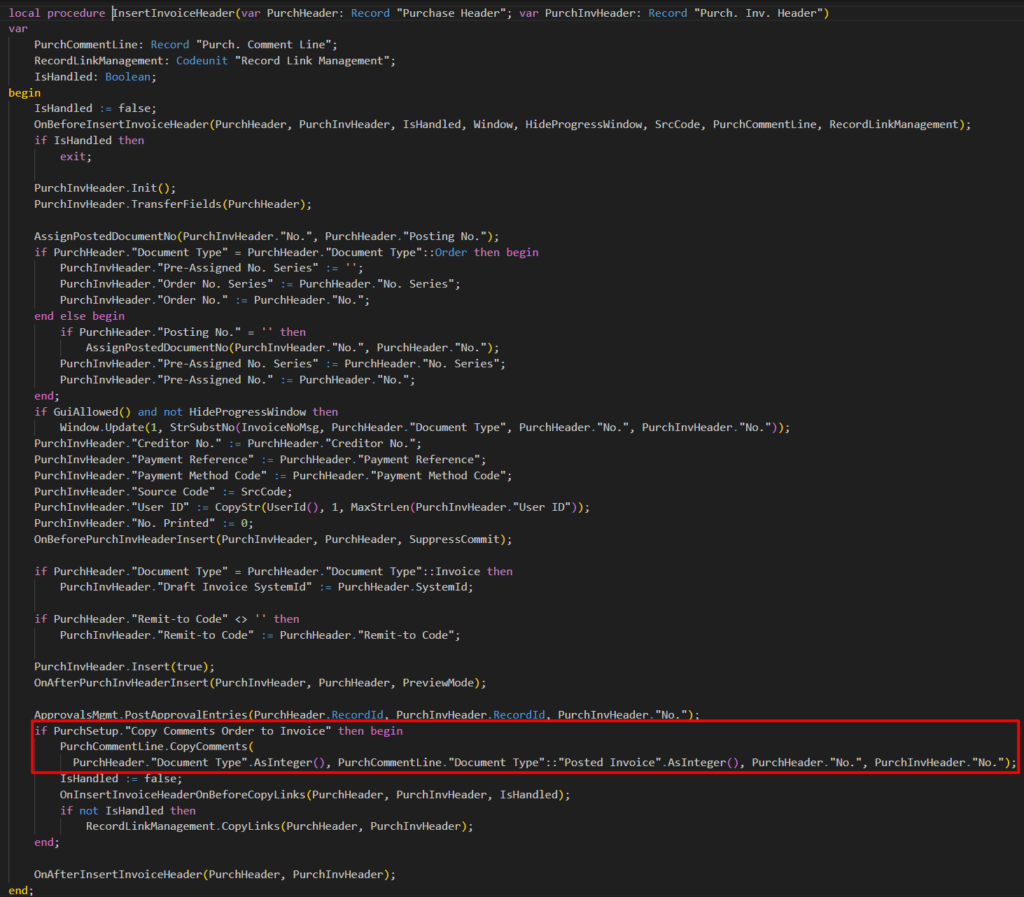
Same table (table 43 “Purch. Comment Line”): procedure CopyComments
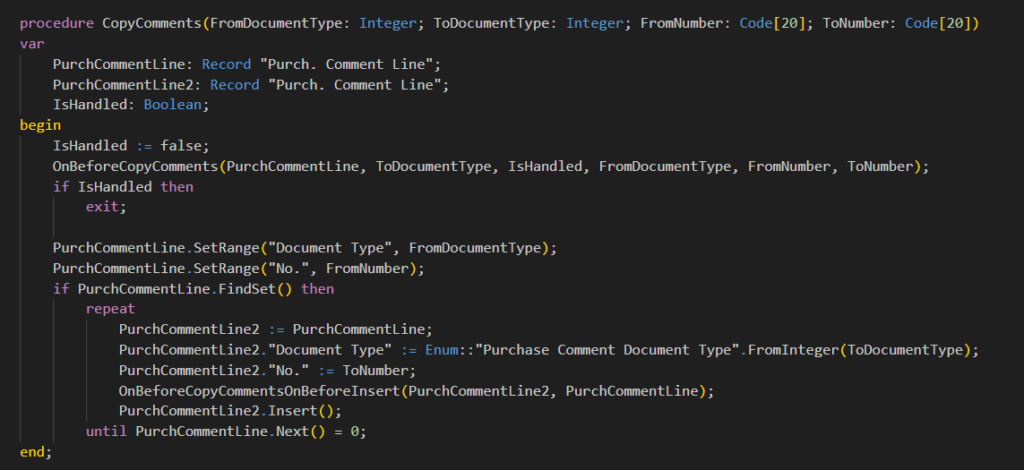
Let’s start.
As standard, create a new field in Purchases & Payables Setup to manage this functionality.
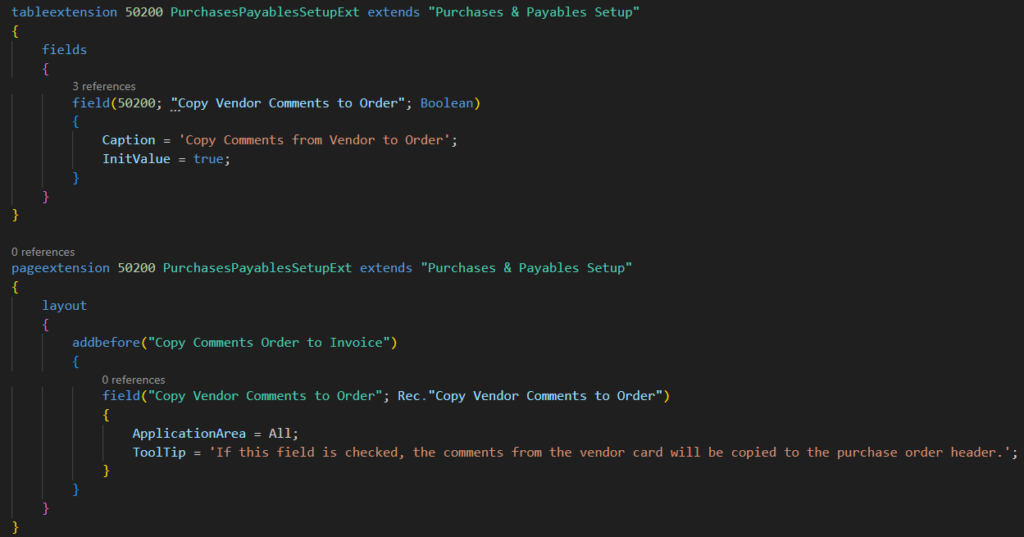
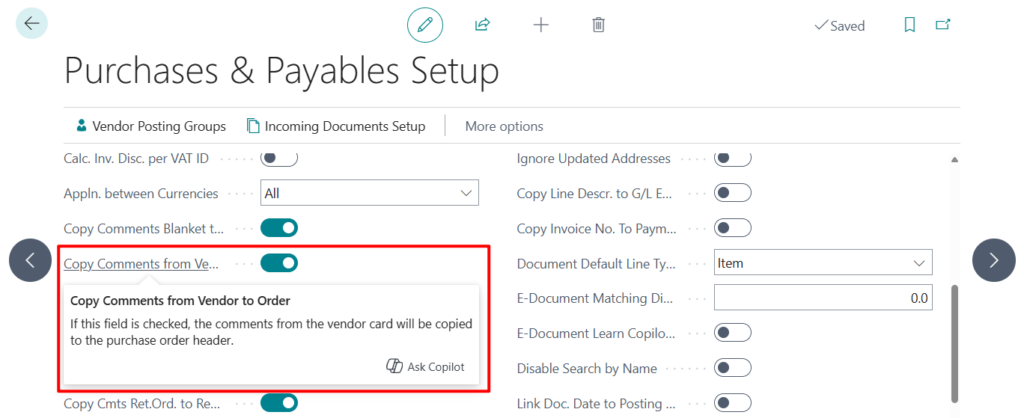
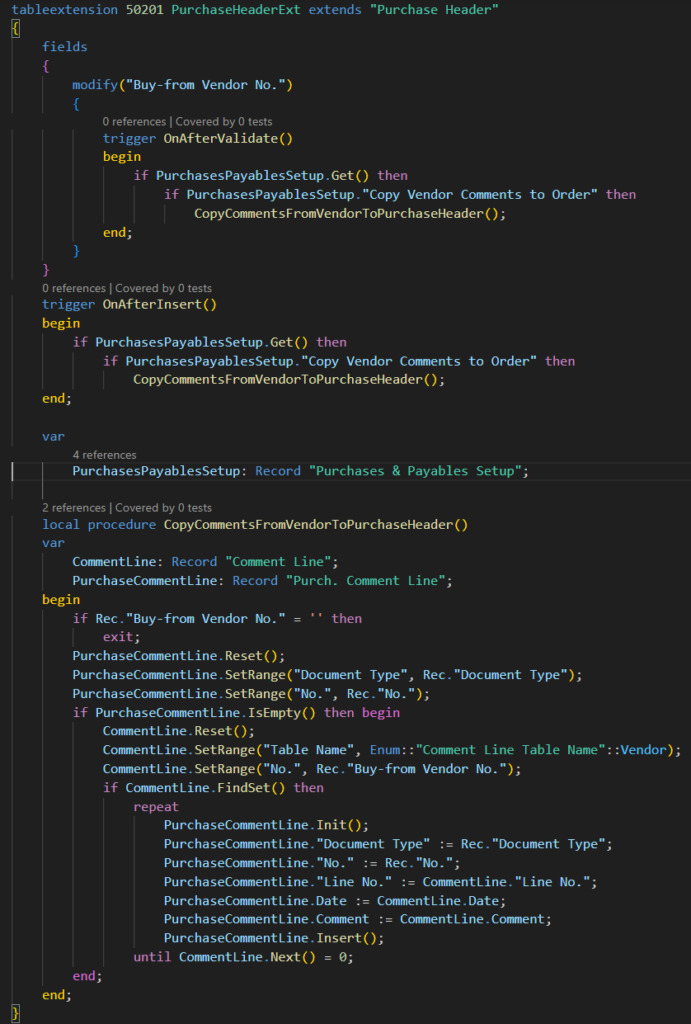
Then insert the logic to trigger OnAfterInsert() and trigger OnAfterValidate() of “Buy-from Vendor No.”.
Simple test:
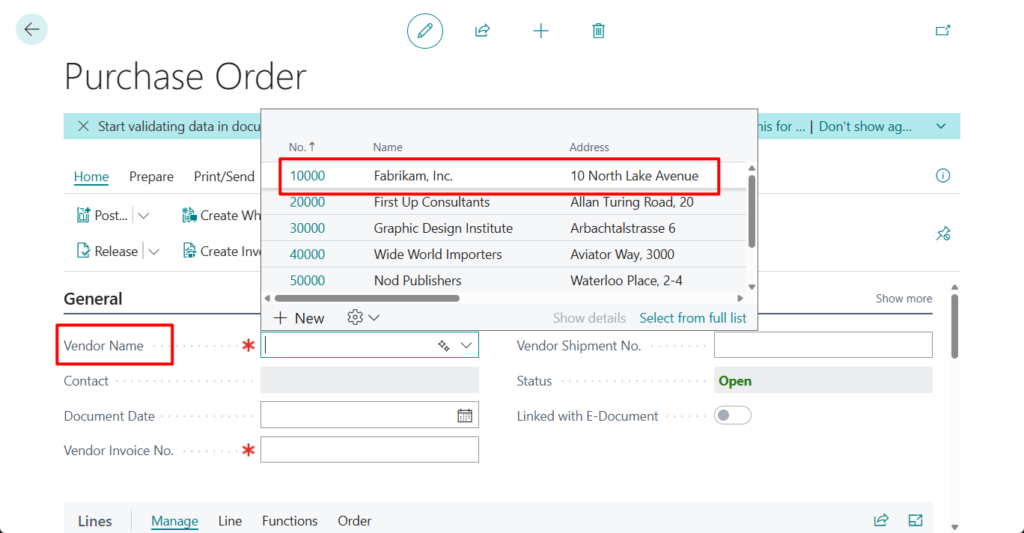
Great.
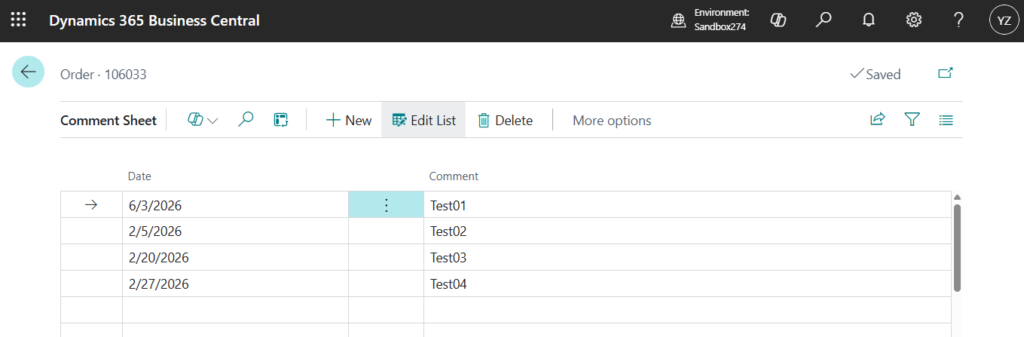
Test video:
PS:
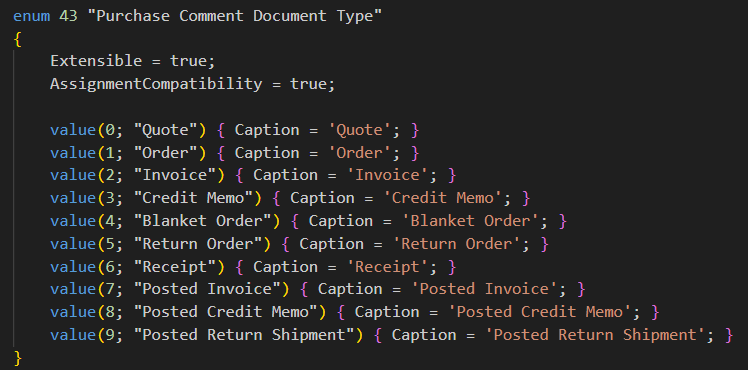
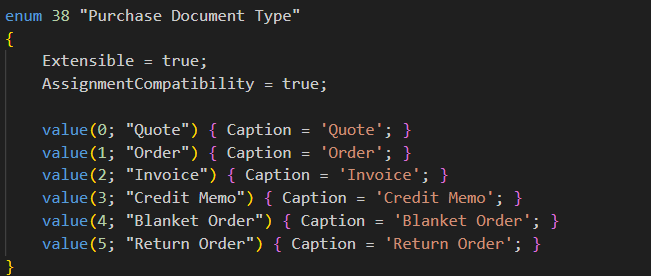
1. “Purchase Comment Document Type” has the same order as “Purchase Document Type”.
enum 43 “Purchase Comment Document Type”
enum 38 “Purchase Document Type”
2. You can also put this processing in other events or triggers, but please note that because Vendor No. is not the primary key of Purchase Header, the system can create a Purchase Document without Vendor No., so do not only put it in the OnInsert trigger of the table.
3. Dynamics 365 Business Central: Copy Comments from Customer to Sales Document – Customization
Source code: Github (Please note that the source code is for reference only, you can improve it according to your own needs)
tableextension 50200 PurchasesPayablesSetupExt extends "Purchases & Payables Setup"
{
    fields
    {
        field(50200; "Copy Vendor Comments to Order"; Boolean)
        {
            Caption = 'Copy Comments from Vendor to Order';
            InitValue = true;
        }
    }
}

pageextension 50200 PurchasesPayablesSetupExt extends "Purchases & Payables Setup"
{
    layout
    {
        addbefore("Copy Comments Order to Invoice")
        {
            field("Copy Vendor Comments to Order"; Rec."Copy Vendor Comments to Order")
            {
                ApplicationArea = All;
                ToolTip = 'If this field is checked, the comments from the vendor card will be copied to the purchase order header.';
            }
        }
    }
}

tableextension 50201 PurchaseHeaderExt extends "Purchase Header"
{
    fields
    {
        modify("Buy-from Vendor No.")
        {
            trigger OnAfterValidate()
            begin
                if PurchasesPayablesSetup.Get() then
                    if PurchasesPayablesSetup."Copy Vendor Comments to Order" then
                        CopyCommentsFromVendorToPurchaseHeader();
            end;
        }
    }
    trigger OnAfterInsert()
    begin
        if PurchasesPayablesSetup.Get() then
            if PurchasesPayablesSetup."Copy Vendor Comments to Order" then
                CopyCommentsFromVendorToPurchaseHeader();
    end;

    var
        PurchasesPayablesSetup: Record "Purchases & Payables Setup";

    local procedure CopyCommentsFromVendorToPurchaseHeader()
    var
        CommentLine: Record "Comment Line";
        PurchaseCommentLine: Record "Purch. Comment Line";
    begin
        if Rec."Buy-from Vendor No." = '' then
            exit;
        PurchaseCommentLine.Reset();
        PurchaseCommentLine.SetRange("Document Type", Rec."Document Type");
        PurchaseCommentLine.SetRange("No.", Rec."No.");
        if PurchaseCommentLine.IsEmpty() then begin
            CommentLine.Reset();
            CommentLine.SetRange("Table Name", Enum::"Comment Line Table Name"::Vendor);
            CommentLine.SetRange("No.", Rec."Buy-from Vendor No.");
            if CommentLine.FindSet() then
                repeat
                    PurchaseCommentLine.Init();
                    PurchaseCommentLine."Document Type" := Rec."Document Type";
                    PurchaseCommentLine."No." := Rec."No.";
                    PurchaseCommentLine."Line No." := CommentLine."Line No.";
                    PurchaseCommentLine.Date := CommentLine.Date;
                    PurchaseCommentLine.Comment := CommentLine.Comment;
                    PurchaseCommentLine.Insert();
                until CommentLine.Next() = 0;
        end;
    end;
}
END
Hope this will help.
Thanks for reading.
ZHU
コメント