

Hi, Readers.
Dynamics 365 Business Central 2025 wave 2 (BC27) is generally available. More details: General Available: Dynamics 365 Business Central 2025 release wave 2 (BC27).
I will continue to test and share some new features that I hope will be helpful. In this post, I would like to talk about Editable fields in page customizations.
This new feature is not yet documented in the Business Central 2025 release wave 2 (BC27) release plan and AL Language extension changelog Version 16.0, but it is mentioned in What’s new: AL Language
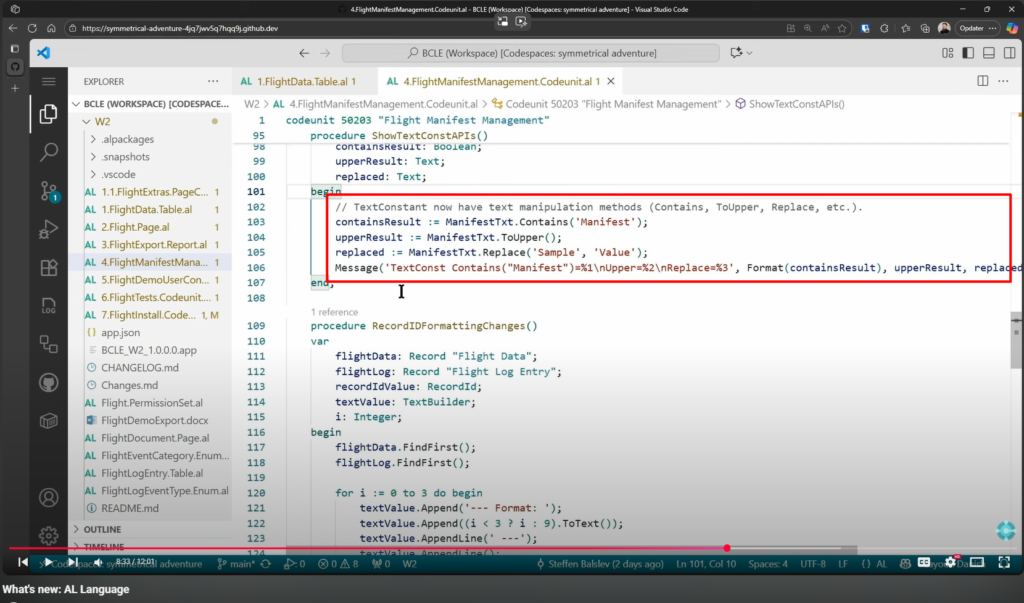
More details:
The TextConst data type is text constant. We have briefly discussed this before. More details: Dynamics 365 Business Central: What is TextConst Data Type???
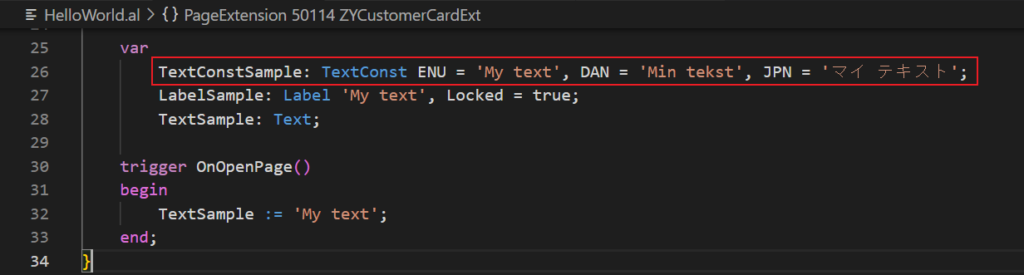
With this wave (BC27), Microsoft added manipulation methods for this data type.
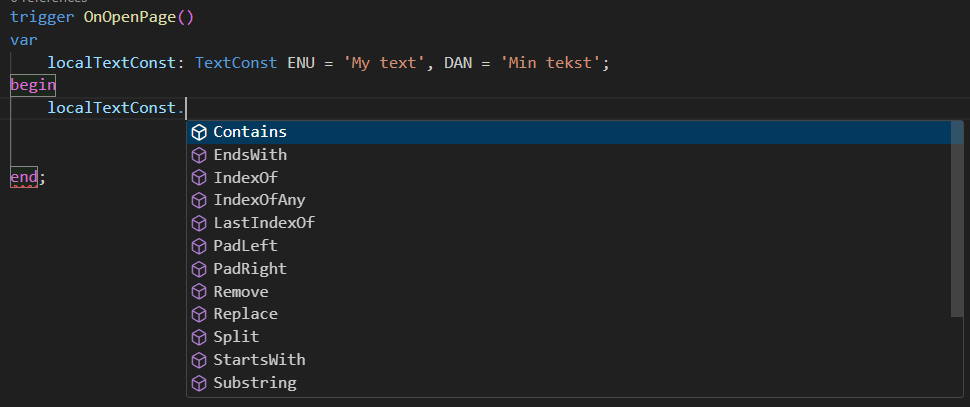
The following methods are available on instances of the TextConst data type.
| Method name | Description |
|---|---|
| Contains(Text) | Returns a value indicating whether a specified substring occurs within this string. |
| EndsWith(Text) | Determines whether the end of this string instance matches the specified string. |
| IndexOf(Text [, Integer]) | Reports the one-based index of the first occurrence of the specified string in this instance. |
| IndexOfAny(Text [, Integer]) | Reports the one-based index of the first occurrence of the specified string in this instance. The search starts at a specified character position. |
| IndexOfAny(List of [Char] [, Integer]) | Reports the one-based index of the first occurrence in this instance of any character in a specified array of Unicode characters. The search starts at a specified character position. |
| LastIndexOf(Text [, Integer]) | Reports the one-based index position of the last occurrence of a specified string in this instance. |
| PadLeft(Integer [, Char]) | Returns a new Text that right-aligns the characters in this instance by padding them on the left, for a specified total length. |
| PadRight(Integer [, Char]) | Returns a new string that left-aligns the characters in this string by padding them with spaces on the right, for a specified total length. |
| Remove(Integer [, Integer]) | Returns a new Text in which a specified number of characters from the current string are deleted. |
| Replace(Text, Text) | Returns a new Text in which all occurrences of a specified string in the current instance are replaced with another specified string. |
| Split([Text,…]) | Splits a string into a maximum number of substrings based on a collection of separators. |
| Split(List of [Text]) | Splits a string into a maximum number of substrings based on a collection of separators. |
| Split(List of [Char]) | Splits a string into a maximum number of substrings based on a collection of separators. |
| StartsWith(Text) | Determines whether the beginning of this instance matches a specified string. |
| Substring(Integer [, Integer]) | Retrieves a substring from this instance. |
| ToLower() | Returns a copy of this string converted to lowercase. |
| ToUpper() | Returns a copy of this string converted to uppercase. |
| Trim() | Returns a new Text in which all leading and trailing white-space characters from the current Text object are removed. |
| TrimEnd([Text]) | Removes all trailing occurrences of a set of characters specified in an array from the current Text object. |
| TrimStart([Text]) | Removes all leading occurrences of a set of characters specified in an array from the current Text object. |
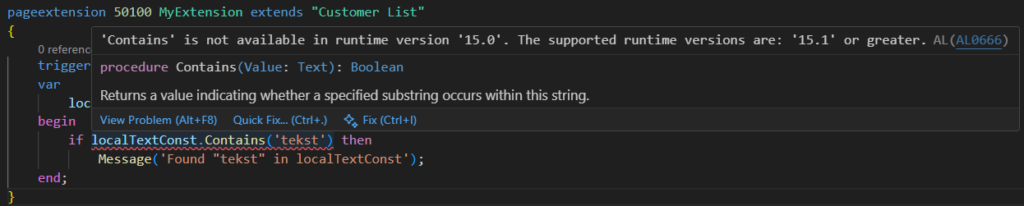
These methods are supported in runtime version ‘15.1’ (Business Central 2025 release wave 1 Update 26.1) or greater.
‘Contains’ is not available in runtime version ‘15.0’. The supported runtime versions are: ‘15.1’ or greater. AL AL0666
Great, give it a try!!!😁
END
Hope this will help.
Thanks for reading.
ZHU

コメント