

Hi, Readers.
The public preview for Dynamics 365 Business Central 2025 release wave 2 (BC27) is available. Learn more: Link.
I will continue to test and share some new features that I hope will be helpful. In this post, I would like to talk about Use enhanced chat with Copilot.
Use enhanced chat with Copilot:
Business value:
For your customers, much of the workday revolves around chatting with coworkers, customers, and vendors to get insights and solve problems. Now, Copilot helps them continue the conversation in Business Central with AI-powered chat alongside their data. Copilot in Business Central transforms how people approach business applications by empowering workers to express themselves using their own language.
https://learn.microsoft.com/en-us/dynamics365/release-plan/2025wave2/smb/dynamics365-business-central/use-enhanced-chat-copilot?wt.mc_id=DX-MVP-5004336
Microsoft Copilot is an AI-powered assistant that helps spark creativity, boost productivity, and eliminate tedious tasks. By chatting with Copilot in Business Central, you can ask questions and find business data using natural language. Here’s what you can do:
- Find business data for your company in Business Central. Use chat to look up and open data about entities or records related to business processes, such as customers, vendors, sales orders, and items. For example, ask: “Show me the latest sales order for Adatum”.Copilot can also organize data for you. Just ask it to group records or do calculations like adding or averaging, and it generates an analysis tab, displaying the results.
- Get explanations or step-by-step guidance on various tasks. For example, ask: “Help me understand dimensions” or “How do I post a sales order”. Learn more about prompting in Prompting for aggregating data on analysis tabs.
- Know the purpose and use of each field. When you choose Ask Copilot in a tooltip for a field, chat opens with an Explain prompt for the field name and Copilot provides information about it. Copilot links to the articles it referenced, so it’s easy to verify the description.

More details: Chat with Copilot (preview)
We have briefly discussed this before, Business Central 2024 wave 1 (BC24): Chat with Copilot

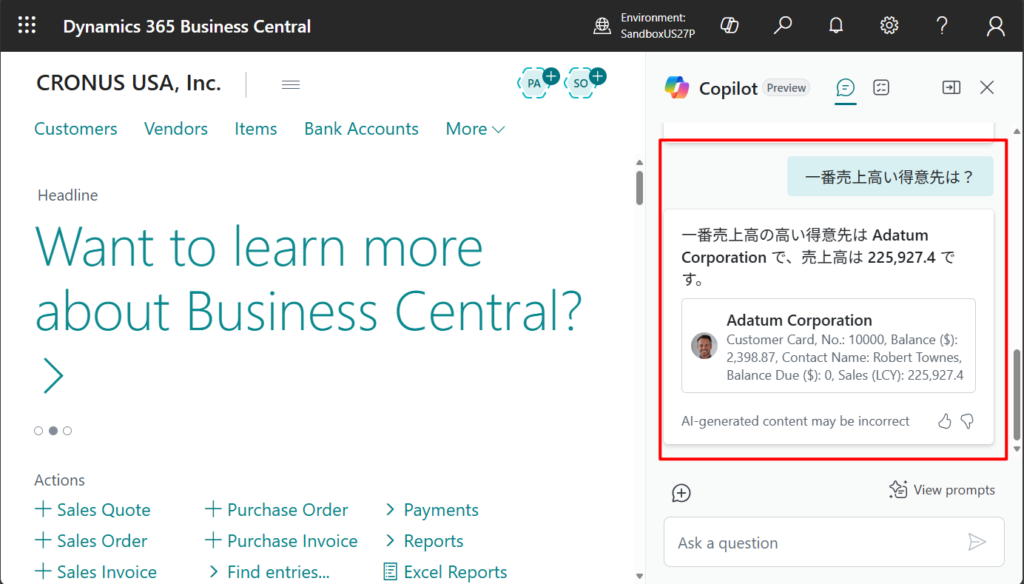
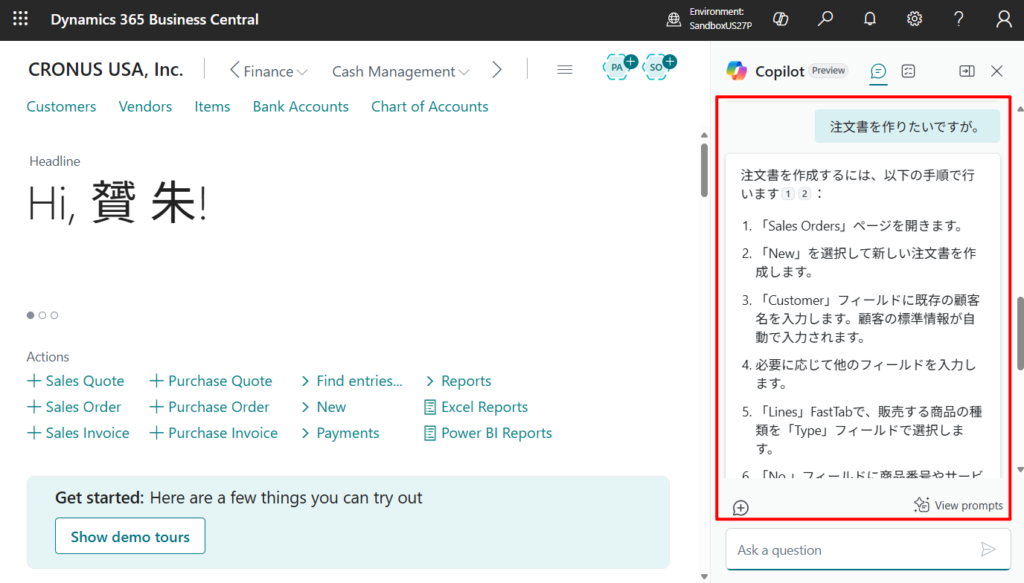
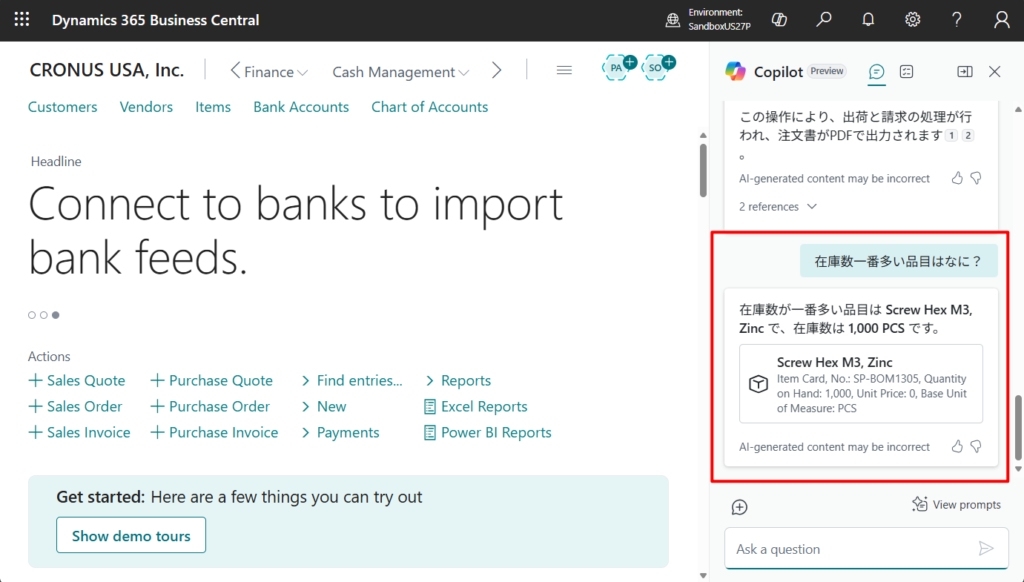
With this update (BC27), Copilot chat now offers the following improvements:
- Supports 20 more languages.
- Better understanding of user prompts that contain multiple sentences or intents.
- Faster performance and increased reliability.
For example, in BC27:
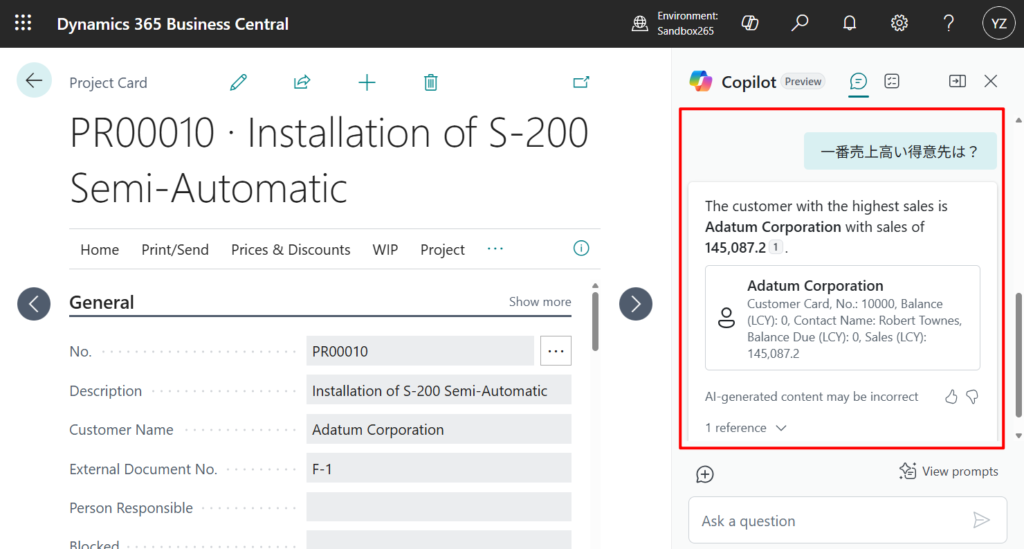
In BC26.5:
Great, give it a try!!!😁
END
Hope this will help.
Thanks for reading.
ZHU


コメント