

Hi, Readers.
The public preview for Dynamics 365 Business Central 2025 release wave 2 (BC27) is available. Learn more: Link.
I will continue to test and share some new features that I hope will be helpful. In this post, I would like to talk about Use alternative posting groups for employees.
Use alternative posting groups for employees:
Business value:
Sometimes businesses want to post payable and receivable transactions to a different general ledger (G/L) account than the one that’s specified on the employee posting group. This can include scenarios where employee travel expenses need to be post to a different financial account than the one used for regular payroll transactions. Controllers can define policies for posting these transactions, and accountants can change them during posting.
https://learn.microsoft.com/en-us/dynamics365/release-plan/2025wave2/smb/dynamics365-business-central/use-alternative-posting-groups-employees?wt.mc_id=DX-MVP-5004336
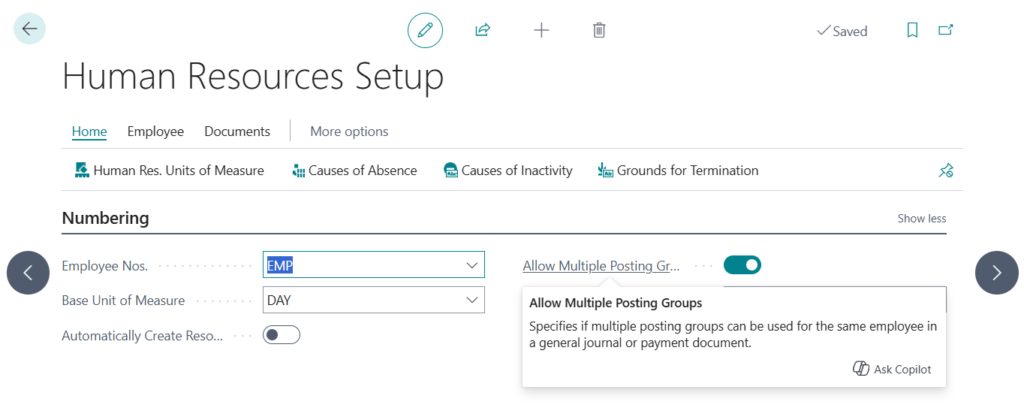
With this wave (BC27), you can allow users to change the default employee posting groups by turning on the Allow Multiple Posting Groups toggle on the Human Resources Setup page.
Allow Multiple Posting Groups
Specifies if multiple posting groups can be used for the same employee in a general journal or payment document.
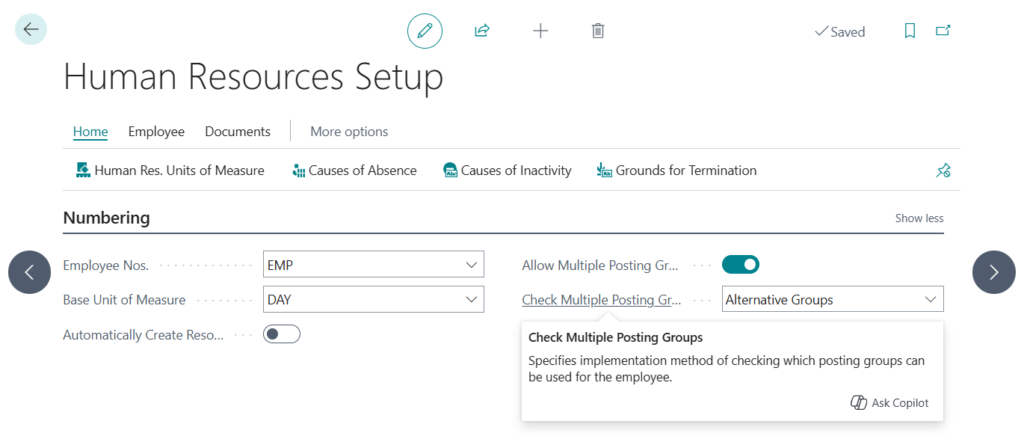
The Check Multiple Posting Groups field has also been added, but as of now, it only has one value, “Alternative Groups”
Check Multiple Posting Groups
Specifies implementation method of checking which posting groups can be used for the employee.
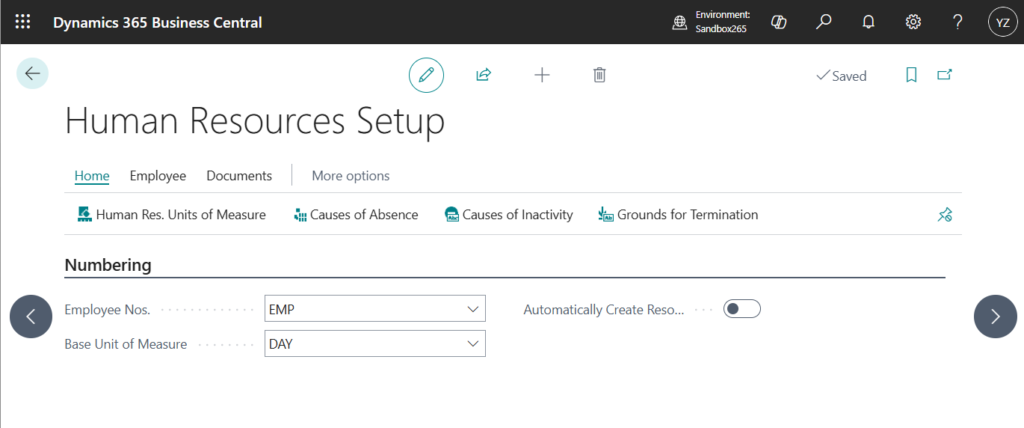
PS: In BC26.5 and previous versions
When this setting is enabled, on the Employee Posting Group page, you can specify the posting groups to allow people to use as substitutes by selecting the Alternative Groups action.
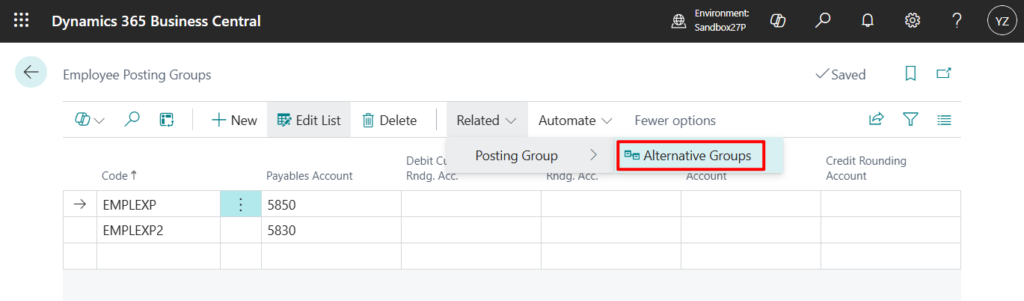
Alternative posting groups can replace the default employee posting group specified for an employee.
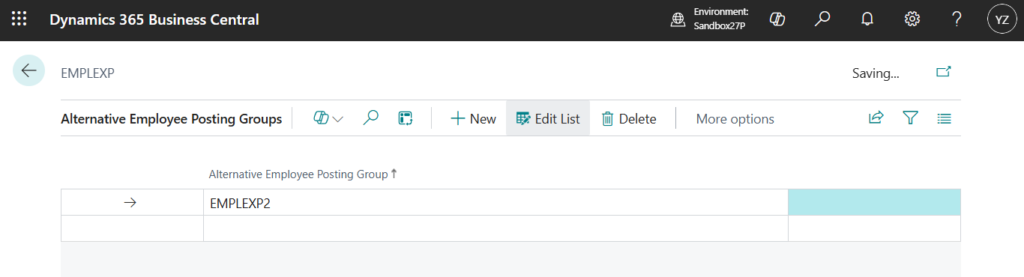
After you set this up, you can choose alternative posting groups and change the employee posting group when you post journals.
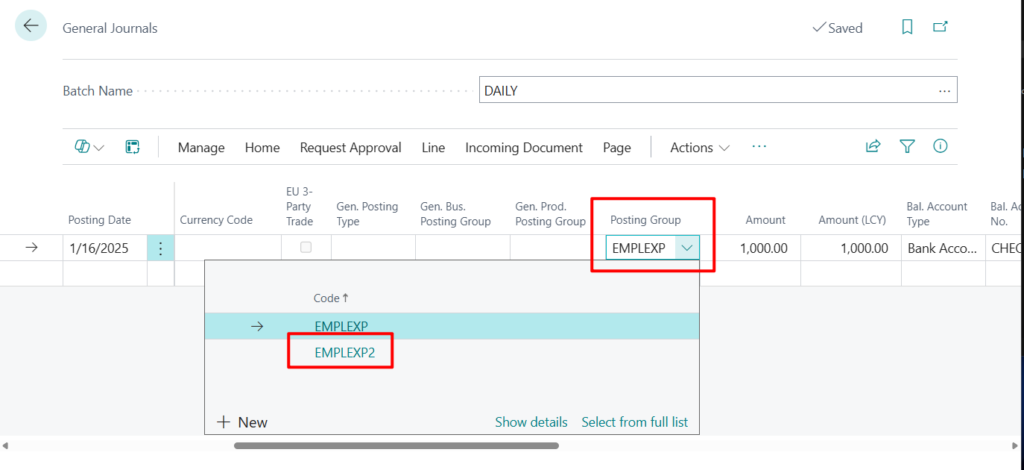
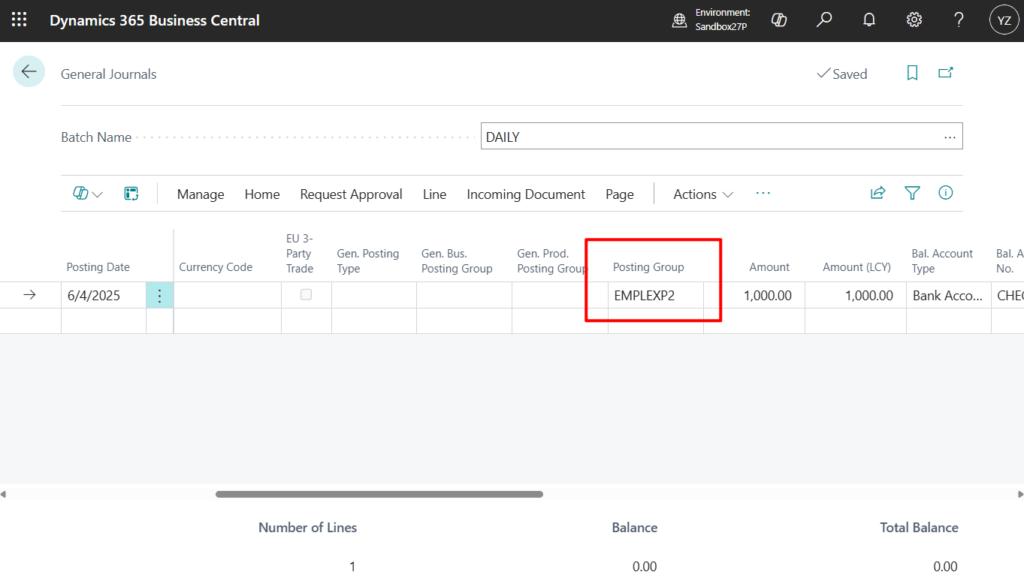
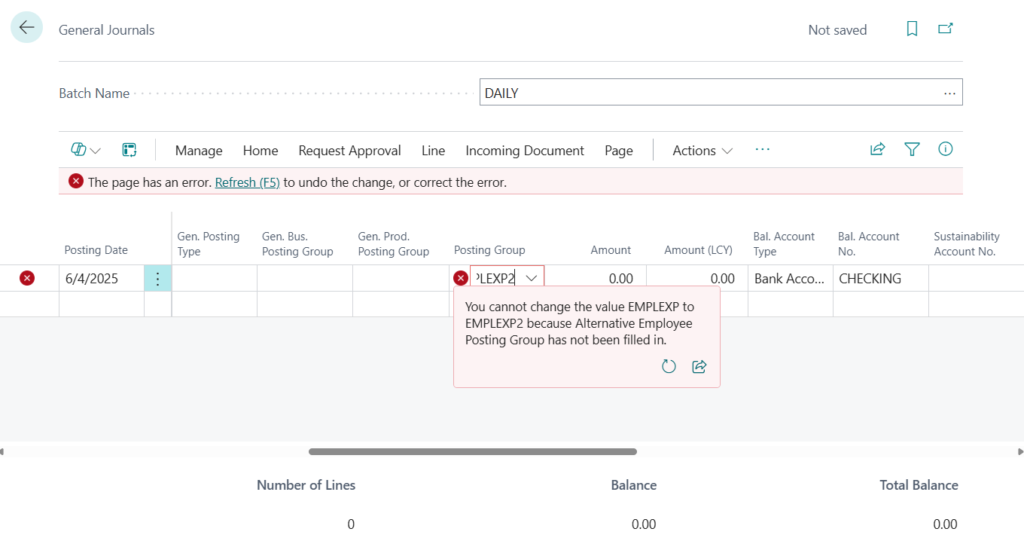
PS: If you try to change the Posting Group without setting the Alternative Employee Posting Group, the following error will occur.
You cannot change the value EMPLEXP to EMPLEXP2 because Alternative Employee Posting Group has not been filled in.
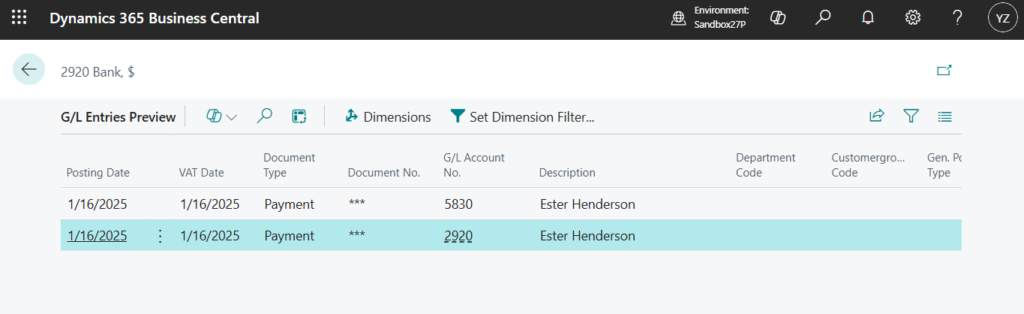
Business Central copies the alternative employee posting group to posted journals, and posts payable or receivable G/L entries to the G/L accounts specified for the alternative groups.
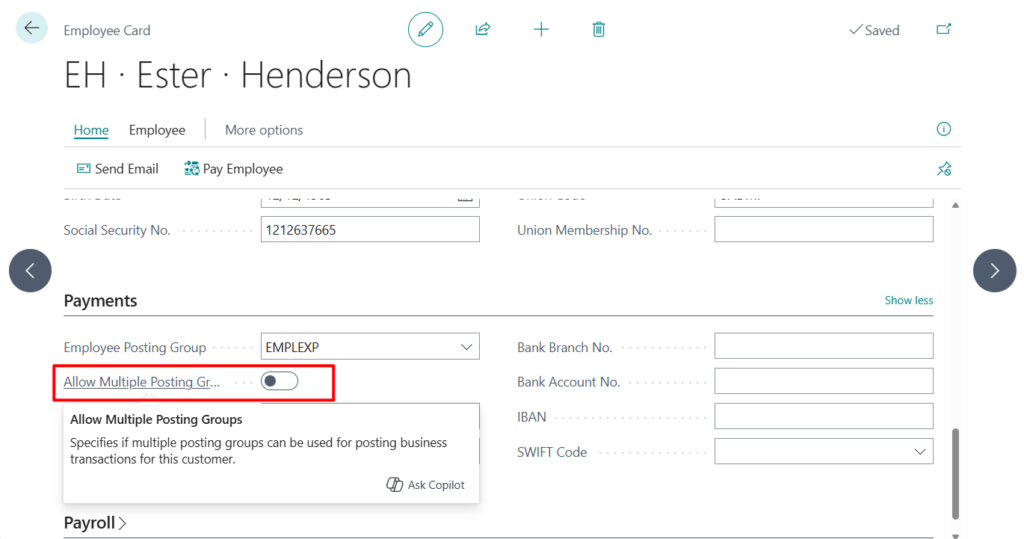
PS: To allow only specific people to change posting groups, you can also turn on the Allow Multiple Posting Groups toggle for individual employees on the Employee Card page.
Great, give it a try!!!😁
END
Hope this will help.
Thanks for reading.
ZHU

コメント