

Hi, Readers.
The public preview for Dynamics 365 Business Central 2025 release wave 2 (BC27) is available. Learn more: Link.
I will continue to test and share some new features that I hope will be helpful. In this post, I would like to talk about Configure the default calculation for the Calculate Consumption report (Default Consumption Calculation Based on).
Configure the default calculation for the Calculate Consumption report:
Business value:
To save time, set the default consumption calculation in Manufacturing Setup so the Calculate Consumption report matches your preferred process automatically, eliminating the need for manual changes.
https://learn.microsoft.com/en-us/dynamics365/release-plan/2025wave2/smb/dynamics365-business-central/configure-default-calculation-calculate-consumption-report?wt.mc_id=DX-MVP-5004336
Business Central offers options for how to record material consumption. For example, you can record material consumption manually, which can be useful if you often substitute components or generate more scrap than you expected.
Consumption of materials can be processed through the consumption journal, or Business Central can record it automatically, which is known as automatic reporting (flushing). For example,
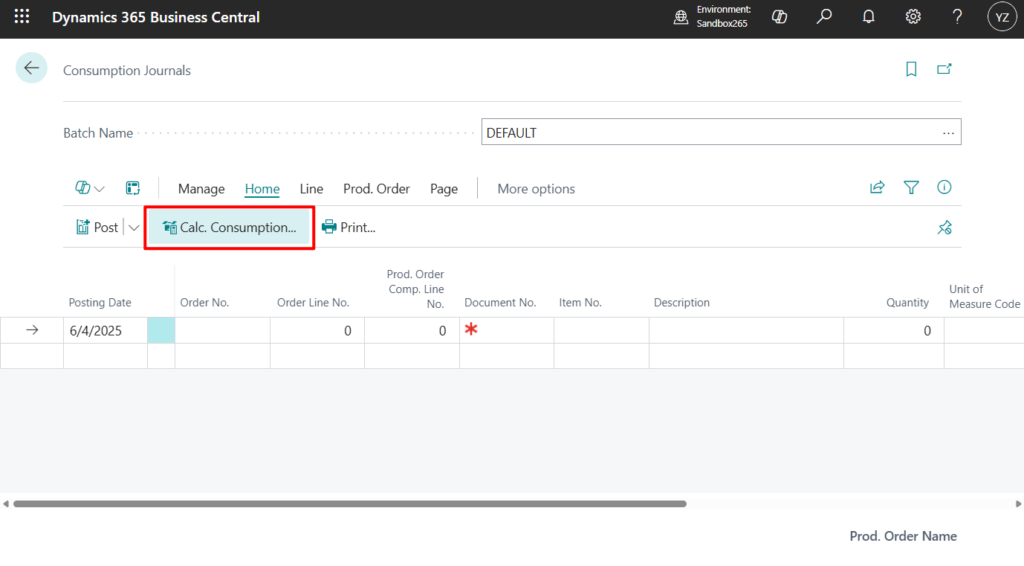

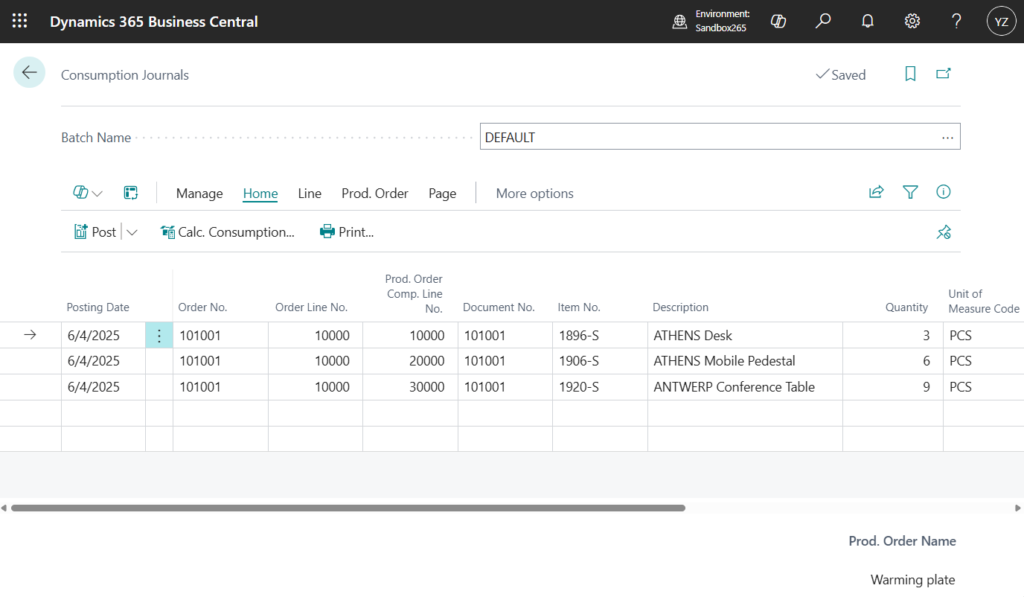
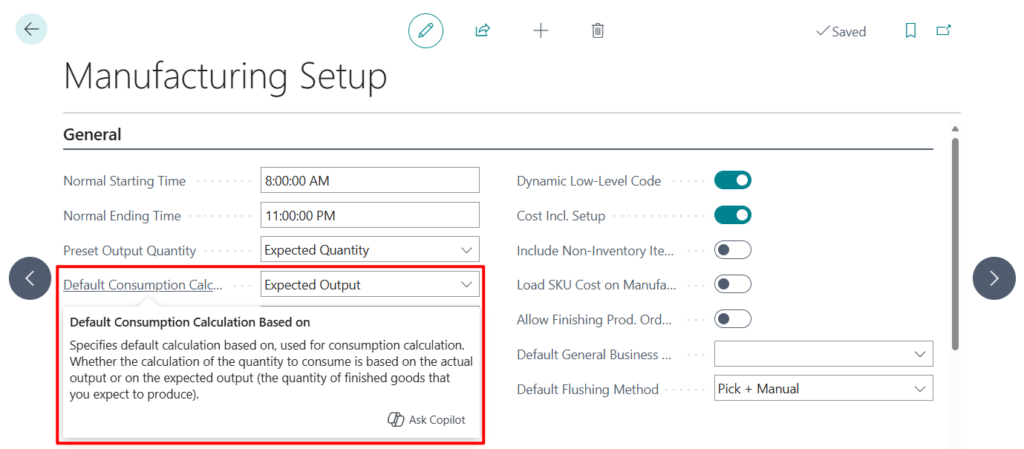
With this wave (BC27), to specify what you want the Calculate Consumption report to show by default, on the Manufacturing Setup page, in the Default Consumption Calculation Based on field, select either Expected Output or Actual Output.
Default Consumption Calculation Based on
Specifies default calculation based on, used for consumption calculation. Whether the calculation of the quantity to consume is based on the actual output or on the expected output (the quantity of finished goods that you expect to produce).
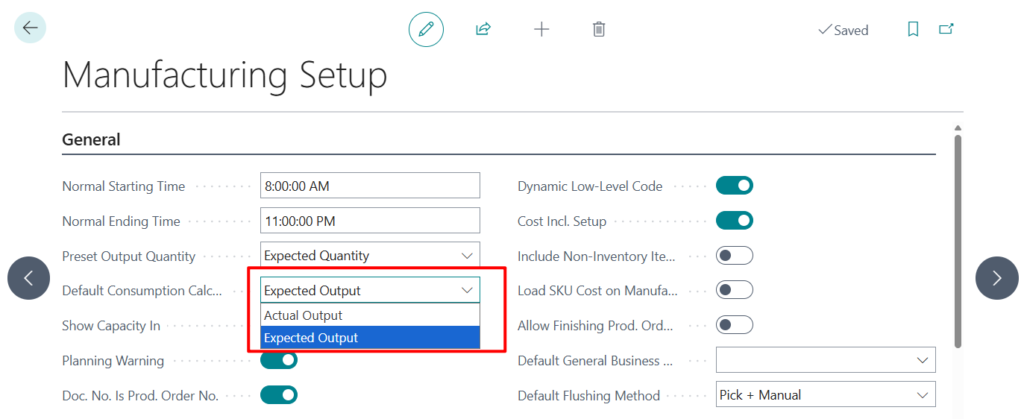
PS: In BC26.5 and previous versions
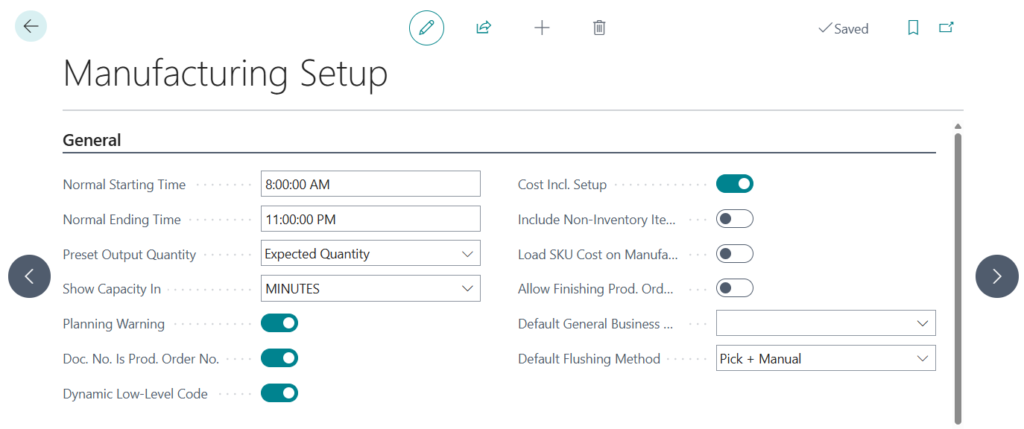
As mentioned in the example above, to view the report, on the Consumption Journal page, choose the Calc. Consumption action to open the Calculate Consumption report. The Calculate Based On field defaults to your selection in the Manufacturing Setup page, but you can change the selection.
Calculation Based on
Specifies whether the calculation of the quantity to consume is based on the actual output or on the expected output (the quantity of finished goods that you expect to produce).
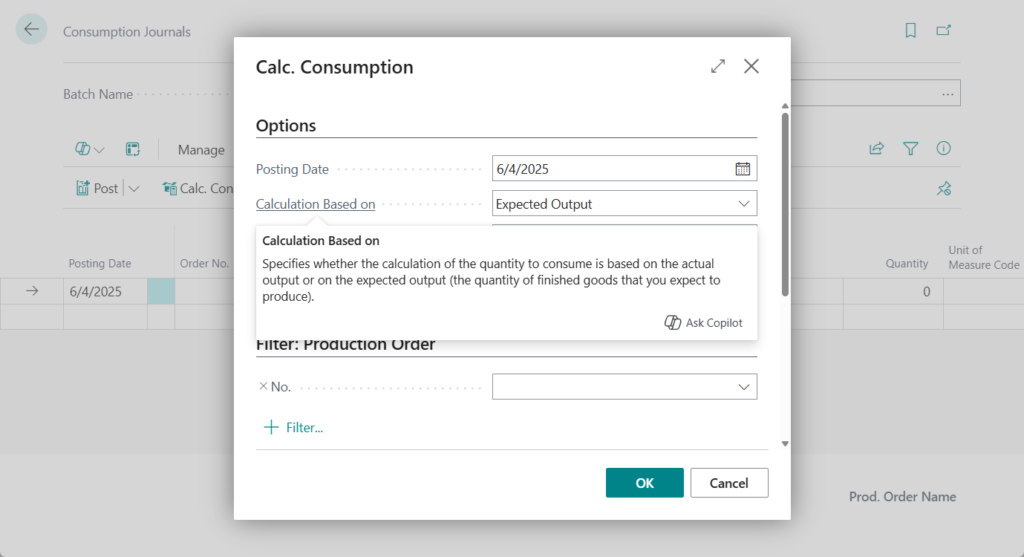
PS: Report “Calc. Consumption”
The Default Consumption Calculation Based on field is also considered when you calculate consumption lines on production journals, which you can open from the Released Production Order page.

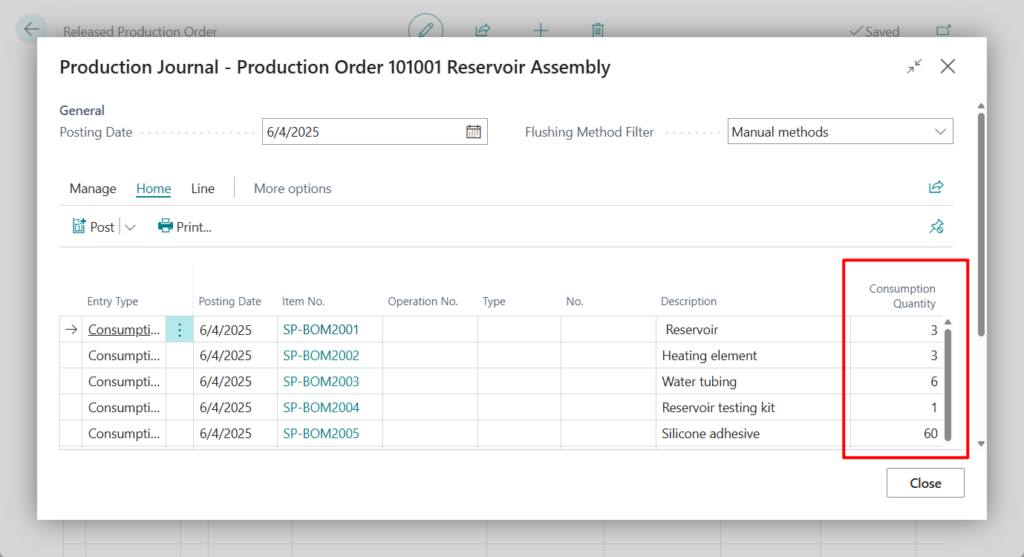
Small update, but it makes life easier. Give it a try!!!😁
END
Hope this will help.
Thanks for reading.
ZHU
コメント