

Hi, Readers.
The public preview for Dynamics 365 Business Central 2025 release wave 2 (BC27) is available. Learn more: Link.
I will continue to test and share some new features that I hope will be helpful. In this post, I would like to talk about Update sandbox environments to preview versions. This is actually a feature of Business Central 2025 wave 1 (BC26), but it will not be available until September, so I included it in Business Central 2025 wave 2 (BC27).
Update sandbox environments to preview versions:
Business value:
When this feature is available, you can update your sandbox environments to a preview version. You can test updates with your own data and installed extensions. This feature reduces risks, improves testing accuracy, and makes sure customizations integrate smoothly. With this feature, you make better decisions and experience smoother transitions.
https://learn.microsoft.com/en-us/dynamics365/release-plan/2025wave1/smb/dynamics365-business-central/update-sandbox-environments-preview-versions?wt.mc_id=DX-MVP-5004336
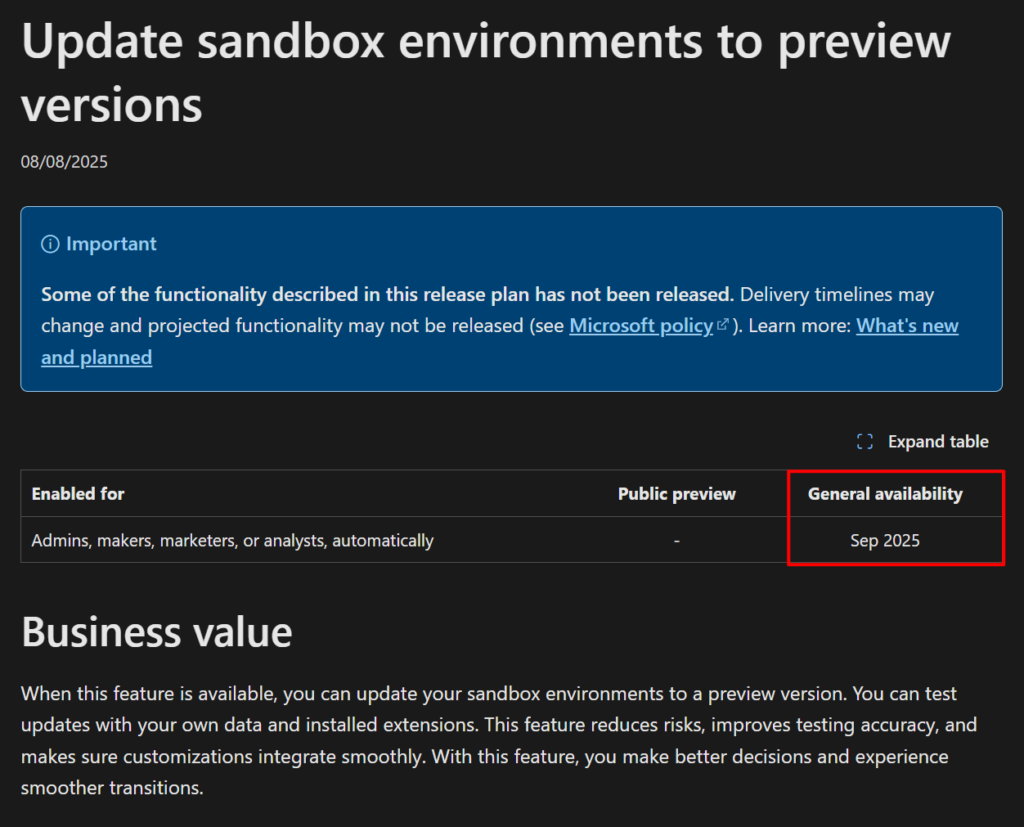
For each major Dynamics 365 Business Central update, Microsoft organizes a public preview starting a month before the release of the update. With the public preview, customers and partners can test and prepare for new functionality and other product changes by using a sandbox environment. Until now, you couldn’t update a sandbox environment to a preview version. This limitation made it difficult to test the next major version with your own data and extensions.
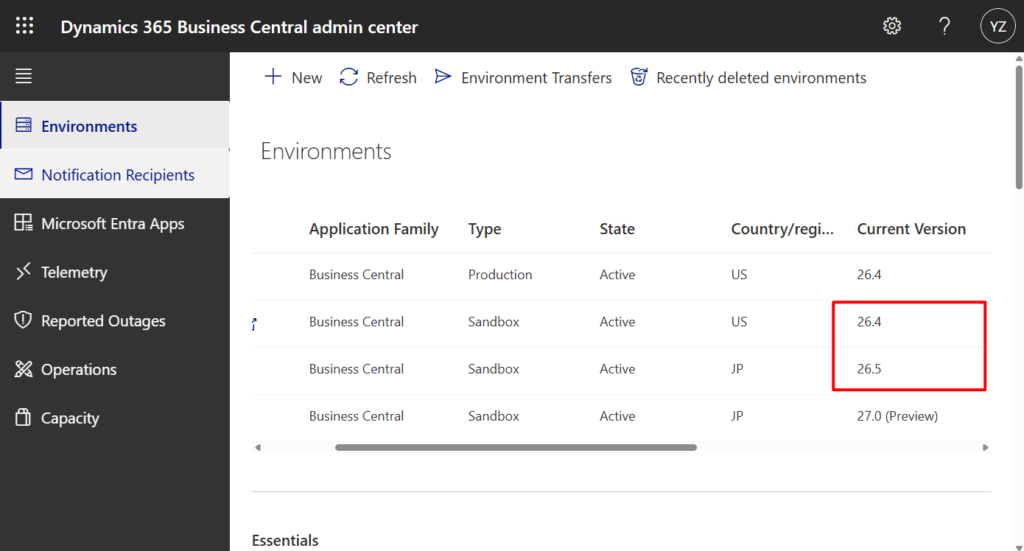
Let’s see some more details. First of all, we need to upgrade to v27.0 (Preview) this time, so your environment needs to be v26.x. I have tested v26.4 and v26.5, both are OK. This is the same as for major upgrades, which must be the previous version.
PS: Business Central 2024 wave 2 (BC25): Manage environment updates more flexibly – Major update: 30(60) days -> 5-month and Optional minor updates
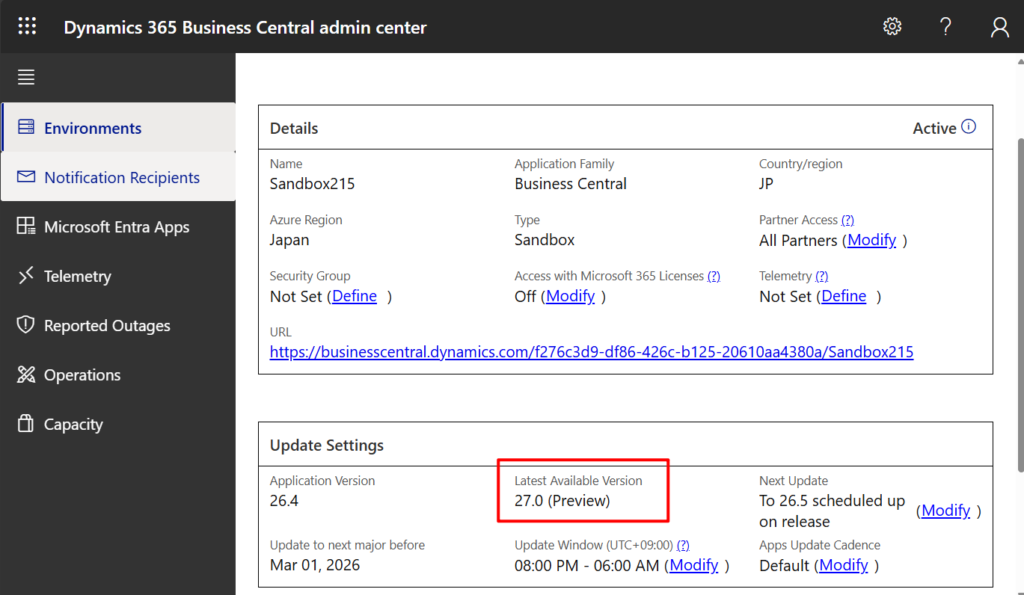
When you click on the environment, you can see that the Latest Available Version is 27.0 (Preview). (Unlike major and minor updates, there are no notifications for this as of now)
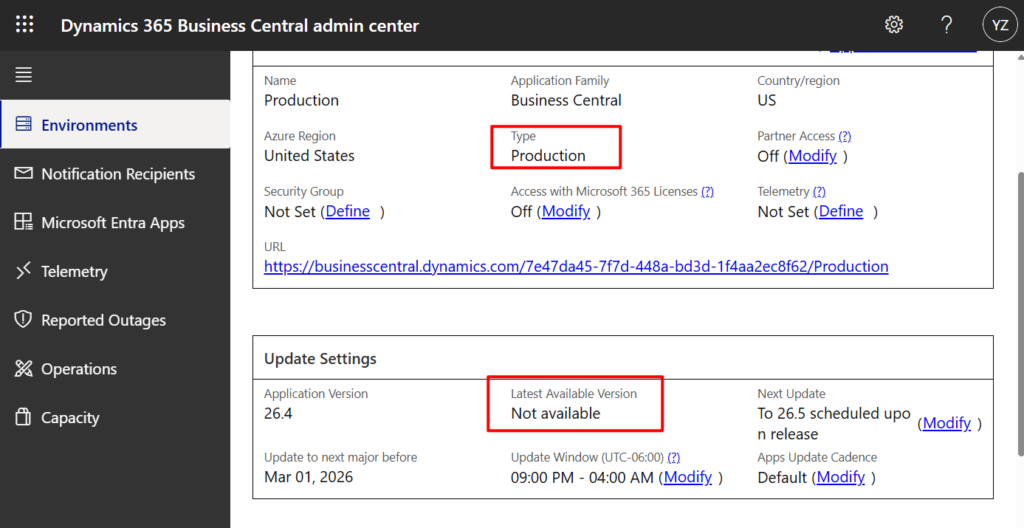
PS: Because we can only create a Sandbox environment for the Public Preview, the production environment cannot support upgrading to the Preview version.
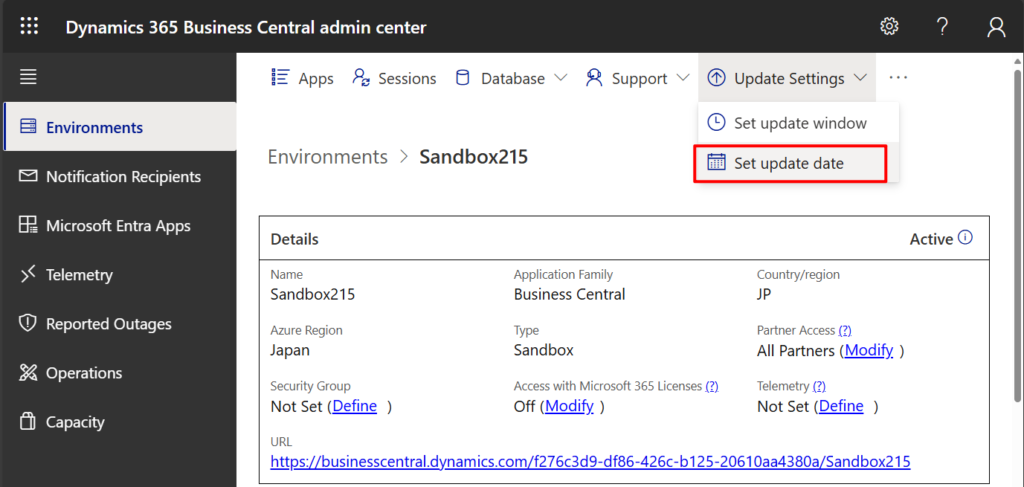
Then we need to do the same as any other update. Choose Update Settings -> Set update date.
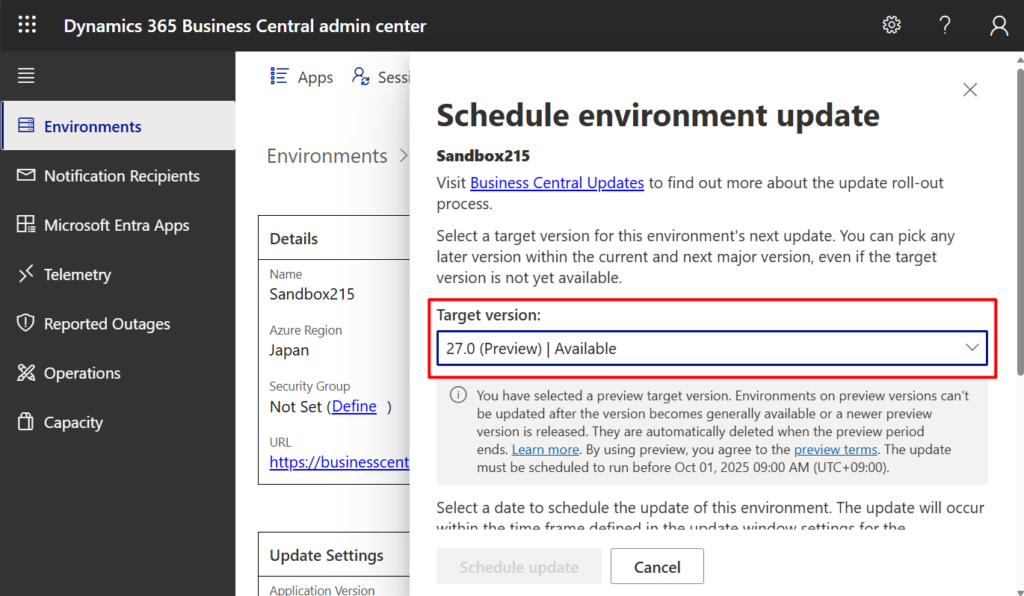
In Target version, you can select 27.0 (Preview).
You have selected a preview target version. Environments on preview versions can’t be updated after the version becomes generally available or a newer preview version is released. They are automatically deleted when the preview period ends. Learn more. By using preview, you agree to the preview terms. The update must be scheduled to run before Oct 01, 2025 09:00 AM (UTC+09:00).
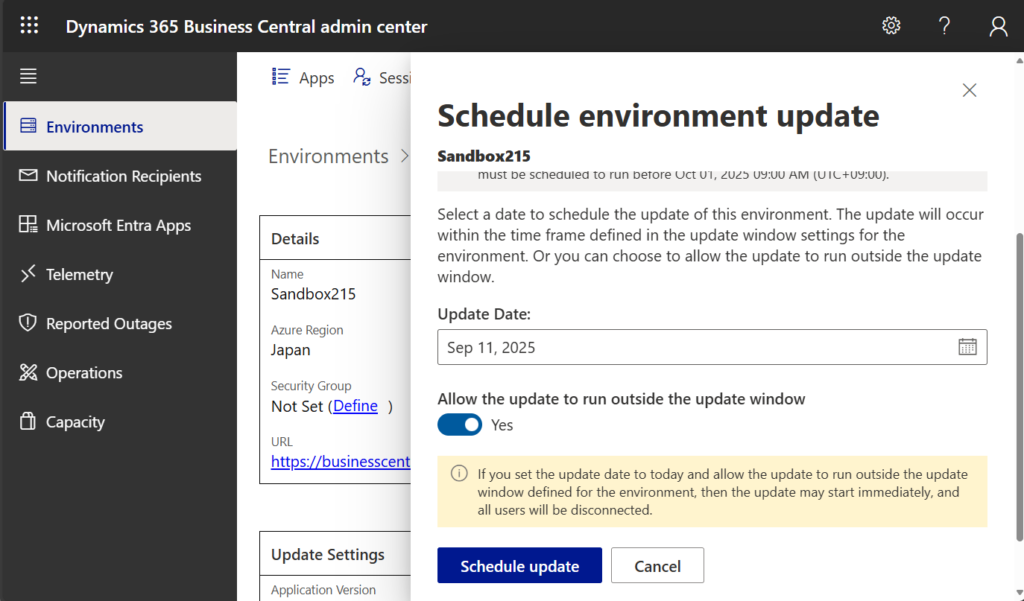
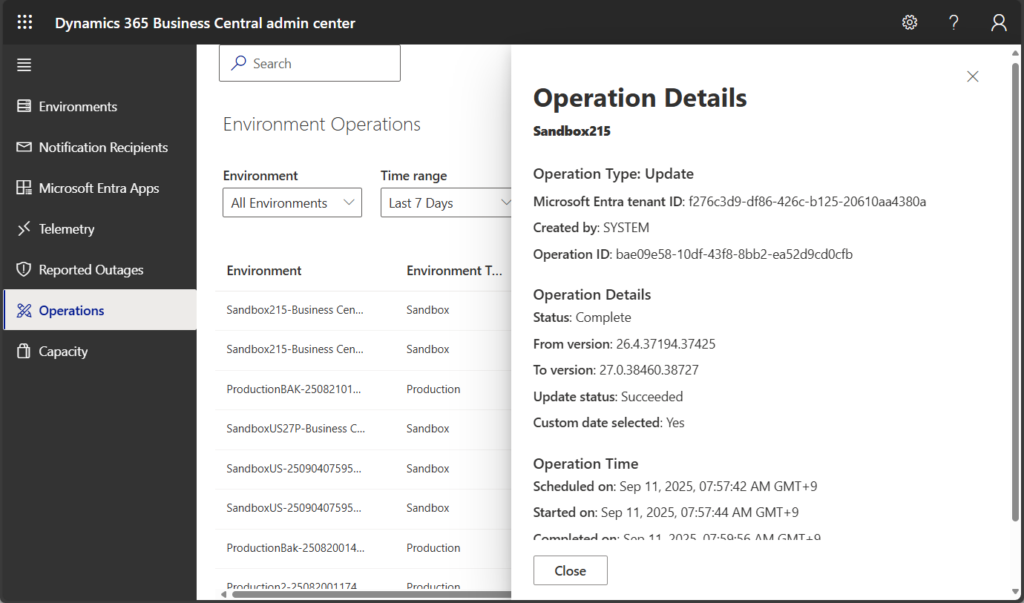
Let me try to upgrade immediately.
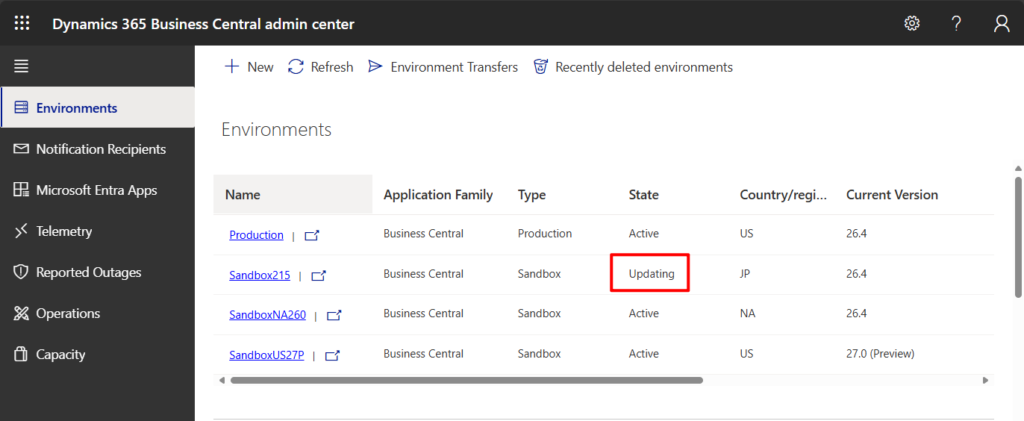
Updating:
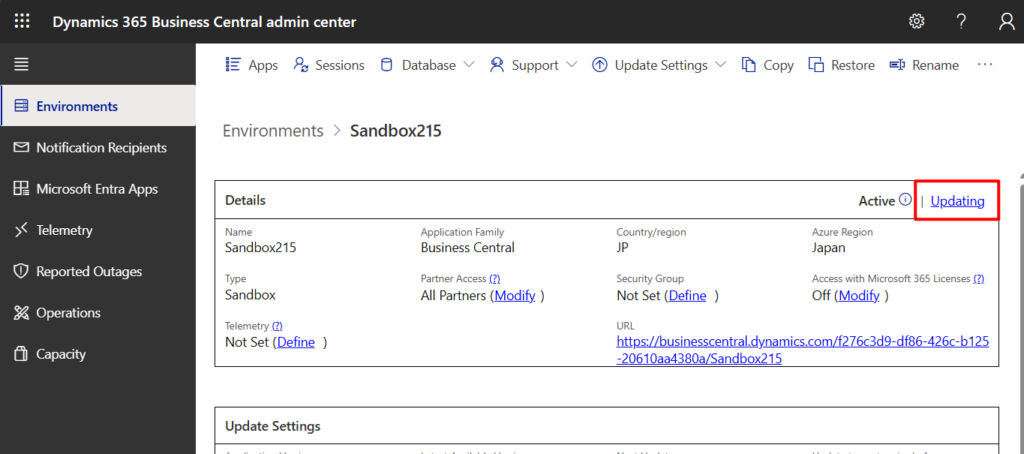
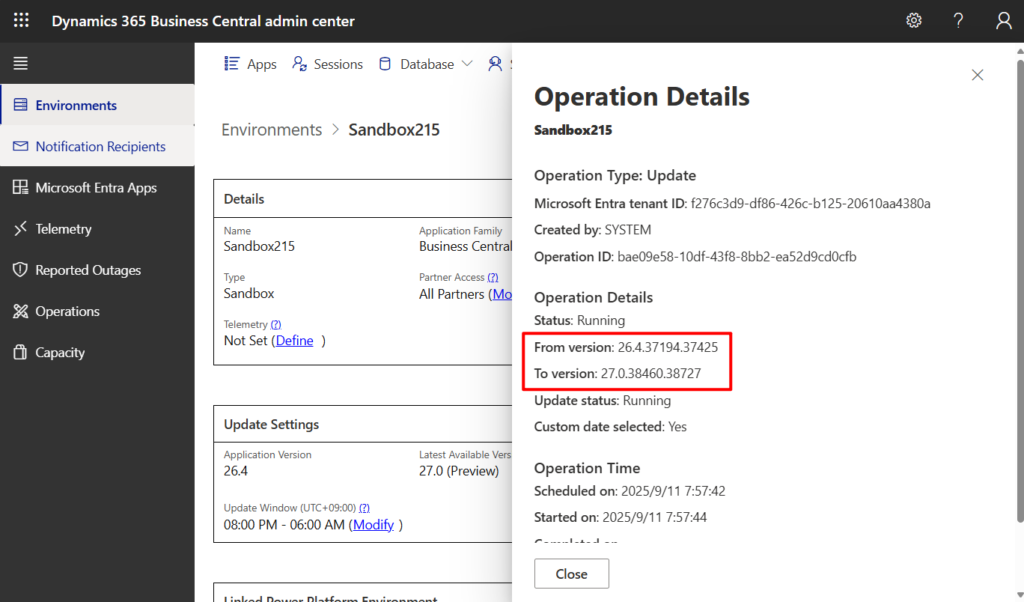
Done.
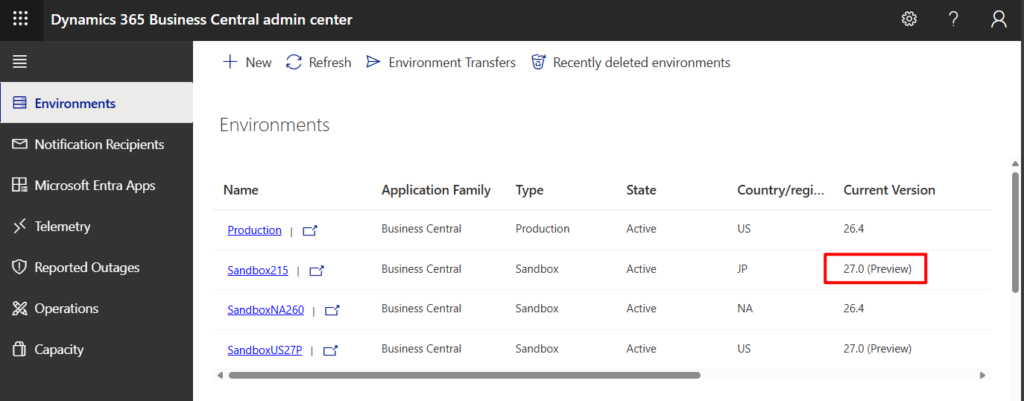
In Operations:
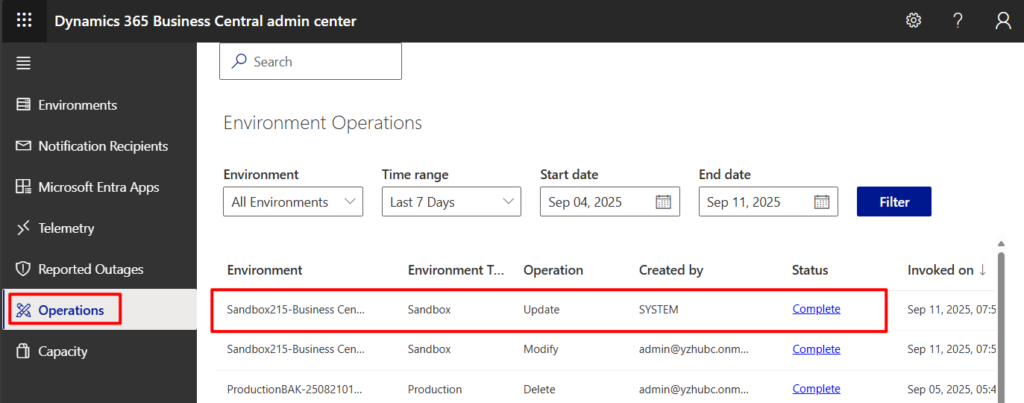
With this feature, you can update a sandbox environment to the preview version. Customers and partners can now:
- Find and fix potential issues that environment data or installed extensions cause before updating their production environments.
- Test new functionality and the update operation itself with their own data, so they get a more accurate picture of how the update works in their environments.
- Validate that installed apps and integrations continue to work seamlessly with the new version, so you can take more time to make any required changes before updating production environments.
- Prepare more effectively. When a preview environment closely resembles a production environment, you can start user readiness activities earlier, such as product training and change communication.
Great, give it a try!!!😁
END
Hope this will help.
Thanks for reading.
ZHU
コメント