

Hi, Readers.
Dynamics 365 Business Central 2026 wave 2 (BC29) is generally available. More details: General Availability: Dynamics 365 Business Central 2026 release wave 2 (BC29).
I will continue to test and share some new features that I hope will be helpful. In this post, I would like to talk about Turn indexes on/off from AL.
AL developers can now turn indexes off/on from AL code:
AL developers can now turn indexes off/on from AL code.
This allows app publishers to ship index management to match their features.
https://www.microsoft.com/en-us/microsoft-365/roadmap?id=573314
Indexes are an effective feature in relational databases, like SQL, to speed up the process of finding data. By indexing your frequently needed data, the overall performance of your application is optimized. For example, when you need to see some information in your application, a database query will run behind the scene to complete your request and it will look up every record until it finds the required information. This process of finding information is time consuming and slows down the application performance. However, if you index the data, like those columns that are referred more often, the database will go directly to that column instead of looking up all records in the table. This action significantly increases the efficiency and overall performance of your application. More details: Indexes overview
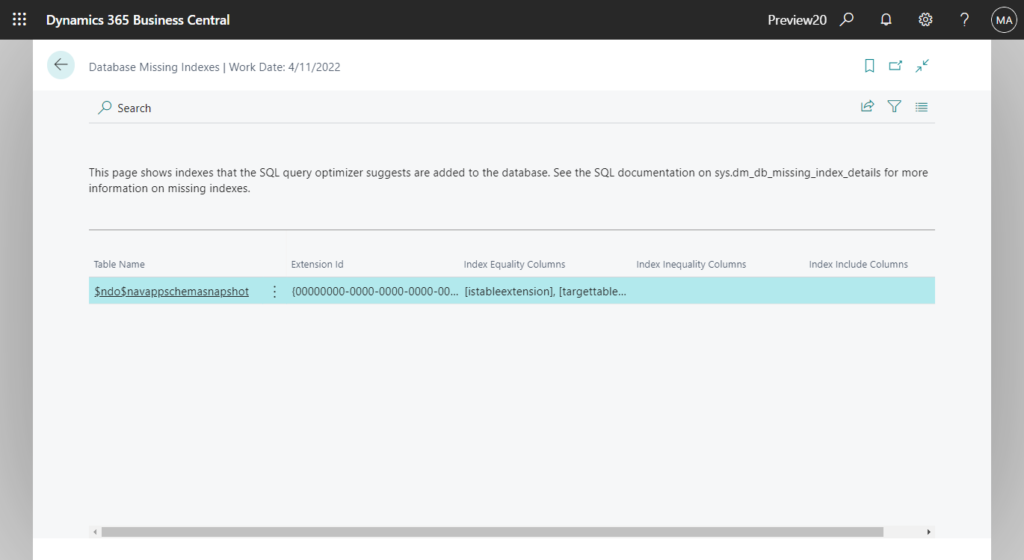
In Business Central 2022 wave 1 (BC20), developers and administrators can get insights into missing indexes in the database. More details: Database Wait Statistics page and Database Missing Indexes page
And in Business Central 2026 release wave 1 (BC28), we can manage database index usage and cost per company (View index and Turn off indexes). More details: Business Central 2026 release wave 1 (BC28): Manage database index usage and cost per company (View index and Turn off indexes)

With this wave (BC29), we can turn indexes on/off in AL code. Below is the example provided by Microsoft.

Let’s see more details. In codeunit 2000000029 “Index Management”, Microsoft updated the following methods:


These map to the actions on the Index Management page below:

PS: In BC28.5

For example, if we want to turn off the index below:
In table 21 “Cust. Ledger Entry”:

In Index Management:

In Table 2000000041 “Field”:

PS: We’ve discussed a few use cases for Table 2000000041 ‘Field’ before.
- How to quickly check if a field is a primary key field
- How to see all primary key fields of a table from BC UI (Four ways)
- How to export all keys in all tables
You can easily achieve this simply by running the code below.

Done.

Great, give it a try!😁
3. What’s new: Server and Database (2026 release wave 2)
END
Hope this will help.
Thanks for reading.
ZHU


コメント