

Hi, Readers.
The public preview for Dynamics 365 Business Central 2026 release wave 2 (BC29) is available. Learn more: Link.
I will continue to test and share some new features that I hope will be helpful. In this post, I would like to talk about Set up vendor-specific number series for self-billing invoices.
Set up vendor-specific number series for self-billing invoices:
Organizations that use self-billing often need to follow supplier-specific invoicing requirements, including unique numbering conventions. With this enhancement, you can define and assign dedicated number series for self-billed purchase invoices on a per-vendor basis.
https://learn.microsoft.com/en-us/dynamics365/business-central/dev-itpro/whatsnew/preview-feature-details?wt.mc_id=DX-MVP-5004336#financial-management-set-up-vendor-specific-number-series-for-self-billing-invoices
In Business Central 2026 release wave 1 (BC28), Microsoft introduced the self-billing invoices feature in the purchase process. Buyers can now generate invoices on behalf of a vendor when a self‑billing agreement is in place. More details: Business Central 2026 release wave 1 (BC28): Use self-billed invoices

With this major release, Microsoft stepped up this functionality again, this time adding the ability to set up vendor-specific number series for self-billing invoices.
Key capabilities include:
- Set up a unique number series for individual vendors that participate in self-billing arrangements.
- Automatically apply the vendor-specific number series when creating self-billed purchase invoices.
- Maintain separate invoice numbering sequences across different suppliers.
- Improve compliance with vendor agreements and local business requirements that mandate specific invoice numbering practices.
- Reduce manual intervention and the risk of numbering errors during invoice generation.
This is all controlled through a new field on the Vendor Card named ‘Self-Billing Invoice Nos.‘.

Additionally, there is a simple control in place: if ‘Self-Billing Agreement’ is not enabled, you cannot set ‘Self-Billing Invoice Nos.’.

Furthermore, attempting to disable ‘Self-Billing Agreement’ while ‘Self-Billing Invoice Nos.’ contains a value will trigger an error.”

In BC v28:

Great. Give it a try!!!😁
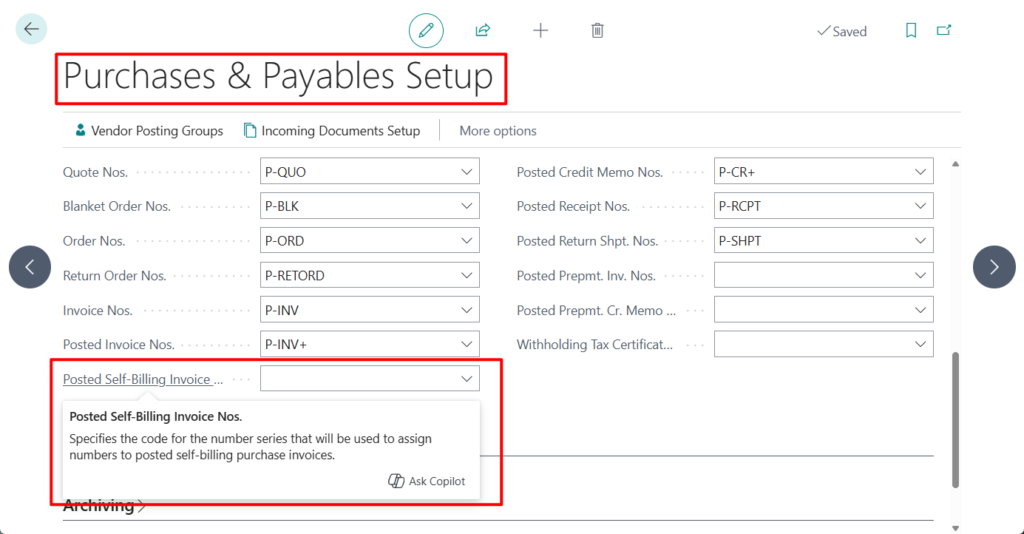
PS: Vendors can also be assigned a dedicated No. Series for posted self‑billed invoices, ensuring correct document sequencing.
END
Hope this will help.
Thanks for reading.
ZHU


コメント